
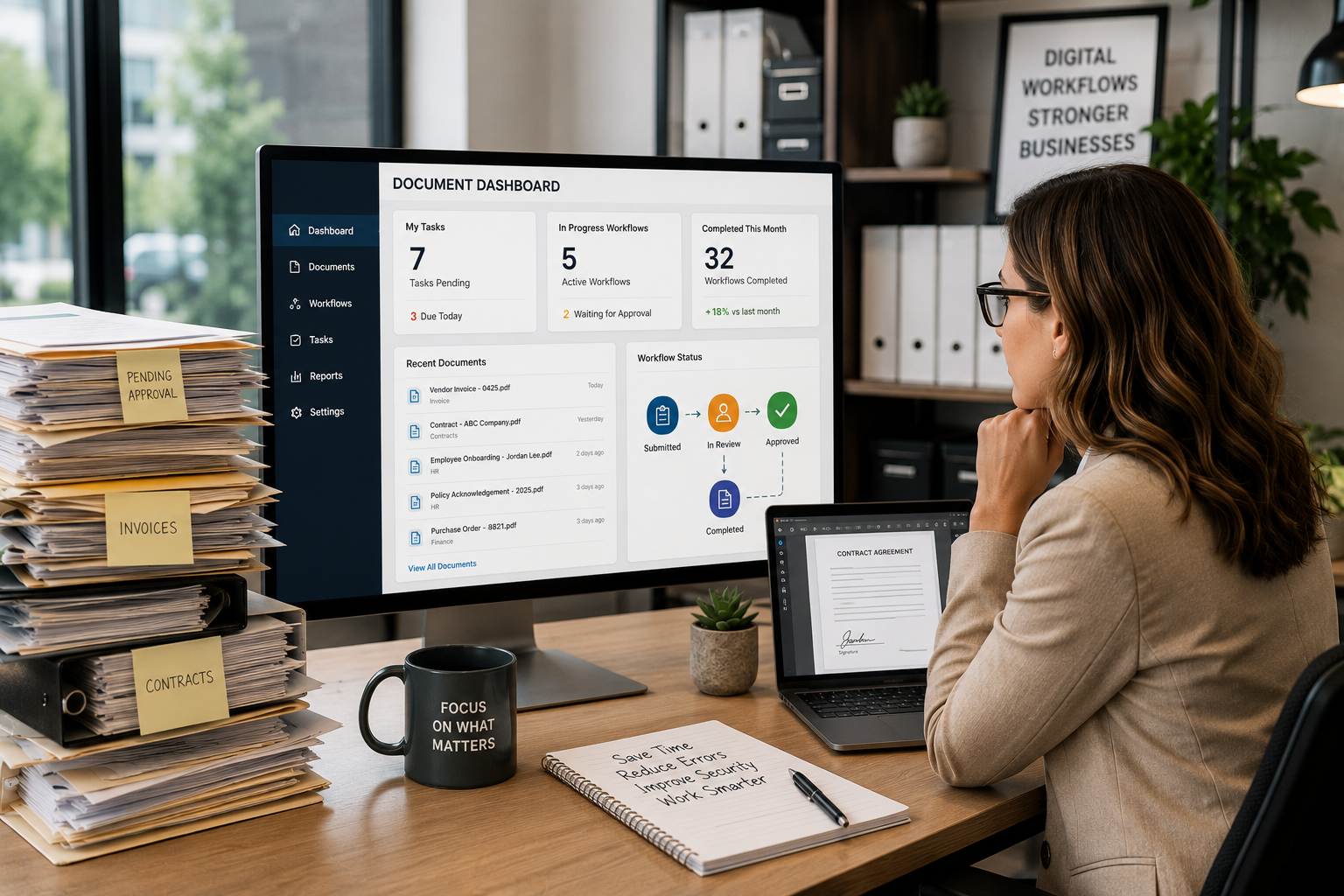
Document Management Services: Stop Chasing Paper
Document management services help busy offices stop wasting time searching for paperwork, chasing approvals, re-entering information, and wondering which version of a file is the right one. For many organizations, the problem is not one dramatic paperwork failure. It is the daily pileup of small delays.
An invoice sits in an email inbox waiting for approval. A signed contract is saved in the wrong folder. A customer record exists in paper form, a shared drive, and someone’s desktop. A human resources file needs to be reviewed, but only one person knows where it is stored. A compliance request turns into a full-day search through years of documents.
Individually, these moments may not seem like a major problem. Together, they create a constant drain on productivity.
Modern document management services and workflow automation software give businesses a better way to store, search, secure, route, approve, and manage information. Instead of documents living in filing cabinets, email threads, shared drives, paper stacks, and employee memory, files become organized, searchable, secure, and easier to access.
For businesses, schools, healthcare offices, nonprofits, manufacturers, professional service firms, and local organizations across St. Louis, St. Charles, the Metro East, Belleville, Edwardsville, Collinsville, and Southern Illinois, document management is no longer just about going paperless. It is about saving time, improving visibility, reducing risk, and making the office easier to run.
Quick Answer: What Are Document Management Services?
Document management services help organizations capture, store, organize, secure, retrieve, and automate business documents through a centralized digital system. Instead of relying on paper files, email attachments, scattered folders, and manual approval tracking, a document management system gives employees a secure place to find the information they need and move work forward faster.
Document management services often include:
- Secure digital document storage.
- Full-text search.
- Automated indexing.
- Version control.
- Access permissions.
- Audit trails.
- Electronic signatures.
- Retention management.
- Mobile or web-based access.
- Invoice processing automation.
- Employee record management.
- Workflow automation for approvals and routing.
Da-Com provides document management solutions that help organizations streamline document-related processes, improve search and retrieval, increase security, reduce storage requirements, and support digital workflows.
Why Busy Offices Struggle With Paperwork
Most offices do not set out to create document chaos. It happens gradually.
A department saves files in a shared drive. Accounting keeps invoices in email. Human resources uses folders, spreadsheets, and scanned PDFs. Sales keeps contracts in a customer folder. Managers track approvals manually. Someone prints documents “just in case.” Over time, information spreads across systems, desks, inboxes, cabinets, and personal habits.
Eventually, the office reaches a point where no one has a single source of truth.
Common warning signs include:
- Employees spend too much time searching for documents.
- Invoices wait too long for approval.
- Contracts exist in multiple versions.
- Paper files take up valuable office space.
- Managers rely on email reminders to move work forward.
- Remote or hybrid employees cannot easily access files.
- Departments use different filing systems.
- Compliance requests require manual document searches.
- Employees re-enter information from one system into another.
- No one knows whether the latest version of a document is final.
The real cost is not only paper. The real cost is time. When employees spend hours searching, following up, printing, scanning, copying, filing, and routing documents manually, they have less time for customers, operations, service, and growth.
Document Management Services vs. Shared Drives
Many businesses assume they already have document management because they use shared drives, cloud folders, or basic file storage. Those tools can be useful, but they are not the same as a true document management system.
A shared drive stores files. A document management system organizes documents as part of a business process.
| Category | Shared Drive or Basic Folder | Document Management System |
|---|---|---|
| Search | Often depends on file names and folder structure | Can include full-text search and metadata |
| Version control | Multiple copies can create confusion | Tracks versions more consistently |
| Security | Folder permissions may be inconsistent | Supports role-based access and audit trails |
| Approvals | Often handled manually by email | Can route documents automatically |
| Compliance | Retention and audits may be difficult | Can support retention policies and reporting |
| Productivity | Employees still chase files and updates | Documents move through defined workflows |
Basic file storage may work for a very small team. But as the organization grows, document volume increases, approval processes become more complex, and security expectations rise. That is when document management services become more valuable.
How Workflow Automation Software Changes the Process
Document management becomes even more powerful when paired with workflow automation software. Workflow automation removes repetitive manual steps from document-heavy processes, such as approvals, invoice routing, employee onboarding, contract review, form collection, and document distribution.
Instead of relying on employees to remember every follow-up, the system moves documents through predefined steps.
Invoice Processing Automation
Without automation, invoice processing often looks like this:
- An invoice arrives by email or mail.
- An employee saves, prints, or scans it.
- Accounting sends it to a manager for approval.
- The manager misses the email.
- Accounting follows up again.
- The invoice waits while the approval is tracked manually.
- Payment is delayed.
With workflow automation, the process can look more like this:
- The invoice enters the document management system.
- The system indexes and organizes the document.
- The invoice routes to the right approver.
- The approver receives a notification.
- The approval is completed electronically.
- The status is visible to the team.
- Payment processing continues with fewer delays.
The benefit is not only speed. It is visibility. Employees can see where the document is, who needs to act, and what step comes next.
Employee Onboarding Automation
New hire paperwork can involve HR, payroll, IT, management, compliance documents, policy acknowledgments, equipment requests, and training records. When this process is manual, it is easy for something to be missed.
Workflow automation can help route documents, notify the right people, collect approvals, and keep records organized from the start.
Contract Approval Automation
Contracts often move between sales, operations, legal, management, and customers. Without a defined workflow, documents can get stuck in email threads or edited in multiple versions.
A document workflow can route contracts through the right approval path, track status, preserve versions, and make final documents easier to find later.
Business Benefits of Document Management Services
Document management services can help businesses improve productivity, security, collaboration, compliance, and business continuity. The value is not only in digitizing paper. The value is in creating a more organized way to work.
Faster Document Retrieval
Searchability is one of the biggest advantages of digital document management. Employees should not need to search through filing cabinets, inboxes, scanned PDFs, and network folders just to find one record.
A document management system can help employees locate documents by name, date, customer, vendor, invoice number, department, keyword, metadata, or full-text search depending on the configuration.
Improved Security
Paper files are difficult to control. Documents may sit on desks, in unlocked cabinets, inside email attachments, or in folders with broad access. A document management system can help protect sensitive information through user permissions, secure access, encryption options, audit trails, and controlled workflows.
The National Institute of Standards and Technology Cybersecurity Framework helps organizations understand and improve how they manage cybersecurity risk. You can review the framework here: NIST Cybersecurity Framework.
Da-Com’s cybersecurity services can help businesses think through data protection, access control, monitoring, employee risk, and practical security improvements.
Better Compliance Support
Organizations in healthcare, education, finance, legal services, government, manufacturing, and nonprofit administration often need stronger document control. A document management system can support retention policies, access logs, audit trails, and more consistent document handling.
Compliance requirements vary by industry, but the principle is consistent: sensitive records should be easier to find, easier to protect, and easier to track.
Reduced Administrative Costs
Manual paperwork creates costs in paper, toner, printing, storage, filing cabinets, employee time, rework, scanning, and delayed approvals. Document management services can reduce those hidden costs by making documents easier to access and move through the organization.
Improved Collaboration
Employees often need to work on the same documents from different locations or departments. Digital document management can improve collaboration by giving authorized users secure access to the right information without emailing files back and forth.
Business Continuity
Paper-based processes are vulnerable to office disruptions. If documents only exist in a filing cabinet or on one person’s desk, an office closure, storm, fire, move, or emergency can create serious access problems.
Digital document management can support business continuity by making important documents more accessible and easier to protect.
Da-Com’s backup and continuity planning guide explains why businesses should plan for disruption before a system failure, outage, or emergency happens.
Document Management Services by Department
Document management services can support nearly every department because nearly every department depends on information.
Accounting and Finance
Accounting teams often manage invoices, purchase orders, approvals, vendor records, payment documentation, statements, tax records, and audit support. Document management can help reduce invoice delays, improve approval visibility, and organize records for faster retrieval.
Human Resources
HR teams manage employee records, onboarding forms, policy acknowledgments, benefits documents, performance reviews, training records, and compliance paperwork. A secure document management system can help protect employee information while improving access for authorized users.
Operations
Operations teams may rely on forms, work orders, checklists, vendor documents, shipping records, service reports, compliance documents, and internal approvals. Workflow automation can help reduce bottlenecks and manual tracking.
Sales and Customer Service
Sales and customer service teams may need contracts, proposals, customer forms, service agreements, account records, and signed documents. A centralized system can reduce delays when customer information is needed quickly.
Leadership and Administration
Business owners, executives, school administrators, nonprofit leaders, and office managers need visibility into approvals, records, contracts, policies, and operational documents. Document management can make that visibility easier.
Document Management Services by Industry
Healthcare Offices
Healthcare practices manage patient forms, insurance documents, referrals, administrative records, HR documents, vendor contracts, and compliance-related records. Document management services can help organize paperwork while supporting security and retrieval needs.
Legal Firms
Law firms handle large volumes of case files, contracts, correspondence, signed documents, discovery materials, and client records. Version control, secure access, and fast retrieval can be especially valuable.
Schools and Education Offices
Schools and educational organizations manage student records, personnel files, forms, vendor contracts, board documents, applications, and administrative paperwork. Digital workflows can reduce paper storage and improve office efficiency.
Manufacturing Companies
Manufacturers may use document management for purchase orders, quality documentation, vendor files, compliance records, shipping paperwork, employee records, and production-related forms. Workflow automation can reduce delays between departments.
Nonprofits
Nonprofits often operate with lean teams. Document management services can help reduce administrative overhead, organize donor records, manage grant documents, track approvals, and support reporting.
Professional Service Firms
Accounting firms, insurance agencies, consultants, financial offices, and other professional service firms rely on client documents, contracts, forms, reports, and approvals. A document management system can help improve responsiveness and reduce file confusion.
What to Look for in a Document Management System
Not every system is the same. The right document management solution should fit the way your organization works instead of forcing employees into a process that feels unnatural.
Look for features such as:
- Full-text search: Helps employees find documents quickly.
- Workflow automation: Routes documents through approvals and tasks.
- Electronic signatures: Speeds up approvals and remote signing.
- Secure access controls: Protects sensitive information.
- Audit trails: Tracks document activity and supports accountability.
- Version control: Reduces confusion from multiple file copies.
- Retention management: Helps manage document lifecycle requirements.
- Cloud or web access: Supports authorized access from multiple locations.
- Integration capabilities: Helps connect documents to business systems.
- Mobile access: Supports employees who need information away from their desks.
AIIM provides resources on intelligent information management, document processes, automation, and information governance for organizations that want to improve how they manage business information. You can review the resource center here: AIIM Resources.
Why Software Alone Does Not Solve Paperwork Problems
Many organizations purchase software and still struggle with documents. That usually happens because the project focuses on the tool instead of the process.
Successful document management requires:
- Workflow evaluation.
- Process mapping.
- Employee input.
- Security planning.
- Document naming and indexing decisions.
- Training.
- Adoption support.
- Ongoing improvement.
If the system is too complicated, employees avoid it. If workflows do not match reality, people create workarounds. If permissions are confusing, access problems slow the team down. If training is too light, the system never delivers its full value.
That is why local support matters. Da-Com helps organizations think through how people actually work, where documents get stuck, which processes waste time, and how automation can make the office easier to run.
Document Management Services and Cybersecurity
Documents often contain sensitive information, including financial records, employee data, contracts, customer information, vendor records, medical documentation, and business plans. That means document management and cybersecurity should be connected.
The Federal Trade Commission recommends that businesses protect files, devices, and networks, control access to sensitive data, train employees, update software, and back up important files. You can review the FTC resource here: FTC Cybersecurity for Small Business.
A strong document management strategy should consider:
- Who can access sensitive documents.
- How permissions are managed.
- How documents are shared.
- Whether audit trails are available.
- How long records should be retained.
- How documents are protected during remote access.
- How backups and continuity planning support document availability.
- How employees are trained to handle sensitive files.
Document management services should reduce risk, not simply move paper problems into digital folders.
Business Process Automation: Where to Start
Many offices know they need automation, but they do not know where to begin. The best starting point is usually a process that is repetitive, document-heavy, easy to map, and causing visible delays.
Good starting points include:
- Invoice approvals.
- Purchase requests.
- Employee onboarding.
- Contract review.
- Expense approvals.
- Vendor document collection.
- Customer intake forms.
- HR document routing.
- Compliance record collection.
- Internal policy acknowledgments.
Start with one process. Improve it. Train employees. Measure the time saved. Then expand into the next workflow.
The U.S. Small Business Administration provides resources to help businesses manage operations, technology, and planning. You can review SBA business guidance here: SBA Manage Your Business.
Signs It Is Time to Upgrade Your Document Processes
Your organization may need document management services if:
- Employees frequently lose documents.
- Approval cycles take too long.
- Paper storage keeps growing.
- Staff spend too much time searching for information.
- Remote employees cannot access what they need.
- Compliance requests create stress.
- Multiple file versions cause confusion.
- Invoices, contracts, or forms get stuck in email.
- Managers rely on manual reminders.
- Important documents are stored in too many places.
- Employees re-enter information from paper forms.
- One person becomes the office “document finder.”
If several of these sound familiar, the organization may be spending more time managing paperwork than benefiting from the information inside it.
Questions to Ask Before Choosing Document Management Services
Before choosing a provider, ask questions that reveal whether the solution will fit your organization’s real workflows.
- What document processes should we automate first?
- How will documents be indexed and searched?
- Who should have access to each document type?
- How are approvals routed?
- Can the system support electronic signatures?
- How does the system handle version control?
- What audit trail features are available?
- Can the system support remote or hybrid employees?
- How will employees be trained?
- How will old documents be migrated?
- How does the system support retention policies?
- Can the provider help map workflows before implementation?
- What support is available after launch?
The provider should be able to explain the process in plain language. The goal is not to make document management feel like another complicated project. The goal is to make the office easier to run.
How Da-Com Helps Busy Offices Stop Chasing Paperwork
Da-Com helps businesses look at the full document lifecycle, from capture and storage to search, security, approvals, workflows, and ongoing support. Because Da-Com also supports managed IT, cybersecurity, office equipment, and workflow solutions, organizations can often reduce vendor complexity while improving how information moves through the business.
Da-Com can help with:
- Document management system planning.
- Workflow automation software.
- Invoice processing workflows.
- Employee record management.
- Electronic signatures.
- Smart document control.
- Forms and data collection.
- Secure document storage.
- Workflow mapping.
- Implementation support.
- Training and ongoing service.
Da-Com’s Managed IT Services can also support the technology foundation around document management, including security, backup planning, endpoint support, cloud access, and user support.
Frequently Asked Questions About Document Management Services
What are document management services?
Document management services help businesses capture, store, organize, secure, retrieve, and automate documents through a centralized digital system. They can reduce paper storage, improve searchability, support security, and streamline approvals.
What is a document management system?
A document management system is software that stores and organizes business documents electronically so authorized users can search, access, route, approve, and manage files more efficiently.
What is workflow automation software?
Workflow automation software automates repetitive business processes such as invoice routing, approval requests, employee onboarding, contract review, document distribution, and status notifications.
Can document management help with compliance?
Yes. Many systems support compliance needs through access controls, audit trails, retention policies, version control, secure storage, and more consistent document handling.
Is document management only for large companies?
No. Small businesses, schools, medical offices, law firms, manufacturers, nonprofits, local governments, and professional service firms can all benefit from better document organization and workflow automation.
Can document management reduce paper use?
Yes. Document management can reduce paper use by digitizing records, automating approvals, supporting electronic signatures, and replacing manual filing processes with searchable digital workflows.
What processes should be automated first?
Good starting points include invoice approvals, purchase requests, contract review, employee onboarding, HR forms, customer intake forms, vendor documents, and recurring administrative approvals.
Why should support matter when choosing a document management provider?
Support matters because software alone does not fix broken processes. A strong provider helps map workflows, train employees, configure security, support adoption, and improve the system over time.
The Bottom Line: Stop Searching and Start Working
Paperwork should not control the workday. Employees should not have to dig through filing cabinets, email threads, shared drives, and stacks of paper just to find the information they need. Managers should not have to chase approvals manually. Office staff should not lose hours every week tracking down documents that should be searchable in seconds.
Document management services help busy offices create a better way to work. Files become easier to find. Approvals move faster. Sensitive information becomes easier to protect. Teams gain visibility. Processes become more consistent. Paper-heavy tasks become less stressful.
The right system does not simply digitize documents. It helps the organization work smarter.
To learn more about document management services, workflow automation software, electronic document management, and business process automation for your St. Louis, St. Charles, Metro East, Belleville, Edwardsville, Collinsville, or Southern Illinois organization, contact Da-Com today. Da-Com can help you evaluate your current document processes, identify workflow bottlenecks, improve security, and build a more organized system that helps your team stop chasing paperwork.



Leave A Comment