
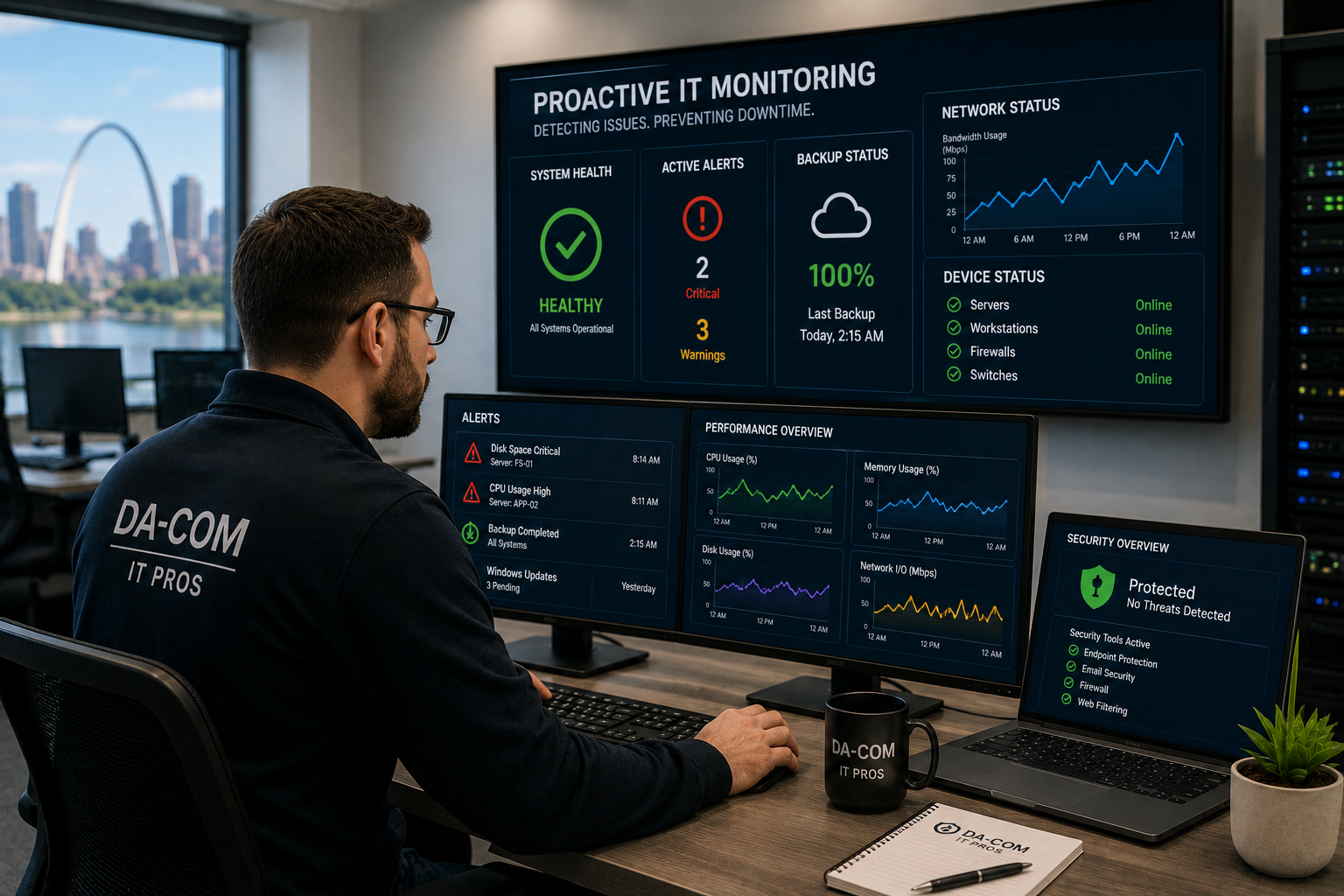
Proactive IT Monitoring: Stop Downtime Early
Proactive IT monitoring helps businesses identify technology problems before they become downtime, security incidents, data loss, or expensive emergency repairs. For many small and midsize businesses, IT has historically been handled reactively. Systems run until something breaks. Employees report the problem. Someone calls for help. Then the business waits while the issue is diagnosed and repaired.
That model feels familiar, but it is often more expensive than it appears.
The real cost of reactive IT shows up in unplanned downtime, lost productivity, emergency service calls, employee frustration, missed deadlines, data recovery concerns, and the operational disruption that spreads when technology suddenly stops working.
Proactive IT monitoring changes that model. Instead of waiting for employees to report a problem, your systems are monitored continuously for performance issues, security alerts, backup failures, storage warnings, hardware health concerns, and unusual activity. When the right monitoring tools and support process are in place, many issues can be detected and addressed before they interrupt the business.
For businesses in St. Louis, St. Charles, the Metro East, Belleville, Edwardsville, Collinsville, and Southern Illinois, proactive IT monitoring can help reduce risk, improve reliability, support cybersecurity, protect backups, and make technology easier to manage.
This guide explains what proactive IT monitoring includes, why it matters, how it supports cybersecurity, what businesses should expect from a monitoring program, and how to evaluate whether your current IT support is truly proactive.
Quick Answer: What Is Proactive IT Monitoring?
Proactive IT monitoring is the continuous tracking of your business technology environment to identify problems before they become major disruptions. It monitors system health, server performance, network activity, security events, backup status, hardware warnings, application availability, and other key technology signals.
A strong proactive IT monitoring program may include:
- Server monitoring.
- Network monitoring.
- Hardware health monitoring.
- Cybersecurity monitoring.
- Backup and recovery monitoring.
- Application and service monitoring.
- Storage capacity alerts.
- Patch and update visibility.
- Endpoint monitoring.
- Performance trend reporting.
- Alert response and escalation.
- Regular business reviews.
The goal is simple: find problems earlier, respond faster, prevent avoidable downtime, and give business leaders more visibility into the health of their technology environment.
Da-Com’s managed IT support helps businesses maintain, secure, and leverage technology through proactive support, cybersecurity, backup, business continuity, and strategic IT planning.
Why Reactive IT Support Creates Risk
Reactive IT support waits for something to go wrong. That may seem efficient because a business only calls for help when support is needed. But the issue is that technology problems often become expensive before anyone notices them.
A hard drive may show warning signs before it fails. A server may slowly run out of storage. A backup job may fail quietly for weeks. A firewall may log suspicious activity. A workstation may show signs of malware. A network switch may become unstable. A cloud service may experience repeated access issues. If no one is monitoring those signals, the business may not know there is a problem until employees are already affected.
Reactive IT creates several challenges:
- Problems are discovered after they affect users.
- Emergency repairs are often more disruptive than planned maintenance.
- Downtime can spread across departments.
- Small issues can become larger failures.
- Backup problems may go unnoticed.
- Security threats may remain undetected longer.
- Leadership has limited visibility into technology health.
Proactive IT monitoring helps shift the focus from repair after failure to prevention before disruption. That shift is important because most businesses do not simply need someone to fix technology. They need technology to stay reliable enough that employees can work without unnecessary interruptions.
What Proactive IT Monitoring Actually Tracks
Proactive IT monitoring is more than checking whether a server is online. A strong monitoring program watches many performance, security, and health indicators across the full technology environment.
Server and Infrastructure Monitoring
Servers support critical business functions such as file access, applications, authentication, databases, email services, and business systems. Monitoring helps track CPU usage, memory usage, disk performance, storage capacity, service availability, and system errors.
If storage is filling up or performance is degrading, alerts can trigger before the server fails or slows the business down.
Network Monitoring
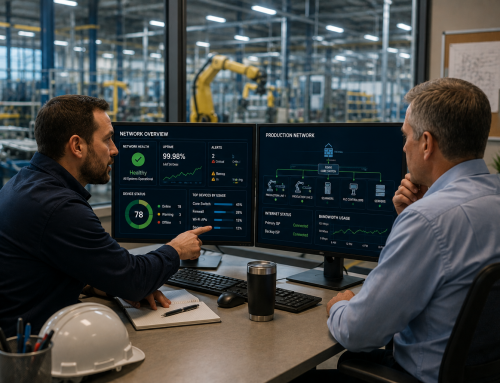
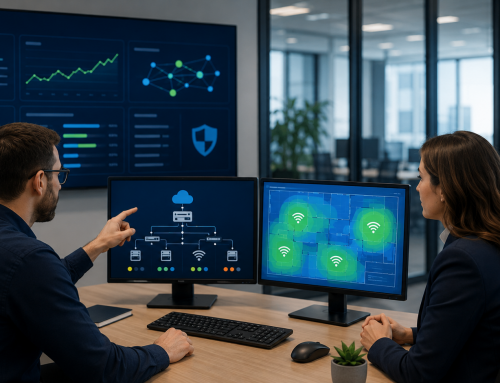
Network monitoring tracks the health and performance of switches, firewalls, wireless access points, routers, internet connectivity, and network traffic. It can help identify bandwidth bottlenecks, device failures, unusual traffic patterns, connectivity issues, and configuration concerns.
Because nearly every part of the modern business depends on connectivity, network monitoring is one of the most important parts of proactive IT monitoring.
Hardware Health Monitoring
Physical hardware often provides early warning signs before failure. Monitoring can track disk health, temperature, fan status, battery condition, hardware errors, and other indicators.
When a failing component is caught early, replacement can often be scheduled during a planned maintenance window instead of becoming an emergency outage.
Security Event Monitoring
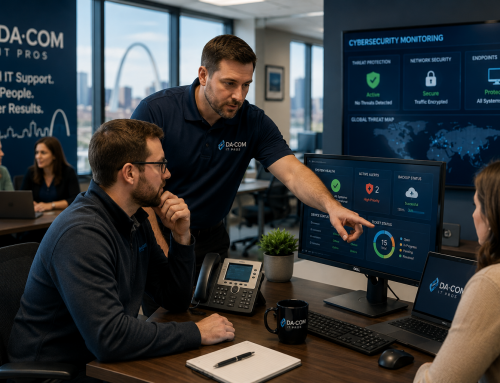
Security monitoring reviews alerts, logs, authentication activity, endpoint behavior, firewall events, and suspicious patterns that may indicate a cybersecurity issue.
CISA’s Cybersecurity Performance Goals provide a baseline set of protections intended to help organizations reduce the likelihood and impact of known risks and adversary techniques. You can review the CISA resource here: CISA Cybersecurity Performance Goals.
Backup and Recovery Monitoring
Backup monitoring verifies that backup jobs are completing successfully and that backup systems remain healthy. This is critical because backup failures are often silent. A business may assume backups are working until an emergency reveals that they have been failing for weeks.
Da-Com’s backup continuity plan guide explains why businesses need a plan to reduce downtime, protect data, and recover from cyberattacks, disasters, or system failures.
Application and Service Monitoring
Application monitoring tracks the availability and performance of important business tools. This may include cloud services, communication platforms, file sharing tools, line-of-business applications, databases, and other systems employees rely on daily.
When an application slows down or becomes unavailable, monitoring helps identify the issue earlier and gives the support team better information for troubleshooting.
The Business Case for Proactive IT Monitoring
The value of proactive IT monitoring is easiest to understand when comparing prevention with disruption.
Consider a server that begins showing signs of storage failure. In a reactive model, the business may not know there is a problem until the server fails. Employees lose access to files. Work stops. An emergency service call is placed. Hardware may need to be replaced. Backups may need to be restored. Managers have to coordinate around the disruption.
In a proactive model, monitoring detects the warning signs early. The support team reviews the alert, confirms the issue, orders the appropriate replacement, schedules maintenance, and resolves the problem before employees are affected.
The difference is not only technical. It is operational.
Proactive monitoring can help businesses reduce:
- Unplanned downtime.
- Emergency repair costs.
- Employee waiting time.
- Repeated technology interruptions.
- Data loss risk.
- Security detection delays.
- Management time spent on technology crises.
It can also help improve:
- System reliability.
- Technology planning.
- Cybersecurity visibility.
- Backup confidence.
- Budget predictability.
- Employee productivity.
- Leadership visibility.
Most businesses do not want technology to become another full-time job. They want systems to work, employees to stay productive, and support to happen before a small issue becomes a business problem.
Proactive IT Monitoring and Cybersecurity
One of the most important benefits of proactive IT monitoring is earlier detection of cybersecurity threats. Many successful cyberattacks involve a period of undetected activity before the most damaging phase occurs.
Attackers may attempt to steal credentials, explore systems, access files, disable protections, identify backups, or move through the network before launching ransomware or data theft. If a business is only reacting to visible problems, attackers may have more time to cause damage.
Proactive monitoring helps identify suspicious signals such as:
- Unusual login attempts.
- Repeated failed authentication.
- Access from unexpected locations.
- Unusual outbound traffic.
- Endpoint behavior changes.
- New administrative activity.
- Unexpected file access patterns.
- Security tool alerts.
- Possible malware indicators.
- Backup or retention setting changes.
NIST Cybersecurity Framework 2.0 provides guidance that organizations can use to understand, assess, prioritize, and communicate cybersecurity risk. You can review the framework here: NIST Cybersecurity Framework 2.0.
Cybersecurity monitoring does not guarantee that a business will never face an incident. But it improves visibility and can shorten the time between suspicious activity and response.
Da-Com’s cybersecurity for SMBs guide explains why small and midsize businesses need layered protection, including monitoring, endpoint security, email protection, patching, and response planning.
Monitoring Backups Before You Need Them
Backups are one of the most important systems to monitor because businesses usually do not notice backup failures during normal work. They notice them when something goes wrong.
That is a dangerous time to discover a problem.
Backup monitoring should help answer:
- Did the backup job complete?
- Was the backup successful?
- Which systems are included?
- Were any files skipped?
- Is backup storage healthy?
- Are recovery points available?
- Are backup alerts being reviewed?
- Has restoration been tested?
- Would ransomware affect the backup environment?
CISA’s StopRansomware Guide provides best practices for detecting, preventing, responding to, and recovering from ransomware and data extortion incidents. You can review the guide here: CISA StopRansomware Guide.
Backup monitoring should be paired with restore testing. A backup report may say a job completed, but restore testing confirms whether data can actually be recovered.
For many businesses, this is one of the clearest benefits of proactive IT monitoring: it catches silent failures before they become recovery failures.
What to Expect When You Move From Reactive to Proactive IT
When a business first moves to proactive IT monitoring, it is common to see a burst of activity. That is not a bad sign. It often means the monitoring program is uncovering issues that were already there but had not been visible.
Early findings may include:
- Aging hardware.
- Low storage capacity.
- Outdated software.
- Inconsistent patching.
- Failed backup jobs.
- Security misconfigurations.
- Unstable network devices.
- Unsupported systems.
- Endpoint health issues.
- Login or access anomalies.
This initial cleanup period helps reduce hidden risk. Once those issues are addressed, the ongoing experience should become more stable. Employees should experience fewer preventable outages. Leadership should receive better reporting. IT conversations should move from constant emergencies toward planned maintenance and strategic improvements.
A quality proactive monitoring program should provide regular reporting on system health, backup status, security events, device performance, and recurring trends. These reports help business leaders understand what is happening without needing to interpret technical alerts themselves.
How Proactive IT Monitoring Supports Strategic Planning
Monitoring data can be valuable beyond daily support. It can also guide long-term technology planning.
For example, monitoring can show:
- Which servers are approaching capacity.
- Which devices are aging or failing.
- Where network performance is weak.
- Which systems need upgrades.
- Where recurring issues are happening.
- Which backups need adjustment.
- Which security controls need improvement.
- Where user activity suggests training is needed.
This information helps businesses make better technology decisions. Instead of replacing equipment only after failure, leaders can plan hardware refreshes. Instead of guessing whether the network needs improvement, they can review performance trends. Instead of assuming backups are fine, they can review monitoring and restore test results.
Strategic planning is one of the reasons proactive IT monitoring belongs inside a broader managed IT relationship. The data is useful only if someone reviews it, explains it, and turns it into action.
Da-Com’s St. Louis business technology services page highlights secure, seamless, and cost-effective solutions designed to keep local businesses running smoothly.
How to Evaluate Whether Your Current IT Support Is Truly Proactive
Many IT providers use the word proactive, but not every provider delivers true proactive IT monitoring. Some providers simply respond faster after something breaks. That is better than slow support, but it is not the same as prevention.
To evaluate your current provider, ask:
- What systems are monitored continuously?
- What alerts are reviewed by your team?
- Can you show examples of issues caught before users reported them?
- How do you monitor backup job success?
- How often are backups restore-tested?
- How do you monitor cybersecurity alerts?
- What thresholds trigger action?
- How are recurring issues documented?
- What reporting do we receive?
- How often do you review system health with us?
- What percentage of recent issues were detected by monitoring versus reported by users?
The answers should be specific. A provider offering true proactive IT monitoring should be able to explain what they monitor, how alerts are handled, what response process follows, and how monitoring data is used to improve your environment.
If the answer is vague, the monitoring may be limited.
Why Local Proactive IT Monitoring Matters
Proactive monitoring tools can watch systems remotely, but local accountability still matters. Businesses want more than alerts. They want a partner who understands their office, employees, systems, priorities, and risk tolerance.
For businesses in St. Louis, St. Charles, the Metro East, Belleville, Edwardsville, Collinsville, and Southern Illinois, local proactive IT support can provide:
- Faster response when alerts need action.
- On-site support when remote troubleshooting is not enough.
- Technicians familiar with the environment.
- Better communication with leadership.
- Stronger accountability.
- More practical recommendations based on local business needs.
When an issue is detected, the technology matters. But the support process matters too. A monitoring alert only creates value if someone responds, communicates clearly, and resolves the issue before it harms the business.
Why Da-Com IT Pros Supports Proactive Monitoring
Da-Com IT Pros provides proactive IT monitoring as part of a managed IT approach for businesses across St. Louis and Southern Illinois. The goal is to help businesses reduce preventable downtime, improve system reliability, strengthen cybersecurity visibility, and make technology easier to manage.
Da-Com IT Pros helps monitor and support:
- Servers and infrastructure.
- Networks and connectivity.
- Endpoints and workstations.
- Cybersecurity alerts.
- Backup status.
- System health.
- Performance trends.
- Recurring issues.
- Strategic technology needs.
Da-Com also supports the broader office technology environment, including managed IT, cybersecurity, managed print, office equipment, and document management. That broader perspective matters because business technology rarely exists in separate silos. A printing issue may involve the network. A scanning issue may involve permissions. A cybersecurity issue may involve user behavior. A backup issue may involve cloud systems.
Da-Com’s About Da-Com page explains that Da-Com has been a customer-focused, family-owned company for more than 75 years and helps organizations with document management and information technology needs throughout Missouri and Illinois.
Frequently Asked Questions About Proactive IT Monitoring
What is proactive IT monitoring?
Proactive IT monitoring is the continuous tracking of system health, network performance, cybersecurity alerts, backup status, hardware warnings, and application availability to identify issues before they become major disruptions.
How does proactive IT monitoring prevent downtime?
It helps detect warning signs early, such as low storage, hardware health concerns, failed backups, network errors, security alerts, and performance issues. Support teams can then respond before employees are affected.
Is proactive IT monitoring only for large businesses?
No. Small and midsize businesses can benefit because they often have fewer internal IT resources and may be more vulnerable to downtime, backup failures, and cyber threats.
Does proactive monitoring include cybersecurity?
Many proactive monitoring programs include cybersecurity monitoring, such as authentication alerts, endpoint alerts, firewall events, unusual traffic, and suspicious behavior. Coverage depends on the provider and service plan.
What is the difference between proactive and reactive IT?
Reactive IT responds after users report problems. Proactive IT monitoring looks for warning signs before problems interrupt the business.
How often should monitoring reports be reviewed?
Businesses should review monitoring reports regularly, often monthly or quarterly, depending on the environment. Reports should cover system health, backup status, security events, performance trends, and recurring issues.
Can proactive IT monitoring help with backups?
Yes. Backup monitoring can confirm whether backup jobs are running successfully, identify failures, track recovery points, and support restore testing.
Stop Reacting and Start Preventing
Technology problems are easier to manage before they become business interruptions.
Proactive IT monitoring helps businesses detect warning signs earlier, reduce downtime, monitor backups, improve cybersecurity visibility, and make better long-term technology decisions. It shifts IT from emergency response to prevention and planning.
That shift can make a meaningful difference for small and midsize businesses. Employees experience fewer disruptions. Leaders gain more visibility. Systems become more reliable. Security alerts are handled sooner. Backup failures are less likely to go unnoticed. Technology becomes easier to trust.
If your business is still waiting for employees to report technology problems before action begins, now is the time to consider a more proactive approach.
To learn more about proactive IT monitoring for your St. Louis, St. Charles, Metro East, Belleville, Edwardsville, Collinsville, or Southern Illinois business, contact Da-Com today. Da-Com IT Pros can help you improve system visibility, reduce preventable downtime, strengthen cybersecurity monitoring, and build a managed IT program that keeps your business running at its best.



Leave A Comment