Wide Format Scanning: 2026 Guide for Large Documents
Wide format scanning helps businesses turn oversized paper documents into digital files that are easier to store, share, search, archive, and protect. For companies that work with blueprints, construction plans, site maps, engineering drawings, facility layouts, posters, permits, renderings, or older paper records, scanning can solve one of the biggest document problems in the office: important information exists on paper, but the people who need it work digitally.
Many businesses have shelves, flat files, tubes, boxes, drawers, and job trailers full of large documents. Some are current project documents. Some are historical records. Some are marked-up plans that need to be saved. Some are facility drawings that only get used when there is an urgent repair or renovation. When those documents only exist on paper, they are harder to find, harder to share, easier to damage, and more difficult to protect.
That is where a wide format scanner can help. Instead of relying on physical storage or sending oversized documents to an outside vendor every time you need a digital copy, your team can scan blueprints, drawings, maps, and other large documents into digital files. Those files can then be organized, named, routed, archived, backed up, or shared with the right people.
Da-Com helps businesses across St. Louis, Columbia, and Southern Illinois evaluate wide format printing, scanning, document workflow, and office technology needs. This guide explains what wide format scanning is, which documents can be scanned, why scanning helps with archiving and retrieval, what to know about resolution and file formats, how scan-to-file workflows work, and when in-house scanning may make sense compared to outsourcing.
What Is Wide Format Scanning?
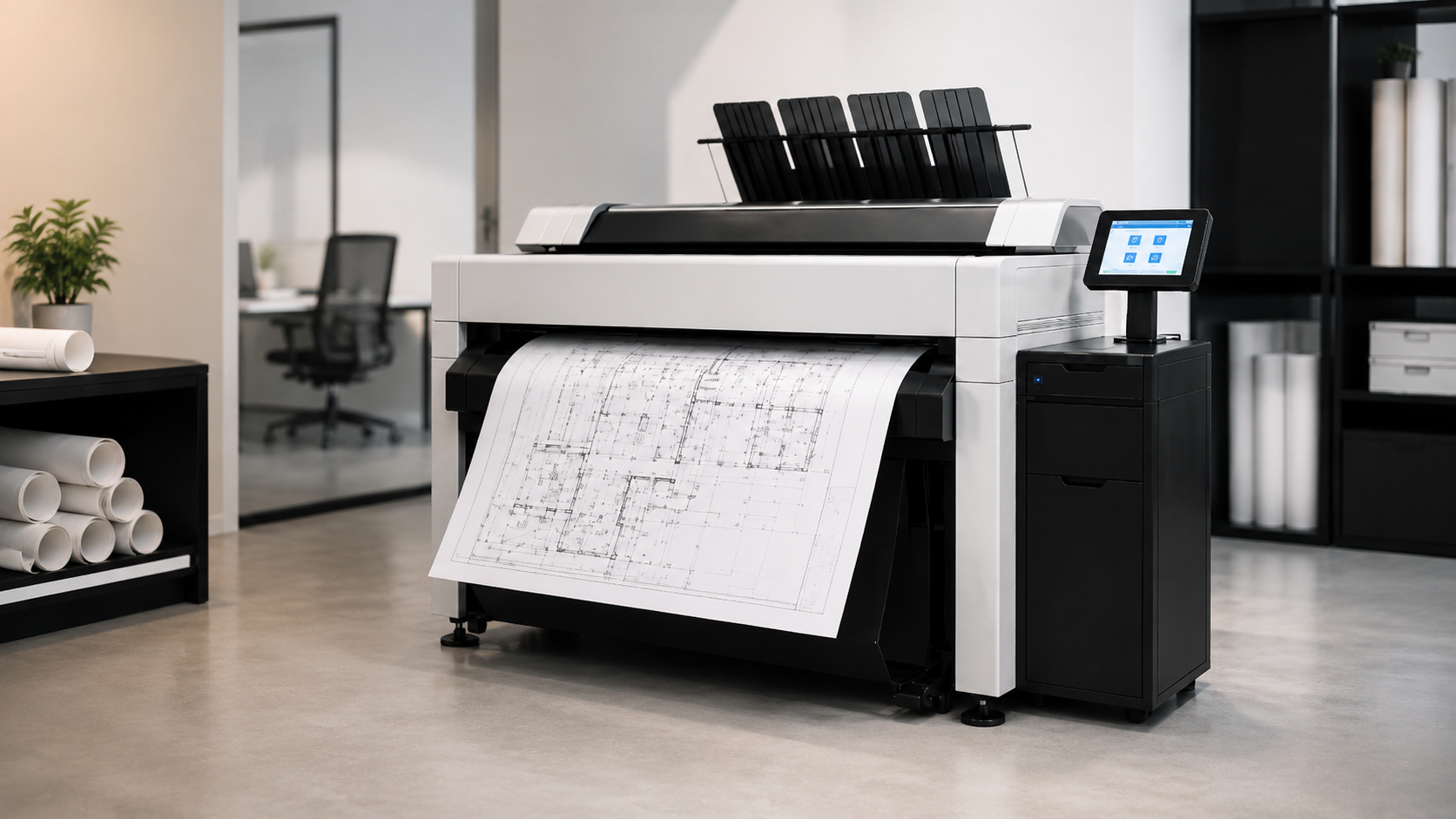
Wide format scanning is the process of converting oversized paper documents into digital files using a scanner designed for large media. Unlike a standard desktop or office scanner, a wide format scanner can handle documents that are much wider than letter, legal, or tabloid paper.
Wide format scanning is commonly used for architectural drawings, engineering plans, construction documents, site plans, maps, technical drawings, posters, renderings, and other oversized materials. It is especially useful when a business needs to preserve older paper documents or make current project documents easier to access digitally.
Da-Com’s wide format printer solutions include a wide format scanning system designed for document archival, high-resolution image quality, and production-speed scanning. Da-Com’s wide format page also notes support for standard documents and mounted originals up to 0.6 inches thick, which can be helpful for businesses that need to handle more than basic paper plans. :contentReference[oaicite:3]{index=3}
How Wide Format Scanning Is Different From Standard Scanning
Standard office scanners are useful for contracts, invoices, HR documents, receipts, and everyday paperwork. However, they are not designed for large drawings or oversized documents. Trying to scan a blueprint on a small scanner often requires folding, cutting, photographing, or scanning sections and stitching them together manually.
A wide format scanner is designed to capture the entire document more efficiently. It can support larger widths, longer documents, higher-detail drawings, and workflows that route digital files directly to a folder, document management system, email, cloud location, or project archive.
Who Uses Wide Format Scanning?
Wide format scanning is useful for any organization that works with large paper records. Common users include:
- Architecture firms.
- Engineering firms.
- Construction companies.
- General contractors and subcontractors.
- Manufacturers.
- Municipalities and public works departments.
- Schools and universities.
- Healthcare facilities.
- Property management companies.
- Facilities and maintenance teams.
- Utilities and infrastructure organizations.
- Nonprofits and historical organizations with oversized records.
In each case, the goal is similar: make large documents easier to find, use, store, share, and preserve.
Common Documents Businesses Scan
Wide format scanning can be used for many types of oversized documents. Some are active business documents used every day. Others are historical records that need to be preserved before they fade, tear, or get misplaced.
Blueprint Scanning
Blueprint scanning is one of the most common uses for a wide format scanner. Construction companies, architects, engineers, and facility managers often need to digitize blueprints so they can preserve original drawings, share them with project teams, or create searchable archives.
Older blueprints may contain important information that does not exist in a modern digital system. If those drawings are damaged, lost, or stored in a hard-to-access location, teams may waste time searching for the information they need. Digitizing blueprints can help protect those records and make them easier to retrieve.
Construction Plan Scanning
Construction plans change throughout a project. Teams may need to scan construction plans with markups, redlines, approvals, field notes, revisions, or as-built information. Scanned files can help preserve project history and support communication between offices, job trailers, owners, subcontractors, and field teams.
For construction teams, scanning is not only about storage. It can also support accountability. A scanned marked-up plan can show what was discussed, approved, or changed at a certain point in the project.
Engineering Drawings
Engineering drawings often contain detailed technical information that needs to be preserved accurately. Large document scanning can help archive engineering drawings so they can be retrieved for maintenance, manufacturing, quality control, repairs, renovations, or future design work.
Because engineering drawings may include fine lines, dimensions, notes, and symbols, scan quality matters. A poor scan can make important information difficult to read. Choosing the right scanning resolution and file format helps preserve detail.
Maps and Site Plans
Municipalities, schools, property managers, utilities, healthcare campuses, and facilities departments often need to digitize maps and site plans. These may include property maps, campus maps, utility layouts, road plans, parking layouts, emergency routes, landscaping plans, and infrastructure drawings.
Digital maps and plans are easier to share with internal teams, contractors, consultants, emergency responders, or maintenance staff. They can also be stored in a central location instead of being scattered across departments.
Posters, Displays, and Large Visuals
Wide format scanning is also useful for posters, presentation boards, charts, artwork, signage, training materials, and other large visuals. Schools, marketing departments, nonprofits, and corporate offices may need to preserve or reuse large visuals that only exist in print.
Scanning these items can help create a reusable digital file that can be printed again, stored in a campaign archive, or shared with other teams.
Why Wide Format Scanning Helps With Archiving and Retrieval
Wide format scanning is valuable because it turns hard-to-manage paper into digital files that can be organized and retrieved more easily. For many businesses, this is the biggest benefit. The scanned file is not just a copy. It becomes part of a more useful document workflow.
Paper Archives Are Difficult to Manage
Physical archives take space. Large drawings are often stored in flat files, boxes, tubes, shelves, plan rooms, or offsite storage. Over time, documents may be misfiled, damaged, duplicated, or forgotten. Employees may spend valuable time searching for old drawings or asking longtime staff where something is stored.
Physical archives also create access problems. If a drawing is stored in one office, a team in another location may not be able to use it without waiting for someone to scan, photograph, mail, or deliver it. If a key employee is out, the location of a document may not be obvious.
Digital Files Are Easier to Find
Once documents are scanned, they can be named, indexed, organized by project, stored by location, or connected to a document management system. This makes retrieval faster and more consistent.
Da-Com’s advanced scanning solutions are designed to help businesses convert paper documents into retrievable, indexed files. Da-Com’s advanced scanning page notes that modern scanners can route documents to the right location automatically, which can streamline everyday processes. :contentReference[oaicite:4]{index=4}
Scanning Supports Backup and Disaster Recovery
Paper documents can be damaged by water, fire, handling, fading, pests, misplacement, or jobsite conditions. Digitizing important plans and drawings creates an additional layer of protection. Once files are scanned, they can be backed up, secured, and included in broader disaster recovery planning.
Digital files should still be managed carefully. Scanning does not automatically create a safe archive unless files are stored, backed up, and protected properly. However, it gives businesses the opportunity to protect important records in a way that is difficult with paper-only storage.
Resolution and File Format Considerations
Resolution and file format affect the quality, usability, and size of scanned documents. Choosing the right settings helps ensure that the scanned file is clear enough for its purpose without creating unnecessarily large files that are hard to store or share.
Understanding Scan Resolution
Scan resolution is usually measured in dots per inch, often called DPI. Higher DPI captures more detail, but it also increases file size. The best resolution depends on the document type and how the file will be used.
For simple line drawings, a moderate resolution may be enough. For detailed engineering drawings, older faded documents, small text, or graphics, a higher resolution may be useful. For posters or visuals that may be reprinted, image quality may matter more.
The goal is to choose a resolution that preserves the detail your team needs. If text, dimensions, linework, stamps, or notes are hard to read after scanning, the scan is not useful enough for business purposes.
Common File Formats
Wide format scanning workflows often use file formats such as PDF, TIFF, or JPEG. Each format has different strengths.
- PDF: Useful for sharing, archiving, viewing, and storing documents in a format many users can open.
- TIFF: Common for high-quality archival images and technical scanning where image preservation matters.
- JPEG: Useful for visual materials or smaller image files, but it may not be ideal for every technical drawing.
Some workflows may also use searchable PDF if optical character recognition is appropriate. OCR can help make text searchable, although it may not capture every handwritten note, small label, or technical symbol accurately.
Color, Grayscale, or Black-and-White
Not every document needs to be scanned in color. Black-and-white scanning can work well for many line drawings and plans. Grayscale may help capture shading, pencil marks, or subtle details. Color scanning is useful for maps, marked-up plans, posters, renderings, color-coded drawings, and documents where color carries meaning.
Before scanning a large archive, businesses should decide which settings make sense for each document type. This avoids inconsistent results and helps control file sizes.
How a Scan-to-File Workflow Works
A scan-to-file workflow is the process of converting a paper document into a digital file and sending that file to the right location. A good workflow should be simple enough for employees to use consistently and structured enough to keep files organized.
Step 1: Prepare the Document
Before scanning, the document should be reviewed for folds, tears, staples, tape, dirt, or fragile areas. Older documents may need special care. Mounted originals, heavy media, or damaged drawings may require a different handling approach than standard paper plans.
Preparation also includes deciding whether the scan should be black-and-white, grayscale, or color and what resolution is appropriate.
Step 2: Scan the Document
The document is fed through the wide format scanner. Depending on the system, users may be able to scan face up or face down, select resolution settings, choose a file format, and route the file to a destination.
For businesses that scan frequently, speed matters. Production-speed scanning can help teams process active documents or archives more efficiently, especially when there are many drawings to digitize.
Step 3: Name and Index the File
File naming is one of the most important parts of the workflow. A scanned file named “scan001.pdf” is not very helpful six months later. A useful naming convention may include project name, drawing number, date, revision, location, department, or document type.
Indexing can also help. Files can be tagged or categorized so employees can search by project, client, property, date, or document type. This is where document management planning becomes important.
Step 4: Store the File in the Right Place
Scanned files should be routed to a location where authorized users can find them. That might be a project folder, shared drive, cloud storage platform, document management system, or archive. Access permissions should be considered, especially for sensitive plans, building information, contracts, or client records.
Da-Com’s document workflow and automation solutions can help businesses improve how documents are routed, approved, stored, and retrieved after scanning. :contentReference[oaicite:5]{index=5}
Step 5: Back Up and Protect the Digital Archive
After scanning, digital files should be backed up and secured. Access should be limited to the right users. Important records should be included in backup and disaster recovery planning. If the scanned files replace or supplement critical paper records, they should be protected accordingly.
When In-House Wide Format Scanning Makes Sense
In-house wide format scanning may make sense when a business scans large documents frequently, needs quick access to digital files, or wants more control over sensitive documents. It can also support teams that need to scan construction plans, markups, as-builts, maps, or facility drawings on demand.
In-House Scanning May Be a Good Fit If:
- Your team scans blueprints, plans, maps, or drawings regularly.
- You need same-day access to digital files.
- You handle confidential or sensitive project documents.
- You want to reduce trips to outside scanning vendors.
- You need to scan marked-up plans during active projects.
- You have an archive of engineering drawings to digitize over time.
- You want to standardize file naming and storage procedures.
- You need scanning to connect with your internal document workflow.
In-house scanning gives businesses more control over timing, quality, confidentiality, and organization. It also helps employees capture important documents when the need arises instead of waiting for an outside provider.
Benefits of In-House Scanning
The biggest benefit is convenience. Employees can scan a plan, map, or drawing when they need it. This can be especially valuable for construction firms, engineering teams, facilities departments, municipalities, and campuses where large documents may need to be accessed quickly.
In-house scanning can also help preserve institutional knowledge. If older drawings are slowly digitized over time, teams can build a more useful archive instead of waiting for an urgent need to locate and scan a single record.
When Outsourced Scanning Makes Sense
Outsourced large document scanning may be better when a business has a one-time archive project, very low scanning volume, or documents that require specialized handling. Not every company needs its own wide format scanner.
Outsourcing May Be a Good Fit If:
- You only need large document scanning a few times per year.
- You have a one-time backlog of drawings to digitize.
- You do not have staff available to manage scanning.
- You need specialty handling for fragile historical documents.
- You do not need immediate scan access.
- You do not want to manage equipment, supplies, or maintenance.
Outsourcing can be cost-effective when scanning needs are occasional. However, it can become inconvenient if your team needs scans frequently, has sensitive documents, or needs immediate access to digital files.
How to Compare In-House vs. Outsourced Scanning
To compare options, look at your current and expected scanning needs. Consider volume, urgency, confidentiality, labor, storage requirements, and workflow impact. If employees frequently spend time transporting documents, waiting for scans, or searching through paper archives, in-house scanning may create meaningful productivity gains.
If you only have occasional oversized scanning needs, outsourcing may remain the better option. The right answer depends on the way your team works.
How Wide Format Scanning Supports AEC and Construction Teams
AEC and construction teams often have the strongest need for wide format scanning because their work depends on large plans, revised drawings, markups, specifications, and as-built documentation.
Scanning Helps Preserve Markups and Redlines
Project drawings are often marked up during reviews, meetings, field visits, and coordination discussions. Those markups may contain important decisions, questions, approvals, or action items. Scanning marked-up drawings helps preserve that information and makes it easier to share with the rest of the project team.
Scanning Helps With As-Built Documentation
As-built drawings document how a project was actually completed. They may include changes that happened during construction, field adjustments, or updates that differ from the original plan set. Scanning as-builts can help owners, facility teams, and contractors retain accurate records for future maintenance, renovation, or expansion.
Scanning Helps Reduce Revision Confusion
When teams rely only on paper, it can be difficult to know whether everyone has the current version. Scanning important plan sets, revisions, and markups can support better document control. Digital files can be stored with dates, revision numbers, and project folders so users have a clearer path to the right document.
Da-Com’s wide format print resources include additional content for businesses that manage large-format documents, plan sets, and AEC workflows. :contentReference[oaicite:6]{index=6}
Wide Format Scanner St. Louis: What to Look For
If you are evaluating a wide format scanner in St. Louis, Columbia, or Southern Illinois, the equipment is only part of the decision. You should also consider service, support, workflow planning, training, and long-term usability.
Scanner Features to Compare
- Maximum document width.
- Support for long documents.
- Color, grayscale, and black-and-white scanning.
- Resolution options.
- Scan speed.
- Support for mounted originals or thicker materials.
- File format options.
- Scan-to-folder, scan-to-email, or scan-to-document management workflows.
- Touchscreen usability.
- Integration with existing print and document systems.
Support Questions to Ask
- Who will install and configure the scanner?
- Who will train employees?
- How will scanned files be named and routed?
- What service support is available?
- Can the provider help with document workflow planning?
- Can the scanner support current needs and future growth?
Local support matters because scanning workflows often need practical setup and training. A provider that understands your office, users, file structure, and business goals can help make the system more useful from the start.
FAQ: Wide Format Scanning Questions
What is wide format scanning?
Wide format scanning is the process of converting oversized paper documents, such as blueprints, maps, plans, drawings, posters, and large records, into digital files using a scanner designed for large media.
Can you scan old blueprints?
Yes. Blueprint scanning is one of the most common uses for a wide format scanner. Older documents may require careful handling, especially if they are fragile, faded, torn, or mounted.
What file format should I use for scanned plans?
PDF is often a practical choice for sharing and archiving scanned plans. TIFF may be preferred for high-quality archival scanning. JPEG may work for visual materials, but it is not always ideal for technical documents.
Should construction plans be scanned in color or black-and-white?
It depends on the document. Black-and-white may be enough for simple line drawings. Color is better for markups, maps, renderings, color-coded plans, and documents where color contains important information.
Is in-house scanning better than outsourcing?
In-house scanning is often better when your team scans large documents frequently, needs fast turnaround, or handles sensitive project files. Outsourcing may be better for occasional scanning or one-time archive projects.
How does scanning help with document archival?
Scanning turns paper records into digital files that can be named, indexed, backed up, secured, and retrieved more easily. This helps reduce reliance on physical storage and protects important records from loss or damage.
Helpful Resources for Document Scanning and Digital Archives
Businesses planning a scanning project may also want to review trusted resource-based guidance about digital preservation, records management, and structured data. These resources can help teams think through how digital files should be created, stored, described, and maintained:
- National Archives guidance for digitization and records transfer, for public-sector-oriented guidance related to digitized records and formats.
- Library of Congress digital preservation format resources, for information about file formats and long-term digital preservation.
- National Institute of Standards and Technology, for general standards, measurement, and technology resources.
- Google Search Central FAQ structured data documentation, for understanding FAQ markup guidelines and eligibility limitations.
Final Thoughts on Wide Format Scanning
Wide format scanning helps businesses solve a practical problem: important large documents are often trapped on paper. Blueprints, plans, maps, engineering drawings, posters, and facility records may contain information that teams need, but paper storage makes that information harder to find, share, preserve, and protect.
Digitizing large documents can improve access, reduce time spent searching for records, support project collaboration, protect historical files, and strengthen document workflows. For AEC firms, construction companies, schools, municipalities, manufacturers, healthcare facilities, and property teams, scanning can be a valuable bridge between paper-based records and modern digital operations.
The best approach depends on volume, urgency, document condition, file quality needs, and workflow goals. Some businesses are better served by outsourced scanning for occasional projects. Others benefit from an in-house scanner that gives employees faster access and more control.
If your organization is trying to digitize blueprints, scan construction plans, archive engineering drawings, or improve access to oversized documents, the next step is to evaluate how your team currently stores, finds, shares, and protects those records.
Ask Da-Com About Wide Format Scanning Options
Da-Com helps businesses evaluate wide format scanning, wide format printing, advanced scanning, document workflow, and office technology solutions based on real business needs. Whether your team wants to digitize blueprints, scan construction plans, archive engineering drawings, or build a better scan-to-file workflow, Da-Com can help you understand your options.
To learn more about wide format scanning options for your St. Louis, Columbia, or Southern Illinois business, contact Da-Com today. We can help you evaluate your documents, workflow, equipment needs, and support requirements so you can choose the right scanning approach.



Leave A Comment