
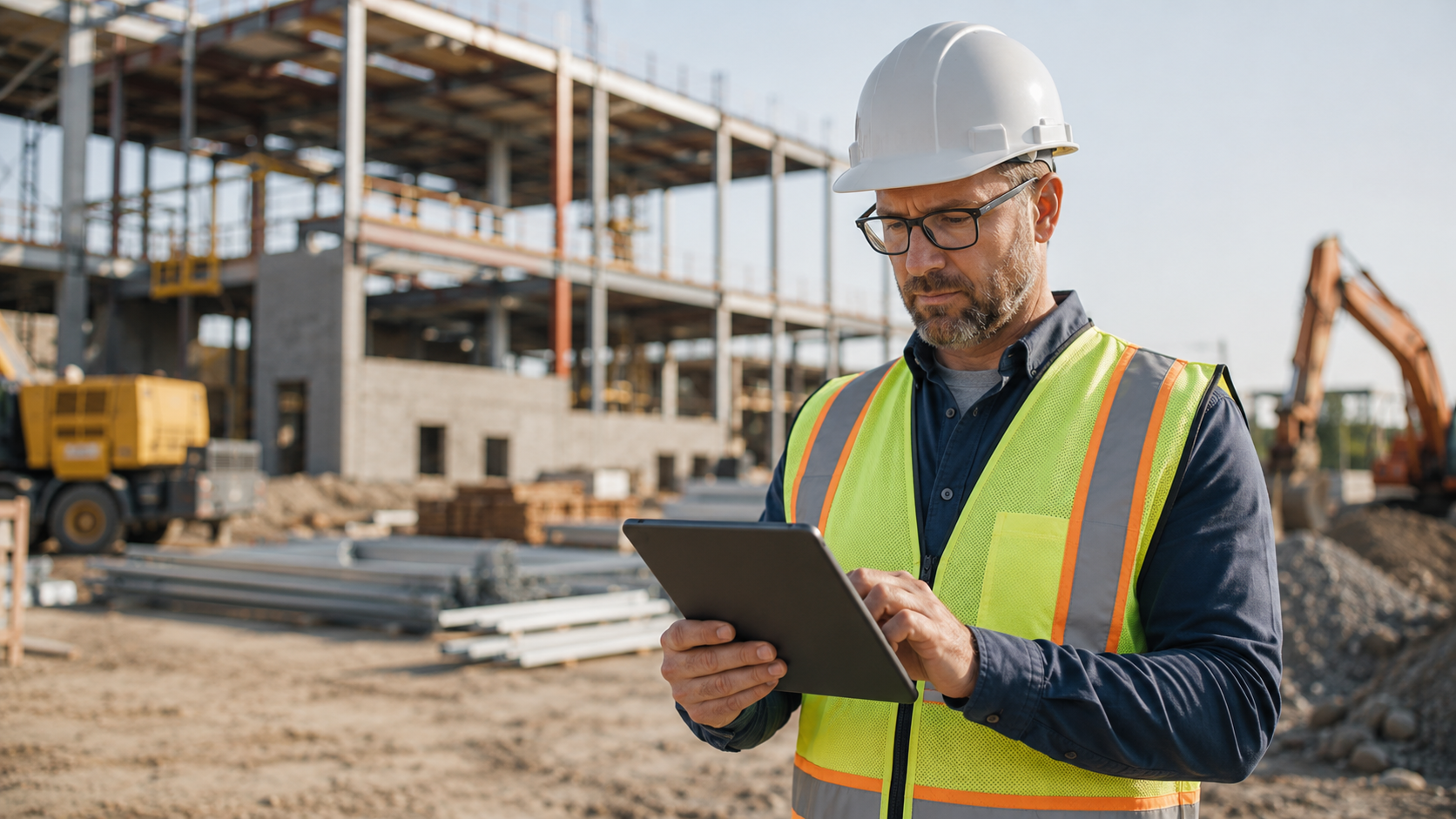
IT Support for Contractors: 2026 Project Guide
IT support for contractors has become a critical part of keeping projects on schedule, protecting project data, and helping field teams stay connected. Today’s contractors rely on technology for estimating, project management, scheduling, accounting, communication, document storage, mobile access, and job site reporting. When those systems work well, teams can move faster and make better decisions. When they fail, the impact is immediate.
A technology issue is rarely just an IT problem for a contractor. If a superintendent cannot access the latest drawing set, work may pause. If email goes down during an RFI review, communication slows. If a laptop fails before a bid deadline, revenue may be at risk. If project files are lost or locked by ransomware, the entire business can be disrupted.
For general contractors, specialty contractors, subcontractors, and construction-related businesses, reliable technology is now part of operational performance. The challenge is that many contracting firms do not have a full internal IT department. Instead, they rely on one tech-savvy employee, a break-fix vendor, or a patchwork of software tools that have grown over time.
This guide explains what contractors should know about modern IT support, which technology risks matter most, how to improve job site connectivity, and how a proactive IT strategy can help protect schedules, data, employees, and client relationships.
Why IT Support for Contractors Matters More in 2026
Contracting businesses are more digital than ever. Estimating platforms, digital blueprints, cloud storage, mobile field apps, accounting systems, project management software, and video meetings have become normal parts of daily operations. Even firms that consider themselves “hands-on” or field-focused depend on technology to coordinate work.
The construction industry has also become more connected. Owners, architects, engineers, general contractors, subcontractors, suppliers, inspectors, and internal teams may all need access to project information. That creates more convenience, but it also creates more points of failure.
The Associated General Contractors of America has noted that contractors need a thoughtful process when evaluating and adopting construction technology. Technology can improve productivity, but only when it fits the company’s needs, workflows, and long-term goals. Contractors can review AGC’s guidance here: AGC guide to selecting construction technology.
For many contractors, the issue is not whether technology is useful. The issue is whether it is secure, reliable, supported, and aligned with how the business actually works.
That is where professional IT support for contractors becomes important. A strong support model helps reduce downtime, protect sensitive information, support mobile workers, manage devices, improve backups, and guide technology decisions before problems become expensive.
The Technology Challenges Contractors Face Every Day
Contractors operate differently than traditional office-based businesses. Work happens in the office, on job sites, in vehicles, in temporary trailers, at client locations, and from remote environments. Employees may need secure access to the same files and systems from many different places.
This creates several common technology challenges.
Unreliable Remote Access
Field teams need access to project files, schedules, drawings, RFIs, submittals, photos, and communication tools. If remote access is slow or inconsistent, employees may find their own workarounds. They may email files to personal accounts, download documents to local devices, or save files in unapproved locations.
Those shortcuts can create version-control problems and security risks. Reliable remote access helps employees work efficiently without putting company data at risk.
Inconsistent Device Management
Many contractors use a mix of company-owned laptops, personal phones, tablets, shared computers, and field devices. Without consistent device management, the business may not know which devices can access sensitive data, whether those devices are updated, or what happens if one is lost or stolen.
Good contractor IT support should include device standards, security settings, updates, encryption, and a clear process for removing company access when an employee leaves.
Project Data Stored in Too Many Places
Project data may live in email inboxes, cloud folders, local desktops, accounting systems, project management platforms, text messages, and personal storage accounts. When files are scattered, employees waste time searching for the correct version. Worse, important information may not be backed up or protected.
A more structured approach helps contractors keep project information organized, secure, and easier to recover if something goes wrong.
Software Compatibility Issues
Contractors often need to coordinate with owners, general contractors, architects, engineers, and other subcontractors. Each party may use different tools. If systems are not compatible or employees do not have the right access, collaboration slows down.
Professional IT support can help evaluate software requirements, manage access, and reduce friction between internal systems and external project platforms.
No Formal Recovery Plan
Many firms assume they can recover from a technology failure because they use cloud tools or have some type of backup. Unfortunately, assumptions are not a recovery plan.
A proper plan should define what data is backed up, how often backups run, how quickly systems can be restored, and who is responsible during an incident.
How IT Support for Contractors Helps Keep Projects on Schedule
In construction, schedules are tightly connected. One delay can affect multiple trades, inspections, deliveries, client expectations, and payment milestones. Technology problems can create delays that feel small at first but grow quickly.
For example, if a project manager cannot access updated drawings before a coordination meeting, decisions may be postponed. If an estimator cannot retrieve files before a bid deadline, the company may miss an opportunity. If accounting systems are unavailable, billing and payroll may be delayed.
IT support for contractors helps reduce these risks by focusing on uptime, responsiveness, and prevention.
Proactive Monitoring
Proactive monitoring helps identify technology issues before they become major disruptions. This can include monitoring servers, networks, workstations, laptops, cloud services, security tools, and backup systems.
Instead of waiting for employees to report slow systems or outages, a proactive support team can detect warning signs and address them earlier.
Patch Management
Outdated software can create performance issues and cybersecurity vulnerabilities. Patch management helps keep operating systems, applications, and security tools updated.
This is especially important for contractors because field teams may use devices across many networks, including home Wi-Fi, job site internet, mobile hotspots, and client locations.
Fast Help Desk Support
Even with proactive maintenance, employees still need help when problems occur. A responsive help desk gives contractors a clear path for support instead of relying on informal troubleshooting or waiting for a break-fix vendor.
Support should be practical and easy to access. Employees need help with email, printers, devices, cloud access, file permissions, password issues, software problems, and connectivity challenges.
Da-Com provides managed IT and technology success services that help businesses reduce technology risk, improve support, and align IT with business goals.
Protecting Contractor Data in a Mobile Work Environment
Contractors handle valuable information. This may include contracts, estimates, bid documents, drawings, specifications, employee records, client details, vendor information, payment data, insurance documents, and project photos.
Because much of this information is accessed outside the office, contractors need a security strategy built for mobile work.
Multi-Factor Authentication
Multi-factor authentication adds another layer of protection beyond a password. This is one of the most important security steps contractors can take, especially for email, cloud storage, accounting software, remote access, and project management platforms.
If a password is stolen, multi-factor authentication can help prevent unauthorized access.
Mobile Device Management
Mobile device management helps control and protect devices that access company systems. It can enforce security settings, require screen locks, manage approved applications, support updates, and allow company data to be removed from a lost or retired device.
This is helpful for field teams that use laptops, tablets, and phones across job sites.
Access Control
Employees should only have access to the systems and files they need for their role. When access is too broad, the risk of accidental sharing, data exposure, or misuse increases.
Access should also be removed quickly when employees, subcontractors, or vendors no longer need it. A formal onboarding and offboarding process helps make this consistent.
Secure File Sharing
Project files should be stored and shared through approved systems. Personal email, personal cloud storage, and unmanaged file-sharing tools can create business continuity and security problems.
Contractors should establish clear rules for where files live, who can access them, and how they are backed up.
For companies that want to strengthen their security foundation, Da-Com’s cybersecurity essentials for small and medium sized businesses explain practical protections that help reduce risk.
Cybersecurity Risks Contractors Should Take Seriously
Contractors are attractive targets for cybercriminals because they move money, manage sensitive data, coordinate with many vendors, and often operate with limited internal IT resources.
The FBI Internet Crime Complaint Center reported more than $16 billion in reported cybercrime losses in its 2024 annual report. Business email compromise remains one of the major threats facing organizations that rely on email for payment and vendor communication. Contractors can review the report here: FBI IC3 2024 Annual Report.
Business Email Compromise
Business email compromise happens when criminals impersonate a trusted person or organization. They may pretend to be an executive, vendor, subcontractor, client, or financial contact.
For contractors, this can be especially dangerous because projects involve invoices, change orders, deposits, wire transfers, and payment instructions.
A common scenario might involve a fake vendor email claiming that payment details have changed. If the request is not verified through a separate trusted channel, money could be sent to a criminal account.
Technology can help reduce this risk, but process matters too. Contractors should combine email security tools with internal payment verification procedures.
Ransomware
Ransomware can lock a business out of its own files and systems. For a contractor, this could mean losing access to current project documents, schedules, financial systems, daily reports, and job photos.
The cost of ransomware is not only the ransom demand. The bigger issue may be downtime, missed deadlines, lost productivity, recovery costs, and client trust.
CISA provides practical cybersecurity guidance for small businesses and notes that smaller organizations often do not have the same resources as larger companies to defend against threats like ransomware. Their guidance is available here: CISA cyber guidance for small businesses.
Phishing
Phishing emails are designed to trick employees into clicking malicious links, opening harmful attachments, or sharing login credentials. Contractors may be targeted with fake bid invitations, invoice notices, document-sharing alerts, or payment requests.
Employee training, email filtering, and multi-factor authentication all help reduce phishing risk.
Vendor and Supply Chain Risk
Construction projects involve many outside partners. If one vendor account is compromised, attackers may use that account to target other businesses involved in the project.
Contractors should regularly review vendor access, shared folders, and project platform permissions. Access should be limited to what is needed and removed when the project relationship changes.
Da-Com’s construction cybersecurity guide provides additional insight into how construction businesses can protect project data, payments, mobile users, and job site technology.
Field Connectivity Solutions for Contractors
Reliable field connectivity is one of the most practical parts of IT support for contractors. A job site may need internet access for project management systems, cloud files, video meetings, daily reports, photos, inspections, and communication with the main office.
However, job sites are not always easy technology environments. Some are temporary. Some are in areas with limited service. Some need connectivity before permanent infrastructure is available. Some have multiple crews, trailers, and devices connecting at different times.
Planning Connectivity Before the Project Starts
Connectivity should be considered during project planning, not after crews are already on site. Contractors should identify who needs access, which applications are required, how many devices will be used, and whether backup connectivity is needed.
This can help avoid delays caused by weak signals, insufficient bandwidth, or poorly secured networks.
Secure Job Site Wi-Fi
Job site Wi-Fi should be configured securely. Guest access, employee access, and business systems should not all be treated the same. A poorly configured network can expose devices and data.
Secure network design helps protect company systems while still giving workers the access they need.
Remote Access for Field Teams
Field teams need secure access to office systems and cloud platforms. This may include secure VPN access, cloud identity management, multi-factor authentication, and device-level protections.
The goal is to make access easy enough for employees to use, but secure enough to protect the business.
Backup and Recovery Planning for Active Projects
Active construction projects create large amounts of data. Drawings, revisions, RFIs, submittals, daily logs, photos, meeting notes, contracts, change orders, and correspondence can all become important later.
This information may be needed for operations, billing, legal protection, warranty questions, dispute resolution, or client communication. Losing it can create significant business risk.
Cloud Storage Is Not Always a Complete Backup
Many contractors assume that using cloud software means everything is fully protected. Cloud platforms are helpful, but they do not always replace a managed backup strategy.
If files are deleted, overwritten, corrupted, or compromised, the company still needs a reliable recovery process. Contractors should understand what each platform backs up, how long data is retained, and what recovery options are available.
Recovery Time and Recovery Point Objectives
Two important backup planning questions are:
- How quickly does the business need to be back online after an incident?
- How much data can the business afford to lose?
These are known as recovery time objectives and recovery point objectives. The answers may vary depending on the system. Email, project files, accounting data, and estimating tools may all have different recovery needs.
Testing the Recovery Plan
A backup is only useful if it can be restored. Contractors should test recovery periodically so they know the process works before an emergency happens.
A strong IT support partner can help document systems, monitor backups, test recovery, and improve business continuity planning.
Strategic IT Planning for Growing Contracting Businesses
Day-to-day support is important, but contractors also need technology planning. Many firms add software, devices, and cloud tools as needs come up. Over time, this can create a scattered environment that is harder to manage and more expensive to support.
Strategic IT planning helps contractors make better decisions about technology investments.
Technology Roadmaps
A technology roadmap helps identify what should be upgraded, replaced, secured, consolidated, or improved over time. It can include hardware refresh planning, software evaluations, cybersecurity improvements, backup upgrades, cloud migration, and budget forecasting.
This allows leadership to plan instead of reacting to urgent problems.
Software Evaluation
Before adopting a new platform, contractors should evaluate whether it integrates with existing systems, supports security needs, fits employee workflows, and can scale with the business.
The wrong software can create inefficiency, duplicate data, and user frustration. The right software can improve coordination and visibility.
Cyber Insurance and Client Requirements
More businesses are being asked to prove that they have cybersecurity controls in place. Contractors may see security questions from clients, insurance carriers, government partners, or larger project teams.
The National Institute of Standards and Technology offers a Cybersecurity Framework 2.0 Small Business Quick-Start Guide that helps small and medium sized businesses think through cybersecurity risk management. Contractors can review it here: NIST Cybersecurity Framework 2.0 Small Business Quick-Start Guide.
A managed IT partner can help contractors document controls, improve weak areas, and prepare for technology-related requirements.
Signs Your Business May Need Better IT Support
Contractors do not need to wait for a major outage before improving IT. In many cases, warning signs appear gradually.
Your business may need stronger IT support if:
- Employees frequently complain about slow systems or recurring technical issues.
- Field teams struggle to access files from job sites.
- Project data is stored in multiple places without a clear structure.
- No one is certain whether backups are working.
- Former employees may still have access to systems or files.
- Employees use personal devices without security standards.
- Software subscriptions have grown without a formal plan.
- Leadership is unsure how secure email, cloud storage, or remote access really is.
- IT problems are taking time away from operations, estimating, or project management.
- The business is growing and needs more reliable systems.
These issues are common, but they should not be ignored. They often point to gaps in process, security, documentation, or accountability.
What to Look for in an IT Support Partner
Choosing an IT provider is an important business decision. Contractors should look for a partner that understands the pace and complexity of construction work.
Industry Understanding
The provider should understand that contractors work across offices, job sites, vehicles, and remote environments. Support should be designed around how the team actually works.
Proactive Support
A good IT partner should do more than respond when something breaks. They should monitor systems, apply updates, manage security, review backups, and help prevent avoidable problems.
Cybersecurity Expertise
Contractors should ask how the provider helps reduce risk from phishing, ransomware, business email compromise, weak passwords, lost devices, and unauthorized access.
Backup and Recovery Support
The provider should be able to explain how backups work, what data is protected, how restoration is tested, and what happens during an outage.
Strategic Guidance
A strong provider should help leadership make better technology decisions. This includes budgeting, software planning, cybersecurity improvements, cloud strategy, and long-term roadmap development.
Why Local IT Support Matters for Contractors
Contractors in St. Louis and Southern Illinois often need practical support from a partner who understands the regional business environment. Some issues can be handled remotely, but others require hands-on help with networks, devices, office moves, job site setups, or hardware replacement.
Local support can also improve communication. A provider that understands regional contractors, local job site conditions, and business expectations can deliver more relevant guidance.
Da-Com supports businesses across the region with technology services designed to keep operations running.
Build a Stronger Technology Foundation
Contractors depend on reliable communication, secure data, mobile access, project visibility, and responsive support. As construction becomes more digital, technology has become part of project performance.
IT support for contractors helps reduce downtime, protect sensitive data, secure field devices, improve job site connectivity, and support long-term growth. The right approach is not about adding unnecessary tools. It is about creating a practical technology foundation that helps the business work more efficiently and recover faster when problems happen.
For contractors, the best IT support is proactive, secure, responsive, and aligned with the pace of construction. It should help employees work confidently from the office, the field, and everywhere in between.
To learn more about technology support, cybersecurity, backup planning, and field-ready IT solutions for your St. Louis or Southern Illinois contracting business, contact Da-Com IT Pros today.

Leave A Comment