
Wide Format Printer Cost: 2026 St. Louis Pricing Guide
Wide format printer cost is one of the first questions businesses ask when they are deciding whether to buy, lease, or outsource large format printing. For St. Louis businesses, the answer depends on more than the sticker price of the equipment. The real cost includes monthly lease payments, service, supplies, paper, toner or ink, print volume, scanning needs, color requirements, and the amount of time your team spends sending files out for printing.
For construction companies, architecture firms, engineering teams, schools, manufacturers, municipalities, healthcare facilities, nonprofits, and corporate offices, wide format printing can be a practical way to keep large documents moving. Blueprints, site plans, maps, posters, facility layouts, safety signage, event graphics, and oversized presentations all require equipment that can handle larger media than a standard office printer.
But the right decision is not always “buy the biggest printer.” Some companies are better served by a compact black-and-white system for plans and line drawings. Others need color output, scanning, folding, accounting tools, or a higher production device. Some businesses only need occasional oversized prints and may be better off outsourcing. The best choice depends on how often you print, what you print, how quickly you need it, and how much control you want over your workflow.
This guide breaks down the major factors that affect wide format printer cost in 2026, including average lease ranges, color versus black-and-white printing, inkjet versus toner considerations, service and supplies, and when in-house printing makes financial sense for businesses in St. Louis, Columbia, and Southern Illinois.
What Is a Wide Format Printer?
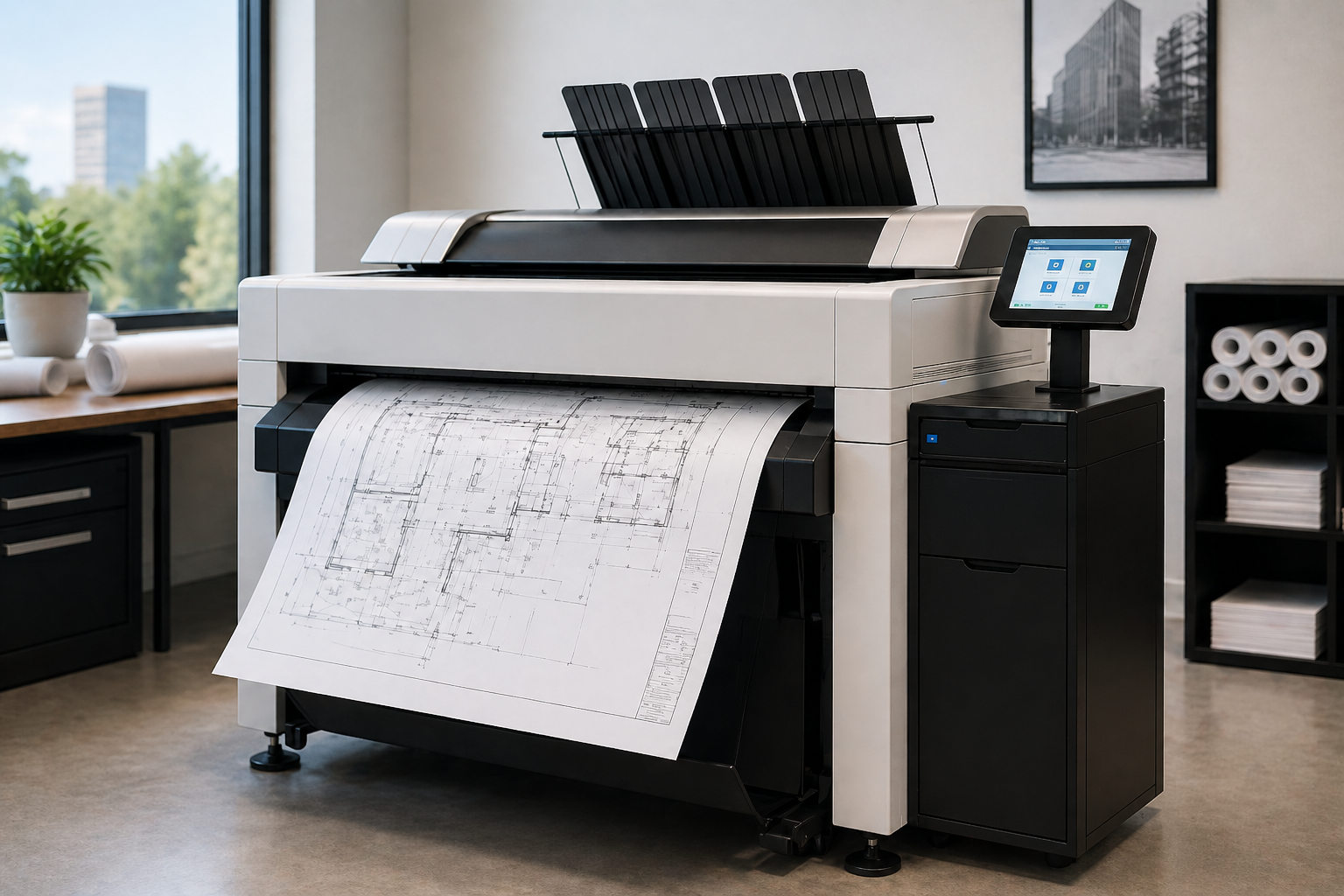
A wide format printer, sometimes called a large format printer, is designed to print documents that are wider than standard office paper. These devices are often used for architectural drawings, engineering plans, construction documents, maps, posters, banners, signs, renderings, and oversized business graphics.
In a typical office, a standard multifunction printer handles letter, legal, and sometimes tabloid-size documents. A wide format device is built for larger output, often using rolls of paper instead of standard paper trays. That makes it useful for companies that need consistent access to large drawings, plans, or visuals without sending every job to an outside print shop.
Da-Com’s wide format printer solutions include color wide format printing, black-and-white wide format printing, scanning systems, and finishing options for businesses that need professional large-format output. For many organizations, this type of equipment becomes part of a larger document workflow, especially when teams need to print, scan, archive, mark up, and distribute oversized documents quickly.
Average Wide Format Printer Cost in 2026
For planning purposes, wide format printer cost can be grouped into three main categories: entry-level systems, mid-range business systems, and higher-volume production systems. The numbers below are general budgeting ranges, not a quote. Actual pricing depends on equipment configuration, brand, features, lease terms, service coverage, print volume, supplies, and local support requirements.
Typical Purchase Price Ranges
| Type of Wide Format Printer | Common Use Case | General Purchase Range |
|---|---|---|
| Entry-level wide format printer | Occasional posters, drawings, maps, or low-volume plans | $3,000 to $8,000+ |
| Business-class black-and-white system | Blueprints, construction plans, engineering drawings, line documents | $8,000 to $25,000+ |
| Business-class color wide format system | Renderings, presentations, posters, maps, signage, mixed plan sets | $12,000 to $40,000+ |
| Production wide format system | High-volume departments, reprographics, centralized print rooms | $40,000 to $100,000+ |
For many organizations, buying the equipment outright is not the most attractive option because it requires more upfront capital. Leasing can make the cost easier to budget and may allow companies to upgrade equipment more predictably as needs change.
Typical Monthly Lease Ranges
| Equipment Type | Estimated Monthly Lease Range | Best Fit |
|---|---|---|
| Entry-level system | $100 to $300+ per month | Low-volume teams with basic large-format needs |
| Mid-range black-and-white system | $250 to $700+ per month | AEC, construction, engineering, and facilities teams |
| Mid-range color system | $400 to $1,000+ per month | Businesses that need plans plus graphics, maps, or presentations |
| Production-level system | $1,000 to $2,500+ per month | High-volume print rooms or teams with frequent deadlines |
A wide format printer lease can be helpful when your business wants predictable monthly costs instead of a large upfront purchase. However, the lease payment is only one part of the total cost. You also need to consider service, supplies, paper, toner or ink, user training, workflow software, scanning, and finishing.
What Affects Wide Format Printer Cost?
The final price of a wide format device depends on how the system is configured and how your team plans to use it. A business printing a few posters each month has very different needs than a construction company printing updated plan sets every day.
1. Print Volume
Print volume is one of the biggest factors. A low-volume business may only print a few oversized documents per week. A high-volume construction, engineering, or manufacturing team may print hundreds or thousands of square feet per month.
Higher print volume usually requires a more durable device, faster output speeds, larger media capacity, and stronger service support. While that can increase the monthly cost, it may reduce downtime and help teams avoid delays when large documents are time-sensitive.
2. Black-and-White Versus Color
Black-and-white wide format systems are commonly used for blueprints, line drawings, engineering documents, construction plans, and technical drawings. They are often more cost-efficient when most documents are monochrome.
Color wide format printers are useful when your business needs renderings, graphics, maps, signs, safety posters, campus displays, presentation boards, or documents where color improves clarity. Color can add value, but it may also increase equipment cost, supply cost, and maintenance considerations.
If your team only needs color occasionally, it may make sense to keep black-and-white plan printing in-house and outsource specialty color projects. If color is part of your weekly workflow, an in-house color system may be easier to justify.
3. Inkjet Versus Toner
Inkjet and toner-based wide format systems can both be good choices, but they behave differently. Inkjet devices are often used for color graphics, posters, presentations, and applications where image quality is important. Toner-based systems are often valued for speed, sharp lines, durability, and high-volume technical documents.
For AEC and construction environments, line accuracy, fast output, and reliable plan production are often more important than photo-style graphics. For marketing departments, schools, municipalities, or healthcare facilities, color quality and media flexibility may matter more.
The right choice depends on what you print most often. Choosing the wrong technology can increase your total wide format printer cost because your team may spend more on supplies, reprints, service, or outsourced work.
4. Scanning and Archiving Needs
Some businesses only need to print. Others need to scan, copy, and archive oversized documents. Wide format scanning can be especially useful for companies with older drawings, marked-up plans, paper archives, maps, or facility records.
A system with integrated scanning usually costs more than a print-only device, but it can save time when teams need to convert large paper documents into digital files. For companies moving toward electronic document workflows, scanning may be just as important as printing.
Da-Com also supports document workflow and automation solutions, which can help businesses think beyond the printed page and improve how documents are stored, routed, approved, and retrieved.
5. Finishing Options
Some wide format environments need more than printing. Folding systems, stacking, trimming, and other finishing tools can improve efficiency, especially when plan sets are printed frequently.
Finishing equipment adds to the overall investment, but it may reduce manual handling. If employees are spending time folding, sorting, trimming, and organizing plan sets by hand, the labor savings may help justify the additional cost.
6. Service Coverage
Service is one of the most important parts of the real wide format printer cost. A low monthly payment is not helpful if the equipment is unreliable, difficult to support, or slow to repair.
Businesses should ask what is included in the service agreement. Common considerations include preventive maintenance, response time, parts, labor, remote support, training, supplies, and local technician availability. For companies that rely on daily plan printing, downtime can create project delays, missed deadlines, and frustration for employees.
That is why local support matters. A wide format printer service St. Louis businesses can rely on should include more than equipment installation. It should include responsive help when something goes wrong, guidance on usage, and recommendations as your print needs change.
How Supplies Affect Wide Format Printer Cost
Supplies are a major part of the long-term budget. When businesses compare wide format systems, it is easy to focus on the monthly lease payment and forget about paper, ink, toner, print heads, maintenance kits, and other consumables.
Paper and Media
Wide format devices often use rolls of paper in different sizes and weights. Standard bond paper is common for technical drawings and construction plans. Heavier media may be used for presentations, posters, signs, or display materials.
The more specialized the media, the higher the cost. A team that prints basic line drawings will usually have lower media costs than a team producing color posters, mounted graphics, or high-coverage presentation materials.
Ink or Toner
Ink and toner usage depends on page coverage. A simple black-and-white line drawing uses far less supply than a full-color rendering or a large poster with heavy coverage. That means two businesses can have the same printer and very different monthly costs.
When comparing systems, ask how supply usage is estimated and whether your expected print mix has been considered. If your business prints mostly blueprints, the cost profile will be different than a department printing color maps and graphics every week.
Maintenance Items
Some systems may require periodic replacement of print heads, drums, developer units, waste containers, filters, or other maintenance parts. These items may or may not be included in a service agreement.
Before choosing a device, ask what maintenance items are included, what is billable, and how often those items are typically replaced based on your expected usage. This helps prevent surprises after installation.
Blueprint Printer Cost for Construction and AEC Teams
Blueprint printer cost is especially important for construction companies, architects, engineers, contractors, and design-build firms. In these environments, printing is rarely just a convenience. It can affect bidding, project communication, field updates, revision control, and jobsite productivity.
When teams rely on outside print shops, they may face delays, delivery costs, minimum order requirements, or last-minute rush fees. When they bring printing in-house, they gain more control over timing, but they also take on equipment, supplies, and service responsibilities.
For many AEC teams, the decision comes down to frequency and urgency. If your business prints plan sets every week, needs last-minute revisions, or regularly supports multiple jobsites, an in-house wide format system may improve productivity. If your team only prints occasional oversized documents, outsourcing may still be the smarter choice.
Da-Com has additional resources for businesses evaluating wide format print solutions, including content focused on large format printing and AEC use cases.
KIP Printer Cost Considerations
KIP printer cost depends on the model, configuration, print speed, color capabilities, scanner options, service agreement, and expected monthly volume. KIP systems are often used in technical printing environments where teams need dependable wide format output for plans, drawings, and project documents.
When evaluating a KIP system or another wide format platform, avoid comparing equipment only by monthly payment. A lower-cost device may not be the better value if it is too slow, lacks needed scanning features, has higher supply costs, or cannot keep up with your team’s workload.
Instead, compare the total workflow. Ask questions such as:
- How many large documents does your team print each month?
- Do you need color, black-and-white, or both?
- How often do you scan oversized documents?
- Do you need job accounting by user, department, client, or project?
- Do you need folding or finishing?
- How quickly do documents need to be available?
- What happens if the device is down for a day?
These questions help determine whether a basic system is enough or whether a more advanced device will provide a better long-term return.
When Outsourcing Wide Format Printing Is Cheaper
Outsourcing can be a smart option for businesses with occasional wide format needs. If your company only prints a few oversized documents each month, an in-house system may not be necessary. You may be better off paying per job and avoiding equipment, supplies, maintenance, and training.
Outsourcing May Make Sense If:
- You print large documents only a few times per month.
- You do not need same-day turnaround.
- Your files do not change often.
- You do not need to scan or archive oversized paper documents.
- Your team does not spend much time managing print orders.
- You rarely need confidential or sensitive documents printed quickly.
Outsourcing can also be helpful for unusual projects, specialty media, oversized displays, event graphics, or short-term needs that do not justify dedicated equipment.
However, outsourcing can become expensive or inconvenient when printing is frequent, urgent, or tied to daily operations. Delivery fees, rush charges, employee travel time, reprint delays, and file management can add up quickly.
When In-House Printing Pays Off
In-house wide format printing may pay off when your team prints often enough that outsourcing creates delays or unnecessary costs. It can also be valuable when employees need control over revisions, confidentiality, scheduling, and output quality.
In-House Printing May Make Sense If:
- Your team prints large documents every week.
- You regularly print construction plans, maps, renderings, or facility documents.
- You need last-minute revisions before meetings, bids, or jobsite visits.
- You want better control over confidential or sensitive documents.
- You need to scan and archive oversized documents.
- You spend too much time sending files to outside vendors.
- Your outsourced print costs are unpredictable.
For many businesses, the biggest benefit is not just cost savings. It is speed. When your team can print plans, markups, posters, or maps on demand, they can work with fewer interruptions.
In-house printing also allows businesses to standardize output. You can control paper type, print settings, user access, job tracking, and project billing. That can be especially useful for companies that need to allocate print costs by department, client, or job number.
Lease vs. Buy: Which Option Is Better?
There is no single answer. Buying may be better for companies with available capital, stable print needs, and a long expected equipment life. Leasing may be better for businesses that want predictable monthly costs, easier upgrades, and less upfront investment.
Buying a Wide Format Printer
Buying gives your business ownership of the equipment. This may be appealing if you want to avoid long-term financing or if you plan to use the same equipment for many years.
The downside is that technology, service needs, and print requirements can change. If your business grows or your output needs shift from black-and-white plans to color graphics, you may outgrow the equipment before the end of its useful life.
Leasing a Wide Format Printer
Leasing spreads the equipment cost over time. This can make budgeting easier and may help your business access better equipment without a large upfront purchase.
A wide format printer lease can also be structured with service and support, depending on the agreement. That can help companies manage costs more predictably and reduce the burden on internal staff.
When comparing lease options, ask about term length, service coverage, supply costs, end-of-lease options, upgrade flexibility, and what happens if your print volume changes.
How to Estimate Your Monthly Wide Format Printer Cost
To estimate your monthly cost, start with your actual printing habits. Guessing can lead to overbuying or underbuying. A simple print assessment can help identify what your team prints, how often they print, and where costs are currently hidden.
Step 1: Estimate Monthly Volume
Track how many oversized documents your team prints each month. If you outsource, review invoices from the last three to six months. Look for total pages, square footage, rush fees, delivery charges, and specialty media costs.
Step 2: Identify Document Types
Separate black-and-white plans from color graphics. A company that prints 90 percent line drawings has a different cost profile than a team that prints color-heavy posters and maps.
Step 3: Add Hidden Labor Costs
Consider how much time employees spend uploading files, driving to print shops, waiting for orders, checking proofs, distributing plan sets, or reprinting incorrect versions. Labor is often overlooked, but it can be a meaningful part of the total cost.
Step 4: Include Service and Supplies
Ask for a realistic estimate of service, toner or ink, paper, parts, maintenance, and support. A quote that only shows the monthly equipment payment does not tell the full story.
Step 5: Compare In-House and Outsourced Costs
Once you have monthly outsourcing costs and an estimated in-house cost, compare both options. The right answer may be different for each department or location.
Questions to Ask Before Choosing a Wide Format Printer
Before investing in a device, ask practical questions about your workflow, not just the equipment specifications.
- What document sizes do we print most often?
- How many oversized documents do we print per month?
- Do we need black-and-white, color, or both?
- Do we need to scan older plans, maps, or drawings?
- Do we need folding or finishing?
- How fast do we need output?
- Who will use the device?
- Do we need job accounting by department, project, or client?
- What is our current outsourcing cost?
- How much downtime can we tolerate?
- What local support is available?
These questions help narrow the options and prevent your business from paying for features it does not need or missing features that would make a major difference.
Helpful Resources for Evaluating Printing Costs
When evaluating printing costs, it can be useful to look beyond equipment pricing and consider paper use, energy use, and operational efficiency. The ENERGY STAR imaging equipment resource offers helpful information on energy-efficient imaging equipment. The U.S. Environmental Protection Agency’s sustainable materials management resources can also help businesses think about paper, waste, and resource use more broadly.
For companies that manage large volumes of technical documentation, the National Institute of Standards and Technology is another useful reference for general standards, measurement, and technology guidance, especially when businesses are thinking about digital workflows and operational consistency.
These resources will not replace a local equipment assessment, but they can help your team think more clearly about the long-term impact of print decisions.
Final Takeaway: The Right Wide Format Printer Cost Depends on Workflow
Wide format printer cost is not just the price of the machine. It is the total cost of equipment, lease terms, service, supplies, media, maintenance, employee time, outsourced printing, reprints, delays, and document control.
For some St. Louis businesses, outsourcing occasional large format printing is the most cost-effective choice. For others, in-house printing can reduce delays, improve control, and create a more predictable workflow. The difference depends on print volume, turnaround needs, color requirements, scanning needs, and the cost of waiting when documents are not ready.
The most important step is to evaluate your actual usage before choosing a system. A business that prints one poster per month does not need the same solution as a construction company printing updated plan sets every day. A school district, manufacturer, engineering firm, or healthcare facility may each need a different mix of printing, scanning, color, and service support.
If your team is comparing equipment, reviewing outsourced print invoices, or trying to understand whether a wide format printer lease makes sense, a local assessment can help you build a more accurate budget.
Request a Wide-Format Print Assessment
Da-Com helps businesses evaluate office equipment, wide format printing, document workflows, and technology solutions based on real business needs. Whether your team needs black-and-white plan printing, color wide format output, scanning, folding, service support, or help comparing in-house printing to outsourcing, Da-Com can help you understand your options.
To learn more about wide format printer service for your St. Louis, Columbia, or Southern Illinois business, contact Da-Com today to request a wide-format print assessment.




Leave A Comment