
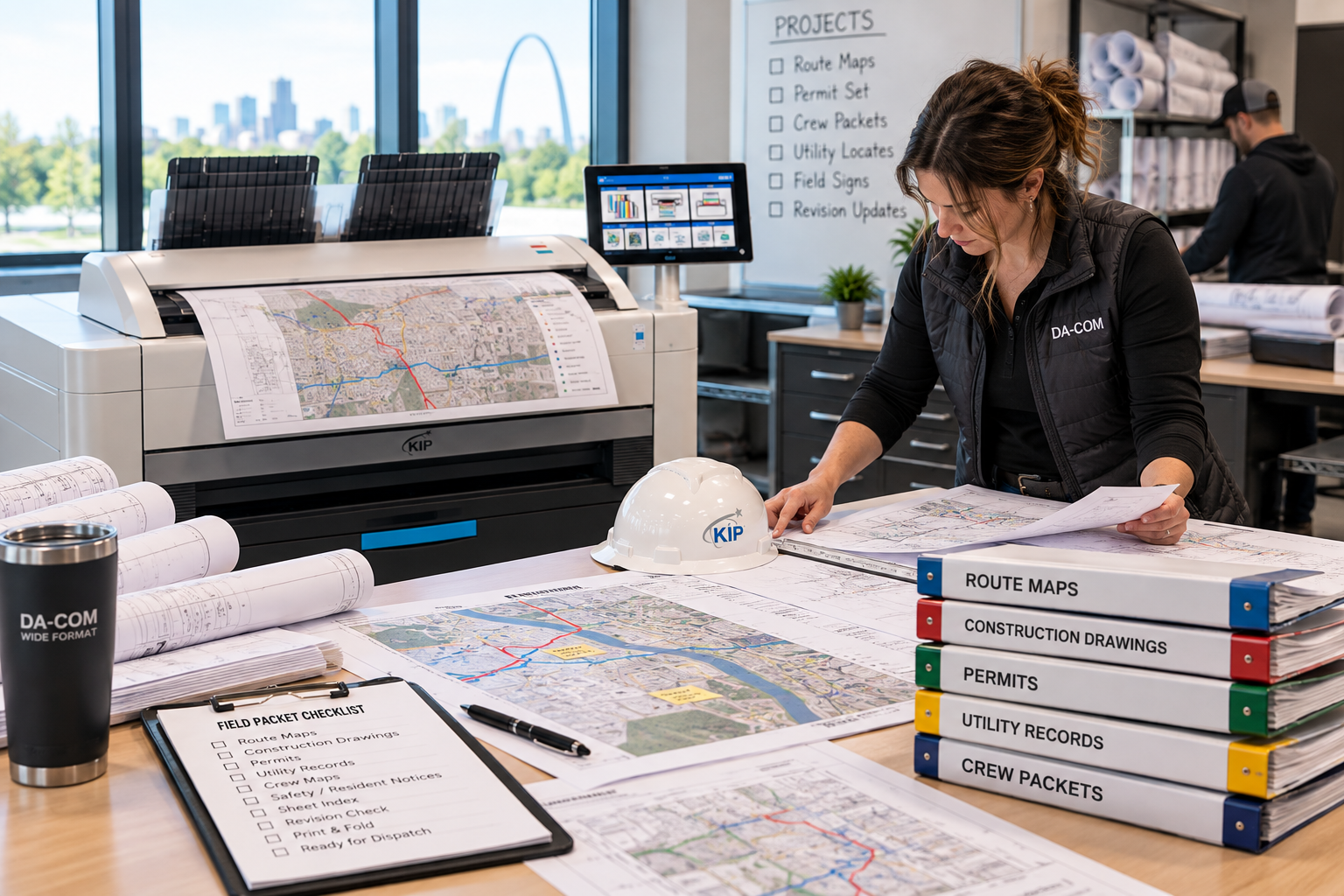
Buy or Outsource Wide Format Printing? A Telecom Guide
Whether to buy or outsource wide format printing is a workflow decision before it is an equipment decision. For telecom contractors, fiber broadband teams, engineering offices, and project managers, the right answer depends on what your team prints, how often documents change, how quickly crews need replacement sheets, and how much responsibility your staff can reasonably manage in-house.
A simple price comparison rarely tells the whole story. One week, your team may need a small set of construction drawings with no urgent changes. Another week, several projects may need route maps, a supervisor may request replacement sheets, a large review set may be due, and a permit packet may need to be checked before crews leave.
The same printing arrangement may not serve both weeks equally well.
Da-Com helps businesses evaluate wide format printing systems, including KIP wide format printers, print management tools, scanning, folding, service, supplies, and managed print support. For telecom firms in St. Louis, St. Charles, Columbia, the Metro East, Belleville, Edwardsville, Collinsville, Southern Illinois, and nearby Midwest communities, Da-Com can help compare in-house equipment, a leased KIP plotter, outsourced production, or a hybrid print plan built around the way your teams actually work.
Quick Answer: Should Telecom Contractors Buy, Lease, or Outsource Wide Format Printing?
Telecom contractors should evaluate in-house wide format equipment when recurring demand, frequent revisions, confidential project files, and control over scheduling justify the cost and responsibility. Outsourcing deserves consideration when wide format printing is occasional, unpredictable, or requires capabilities the business does not need every day. Leasing can place a KIP wide format printer in-house under an agreement, while a hybrid plan can combine internal printing for routine work with outsourced support for selected jobs or overflow.
In general:
- Buy wide format equipment when your team has steady recurring demand and wants full ownership of the device and related responsibilities.
- Lease a wide format printer when your team wants in-house access to equipment under a defined agreement.
- Outsource wide format printing when demand is occasional, special, or easier to manage through an outside provider.
- Use a hybrid plan when routine telecom drawings and urgent revisions belong in-house, but overflow or unusual output can move outside.
The decision should reflect workload, revisions, staff time, security expectations, service needs, supplies, cost structure, and field deadlines. There is no universal rule that every telecom company needs a plotter, and there is no universal rule that outsourcing is always cheaper.
Start With the Work You Actually Produce
Before deciding whether to buy or outsource wide format printing, gather a useful picture of recent activity. Do not start with the question, “How much printer can we afford?” Start with the work your team actually produces.
Review recent wide format activity and document:
- Number of print jobs.
- Sheet sizes.
- Black-and-white versus color needs.
- Fiber route maps.
- Telecom construction drawings.
- Permit or site plan packets.
- Review sets.
- Revision requests.
- Urgent replacement sheets.
- Staff time spent preparing files.
- Staff time spent placing orders or collecting prints.
- Time spent sorting, folding, packaging, and correcting errors.
Do not rely only on the total number of sheets. A month with several small, urgent revision jobs can create a different workload from a month with one planned production run. A large color fiber map and a simple black-and-white detail sheet should not automatically be treated as equal units in the cost comparison.
Separate normal demand from peak demand. Normal demand helps you understand the capacity you may use regularly. Peak demand helps you plan for days that do not fit the average.
For telecom work, pay special attention to when changes arrive. A route revision just before dispatch creates a different scheduling problem than a planned print run several days before a meeting.
Compare Buying, Leasing, and Outsourcing on the Same Basis
Buying and leasing can both put a KIP wide format printer in your office. Outsourcing places production with an outside provider. Those options should be compared on the same basis, not as a contest between a purchase price, a monthly payment, and a single per-sheet quote.
| Factor | Buy Equipment | Lease Equipment | Outsource Production |
|---|---|---|---|
| Equipment commitment | Purchase and ownership costs. | Payments and obligations under the lease. | No internal equipment purchase for those jobs. |
| Scheduling | Your team manages the queue and capacity. | Your team manages the queue and capacity. | Confirm the provider’s deadlines and availability. |
| Revisions | Produce internally when the device and staff are available. | Produce internally when the device and staff are available. | Coordinate replacement files and production timing. |
| Service | Define the maintenance and repair arrangement. | Confirm whether service is separate or included. | Ask how production interruptions are handled. |
| Supplies | Plan for approved ink, toner, media, and consumables. | Confirm what is included and what must be ordered. | Review what the quoted production price covers. |
| Paper usage | Manage stock, sizes, waste, and replenishment. | Manage stock unless the agreement says otherwise. | Specify media and review related charges. |
| Confidentiality | Manage devices, files, users, and physical output. | Manage the same issues plus end-of-term handling. | Review transfer, access, retention, and disposal practices. |
| Project volume | Compare capacity with recurring and peak work. | Compare capacity with demand across the lease term. | Compare order frequency, job size, and turnaround needs. |
| Staff involvement | Operate, check, assemble, and troubleshoot. | Operate, check, assemble, and troubleshoot. | Prepare, order, review, receive, and assemble. |
| Backup plan | Arrange another path when the device is unavailable. | Arrange another path when the device is unavailable. | Confirm alternatives for unavailable services or urgent work. |
Review this comparison with operations, finance, and IT. Operations can explain urgency and field use. Finance can review costs and commitments. IT can review access, device security, network setup, and file handling.
Calculate Total Cost, Not Just the Equipment Payment
To buy or outsource wide format printing with confidence, you need comparable numbers. For an in-house system, include the equipment cost or payment, service, approved supplies, media, staff handling, software, installation, training, and any usage-related charges that apply to the proposed setup.
For outsourced work, include production, rush charges, delivery or collection, file preparation, staff coordination, quality checking, sorting, and time spent managing the order.
Use the same kind of output in both calculations. Mixed sheet sizes, color work, black-and-white line drawings, heavy coverage maps, and special media may require separate comparisons.
Here is a simplified example using invented figures. These are not Da-Com prices or market estimates.
| Cost Element | Example In-House Arrangement | Example Outsourced Arrangement |
|---|---|---|
| Fixed monthly cost | $450 | $0 |
| Variable cost per usable sheet | $1.50 | $4.50 |
| Example sheet volume | 150 sheets | 150 sheets |
| Simplified total | $450 + (150 × $1.50) = $675 | 150 × $4.50 = $675 |
This example shows the calculation, not the answer for your company. Real proposals may use different pricing units, minimums, coverage assumptions, supply terms, service terms, and lease conditions. Have your finance lead review the assumptions before relying on the result.
Also separate cash costs from estimates of time saved. A few minutes removed from a task may be valuable, but do not automatically describe those minutes as cash savings unless your business can support that calculation.
Da-Com’s Managed Print Services provide a starting point for discussing usage, waste, reporting, supplies, and print environment oversight. Confirm how any proposed managed print program would apply to wide format equipment specifically.
Put Revisions Into the Speed Comparison
Do not compare turnaround using only a large, planned print run. For telecom projects, test the revision process.
Consider a supervisor who needs two replacement sheets before leaving for a work area. With an internal KIP wide format printer, someone still needs to locate the released file, submit the job, check the result, fold or sort the sheet, and place it in the correct packet.
With an outside provider, someone needs to send the file, confirm the request, arrange production, receive the output, check it, and get it to the correct person.
Neither process is automatic.
When deciding whether to buy or outsource wide format printing, measure the time from request to usable document. Do not stop the clock when the printer begins moving. Include the human steps.
Ask:
- Who confirms the revision?
- Who locates the controlled file?
- Who submits the job?
- Who checks for incomplete output?
- Who sorts or folds the replacement sheets?
- Who gets the sheet into the right field packet?
- Who handles the request when the normal operator is absent?
- What happens if the internal device or outside provider is unavailable?
For a St. Louis, Columbia, or Southern Illinois office sending crews across multiple communities, collection and handoff arrangements should be part of the comparison. Use your actual routes and schedules rather than assuming a standard travel allowance.
The right question is not simply which machine is faster. It is which arrangement gives your team a dependable way to obtain the right document when it is needed.
Consider KIP Wide Format Printers for Recurring Telecom Work
Da-Com mainly focuses on KIP wide format units, which makes KIP a natural part of the in-house equipment conversation for telecom teams. A KIP wide format printer may make sense when your organization regularly produces fiber route maps, telecom construction drawings, network planning prints, permit packets, replacement sheets, and marked-up documents.
Depending on the exact configuration, a KIP wide format discussion may include:
- Color and black-and-white wide format output.
- KIP print management tools.
- Job accounting and cost center controls.
- Touchscreen operation.
- Fast media installation.
- Auto roll switching.
- Wide format scanning.
- Folding and stacking options.
- Consistent print quality for maps, plans, and technical drawings.
- Service and supply support through Da-Com.
Those features matter when telecom printing is part of daily operations. A project team may need to print a route map, scan a returned markup, produce replacement sheets, and organize a field packet within the same workflow.
Da-Com’s Wide Format Printer Buyer’s Guide can help teams compare equipment needs around print volume, color, speed, scanning, folding, media, service, and workflow instead of focusing on one specification in isolation.
Treat Confidentiality as a Responsibility in Both Models
Keeping a printer in your office does not automatically settle document security. Outsourcing production does not automatically remove your responsibility either.
The Federal Trade Commission advises businesses to consider data security throughout a digital copier’s life cycle, including acquisition, use, and disposal or return. FTC digital copier data security guidance
For an in-house wide format printer, ask:
- Who can submit jobs?
- Who can retrieve output?
- Who can access stored files?
- Who can change settings?
- Where will the printer be located?
- How will sensitive drawings be handled physically?
- What happens to stored information when equipment is returned, sold, or replaced?
- Which controls apply to the exact proposed KIP configuration?
For outsourced production, ask:
- How are files transferred?
- Who can access them?
- How long are they retained?
- How are unwanted copies handled?
- How are mistakes destroyed or returned?
- Does your organization allow those documents to be sent outside?
- Does the provider understand your required confidentiality expectations?
Write down the process in either case. Do not let “in-house” become a substitute for security review, and do not let “outsourced” become an assumption that the provider handles every responsibility.
Separate Equipment, Service, and Supply Decisions
A wide format printer lease is not a complete explanation of the printing arrangement. Ask for a clear description of what the agreement covers and what remains separate.
Identify:
- Equipment included.
- Installation requirements.
- Training included.
- Service scope.
- Supplies included or excluded.
- Approved media.
- Software and print management tools.
- Usage-related charges.
- Lease term.
- End-of-term process.
- Responsibilities that continue during the agreement.
Your purchasing or legal team should review the actual contract where needed. Do not rely on a verbal summary to answer a question that affects the full term.
For large format printer service, distinguish an initial response from an on-site visit and a completed repair. Those are different events.
Ask what information is needed when reporting a problem. Confirm who handles the device at your location and what happens when a part is required. For supplies, identify which items staff must monitor and whether a replenishment process applies to the proposed model and agreement.
Da-Com provides a defined service and supplies request process so customers can request service or order consumables when equipment needs attention.
When someone searches for “plotter maintenance near me,” the real need is usually more specific than proximity. They need to know who supports the equipment, how the process works, what supplies are needed, and what to do when production stops.
Consider a Hybrid Plan Before Buying for Every Peak
You do not have to answer every printing need with one method. A hybrid arrangement may make sense when routine work and unusual work look different.
For example, a telecom company might use an internal KIP wide format printer for normal drawings, field packets, and urgent replacement sheets, while using an outside provider for selected overflow, unusual materials, or output beyond the confirmed capabilities of the internal device.
A hybrid plan should be deliberate, not improvised during an interruption.
Define:
- Which jobs stay internal.
- Which jobs move outside.
- Who makes that decision.
- How external providers receive the correct files.
- How confidentiality is handled.
- What turnaround is expected.
- How quality is checked.
- What happens when the internal device is unavailable.
- What happens when the outside provider is unavailable.
Do not buy extra capacity for a rare peak without reviewing whether that capacity creates more cost than value. Use your demand history and real proposals to make that judgment.
The same thinking applies to special applications. A technical plotter does not have to become the answer for every sign, board, graphic, or unusual field material your organization may need.
To buy or outsource wide format printing well, focus on the work you perform repeatedly and create a planned path for the exceptions.
Choose Support That Fits Your Organization
The best outcome is not necessarily the largest machine, the lowest quoted payment, or the cheapest per-sheet number. For a telecom company, the best outcome is a printing arrangement your team understands and can manage through ordinary work, revisions, and interruptions.
Da-Com combines print, managed IT, and document-management capabilities under one organization. That creates related areas to discuss when a printing issue also involves network access, device permissions, document storage, scanning, or file routing. It does not mean every service is included in every agreement, so scope should always be defined clearly.
Before choosing an approach, bring the right people into the conversation:
- Operations: Explain urgency, field use, packet needs, and revision timing.
- Finance: Review costs, commitments, lease terms, and assumptions.
- IT: Review access, setup, stored information, device security, and network requirements.
- Office staff: Explain ordering, supplies, assembly, and handoff problems.
- Field supervisors: Explain what happens when documents are late, missing, or unclear.
Then ask for a demonstration using your own files and a proposal that clearly identifies the recommended KIP configuration, service arrangement, supply responsibilities, and workflow assumptions.
Buy or Outsource Wide Format Printing Checklist
Use this checklist before choosing in-house equipment, a wide format printer lease, outsourcing, or a hybrid plan.
- Gather recent print activity by job, sheet size, color need, and urgency.
- Separate normal demand from peak demand.
- Record revision frequency and timing.
- Calculate total in-house costs, including equipment, service, supplies, media, staff time, and support.
- Calculate outsourced costs, including production, rush charges, delivery, coordination, and staff handling.
- Compare the same type of output in both models.
- Test the revision process, not only large planned print runs.
- Review confidentiality and file handling in both models.
- Define service, supplies, training, and backup operators.
- Ask whether a hybrid plan is more practical than one method for every job.
- Bring operations, finance, and IT into the decision.
- Evaluate the exact proposed KIP configuration, not only a model name.
- Choose the arrangement that makes telecom field documents easier to manage.
Common Mistakes to Avoid
Comparing a Monthly Payment to a Per-Sheet Price
A monthly lease payment and an outsourced per-sheet cost are not directly comparable unless all related costs and responsibilities are included.
Ignoring Staff Handling Time
Someone has to prepare files, submit jobs, check output, sort pages, fold drawings, assemble packets, and fix mistakes. Include those steps in the decision.
Testing Only a Large Planned Print Run
Telecom teams should also test urgent replacement sheets, revised drawings, and small jobs that need to reach crews quickly.
Assuming In-House Means Secure
An internal device still needs access controls, physical output handling, network review, and end-of-term data security planning.
Assuming Outsourcing Means No Responsibility
Outsourced work still requires file transfer, access, retention, confidentiality, quality review, and disposal expectations.
Buying for the Most Unusual Job
Do not size your whole print strategy around the rarest project anyone can remember. Plan for routine work and define a separate path for exceptions.
Frequently Asked Questions About Buying or Outsourcing Wide Format Printing
Is buying always cheaper than outsourcing?
No. There is no single answer for every workload. Compare total costs using your actual sheet sizes, color needs, order frequency, service requirements, staff handling time, and revision patterns. A low equipment price does not settle the comparison, and neither does a low per-sheet price that excludes rush work, delivery, or staff effort.
Does a wide format printer lease include maintenance and supplies?
Do not assume it does. Ask the provider to identify every included item and every separate charge. Review the service scope, supply responsibilities, usage terms, and end-of-term process alongside the equipment agreement.
How much printing justifies an internal plotter?
Calculate that from your proposals and workload rather than using a universal sheet threshold. Frequency, timing of revisions, staff handling, confidentiality, and field deadlines may matter as much as total volume.
Can outsourcing remain part of the plan after buying a KIP wide format printer?
Yes. Outsourcing can remain part of a deliberate hybrid plan. Define which jobs move outside, identify the provider in advance, and confirm file handling, confidentiality, turnaround, and backup arrangements.
Is a KIP wide format printer a good fit for telecom companies?
A KIP wide format printer may be a strong fit when a telecom company has recurring maps, construction drawings, field packets, revisions, scanning needs, and a desire for internal control. The right configuration should be tested with actual telecom files and workflow requirements.
What should we include in a wide format cost comparison?
Include equipment or lease payments, service, supplies, media, software, installation, training, staff time, rush work, delivery, outsourced production charges, file handling, quality control, and backup arrangements.
What should we do first?
Gather representative print activity and ask the people handling the work where the process becomes difficult. Then compare available models and outsourcing options using the same assumptions. Do not start with a device quote before understanding the problem the quote is supposed to solve.
Can Da-Com help compare in-house, leased, and outsourced wide format printing?
Yes. Da-Com helps telecom firms, engineering offices, construction teams, and project-based businesses in St. Louis, St. Charles, Columbia, the Metro East, Southern Illinois, and nearby communities compare KIP wide format printers, leasing options, managed print, service, supplies, scanning, folding, and workflow support.
Make the Decision Around Your Actual Work
To buy or outsource wide format printing, start with the way your telecom projects actually run. Bring recent orders, sample drawings, revision requests, current outsourcing costs, equipment costs, and examples of delays or mistakes that keep returning.
For telecom firms in St. Louis, St. Charles, Columbia, the Metro East, Belleville, Edwardsville, Collinsville, Southern Illinois, and nearby Midwest communities, Da-Com can help compare an in-house KIP wide format printer, a wide format printer lease, outsourced production, or a hybrid print-service approach.
The goal is not to add equipment for its own sake. The goal is to choose a manageable printing arrangement that helps your team understand the cost, the responsibilities, and the plan for getting crews the documents they need.
To compare KIP wide format equipment, leasing, outsourcing, service, supplies, scanning, folding, and managed print support, contact Da-Com today.
Explore Da-Com’s Wide Format Printers, Managed Print Services, Wide Format Printer Buyer’s Guide, and Service and Supplies resources to start the conversation with your workload at the center.


Leave A Comment