

Best Wide Format Printer for GIS Maps: Telecom Buying Guide
The best wide format printer for GIS maps is the one that helps your team read information clearly and produce the documents your projects actually need. It should not be selected from a list of specifications alone.
A bright sample map may look impressive during a quick demonstration. The colors may look good. The page may print quickly. The equipment may seem like an easy choice. But the real test is what happens when your team sends a dense fiber plan with small labels, fine lines, several drawing references, layered route information, and a revised sheet that needs to reach the field before crews leave.
That is the demonstration that matters.
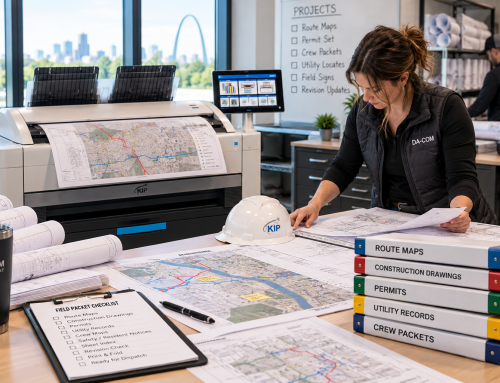
Telecom teams, fiber contractors, engineering offices, construction teams, and project managers need wide format equipment that can handle more than attractive maps. They need clear linework, meaningful color differences, reliable output, practical roll handling, scanning options, user controls, service support, and a process that works for the people printing, reviewing, carrying, marking up, and returning the documents.
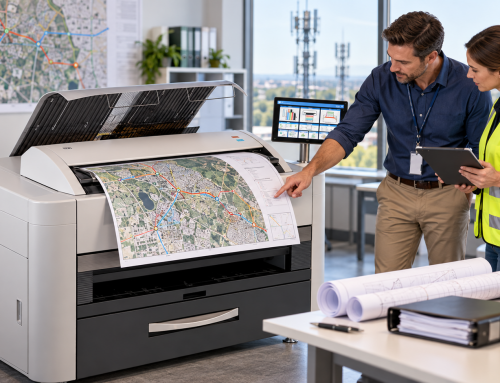
Da-Com helps businesses evaluate wide format printer solutions, including KIP wide format printers, color and black-and-white systems, scanning, folding, print management, service, and supplies. For telecom engineering and construction teams in St. Louis, St. Charles, Columbia, the Metro East, Belleville, Edwardsville, Collinsville, Southern Illinois, and nearby Midwest communities, Da-Com can help compare KIP wide format options around your real files, real users, and real field-document workflow.
Quick Answer: What Should Telecom Buyers Look for in a GIS Wide Format Printer?
When evaluating the best wide format printer for GIS maps, telecom buyers should compare line clarity, meaningful color differences, required sheet sizes, complete-job handling, scanning, access controls, service, training, total cost, and the exact proposed configuration. The evaluation should use representative telecom files, including dense GIS maps, fiber route maps, construction drawings, revised sheets, and marked-up originals.
A strong telecom wide format printer evaluation should include:
- Dense GIS maps with real-world label and linework challenges.
- Fiber route maps with route colors, legends, landmarks, and boundaries.
- Construction drawings with fine detail and references.
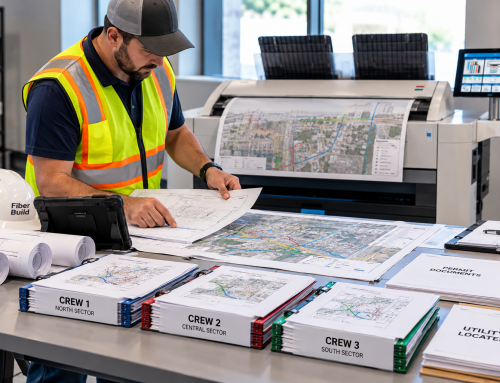
- Field plans that will be folded, carried, reviewed, or marked up.
- Scanning needs for returned paper records and handwritten annotations.
- KIP print management, roll handling, and folding options where applicable.
- Access controls and IT setup before installation.
- Training for the main operator and backup users.
- Service and supply expectations for the actual location.
- Total cost of the full proposed configuration, not just the printer body.
A model name alone does not tell you how well the full setup fits your work. The quoted configuration, workflow, training, support, and service plan matter just as much as the hardware.
Define What “Best” Means for Your Team
A telecom engineering printer may serve several people with different priorities. An engineer may focus on fine linework. A project manager may care about complete drawing sets. A field supervisor may want readable sheets that are easy to organize. An office administrator may need a simpler way to submit jobs, switch media, and reorder supplies.
The best wide format printer for GIS maps should be evaluated against all of those needs.
Start by identifying your main document types and the problems you want to solve. Rank those needs internally, but do not treat every possible feature as equally important. A team that prints dense GIS maps every day may need different capabilities than a team that mostly prints black-and-white construction drawings with occasional color route maps.
| Primary Use | What to Test | Question for the Demonstration |
|---|---|---|
| Fiber route and GIS maps | Labels, symbols, line styles, color differences, legends, and map boundaries. | Can a reader follow the route without guessing? |
| Construction drawing sets | Fine detail, page order, output handling, and folding. | How much work remains after printing? |
| Frequent field revisions | File selection and replacement-sheet production. | Can staff reliably produce the correct updated sheet? |
| Marked-up paper records | Scan completeness, edge capture, and annotation clarity. | Does the digital capture preserve the information needed for review? |
| Mixed document work | Media changes, roll handling, job setup, and user workflow. | Can ordinary users switch tasks without excessive intervention? |
| Shared office use | Access controls, job controls, training, and support process. | Can intended users operate the device within your approved process? |
Da-Com’s offerings include color and black-and-white wide format systems, scanning, and folding options. Those create different configurations to consider, not a reason to recommend one setup to every buyer. Your workload should narrow the options first.
Test the Best Wide Format Printer for GIS Maps With Difficult Files
The most useful demonstration file is often the one your team finds hardest to print well. Do not evaluate a KIP wide format printer only with a clean, simple sample. Bring a demanding telecom file.
Include a dense map with:
- Small labels.
- Overlapping features.
- Varied line styles.
- Route color coding.
- Utility or project boundaries.
- Landmarks or reference points.
- A legend with symbols the field team must understand.
- Sheet references or neighboring map sections.
Also bring a typical construction drawing. A printer should not be evaluated only on maps if most of your regular output is technical linework. Many telecom teams print both GIS maps and construction drawings, so the demonstration should include both.
Review the output at the size your team will actually use. Can you distinguish fine lines from background detail? Are small letters complete and readable? Do dashed lines remain recognizable? Can someone match the map to its legend? Can a field supervisor find the assigned area without needing the map author to explain it?
Map scale also needs its own check. The U.S. Geological Survey explains that map scale describes the relationship between the map and the area it represents. USGS map-scale reference
Confirm the intended output settings rather than assuming the default choice preserves scale, sheet size, or layout. Where scale matters, have the document owner verify the result.
Check Color Clarity Without Relying on Color Alone
Color can be very helpful for telecom GIS map printing. It can distinguish fiber routes, project phases, boundaries, service areas, or status categories. But color should not carry the entire meaning of the map by itself.
For color map clarity, use colors that matter to your work. A demonstration that shows attractive photos or generic color graphics may not answer whether neighboring fiber routes remain distinct.
Ask:
- Do route colors remain easy to tell apart?
- Do colors still work under office lighting and field conditions?
- Does the legend match the printed line colors?
- Are labels still readable over shaded areas?
- Are symbols clear when printed at the intended size?
- Would the map still make sense if copied in black and white?
It can be useful to check a grayscale version where appropriate. That can expose a layout that relies on color without enough supporting labels, line styles, or symbols.
The best wide format printer for GIS maps should be evaluated as part of the document system. Better equipment cannot resolve a confusing legend or a poorly prepared source file by itself. Fix those issues at the source instead of expecting the printer to compensate for them.
Measure Finished-Set Speed and Roll Handling
Advertised output speed is only one part of the work. A printer may produce a single sheet quickly, but that does not mean the complete job is ready for the field quickly.
For telecom teams, measure a complete, representative job from submission through collection and assembly. Include the steps your staff normally completes to create a usable packet.
That means checking:
- File selection.
- Job submission.
- Processing time.
- Print output.
- Page order.
- Sorting.
- Folding.
- Final review.
- Replacement-sheet handling.
- Staff attention required.
For a CAD plotter for fiber maps, include a mixed set instead of repeated copies of one simple sheet. Then add a revised page and observe how the operator handles it.
Ask who changes the media and how often that task occurs in your expected workflow. Required sheet sizes should guide the roll and media discussion. Confirm which sizes the exact proposed configuration can handle and which changes require manual work.
Do not assume a feature shown elsewhere in a product family is included in your quote. The proposed KIP configuration should be the system you evaluate.
Also review the output area. Where does a large set land? Does it remain organized? Is there enough room for staff to collect, inspect, fold, and package the documents?
The best plotter for construction drawings should fit the room as well as the file.
Decide How Scanning and Copying Fit the Process
A printer sends information out. A scanner helps bring paper information back.
Scanning should be included in the evaluation when crews return marked-up plans, when older records remain on paper, or when oversized documents arrive from outside your organization. For telecom teams, scanning can support the return side of the field workflow.
Start with the originals you expect to handle:
- Marked-up route maps.
- Folded field drawings.
- Older paper records.
- Faint annotations.
- Color-coded notes.
- Sheets with worn edges or tape repairs.
- Documents received from outside parties.
Ask the provider to confirm how the proposed scanner should handle those originals. Then review the captured file. Check the edges, title block, small notes, and the lightest markings. Open the file at a useful viewing size rather than judging only a thumbnail.
Also review where the scan goes. Can staff send it to an approved location? Is the naming process clear? Who checks that the file belongs to the correct project?
An integrated print-and-scan system may suit one workflow. A separate scanner may suit another. Compare those arrangements based on use, space, volume, responsibilities, and support expectations.
Da-Com’s Wide Format Scanning Guide explains how oversized drawings, maps, blueprints, and marked-up sheets can be captured as part of a more organized document workflow.
Remember that a scan is a capture of the paper. It does not, by itself, approve a change or update the engineering record.
Include IT Before Installation Day
A wide format printer is a connected office device. It may handle sensitive project files, drawings, maps, scans, and stored jobs. IT should be involved while comparing systems, not after the purchase is complete.
Give IT the exact proposed configuration and intended use. Explain who needs access, what kinds of documents will be handled, and where scans or submitted jobs should go.
Ask IT to review:
- Network access.
- User permissions.
- Administrative controls.
- Stored information.
- Print job access.
- Scan destinations.
- Updates.
- Device removal, return, or disposal.
- Who can retrieve output.
- Who can change settings.
The Federal Trade Commission advises businesses to address data security throughout a digital copier’s life cycle, including acquisition, use, and disposal or return. FTC digital copier data security guidance
For a proposed wide format system, confirm which controls apply to that device rather than assuming every feature is available. A demonstration with unrestricted access may not show how the device will work after your organization’s controls are applied.
Use an approved test setup. Confirm that normal users can submit work and retrieve the output they are allowed to access.
Da-Com’s broader services include Managed IT Services and Document Management alongside printing equipment. That gives telecom teams related expertise to discuss when device setup, access, scanning, and document handling overlap. The scope should still be defined for your project.
Put Service and Training Into the Comparison
The best wide format printer for GIS maps is not only a hardware choice. The people using it need support.
Before selecting equipment, ask:
- Who trains the main operator?
- Who trains the backup person?
- Where are basic instructions kept?
- How does a new employee learn the approved process?
- Who changes rolls or media?
- Who handles a stopped job?
- Who places a service request?
- Who orders supplies?
- Who confirms that a scan or print belongs to the correct project?
Then review the service arrangement. Identify the support contact, the required information for a request, and the scope of remote and on-site assistance. Confirm which location and equipment the arrangement covers.
Do not treat response time, arrival time, and repair completion time as the same promise. Those are different events.
For St. Louis, Columbia, and Southern Illinois teams, discuss the actual office or production location, not only a general regional service statement. Da-Com’s Service and Supplies page gives users a defined place to start a request. Include that process in the handover.
A successful installation is not complete simply because the equipment has been placed in the room. The team should understand how to use it, support it, and request help when needed.
Compare the Full Cost of the Proposed Configuration
Ask every provider to quote a clearly defined setup. Include the device, required accessories, installation, training, service, supplies, software, scanning, folding, and any optional components needed for the demonstrated workflow.
Then compare proposals on the same basis.
A lower equipment price may describe a different configuration. A lower payment may reflect a different term or set of responsibilities. Do not assume those figures are directly comparable without reviewing the details.
For the best wide format printer for GIS maps, cost also includes the work around the device:
- How much staff time is needed to prepare and collect jobs?
- Will your team still outsource some output?
- Who stocks materials?
- Who changes media?
- Who handles service requests?
- How will you handle an interruption?
- How much space does the system need?
- Which optional features are required for your workflow?
Use actual proposals and your own workload estimates. Avoid relying on a general savings percentage that has not been tested against your situation.
Da-Com’s Wide Format Printer Buyer’s Guide offers another starting point for organizing the discussion around real needs, equipment options, scanning, managed print, service, supplies, and document workflow.
The most useful outcome is a proposal you can explain in plain language: what you are getting, what it is expected to handle, what it costs, and what your team remains responsible for.
Run a Practical Acceptance Test Before the Final Decision
Agree on a short demonstration plan before reviewing competing systems. Use the same files, output requirements, and review questions for each proposed configuration. That prevents the comparison from changing with every presentation.
Have the intended users take part:
- Ask an occasional user to submit a normal job.
- Ask the main operator to handle a larger set.
- Ask the document owner to review the printed detail.
- Ask the field supervisor to review readability and packet handling.
- Ask the person responsible for records to review a scan.
- Ask IT to confirm access and setup assumptions.
Write down the results instead of relying on a general impression.
Ask the provider to identify any part of the demonstrated workflow that depends on an optional component, unsupported media, special setting, or configuration your IT team has not approved.
Then review the exceptions:
- What could not be tested?
- Which materials still need a sample?
- What remains to be confirmed about scanning?
- What remains to be confirmed about folding?
- What remains to be confirmed about service?
- What remains to be confirmed about installation?
The best wide format printer for GIS maps should earn its place through that process.
You can begin with Da-Com’s current wide format equipment options, then request a review using your own files. For a Missouri, Columbia, or Southern Illinois telecom team, this approach keeps the decision tied to field work rather than a brochure.
Evaluation Checklist for GIS Map and Telecom Wide Format Printing
Use this checklist before choosing a KIP wide format printer or another large format system for telecom GIS maps.
- Identify your main document types, including GIS maps, fiber route maps, construction drawings, field plans, and markups.
- Bring dense sample files to the demonstration.
- Review output at the actual intended size.
- Check labels, symbols, route colors, line styles, legends, and sheet references.
- Test a mixed set, not only one repeated page.
- Add a revised sheet and observe replacement-sheet handling.
- Review roll sizes, media changes, and available output space.
- Include scanning if marked-up paper records return to the office.
- Ask IT to review access, network settings, stored data, and scan destinations.
- Confirm training for main and backup users.
- Confirm service and supply procedures for the actual location.
- Compare the full proposed configuration, not only the model name.
- Use actual workload estimates when reviewing cost.
- Choose the system that makes the work easier to manage.
Common Mistakes to Avoid
Choosing From Specifications Alone
Specifications matter, but they do not show how the equipment handles your actual GIS maps, construction drawings, replacement sheets, scanning needs, and field packets.
Testing With Easy Files
A simple sample map may hide problems. Use dense, difficult, real-world telecom files with sensitive information removed or replaced.
Ignoring the Complete Job
Do not measure only printer speed. Measure the full job from submission through collection, sorting, folding, review, and packet assembly.
Forgetting About Scanning
If marked-up drawings return from the field, scanning should be part of the evaluation. The return workflow matters as much as the print workflow.
Leaving IT Out Until Installation
Wide format systems connect to the network, handle files, and may store information. IT should review access, administration, updates, and device removal before the decision is final.
Comparing Incomplete Proposals
A lower price may describe a different setup. Compare installation, training, supplies, scanning, folding, service, software, and required accessories before deciding.
Frequently Asked Questions About the Best Wide Format Printer for GIS Maps
Is a color printer always necessary for telecom maps?
Not always. Decide based on the information your maps communicate. Test the actual output and ask the document owner whether color carries an essential distinction. Where color is used, support it with clear labels, symbols, and line styles rather than expecting color alone to do all the work.
Which print width should we choose?
Start with the largest output your team regularly needs and the sheet sizes used in your approved documents. Then compare the proposed system’s capabilities, required media changes, and space needs. Do not choose extra width without identifying the work it will serve.
Do we need a built-in scanner?
Include scanning when oversized paper regularly needs to return to a digital process. Compare an integrated unit with a separate scanner using your originals, expected volume, space, and responsibilities. The decision should follow the workflow.
Should we choose the fastest wide format printer?
Choose the system that handles the required workload well. Measure finished-set production and staff attention, not only engine speed. A device should also meet your needs for clarity, handling, access, support, scanning, cost, and service.
Can one system print every kind of field material?
Do not assume so. Confirm each application and approved material with the provider. Technical drawings, reflective signs, vehicle graphics, rigid boards, and other specialty materials may require different production arrangements.
Is a KIP wide format printer a good fit for GIS maps?
A KIP wide format printer can be a strong fit when the selected configuration supports your map clarity, linework, color, scanning, folding, media, access, and service needs. The best way to evaluate it is to test the exact proposed setup with your own representative GIS maps and telecom drawings.
What should we bring to a wide format printer demonstration?
Bring a dense GIS map, a fiber route map, a typical construction drawing, a marked-up sheet, a revised page, and any file that has caused output problems before. Use fictional or approved project data if sensitive information needs to be removed.
Can Da-Com help telecom teams compare KIP wide format options?
Yes. Da-Com helps telecom engineering and construction teams in St. Louis, St. Charles, Columbia, the Metro East, Southern Illinois, and nearby communities compare KIP wide format printers, scanning, folding, service, supplies, managed print, and document workflow needs.
Choose Equipment That Makes the Work Easier to Manage
The best wide format printer for GIS maps should fit the people, files, and field process around it. It should help your team produce readable GIS maps, clear fiber route maps, organized construction drawing sets, useful scans, and dependable field packets.
Start with a detailed map, a typical drawing set, a marked-up original, and a clear description of the problems you want to solve. Then compare KIP wide format equipment and support options against those needs.
For telecom engineering and construction teams in St. Louis, St. Charles, Columbia, the Metro East, Belleville, Edwardsville, Collinsville, Southern Illinois, and nearby Midwest communities, Da-Com can help arrange an equipment discussion built around your work.
The goal is not to buy the most impressive specification. The goal is to give your team a dependable, understandable way to produce the documents its projects require.
To compare KIP wide format printers for GIS maps, telecom construction drawings, CAD plotting, field plans, scanning, folding, service, supplies, and workflow support, contact Da-Com today.
Explore Da-Com’s Wide Format Printers, Wide Format Printer Buyer’s Guide, Wide Format Scanning Guide, and Service and Supplies resources to start the conversation with real files and real workflow questions.



Leave A Comment