
Wide Format Print Sizes: What Can Your Printer Produce?
What Size Prints Can a Wide Format Printer Make?
One of the first things people want to know about a wide-format printer is simple: How big can it print?
That is a fair question, but in architecture, engineering, and construction (AEC), maximum size is only one part of the decision.
A printer may technically be able to produce the largest drawing you need, but that does not mean it is the right fit for the way your team works. The number of paper rolls, the widths you use most often, the frequency of media changes, the length of the jobs, and the amount of manual handling can matter just as much as the maximum print width.
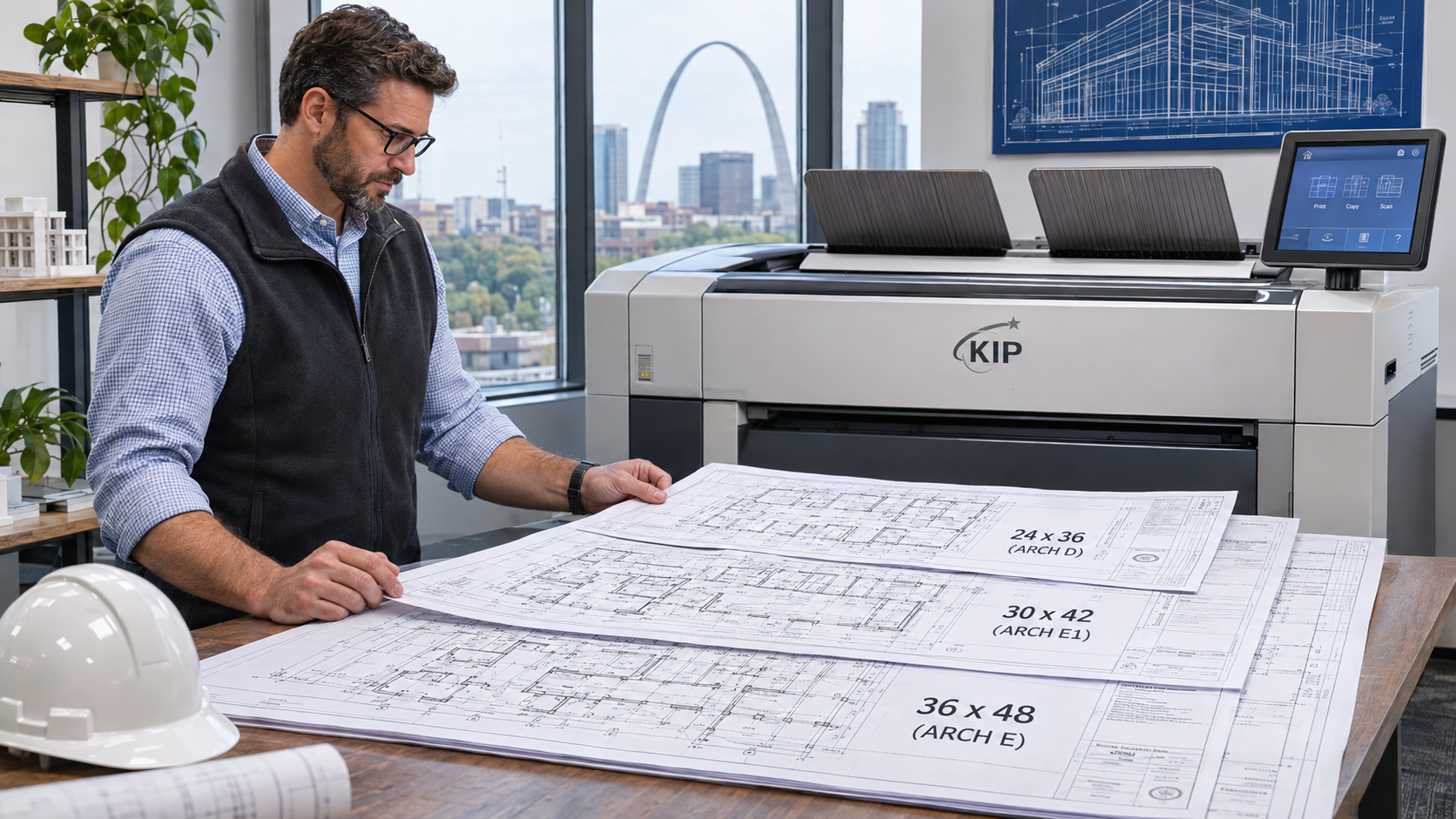
For AEC firms, the most common wide format print sizes are usually 24″ x 36″ (ARCH D), 30″ x 42″ (ARCH E1), and 36″ x 48″ (ARCH E). Reduced 11″ x 17″ sets are still common for proofing and markups, but once a company is regularly producing full-size plans, the choice of wide-format equipment starts to have a much bigger effect on day-to-day productivity.
The key is not simply choosing a printer that can produce the largest drawing once. It is choosing a system that can handle the sizes your business needs without turning paper changes, waiting, and outsourcing into a daily workflow problem.
The Short Answer: Which Wide Format Printer Size Do You Need?
If your business mainly produces occasional 24-inch drawings, a smaller inkjet may be enough.
If your team regularly prints 24″ x 36″, 30″ x 42″, or 36″ x 48″ construction drawings, especially in multi-sheet sets or under deadline pressure, you should look more closely at a production wide-format system such as KIP.
The clearest rule of thumb is this:
Choose a wide-format printer based on the largest drawings you realistically need to produce and how often you need to produce them.
Then make sure the system has enough roll capacity and speed that changing paper, waiting on prints, or outsourcing larger jobs does not become part of your everyday workflow.
That is a much better way to choose equipment than focusing only on the printer’s maximum width.
What Are the Most Common Wide Format Print Sizes in AEC?
Architecture, engineering, and construction firms tend to work with a fairly predictable group of drawing sizes.
The most common is often 24″ x 36″, also known as ARCH D. This size is widely used for construction plans and provides enough room for detailed floor plans, mechanical layouts, structural drawings, and other technical information without forcing the reader to work from an overly reduced image.
Another common size is 30″ x 42″, or ARCH E1. Larger projects may also use 36″ x 48″, which is ARCH E.
These sizes are important because modern CAD and BIM software can place a tremendous amount of detail on a drawing. Line weights, dimensions, notes, revision clouds, utility paths, hatching, and color-coded systems all need to remain readable.
Technical drawings are an important part of communication throughout a construction project. Autodesk provides additional information about AEC design and technical drawing workflows, including how architects and engineers use drawings to communicate design intent and construction requirements.
That is why reducing everything to 11″ x 17″ can be useful for proofing, but not always for serious plan review.
In our experience, 36-inch output is one of the biggest decision points when evaluating wide-format equipment.
If a customer only needs occasional 24-inch prints and has no realistic need for anything wider, a smaller inkjet may be perfectly practical.
If they regularly produce 24″ x 36″, 30″ x 42″, or 36″ x 48″ drawings, the need becomes more production-oriented.
Common Wide Format Sizes and Typical Uses
The table below compares common large format print sizes and how they are typically used by architecture, engineering, and construction teams.
| Print Size | Common AEC Use | General Consideration |
|---|---|---|
| 11″ x 17″ | Reduced sets, markups, proofs | Useful for review, but detail may be reduced. |
| 24″ x 36″ (ARCH D) | Construction plans, architectural drawings | One of the most common full-size AEC formats. |
| 30″ x 42″ (ARCH E1) | Larger architectural and engineering plans | Often used where more drawing space is needed. |
| 36″ x 48″ (ARCH E) | Large plan sets, detailed technical drawings | A strong reason to evaluate 36-inch production equipment. |
| Long continuous sheets | Civil, utility, roadway, survey, and pipeline work | Useful for linear projects and specialty applications. |
The right size is not simply the largest number on the table. It is the size the business actually depends on.
Why the Largest Print Size You Need Matters
It is tempting to size a printer around what the company produces most often.
That can be a mistake.
Suppose a firm prints 24-inch drawings 80 percent of the time, but the remaining 20 percent includes 36-inch plans that are important for active projects.
If the company buys a 24-inch-only system, every larger job still has to be outsourced.
Now the business has invested in equipment and still has an outside printing problem.
That is why we generally advise customers to size the printer around the largest drawing size they realistically expect to need, or at least seriously weigh the cost difference against the inconvenience of continuing to outsource those larger jobs.
This does not mean buying more capacity than the business could ever use.
It means thinking beyond today’s most common sheet.
If 36-inch output is likely to become part of the workflow, it may be more expensive to discover that limitation after the equipment is already installed.
What If You Only Need 24-Inch Printing Today?
If a customer tells us they only need 24-inch printing, one of the first things we ask is whether there is truly no current or future need for 30-inch or 36-inch rolls.
That is especially important with inkjet models because many smaller units are limited by the maximum media width they can handle.
With many toner-based systems, and KIP systems in particular, the machine may already be capable of handling a range of common AEC sizes. The bigger configuration question becomes how many rolls the customer wants available at the same time.
That can mean a 1-roll, 2-roll, or 4-roll system depending on the model and the workflow.
For example, Da-Com’s wide-format equipment options include KIP color and black-and-white systems designed for technical printing, scanning, and production workflows.
This is where maximum size and roll capacity start to overlap.
A printer that can technically handle 36-inch media may still create a frustrating workflow if employees have to keep unloading one roll and replacing it with another.
Why Roll Capacity Matters More Than Most Buyers Expect
Roll capacity sounds like a minor specification until you watch someone change paper several times a day.
AEC firms frequently move between 24″, 30″, and 36″ drawings.
One-Roll Wide Format Printers
A 1-roll system creates the most manual work because every time the next job requires a different width, someone has to stop and change the media.
If that happens once in a while, it may not matter.
If it happens all day, it starts to matter a lot.
Two-Roll Wide Format Printers
A 2-roll system is often enough for many everyday AEC workflows because two common sizes can remain loaded at the same time.
For example, a firm might keep 24-inch and 36-inch bond ready to go.
That reduces the amount of manual handling required when employees alternate between common architectural print sizes.
Four-Roll KIP Wide Format Systems
A 4-roll KIP system becomes more valuable for higher-volume environments or firms that work with several paper widths regularly.
They may keep 24″, 30″, and 36″ rolls loaded at once, with another roll available as a backup or for a different media type.
The value is not simply having more paper inside the machine.
The value is removing interruptions.
Roll capacity is not just a specification. It determines how often your employees have to stop working and manage paper.
That is really what roll capacity buys.
The Hidden Cost of Changing Paper Rolls
Frequent media changes are not only inconvenient.
They can also waste paper.
Many inkjet systems require a certain amount of media to be fed, aligned, and trimmed when a new roll is installed. If employees are changing rolls often, that lost footage can add up.
There is also the issue of storing open rolls.
Paper is easy to damage.
It can be bumped, bent, exposed to moisture, or stored in a way that affects the edges.
The best place for an active roll is often inside the machine, protected and ready to use.
That is another reason roll capacity can have more business value than the specification sheet suggests.
It reduces handling, protects the media, and keeps the next job ready.
Roll Length Matters Too
Customers often compare paper rolls by the price of the roll itself.
That can be misleading.
The more useful comparison is cost per square foot.
A roll that looks less expensive may simply contain less paper.
In our experience, many KIP systems can use longer engineering rolls than a number of smaller inkjet systems. That means an office can go longer between roll changes, which matters in production environments.
A shorter roll may still be perfectly fine for a lower-volume user.
But when a firm prints large plan sets every week, the number of times employees have to reload the machine can become part of the workflow cost.
Again, the issue is not whether one roll is good and another is bad.
It is whether the media capacity matches the amount of work being produced.
For organizations evaluating their overall printing expenses, it may also be useful to review the current print environment and identify unnecessary costs, manual processes, and opportunities to improve efficiency.
How Mixed-Size Construction Plan Sets Affect Printing
Construction sets do not always come out in one neat paper size.
A project may include several drawing sizes or may require different media widths for different phases of work.
That is where a production system becomes easier to appreciate.
On a single-roll machine, every size change can become a manual decision.
Someone has to stop.
Someone has to change paper.
Someone has to make sure the correct width is loaded.
Someone has to store the roll that came out.
If the process is repeated often enough, the printer becomes something employees have to manage instead of something that helps them work.
With a properly configured multi-roll system, the device can automatically select the appropriate media for the job.
That changes the experience.
Instead of printing becoming a sequence of interruptions, the user sends the set and moves on.
A Real Customer Example: When One Roll Stopped Being Enough
We worked with a customer that had been using a Canon TM-350.
The machine was doing what it was designed to do, but the customer’s business had changed.
They were taking on more HVAC-related projects, and that meant more frequent changes in drawing size.
Because the system only held one roll, employees were constantly changing paper.
What had once been a manageable inconvenience became a recurring frustration.
The more projects they handled, the more obvious the problem became.
The customer eventually moved to an entry-level KIP color system.
The decision was not simply about getting a bigger printer.
They wanted more roll capacity, faster production, better organization, and reliable CAD line color.
The new system fit the way the business had grown.
That is an important lesson because equipment rarely becomes wrong overnight.
Often, the business simply outgrows the workflow.
What About Long Drawings and Continuous Wide Format Printing?
Maximum print width is the first size question most people ask.
Maximum print length can matter too.
Long-sheet printing is not a daily requirement for every AEC firm, but for some industries it is very important.
Civil engineers, utility contractors, transportation engineers, surveyors, municipalities, and site-development firms may work with drawings that extend far beyond the length of a typical plan sheet.
Examples can include:
- Roadway profiles and transportation plans
- Utility routes and distribution layouts
- Pipeline plans and infrastructure drawings
- Electrical and telecommunications paths
- Subdivision layouts and site-development plans
- Topographic surveys and other linear projects
For a typical architectural firm printing mostly 24″ x 36″ and 30″ x 42″ sheets, long-sheet capability may never drive the equipment decision.
For a utility or civil engineering firm, it may.
If a long drawing can be printed in one continuous sheet, the team may avoid breaking the plan into multiple sections, taping pieces together, or outsourcing specialty work.
That can make maximum print length a meaningful part of the buying conversation.
Maximum supported length varies by printer model, media type, print settings, and configuration. It is important to verify the manufacturer’s published specifications before purchasing a system for long-sheet production.
Scanning Size Matters Too
When people ask what size a wide-format system can handle, they often think only about printing.
Scanning deserves just as much attention.
For many AEC firms, the scanner is part of the daily workflow.
A company may need to scan:
- 36-inch construction drawings
- Redlined field sets and marked-up plans
- As-built drawings
- Land surveys and site plans
- Archived engineering documents
- Older drawings that only exist on paper
The right scanner configuration depends on the size of those originals, whether color matters, and how often the company needs to digitize or copy them.
Color scanning can be especially valuable when the paper contains highlights, handwritten field notes, utility colors, or other markings that need to remain visible after the document is digitized.
A large-format scanner can help the team capture revisions, preserve legacy documents, create digital project records, and send updated information back to the office more quickly.
The importance of organized project information extends beyond printing and scanning. The National Institute of Building Sciences provides guidance on building information management and project documentation requirements that helps explain the role of reliable information throughout the construction process.
For some customers, the scanner ends up being just as important as the printer.
Do You Need a 1-Roll, 2-Roll, or 4-Roll Wide Format Printer?
There is no universal answer.
The right number of rolls depends on volume and application.
The more useful question is:
How often do you want employees touching the paper drawers and swapping media?
That is a practical question because every company has a different tolerance.
For a low-volume user, changing paper occasionally may be completely acceptable.
For a busy AEC firm, the same interruption may become a daily nuisance.
For a higher-volume organization producing many mixed-size sets, it may be unacceptable.
That is why we think in terms of three levels:
- What is acceptable? How often can employees reasonably change paper without disrupting their work?
- What becomes annoying? At what point do repeated media changes affect productivity?
- What would the ideal workflow look like? Which paper widths should always be loaded and ready?
Then the roll configuration can be chosen around that reality.
Wide Format Roll Capacity Comparison
| Configuration | Typical Workflow | Main Consideration |
|---|---|---|
| 1-Roll | Occasional jobs using one primary paper width | More manual changes when switching sizes |
| 2-Roll | Regular printing in two common widths, such as 24″ and 36″ | Reduces interruptions for mixed-size jobs |
| 4-Roll | Higher-volume production with multiple widths or media types | More flexibility and fewer manual media changes |
Available roll configurations depend on the specific wide-format printer model. Not every manufacturer or product series offers every configuration.
How Print Size and Printing Speed Work Together
Size by itself does not tell you whether a printer is productive.
A company may have the right media width but still spend too much time waiting on large sets.
That becomes more obvious when printing 30, 50, or 100 sheets at a time.
The larger the set, the more important consistent production speed becomes.
This is one reason businesses that print high volumes of 36-inch plans may move toward KIP even when a smaller inkjet could technically produce the same sheet size.
The issue becomes less about “Can it print this?” and more about “Can it print this efficiently every day?”
That is a very different question.
How to Compare Production Efficiency
When comparing wide format printer sizes and configurations, it helps to evaluate the complete production process rather than focusing on a single speed rating.
Consider how long it takes your team to:
- Load and prepare the required paper widths
- Print a typical construction drawing set
- Switch between different sheet sizes
- Produce color drawings with detailed CAD linework
- Scan marked-up drawings or existing plans
- Organize and finish completed sets
- Reload media during larger production runs
A printer that requires less manual attention may provide a better everyday experience, even when two models can produce the same sheet size.
Should You Buy a Wide Format Printer for Today or Future Growth?
No one can predict exactly where a business will be three years from now.
That does not mean growth should be ignored.
If a company is already starting to take on larger projects, printing more 36-inch drawings, or working in an industry where larger sets are becoming common, that should be part of the equipment discussion.
We do not believe in oversizing equipment simply because growth is possible.
We do believe customers should understand the cost of outgrowing the machine.
The difference between two configurations may be easier to justify today than replacing the equipment early because the business changed.
A good discovery process should ask both:
- What are you printing now?
- What are you likely to be printing next?
The customer is in the best position to decide how much future capacity is worth paying for.
Our role is to make the tradeoffs clear.
Why Smaller Is Not Always Simpler
There is a natural assumption that a smaller printer will be easier to manage.
Sometimes that is true.
Sometimes the smaller device creates more manual work because it has less roll capacity, shorter media rolls, slower production, or more limitations around paper size.
That does not make smaller equipment a bad investment.
It just means the lower purchase price should be considered alongside the workflow.
A low-volume firm that prints one or two small jobs a week may never care about those differences.
A higher-volume AEC team will notice them very quickly.
The right size of printer is really about the size of the workflow.
Why Da-Com Starts With the Work, Not the Printer Model
When we help a customer evaluate wide-format equipment, we do not start by asking which machine they want.
We start by asking what they print.
- What are the common sheet sizes?
- What is the largest size?
- How often do the sizes change?
- How many sets are printed?
- How quickly do they need to come out?
- Do they need scanning?
- Do they work with field markups?
- Do they need color?
- Are employees currently changing rolls too often?
- What are they outsourcing?
Those questions tell us much more than a model number.
From there, we can show suitable options, including smaller inkjet systems when they fit and production toner-based systems when the workflow calls for more capacity.
Businesses evaluating a complete office technology environment may also want to consider how their wide-format equipment works alongside their existing office printing equipment, document workflows, and scanning needs.
The goal is to make sure the system fits the business, not the other way around.
Frequently Asked Questions About Wide Format Print Sizes
What is the most common construction drawing size?
24″ x 36″, also known as ARCH D, is one of the most common full-size drawing formats in architecture, engineering, and construction. It is widely used for architectural plans, structural drawings, mechanical layouts, and construction documentation.
Can a wide-format printer print 30″ x 42″ drawings?
Yes, if the printer supports the required media width. The 30″ x 42″ size, also known as ARCH E1, is common in AEC and should be considered when choosing a system.
Can a wide-format printer print 36″ x 48″?
Many 36-inch wide-format systems can support 36″ x 48″ output. This format is known as ARCH E. The exact capability depends on the model, media configuration, and supported output dimensions.
Is 11″ x 17″ considered wide format?
It is generally considered a large office sheet size rather than true wide format. It is useful for reduced plans, markups, and proofs, but some technical details may become more difficult to read when drawings are reduced.
Do I need a 36-inch printer if I mostly print 24-inch drawings?
Not always. But if you expect to need 30-inch or 36-inch output, compare the cost of the larger-capacity system against the inconvenience of outsourcing those jobs.
How many paper rolls should a wide-format printer have?
It depends on volume and application. Low-volume users may be comfortable with one roll. Firms that regularly switch between 24″, 30″, and 36″ media may benefit from two or four rolls.
Why is a 2-roll wide format printer useful?
It allows two common paper widths to remain loaded, reducing manual paper changes and speeding up mixed-size workflows. This can be particularly useful for AEC teams alternating between standard construction drawing sizes.
When does a 4-roll KIP system make sense?
A 4-roll system can be valuable for higher-volume environments that use multiple media widths or want backup rolls available without interrupting production.
Can wide-format printers make very long prints?
Some systems can produce long continuous drawings, which is especially useful for civil engineering, utilities, transportation, surveying, pipelines, and other linear projects. Maximum length depends on the printer model and media configuration.
Should I consider scanner width when buying a wide-format printer?
Yes. If you regularly scan 36-inch plans, marked-up field sets, as-builts, surveys, or archived drawings, scanner size and color capability should be part of the configuration decision.
The Bottom Line: Choose the Right Wide Format Printer for Your Workflow
The most important size question is not:
“What is the biggest print this machine can make?”
The better question is:
“What sizes does our business need to produce, and how often?”
For some companies, occasional 24-inch printing is all they need.
For others, 24″, 30″, and 36″ drawings move through the office every day.
The difference between those workflows should drive the equipment decision.
If employees are constantly changing rolls, storing open media, waiting on large sets, or outsourcing bigger drawings, the machine may technically be capable of the work but still be the wrong fit.
A good wide-format system should remove friction.
It should keep the common paper sizes ready.
It should handle the largest drawing the business realistically needs.
It should have enough roll capacity to reduce interruptions.
And it should be fast enough that printing does not become another task employees have to manage.
Choose the printer around the work.
That is usually where the better decision starts.
Need Help Choosing the Right Wide Format Printer Size?
If your business in St. Louis, Missouri, the Midwest, or Southern Illinois is trying to decide between a smaller inkjet, a 36-inch production system, or a multi-roll KIP configuration, Da-Com can help you work through the options.
We can review your current drawing sizes, monthly volume, media changes, scanning needs, outsourced work, and expected growth. Then we can demonstrate suitable configurations so you can see how each one would fit the way your team actually works.
Whether you need wide format printing in St. Louis or a wide format printer for your Southern Illinois construction or engineering operation, the goal is the same: reliable output that fits your team’s everyday workflow.
Talk with a Da-Com wide-format specialist to schedule a discovery conversation or custom demonstration.
You can also explore our KIP color systems and other wide-format solutions to learn more about available printing, scanning, and finishing options.


Leave A Comment