
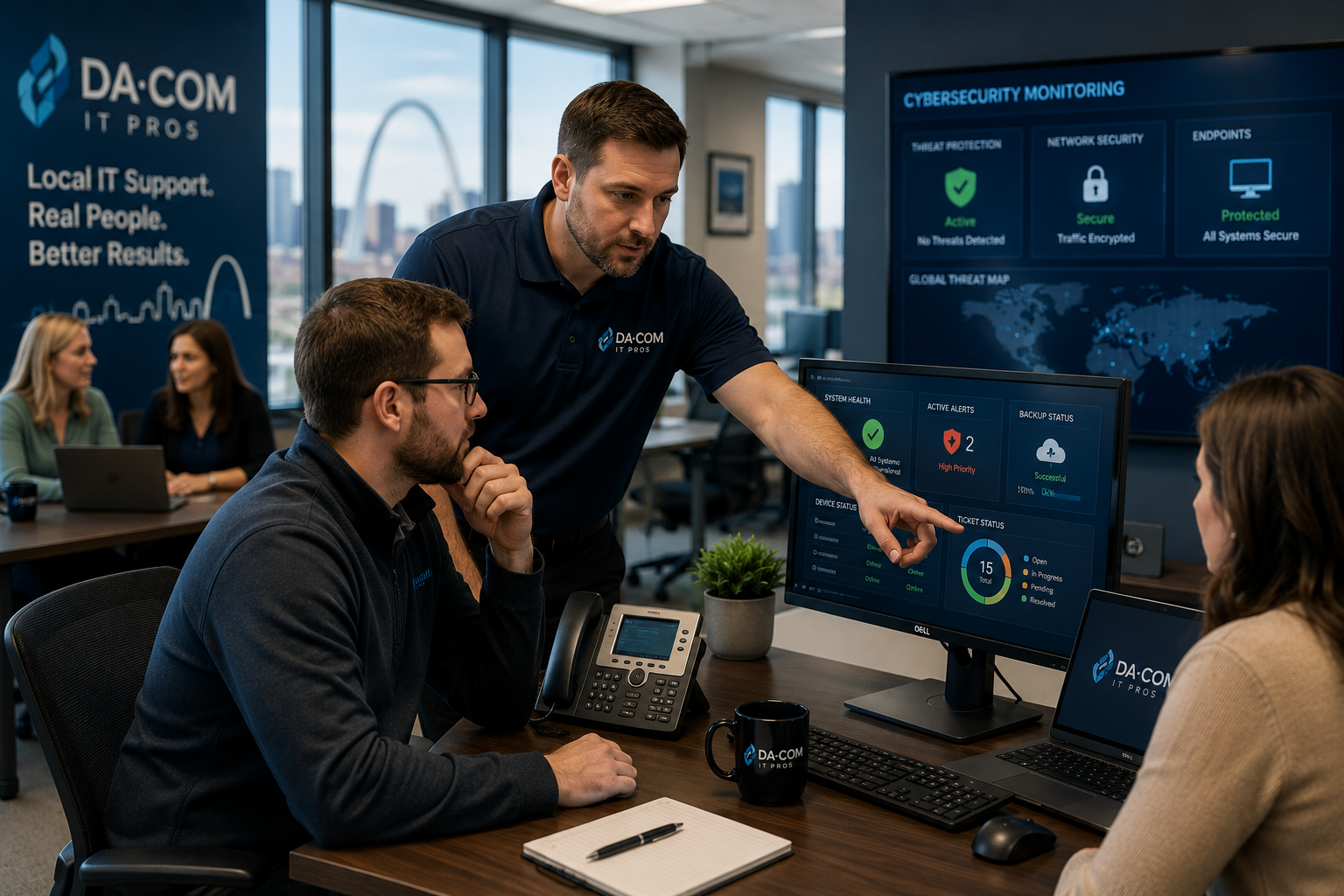
Local MSP vs National IT Provider: Which Is Better?
Local MSP support can make a major difference when your business depends on fast response times, cybersecurity protection, employee productivity, and reliable technology. National IT providers may have large teams and broad resources, but many small and midsize businesses want something more practical: a provider who knows their environment, answers quickly, understands their region, and can show up when support cannot be handled remotely.
For businesses comparing a local MSP vs national IT provider, the right answer depends on your size, locations, risk level, internal IT resources, service expectations, and how much personal accountability matters to your team. A national provider may work well for some organizations with standardized needs across many locations. A local managed service provider may be a better fit for businesses that value responsiveness, relationship-driven service, local accountability, cybersecurity guidance, and flexible support.
This guide compares a local MSP vs national IT provider across response times, relationships, cybersecurity, strategic planning, on-site support, cost, service quality, and long-term value for businesses in St. Louis, St. Charles, Chesterfield, Clayton, the Metro East, Belleville, Edwardsville, Collinsville, and Southern Illinois.
Quick Answer: Is a Local MSP Better Than a National IT Provider?
For many small and midsize businesses, a local MSP is often the better fit because local providers can offer faster communication, stronger relationships, more personalized support, local accountability, and easier access to on-site service. A national IT provider may offer scale, standardized tools, and large support teams, but the experience can feel less personal and less familiar with your specific business environment.
A local MSP is usually a strong fit if your business wants:
- Responsive help desk support.
- Cybersecurity guidance tailored to your organization.
- On-site support when remote support is not enough.
- A provider who understands your business, users, and local market.
- Strategic IT planning instead of only break-fix support.
- Fewer vendor handoffs and less ticket frustration.
- Clear accountability from people you actually know.
A national IT provider may be a better fit if your organization needs a highly standardized model across many states, has complex enterprise-level procurement requirements, or prefers centralized support over local relationship management.
For most regional businesses, the best choice is not about who is bigger. It is about who can support your team faster, communicate clearly, protect your systems, and help technology feel easier to manage.
Da-Com provides Managed IT Services for businesses that need proactive technology support, cybersecurity, backup planning, help desk support, and local service across St. Louis and Southern Illinois.
What Is a Local MSP?
A local MSP, or local Managed Service Provider, is an IT partner that manages, monitors, supports, and secures your business technology while maintaining a local or regional presence. Instead of waiting until something breaks, an MSP helps proactively manage the systems your business depends on every day.
A local MSP typically supports:
- Help desk and employee support.
- Network monitoring.
- Cybersecurity protection.
- Endpoint management.
- Microsoft 365 support.
- Backup and business continuity planning.
- Cloud services.
- Patch management.
- Vendor coordination.
- Strategic technology planning.
- On-site support when needed.
The local part matters because technology support is not only technical. It is also operational. A business in St. Louis or Southern Illinois may need someone who understands local business expectations, can coordinate with nearby vendors, can visit the office when needed, and can build a long-term relationship with leadership, office managers, and employees.
Da-Com’s Managed IT Services St. Louis guide explains how local support can help businesses reduce downtime, improve cybersecurity, support employees, protect data, manage systems, and make day-to-day technology easier.
What Is a National IT Provider?
A national IT provider supports businesses across multiple states, regions, or the entire country. These providers often operate through centralized service centers, standardized ticketing systems, remote support teams, national account structures, and documented service processes.
National IT providers may offer:
- Large technical teams.
- Broad service coverage.
- Standardized tools and processes.
- Centralized ticket management.
- Multi-location support programs.
- Specialized technical resources.
Many national providers deliver quality technical work. The question is whether the model fits your business. A standardized support structure can be helpful for some organizations, but it may feel impersonal for businesses that want direct communication, faster escalation, local accountability, and a provider who knows their users by name.
When comparing a local MSP vs national IT provider, the real question is not “Which company is larger?” The better question is “Which provider will support our people, systems, and goals better when something goes wrong?”
Local MSP vs National IT Provider: Full Comparison
Choosing between a local MSP and a national IT provider can affect how quickly employees get help, how clearly cybersecurity risks are explained, how technology planning happens, and how confident leadership feels when issues arise.
| Category | Local MSP | National IT Provider |
|---|---|---|
| Response times | Often faster and more direct | Can vary based on queues and escalation paths |
| On-site support | Stronger regional availability | May rely on remote support or third-party dispatch |
| Business familiarity | High, especially over time | Can be limited by account structure |
| Relationship quality | More personal and consultative | Often more standardized |
| Cybersecurity support | Tailored guidance and local accountability | Strong tools, sometimes less personalized delivery |
| Strategic planning | Often customized to the business | May follow standardized frameworks |
| Flexibility | Often higher for SMB needs | May be limited by national processes |
| Cost value | Often strong when service quality is included | May look efficient, but value depends on support quality |
1. Response Times: Why Speed Matters
When technology fails, employees cannot simply wait indefinitely. A network slowdown, Microsoft 365 issue, printer disruption, security alert, server problem, or application outage can quickly affect productivity, customer service, and revenue.
A local MSP often has an advantage because support teams are closer to the customer relationship. Many local providers know the client’s systems, key users, locations, and common issues. That familiarity can shorten the path from problem to resolution.
A local MSP may offer:
- Faster callbacks.
- More direct technician access.
- Shorter escalation paths.
- Better familiarity with the environment.
- Local on-site support when needed.
- More personal accountability for follow-through.
National IT providers may have large support teams, but bigger does not always mean faster. Some customers experience ticket queues, repeated transfers, multiple support tiers, or technicians who do not know their environment.
For a business leader, the difference can feel simple. A local MSP often feels like calling a partner. A national provider can sometimes feel like entering a system.
2. Relationship and Accountability
Technology support is not just about tools. It is about trust.
A business needs to know who to call when systems are down, when a cybersecurity alert appears, when a backup question comes up, or when leadership needs advice before making a technology decision. That is where a local MSP can provide an important advantage.
Local providers often build relationships through:
- Face-to-face meetings.
- Regular business reviews.
- Long-term account management.
- Community involvement.
- Knowledge of local business needs.
- Consistent communication with leadership.
When an IT provider knows your business, recommendations become more relevant. They understand which employees need extra support, which systems are critical, which applications affect operations, which vendors are involved, and which technology decisions have caused frustration in the past.
A national provider may still offer account management, but the relationship can feel more structured and less personal. If your business values direct communication, local accountability, and a provider who remembers your environment, a local MSP may be the stronger choice.
3. Cybersecurity Support: Size Is Not the Only Factor
Cybersecurity is one area where both local and national providers can be effective. The deciding factor is not only company size. It is execution, communication, planning, monitoring, and response.
The National Institute of Standards and Technology explains that the NIST Cybersecurity Framework helps organizations understand and improve how they manage cybersecurity risk. The framework is designed for organizations across industries and sizes. Businesses can use it to think through governance, identification, protection, detection, response, and recovery. Learn more from NIST’s Cybersecurity Framework.
A local MSP can help translate cybersecurity best practices into practical business steps. That may include:
- Security assessments.
- Endpoint protection.
- Email security.
- Multi-factor authentication planning.
- Backup and recovery alignment.
- Employee security awareness.
- Incident response planning.
- Vendor risk discussions.
- Compliance support conversations.
National providers may have extensive cybersecurity resources and specialized teams. That can be valuable, especially for larger organizations. However, cybersecurity support can lose value if communication is slow, recommendations are generic, or the provider does not understand how your business actually operates.
The best cybersecurity partner is the one that helps your team understand risk, prioritize action, and respond quickly when something happens.
4. Strategic IT Planning
A local MSP should not only fix problems. The right provider should help your business plan for the future.
Strategic IT planning may include:
- Technology budgeting.
- Hardware lifecycle planning.
- Cybersecurity roadmap development.
- Cloud migration planning.
- Microsoft 365 optimization.
- Backup and continuity planning.
- Compliance readiness discussions.
- Vendor consolidation.
- Employee productivity improvements.
A local MSP often has an advantage because it can connect technology planning to the realities of your business. A local team can meet with leadership, review your current environment, understand operational pain points, and make recommendations that fit your size, budget, and goals.
National providers often use standardized planning models. Standardization can be useful, but it may not reflect the unique needs of a local business, nonprofit, school, healthcare office, dealership, professional service firm, or manufacturing company.
Da-Com’s backup and continuity planning guide explains why businesses need practical recovery strategies that reduce downtime, minimize data loss, and prepare for disruptions before something goes wrong.
5. On-Site Support Availability
Remote support is powerful, but not every issue can be solved remotely. Some problems require hands-on help.
On-site support may be needed for:
- Hardware installations.
- Network troubleshooting.
- Office moves.
- New employee setups.
- Wi-Fi issues.
- Server or equipment failures.
- Printer and workstation coordination.
- Emergency response.
- Physical security or cabling issues.
A local MSP can usually provide on-site support more efficiently because technicians are already in the region. That proximity can matter during urgent issues, major projects, office expansions, and support situations where employees need in-person help.
National providers may rely on third-party dispatch, remote-first troubleshooting, or longer scheduling windows. That may be fine for some issues, but it can become frustrating when employees are waiting and the problem is clearly physical.
For many businesses, the best IT support model is a mix of proactive remote management and local on-site support when needed.
6. Cost: Cheapest Is Not Always Best
Cost matters, but the lowest monthly invoice does not always create the best business outcome.
When comparing a local MSP vs national IT provider, look beyond the sticker price. The real value of IT support includes response speed, cybersecurity protection, employee productivity, reduced downtime, strategic planning, and service quality.
Ask these cost-related questions:
- What is included in the monthly agreement?
- Are cybersecurity tools included or separate?
- Are on-site visits included?
- How are after-hours issues handled?
- What response times are promised?
- How does the provider handle backup and recovery?
- Are projects billed separately?
- How often will we meet to review strategy?
- What happens if support is slow?
A provider that costs slightly less but responds slowly can become expensive if employees lose hours of productivity. A provider that offers strong cybersecurity guidance may help reduce risk in ways that are hard to measure until an incident happens.
The FTC’s small business cybersecurity guidance notes that businesses cannot afford to lose time, information, or money to cyberattacks and provides practical resources for protecting business data, networks, and systems. You can review the resource here: FTC Cybersecurity for Small Business.
Why Local Cybersecurity Guidance Matters
Cybersecurity can feel overwhelming for small and midsize businesses. Leaders hear about ransomware, phishing, MFA, endpoint detection, cyber insurance, backups, compliance, and data privacy, but they may not know what to prioritize first.
A local MSP can help make cybersecurity more practical by connecting risk to your actual environment. Instead of handing you a generic checklist, a strong provider should explain what matters most based on your users, devices, systems, vendors, and business operations.
The Cybersecurity and Infrastructure Security Agency provides cybersecurity resources to help organizations reduce risk, strengthen resilience, and respond to threats. You can review CISA’s small and midsize business resources here: CISA Cyber Guidance for Small Businesses.
For many organizations, local cybersecurity guidance is valuable because it combines technical skill with relationship-based communication. Business leaders do not just need alerts. They need answers.
Why More St. Louis and Southern Illinois Businesses Choose Local IT Support
Businesses across St. Louis and Southern Illinois often want an IT provider that feels close to the work, not disconnected from it. They want fast support, proactive planning, cybersecurity guidance, clear communication, and someone who understands how local organizations operate.
A local MSP can be especially valuable for:
- Professional service firms.
- Healthcare and dental offices.
- Schools and nonprofits.
- Municipal offices.
- Manufacturing and distribution companies.
- Construction and AEC firms.
- Dealerships and service businesses.
- Accounting and financial offices.
- Organizations without a full internal IT department.
Da-Com’s St. Louis business technology services page explains that Da-Com supports local organizations with Managed IT, cybersecurity, compliance, backup and business continuity, office equipment, print management, document management, and other workplace technology solutions.
For businesses that want one trusted partner across more of the office technology environment, a local provider can create practical value beyond help desk tickets.
Questions to Ask Before Choosing an MSP
Before choosing between a local MSP and a national IT provider, ask questions that reveal how the relationship will actually work.
- How quickly are support tickets answered?
- What are your average response times?
- Do you provide on-site support in our area?
- Will we work with the same technicians over time?
- Will we have a dedicated account manager?
- How often do you meet with clients?
- How do you handle cybersecurity incidents?
- What cybersecurity tools are included?
- How do you monitor backups?
- How do you test recovery?
- What happens during a major outage?
- How do you help with technology budgeting?
- Do you support Microsoft 365?
- Can you help coordinate with other technology vendors?
- What industries do you support most often?
The answers often matter more than the provider’s size. A strong MSP should be able to explain its process clearly, set expectations honestly, and show how it will support your business after the agreement is signed.
Signs a Local MSP May Be the Better Fit
A local MSP may be the better choice if your business is experiencing any of the following:
- Employees wait too long for IT support.
- Your current provider does not understand your business.
- You rarely speak to the same technician twice.
- Cybersecurity recommendations feel generic.
- You are unsure whether backups are tested.
- You need on-site support more often than expected.
- Leadership wants clearer technology planning.
- Vendors are difficult to coordinate.
- Your office manager or operations leader is handling too many IT issues.
- You want a provider who can support both daily issues and long-term strategy.
If these sound familiar, a local MSP may provide a more practical support experience than a distant provider built around high-volume ticket processing.
Frequently Asked Questions About Choosing a Local MSP
What is a local MSP?
A local MSP is a Managed Service Provider that delivers IT support, cybersecurity, monitoring, backup planning, and technology guidance while maintaining a regional presence. A local MSP can often provide both remote and on-site support.
Is a local MSP better than a national IT provider?
For many small and midsize businesses, a local MSP may be better because it can offer faster communication, stronger relationships, on-site support, and more personalized guidance. National providers may be a better fit for some organizations with highly standardized multi-state needs.
Do local MSPs provide cybersecurity?
Yes. Many local MSPs provide cybersecurity services such as endpoint protection, monitoring, email security, MFA planning, backup alignment, employee training, and incident response planning.
Is a local MSP more expensive?
Not necessarily. Pricing depends on services, tools, coverage, response expectations, cybersecurity needs, and support scope. Businesses should compare value, not only monthly cost.
Can a local MSP support remote employees?
Yes. A local MSP can support remote and hybrid employees through remote monitoring, help desk support, cloud management, Microsoft 365 administration, endpoint protection, and secure access planning.
What should I ask before signing an MSP agreement?
Ask about response times, on-site support, cybersecurity tools, backup testing, account management, project billing, reporting, communication, escalation paths, and how often the provider reviews strategy with clients.
Why does local IT support matter during a cybersecurity incident?
Local IT support can improve communication, coordination, and accountability during a cybersecurity incident. When leaders need answers quickly, an established local relationship can help reduce confusion.
The Bottom Line: Choose the Provider That Shows Up
Most businesses are not looking for the largest IT provider. They are looking for the right partner.
They want someone who answers the phone. Someone who responds quickly. Someone who understands their business. Someone who helps employees stay productive. Someone who explains cybersecurity in plain language. Someone who helps plan before problems turn into emergencies.
That is why a local MSP can be the better choice for many St. Louis and Southern Illinois organizations. Local support feels different when something goes wrong. You know who to call. They know your environment. They understand your priorities. They are accountable to the relationship, not just the ticket.
National IT providers can be a good fit for some organizations, but if your business values responsiveness, flexibility, on-site support, and long-term accountability, a local MSP may offer the stronger overall experience.
To learn more about choosing a local MSP for your St. Louis, St. Charles, Chesterfield, Clayton, Metro East, Belleville, Edwardsville, Collinsville, or Southern Illinois business, contact Da-Com today. Da-Com IT Pros can help you evaluate your current IT support, identify service gaps, strengthen cybersecurity, improve backup and continuity planning, and build a more responsive technology support strategy.





Leave A Comment