

There are basically two ways you can set up IT support for your business: you either use an in-house team (or more likely one or two people), or you have an entire ensemble of professional IT support services to rely on. For small businesses, especially, the former arrangement usually works fine at 10 employees but can start showing cracks at 25, and by 50, it may genuinely be holding the business back. The challenge is that the warning signs often appear gradually, making it easy to mistake a systemic problem for a string of bad luck.
If your business has grown in recent years, meaning more employees, more devices, more cloud tools, or more locations, it’s worth asking whether your IT support has kept pace. Here are some signs to point you toward IT support services as a genuine time- and cost-saving solution.
Your Team Is Losing Time to Tech Problems
The clearest sign that your IT support is no longer adequate is that your employees are regularly interrupted by technology issues that aren’t resolved quickly. These could include slow devices, dropped connections, software that crashes without warning, or printers that stop communicating with the network. When faced only rarely, these feel like minor annoyances. But if you take the time to chart out just how much work they stop, it can be a real drag on productivity.
Let’s put that into perspective with hard numbers.
Research from ITIC’s 2024 Hourly Cost of Downtime Survey found that over 90% of mid-size and larger enterprises reported that a single hour of unplanned downtime cost their organization more than $300,000. While that figure reflects larger operations, the actual cost for smaller businesses can be even worse.
A small business already has a smaller “cushion” of operating budgets to work with and a narrower client pool, so a complete network or device collapse can damage your vital projects. This can then severely damage your reputation with existing clients, and that initial reputation is much more difficult to recoup when you’re also trying to grow.
Beyond charting productivity losses, which can be difficult without professional monitoring services put in place (making it somewhat of a catch-22 situation), there’s one other signal that your productivity is being hampered by tech problems. That signal is your employees working around common technology problems rather than reporting them, meaning using personal devices, skipping certain tools, or just tolerating slow systems because “that’s just how it is.” It suggests problems are going unaddressed long enough that people have even stopped expecting them to be fixed.
IT Issues and Cybersecurity Are Being Handled Reactively
There’s a meaningful difference between IT support that fixes problems after they occur and IT support that prevents them from occurring in the first place. If your current arrangement is using the first option, it’s entirely reactive and puts your business at risk.
Proactive IT support involves monitoring systems continuously, applying software patches and updates on a regular schedule, flagging hardware that’s approaching the end of its reliable life, and identifying security vulnerabilities before they can be exploited. These are not complicated tasks, but they require consistent attention that break-fix arrangements simply don’t provide.
A business that has grown to the point where it handles sensitive customer data, processes payments, or relies on cloud-based systems for core operations can’t afford to wait for things to break. The cost and disruption of a preventable outage or breach is almost always far greater than the cost of the monitoring that would have caught it early.
Cybersecurity requirements also scale with business complexity. A company with five employees sharing a local network has a very different risk profile from one with 30 employees accessing cloud systems across multiple devices, some of them personal. If your IT support was set up when your business was smaller, there’s a good chance the security controls in place no longer match your current environment. In fact, a Worldmetrics report suggests more than half of all small businesses don’t have dedicated enterprise-level cybersecurity.
Common gaps that emerge as businesses grow include inconsistent application of multi-factor authentication, former employees who still have active credentials, devices that haven’t received security patches in months, and no documented process for what to do if a breach occurs. Worse yet, all of these are a natural evolution of security practices that were set up once and never revisited. IT support services put the onus of maintaining proper documentation and action reports on a professional team that already knows to periodically review them.
You’re Relying on One Person for Everything IT-Related
Most growing businesses have a stage where IT responsibilities have quietly accumulated around a single employee. This is usually someone in a general operations or administrative role who has become the de facto IT support by default, or even the owner themselves if they’re a “techy” person. This arrangement works until it doesn’t, and the failure point is usually a bad week where that person is unavailable, overwhelmed, or has simply reached the limit of their expertise.
The problem here is that if you have a highly experienced IT person at your beck and call, you also have to pay them considerably to account for that expertise. For a small business, that’s a real cost when trying to grow, or you end up underutilizing the person because you can’t afford to. But that puts your business further at risk. IT support covers networking, security, cloud infrastructure, hardware maintenance, and end-user helpdesk. Concentrating that responsibility in one person creates a single point of dependency and possible failure.
A managed IT support services provider gives your business access to a team of specialists without the cost of hiring them all individually. It also means that when your go-to person is on vacation, sick, or has simply moved on, your IT doesn’t move on with them.
You Don’t Have a Clear Picture of Your IT Environment
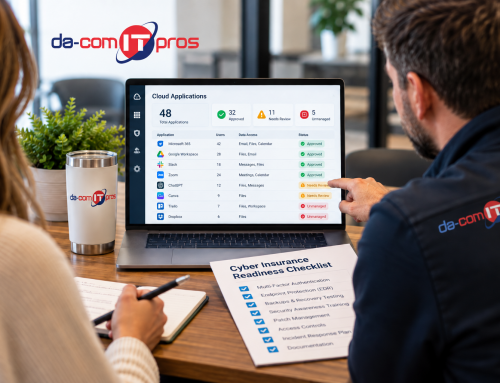
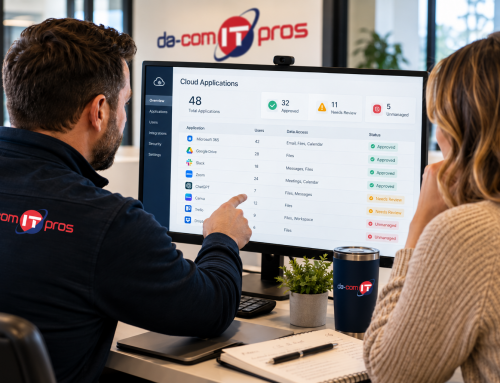
Can you say with confidence how many devices are on your network, which software licenses you’re paying for, when your hardware was last updated, or whether your data backups have been tested recently? If the honest answer is “no,” that’s a sign your IT support might be working in the background but without any clear oversight or accountability.
Without baselines of documenting proper update schedules or data protection and recovery practices, you’re managing IT reactively by necessity, because you don’t have enough information to do anything else.
How to Get the Best Professional IT Support Services
If any of the signs above sound familiar, it may be time to take a fresh look at your IT support arrangement. Da-Com works with businesses to assess their current IT support services needs and design a plan that matches where the business actually is in their growth phase.
Whether you need proactive monitoring, help desk support, security improvements, or strategic guidance on your next technology step, our team brings the expertise and local presence to get it right. If your business is in St. Louis or Columbia, Missouri, or western Illinois, contact Da-Com today to find out how we can help your IT support keep pace with your growth.




Leave A Comment