
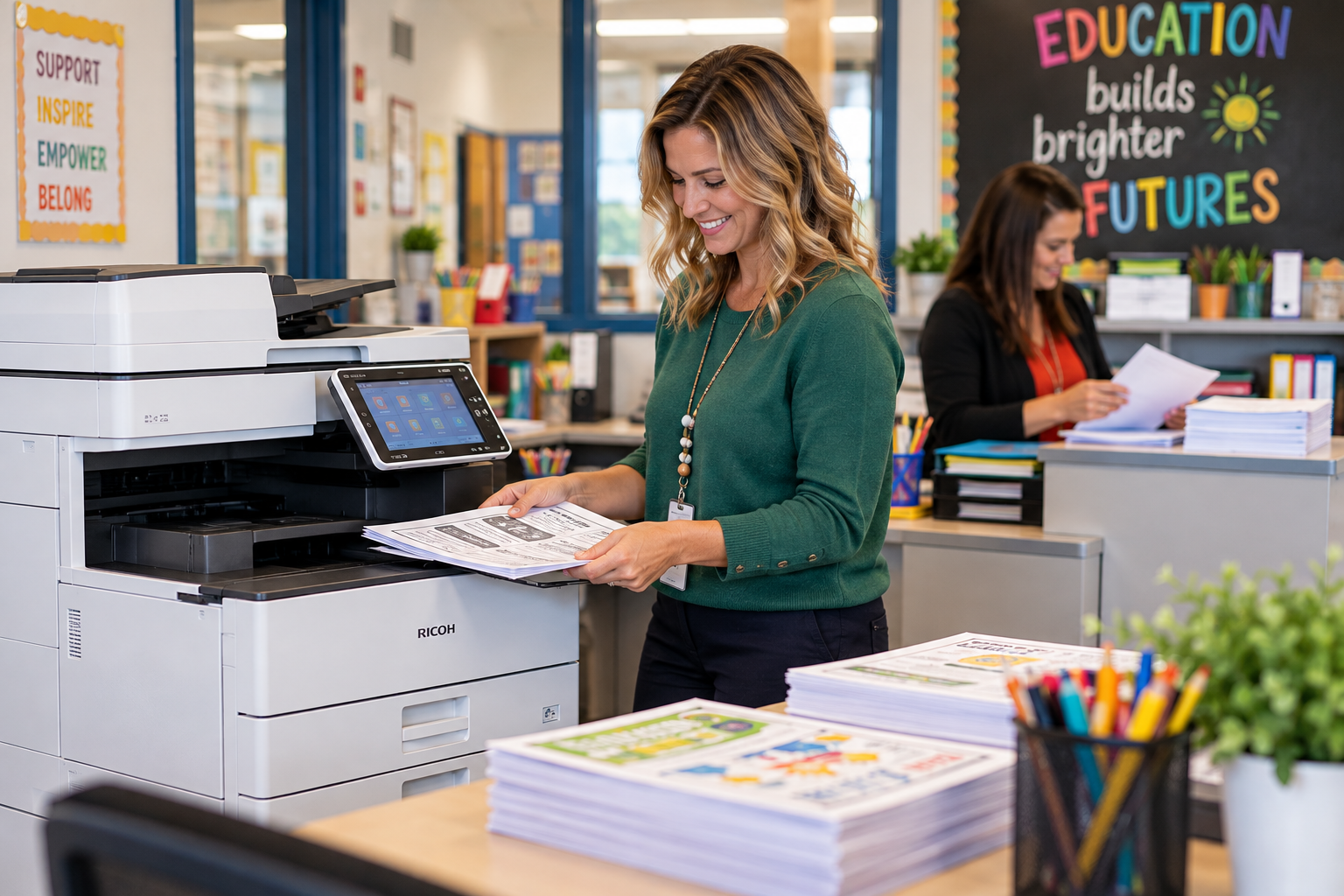
Printer and Copier Support for Schools: Keep Classes Moving
Printer and copier support for schools matters most when there is no spare time to deal with a problem.
A teacher needs classroom materials before students arrive. The front office is preparing enrollment packets. A counselor needs documents for a meeting. Then the copier stops, pages come out incorrectly, or a required supply is missing.
Someone has to find another way to finish the work.
That person may be using a planning period, managing a busy front office, preparing for a family conference, or already working through a full list of technology requests.
For schools and districts, printing is not simply an equipment expense. It is part of the everyday workflow that supports classrooms, administration, communication, and student services.
At Da-Com, we believe school printing should be planned around those people and those moments. The equipment matters, but so do the service process, supplies, staff training, and backup plan for keeping work moving.
Da-Com provides business copiers and multifunction printers, equipment installation, leasing options, maintenance, and local service for organizations throughout St. Louis, St. Charles, Columbia, the Metro East, and Southern Illinois.
Whether your school uses one multifunction printer or manages a district-wide print fleet, the goal should be dependable equipment and a support process your employees understand.
Quick Answer: What Should Printer and Copier Support for Schools Include?
Printer and copier support for schools should include appropriately sized equipment, a defined maintenance and repair process, reliable supply ordering, staff training, and clear procedures for reporting problems. Schools should also consider student information security, heavy printing periods, backup equipment, network connectivity, and the responsibilities included in their service agreements.
A complete school printing discussion should address:
- Equipment selection: Choosing printers and copiers based on users, volume, applications, and building layout.
- Preventive maintenance: Reviewing equipment condition and addressing recurring issues.
- Copier repair: Providing a defined process for service requests and technician support.
- Supplies: Establishing a process for toner, paper, and other required materials.
- Staff training: Helping teachers and office employees complete common printing and scanning tasks.
- Print management: Monitoring usage and identifying opportunities to improve workflows.
- Security: Considering access controls, confidential printing, and device data handling.
- Backup planning: Identifying acceptable alternatives when an important device is unavailable.
- Cost management: Understanding the full expense of equipment, supplies, service, and staff time.
The goal is not simply to install a copier. It is to support the work that teachers, administrators, and school employees need to complete every day.
Plan School Printing Around the Academic Calendar
Monthly printing volume is useful, but it does not explain the whole workload.
School printing demand often changes throughout the academic year. A copier that works well during a quieter month may become a bottleneck during enrollment, report card preparation, standardized testing periods, or the beginning of a new semester.
Before selecting equipment, identify when demand increases.
Common High-Demand School Printing Periods
- Back-to-school preparation and enrollment.
- Morning classroom handout production.
- Assessment and testing periods.
- Report card and progress report deadlines.
- Parent-teacher conferences.
- School board meetings.
- Graduation and year-end events.
- Summer school programs.
- Staff development and training days.
- New student registration and orientation.
Consider a copier that handles the monthly page total without difficulty but becomes overloaded for 30 minutes each morning. The device may have enough overall production capacity while still being poorly matched to the way the building uses it.
Ask teachers and staff about the busiest times.
Are employees waiting in line for the same copier? Are print jobs being delayed because another user selected a specialized setting? Do staff members spend time walking to another floor or building?
Also consider whether the real bottleneck is printing, sorting, stapling, folding, or organizing completed documents.
Printer and copier support for schools should begin with those practical observations rather than assuming that the highest pages-per-minute specification will solve every problem.
Choose School Copiers Based on Actual Classroom and Office Needs
Not every school needs the same printer or copier configuration.
An elementary school may produce large quantities of classroom activities, newsletters, and instructional packets. A high school may have different administrative documents, classroom materials, and department-level printing needs. A district office may rely heavily on scanning, confidential records, reports, and correspondence.
Each environment deserves a separate review.
Da-Com works with established office equipment manufacturers, including Ricoh, Toshiba, and Kyocera, to help organizations evaluate multifunction printers and copier solutions.
When comparing school office equipment, bring representative sample documents and test the workflows employees use most often.
| School Printing Need | Feature or Capability to Evaluate | Why It Matters |
|---|---|---|
| Classroom handouts | Print speed, two-sided output, reliability, and paper capacity | Supports frequently repeated classroom printing. |
| Instructional packets | Collating, stapling, finishing, and job presets | May reduce time spent assembling materials manually. |
| Administrative forms | Scanning, copying, and document routing | Supports office processes and approved document workflows. |
| Confidential student documents | Access controls and supported secure-print features | Helps the school manage sensitive output appropriately. |
| Large shared workrooms | Paper handling, concurrent usage, and output organization | Helps reduce bottlenecks during busy periods. |
| Multiple school buildings | Device reporting, support coordination, and supply management | Helps administrators oversee the broader print environment. |
Features vary by model and configuration. A device demonstration should use the actual paper sizes, files, finishing requirements, and approved computers your staff expects to use.
Choosing the right school copier is less about having every available feature and more about choosing the features employees will actually use.
How Should Schools Compare Copier Leasing, Service, and Managed Print?
School leaders often evaluate copier costs as part of a larger budget conversation. The lowest equipment payment does not necessarily represent the lowest total cost or the best service arrangement.
Copier leasing, equipment purchases, maintenance agreements, and managed print services can include different responsibilities.
Before selecting a provider, compare what each arrangement covers.
| Arrangement | Primary Question | What to Confirm |
|---|---|---|
| Equipment purchase or lease | What are we paying for beyond the device? | Installation, setup, training, software, financing terms, and additional services. |
| Manufacturer warranty | Which equipment issues are covered? | Coverage period, exclusions, service process, and eligible repairs. |
| Service agreement | What happens when equipment requires maintenance? | Parts, labor, service hours, covered devices, response expectations, and exclusions. |
| Managed print services | What oversight is provided across our equipment? | Usage reports, supply procedures, maintenance, device monitoring, and account reviews. |
| Equipment replacement or return | What happens at the end of the arrangement? | Collection, contractual obligations, stored-data handling, and potential charges. |
A response target is not necessarily a completed repair promise. A supply program may not include every consumable. A copier lease payment does not automatically include maintenance, and a warranty may not cover every type of issue.
Schools should request clear explanations of the entire arrangement before making a decision.
Da-Com’s Managed Print Services offer an opportunity to review print environments, usage, equipment needs, maintenance, and supply management. The available services and covered devices should be confirmed in the specific agreement.
The most useful comparison is the complete responsibility, not simply the lowest number at the bottom of the proposal.
Make School Copier Supplies and Maintenance Easier to Manage
Schools should not depend on one employee remembering every toner level, supply order, and maintenance request.
A teacher should not discover that a copier is out of toner when preparing materials for the next class. An administrative assistant should not have to search through old emails to find the correct replacement supply.
Establish a consistent process for managing supplies.
What Should a School Copier Supply Plan Include?
- A list of covered equipment and model numbers.
- Approved toner and consumable information.
- A defined ordering process.
- Authorized employees who can request supplies.
- Appropriate storage for replacement items.
- Instructions for handling delayed orders.
- Clear service contact information.
- A process for reviewing recurring supply problems.
Where available, managed print services may include device monitoring, usage reporting, and automated supply replenishment.
Automation does not remove the need for a backup process. Staff should still know what to do when an expected supply is missing or equipment status does not match what they see.
Schedule Maintenance Around School Operations
Schools operate on schedules that may not accommodate unexpected disruptions easily.
Discuss maintenance windows, building access, staff availability, and school calendar considerations with the service provider.
Summer breaks, professional development days, and other lower-traffic periods may provide opportunities for planned work, but the appropriate school personnel and technical resources still need to be available.
Also review repeat service calls.
If a device experiences the same fault several times, ask whether the problem has been evaluated for a longer-term solution.
Printer and copier support for schools should not leave teachers responsible for determining whether recurring equipment failures are normal.
Da-Com’s Service and Supplies page provides routes for requesting equipment service and ordering supplies.
Protect Student Information During Printing and Scanning
School copiers and multifunction printers often handle information that requires more care than an ordinary classroom handout.
Examples may include student records, administrative documentation, confidential correspondence, and other information protected by school policies or applicable law.
The Family Educational Rights and Privacy Act, commonly called FERPA, protects the privacy of education records at covered educational agencies and institutions.
According to the U.S. Department of Education’s student privacy guidance, access to education records under the school-official exception is tied to legitimate educational interests and applicable requirements.
For school printer security, begin with practical questions.
- Where do confidential printed documents collect?
- Can unauthorized employees or visitors reach the output area?
- Who is responsible for retrieving sensitive documents?
- Does the selected equipment support authenticated printing?
- Are scanning destinations clearly identified?
- Who can change device settings?
- How are outdated scan destinations removed?
- What happens when equipment is replaced or returned?
Consider Secure Print Release Where Appropriate
Some multifunction printers offer secure print release or similar capabilities that hold a document until an authorized user authenticates at the device.
These features may help staff manage sensitive printed output, depending on the equipment and configuration.
Ask the provider to demonstrate the actual feature, including how employees use it and what happens when they need assistance.
Include Device Data Security
Modern digital copiers may contain internal storage and connected systems used to process print, copy, and scan jobs.
The Federal Trade Commission’s Digital Copier Data Security Guide recommends considering information security throughout the copier’s life cycle, including acquisition, use, return, and disposal.
Before equipment leaves the school, confirm the appropriate process for handling stored information and any related contractual requirements.
A printer security feature can support the school’s safeguards, but it does not replace policies, appropriate employee procedures, or oversight.
Give Teachers and Office Staff Practical Copier Training
A new copier should not require employees to learn through repeated mistakes.
Technology training works best when it focuses on the tasks staff actually perform.
Teachers may need to produce class sets, print two-sided packets, or use basic finishing options. Office employees may need to scan documents to approved destinations, print enrollment forms, or use department-specific settings.
Instead of reviewing every available device function, begin with a short list of common jobs.
Recommended School Copier Training Topics
- Printing and copying classroom materials.
- Using double-sided printing.
- Collating and stapling packets.
- Selecting approved paper trays.
- Scanning to the correct destination.
- Using secure printing features, if available.
- Recognizing common alerts.
- Submitting service requests.
- Ordering supplies through the approved process.
Let staff practice with sample documents rather than real student information.
Ask an employee to demonstrate the steps after training. This helps identify confusing settings before those settings become a daily frustration.
Keep a simple reference guide in a location employees already use. Include the support process, not just the equipment instructions.
Training should also account for substitute teachers, new employees, and people who miss the original session.
Successful training is not measured by how many features were demonstrated. It is measured by whether employees can complete their common tasks and know where to ask for help.
Make School Copier Repair and Service Requests Simple
When a copier stops working, the person reporting the problem may have very little time.
A teacher may be preparing for class. An office employee may be assisting families. A school administrator may be managing several competing responsibilities.
A simple service request process can make the situation easier to manage.
We recommend assigning each covered device an easy-to-identify name or number.
Staff should know how to report:
- The equipment location.
- The device identifier or model.
- What they were trying to complete.
- What happened instead.
- Any error message or visible indicator.
- Whether the issue affects one user or several users.
- Whether an important school deadline is involved.
A photo of a device error may be useful when appropriate, but staff should avoid including student information or other sensitive details unnecessarily.
Schools should also define who submits service requests and who receives updates.
For larger districts, consider how the school technology team coordinates with outside copier service providers. A hardware failure, user account issue, print driver problem, and network issue may require different support responsibilities.
The teacher reporting the problem should not have to determine the entire technical path.
Before a service request is considered complete, confirm that the original task works again.
A copier turning on is not necessarily the same as a teacher being able to print a required classroom packet or an administrative employee successfully sending an approved scan.
Printer and copier support for schools should prioritize usable results and clear communication.
Build a Backup Plan for Important School Printing Tasks
No school should assume that every device will always be available.
Identify which documents and tasks are most important when equipment is unavailable. Then determine whether another approved device can support those needs.
A backup printer is not necessarily a suitable replacement simply because it can print a page.
For example, an alternative device may lack the needed paper size, finishing options, secure-print settings, or access permissions.
Questions for a School Printing Continuity Plan
- Which tasks cannot wait until the next day?
- Which approved device could serve as an alternative?
- Can employees access the backup printer?
- Does it support the required paper and finishing?
- How will staff know where to collect their jobs?
- Who decides when to use the alternate process?
- How are confidential documents handled?
- Who coordinates service for the original device?
Test a representative task rather than relying on assumptions.
A small amount of planning can reduce confusion when a heavily used printer is unexpectedly unavailable.
How Can School Districts Manage Printing Across Multiple Buildings?
Managing a single school copier is different from overseeing equipment across an entire school district.
Different buildings may have different student populations, staff sizes, printing requirements, and support arrangements.
District-wide print management should provide useful visibility without assuming every building needs identical equipment.
Administrators may want to review:
- Equipment inventory by building.
- Print volume and usage patterns.
- Device age and condition.
- Recurring service requests.
- Supplies and maintenance responsibilities.
- Training needs.
- Device placement.
- Network and access requirements.
- Equipment replacement schedules.
- Budget and contract information.
Standardizing some equipment can be useful, but it should be based on actual needs.
A small administrative building may not require the same configuration as a high-volume school workroom.
Da-Com’s Managed Print Services can support conversations about print fleet visibility, usage reporting, supply processes, and equipment oversight.
For school districts with buildings throughout St. Louis, Columbia, or Southern Illinois, confirm the service scope and coordination expectations for every relevant location.
Control School Printing Costs Without Making Work Harder
Reducing printing costs should not mean making everyday tasks unnecessarily difficult for staff.
Schools should evaluate the full cost of printing, including more than equipment payments.
Potential expenses include:
- Copier purchases or lease payments.
- Service and maintenance agreements.
- Paper and supplies.
- Uncovered repairs.
- Staff time spent preparing and assembling documents.
- Equipment downtime.
- Software or optional finishing features.
- Device replacement and return costs.
Review actual usage before making changes.
For example, moving a high-volume workload to a smaller device may look economical until staff begin spending more time waiting, sorting, or using equipment outside its intended workload.
Likewise, replacing an entire copier fleet may be unnecessary if some devices are performing well and still meet the school’s needs.
Ask the provider to connect each recommendation to a specific issue or opportunity.
What problem does the proposed change solve? What will it cost? What responsibilities remain with school staff? How will the result be evaluated?
Useful school print management balances cost, reliability, staff experience, and the resources available to the district.
Plan Copier Installation and Replacement Around the School Calendar
A new copier installation should be more than a delivery date.
Successful installation requires coordination around placement, network preparation, staff training, supplies, testing, and any equipment being removed.
Before installation, confirm:
- Who approves the installation schedule.
- Whether the location has appropriate space and access.
- Whether network requirements are ready.
- Which computers and users need access.
- Who will test the common workflows.
- How supplies will be ordered.
- Who provides staff training.
- How old equipment will be collected.
- How stored information will be handled.
- Who manages unresolved issues after installation.
School breaks or lower-traffic periods may provide useful installation windows, but staff and technical resources still need to be available.
Use sample documents to verify printing, copying, scanning, and approved access before the equipment becomes part of normal operations.
After the school has used the equipment for a reasonable period, review the experience with employees.
Are common tasks easier? Are supplies arriving through the expected process? Is staff training sufficient? Have any settings created recurring confusion?
The goal is not only a successful installation day. It is a support arrangement that continues to work once the normal school schedule resumes.
School Printer and Copier Support Checklist
Use this checklist when evaluating copier equipment, maintenance agreements, or managed print services for a school or district.
- Review printing needs throughout the academic calendar.
- Identify heavy usage periods and bottlenecks.
- Collect representative classroom and administrative documents.
- Review equipment performance and placement.
- Compare the full terms of equipment and service agreements.
- Confirm which supplies are included.
- Identify who orders toner and other consumables.
- Review recurring maintenance and repair issues.
- Confirm the service request and escalation process.
- Review confidential printing and student information safeguards.
- Confirm scan destinations and device access settings.
- Train teachers and office staff on common workflows.
- Establish approved backup printing options.
- Coordinate installation with the academic calendar.
- Review printing costs and staff feedback after changes.
Frequently Asked Questions About Printer and Copier Support for Schools
What should printer and copier support for schools include?
School printer and copier support should address equipment selection, service requests, maintenance, repairs, supplies, staff training, document security, and backup procedures. The exact responsibilities should be defined in the school’s agreement with its provider.
Should every school in a district use the same copier?
Not necessarily. A consistent equipment setup may simplify some administrative responsibilities, but different buildings can have different printing volumes, document requirements, staff needs, and layouts. Each location should be evaluated before making a district-wide decision.
Is toner included in every school copier service agreement?
No. Toner and other consumables are not automatically included in every agreement. Schools should confirm which supplies are covered, how replenishment works, and which items or charges remain separate.
Can schools improve printing without replacing every copier?
Yes. Improvements may involve equipment placement, print settings, staff training, maintenance, supplies, or the service request process. A school should review existing equipment before deciding whether replacement is necessary.
How can schools protect confidential student information when printing?
Schools should review output locations, access controls, approved scan destinations, secure-print options, device configurations, and the handling of equipment at the end of its service life. Privacy and technology staff should determine the safeguards appropriate for the institution.
Does FERPA apply to every private school?
No. FERPA applies to educational agencies and institutions receiving funds under programs administered by the U.S. Department of Education. According to the Department, private elementary and secondary schools generally do not receive those funds and therefore generally are not subject to FERPA. Schools should confirm their applicable legal obligations and policies with qualified advisers. Learn more from the U.S. Department of Education.
What should schools bring to a copier assessment?
Bring a list of current devices, existing service agreements, available usage information, sample print jobs, recurring service issues, and information about the busiest printing periods. Feedback from teachers, administrative staff, and technology personnel can help identify needs that are not obvious from equipment specifications.
Can Da-Com help schools in St. Louis, Columbia, and Southern Illinois?
Da-Com provides office equipment, business copiers and printers, managed print services, and local service to organizations across St. Louis, Columbia, and Southern Illinois. Schools and districts can contact Da-Com to discuss equipment, service coverage, and printing workflow needs for their specific locations.
Keep Classroom and Office Work Moving With Da-Com
Teachers should not have to spend preparation time coordinating copier repairs. Office employees should not have to rediscover the supply process whenever the usual contact is absent.
Printer and copier support for schools should make everyday work easier through dependable equipment, practical training, clear maintenance procedures, and service responsibilities that employees understand.
At Da-Com, we help schools and districts evaluate office equipment and print management solutions around actual users, budgets, workflows, and service needs.
For schools in St. Louis, St. Charles, Columbia, the Metro East, Belleville, Edwardsville, Collinsville, Southern Illinois, and nearby communities, our team can help review classroom printing, office copiers, managed print services, supplies, and equipment maintenance.
Bring the problems your staff keep working around. Bring your current printing needs and the questions your existing service arrangement leaves unanswered.
Contact Da-Com today to discuss printer and copier support for your school or district.
Explore Da-Com’s Business Copiers and Printers, Managed Print Services, and Service and Supplies resources to build a printing environment that helps keep your school day moving.


Leave A Comment