
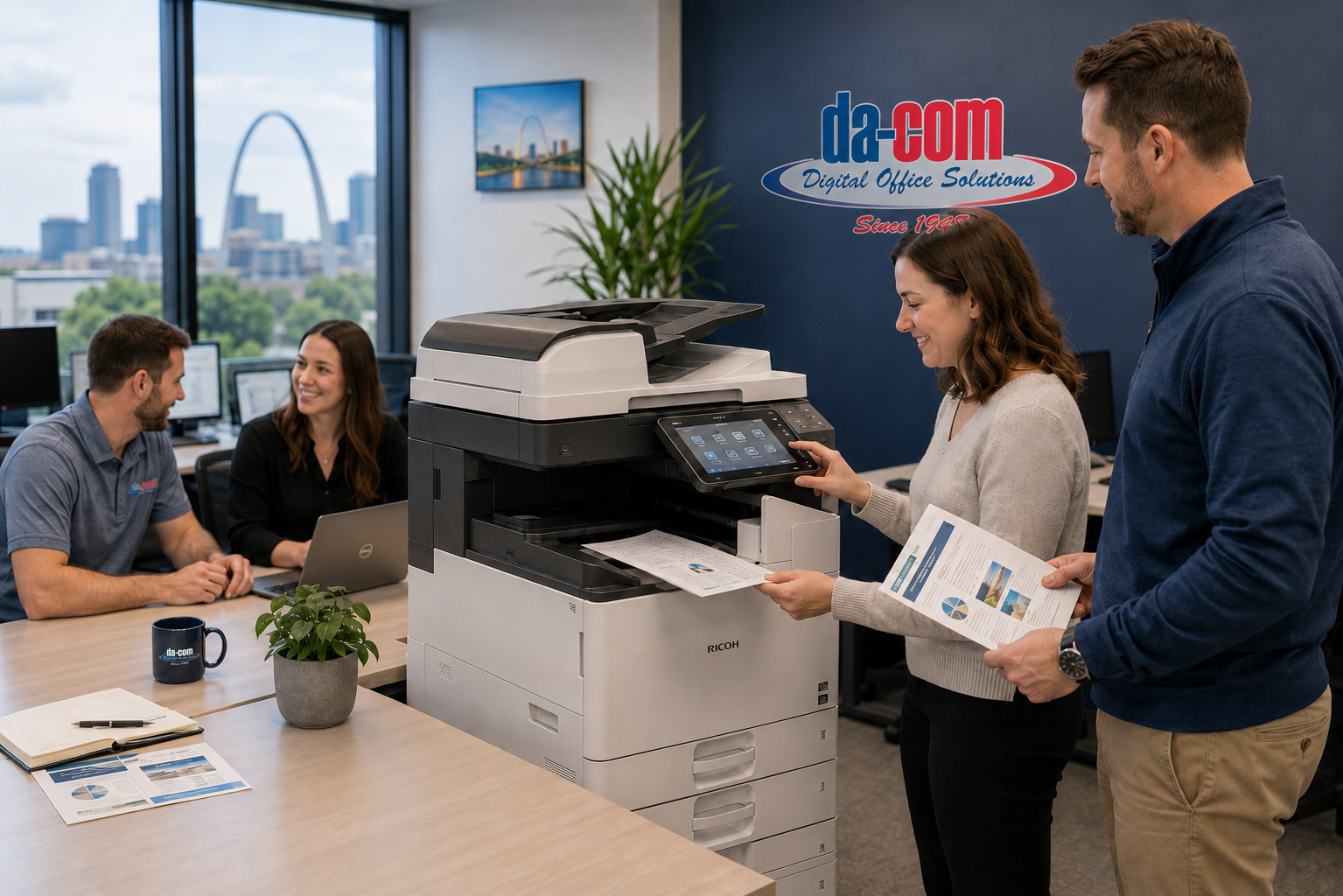
How to Choose the Right Office Printer for Your Business Needs
Choosing the best copier equipment in St. Louis is not just about finding a machine that prints, scans, copies, and fits in the corner of your office. The right office printer affects productivity, security, document workflows, employee frustration, customer service, and the amount of time your team spends dealing with print-related problems.
For many businesses, office printers are easy to overlook until something goes wrong. The copier jams before a client meeting. The scanner stops sending invoices to accounting. A school office cannot print forms before a parent event. A medical practice cannot process patient paperwork. A law firm cannot produce documents before a filing deadline.
When that happens, the office printer is no longer a background device. It becomes a business problem.
That is why choosing the best printer equipment in St. Louis matters. A reliable office printer, copier, or multifunction printer should support the way your organization actually works. It should match your print volume, document types, security needs, scanning workflows, budget, service expectations, and future growth.
At Da-Com, we help businesses throughout St. Louis, St. Charles County, Columbia, the Metro East, Southern Illinois, and the surrounding Midwest region choose copier and printer solutions that fit their daily operations. The goal is not to oversell equipment. The goal is to help your office run more smoothly.
Quick Answer: How Do You Choose the Right Office Printer?
The right office printer depends on your monthly print volume, document types, color needs, scanning requirements, security expectations, workflow needs, budget, and service support. Most businesses benefit from a multifunction printer that combines printing, copying, scanning, and document workflow features in one reliable system. Working with a local provider can help ensure you choose equipment that fits your office instead of paying for features you do not need.
Businesses searching for the best copier equipment in St. Louis or the best printer equipment in St. Louis should evaluate more than the machine itself. The provider matters too. A dependable local partner can help with right-sized recommendations, installation, training, supplies, maintenance, service, and long-term support.
Start by asking these questions:
- How many pages does your organization print each month?
- Do you need color printing or mostly black-and-white documents?
- How often does your team scan documents?
- Do employees need mobile printing?
- Do you handle sensitive information?
- Do you need secure print release or user authentication?
- Would leasing or purchasing make more sense?
- How quickly do you need service when something breaks?
- Do you need help with managed print services or document workflows?
Da-Com provides office copier and printer solutions designed to help businesses choose equipment that supports productivity, reliability, and daily document workflows.
The Wrong Office Printer Can Become Everyone’s Problem
Most people do not think about office printers until something goes wrong. But when an office printer fails, it can affect the entire organization.
A copier problem may delay customer paperwork. A scanning issue may slow down accounts payable. A security gap may put sensitive information at risk. A machine with the wrong capacity may create constant jams, slow print queues, and frustrated employees.
When office technology does not work, the burden usually falls on one person:
- The office manager.
- The operations director.
- The business owner.
- The IT manager.
- The administrative assistant.
- The person everyone expects to fix the problem.
That is why the best copier equipment in St. Louis is not always the flashiest machine or the lowest monthly payment. The best choice is the equipment that fits your office, reduces interruptions, supports your employees, and comes with reliable service after installation.
Why Every Business Has Different Printing Needs
One of the biggest mistakes organizations make is assuming every office printer is essentially the same. They are not.
A medical practice has different requirements than a construction company. A law firm prints differently than a school district. A manufacturer has different document needs than a nonprofit. A small office may only need a reliable multifunction printer, while a high-volume organization may need multiple devices, print management, workflow automation, and service support.
Before choosing business printers or office copier equipment, it helps to understand how your team actually uses documents every day.
How Much Do You Print Each Month?
Print volume is one of the most important factors when choosing office printers. A small office that prints a few hundred pages per month does not need the same equipment as a large organization printing tens of thousands of pages.
| Business Size | Typical Monthly Print Volume | Recommended Equipment Consideration |
|---|---|---|
| Small office | Under 3,000 pages | Compact multifunction printer with reliable print, scan, and copy features |
| Medium office | 3,000 to 20,000 pages | Business-class multifunction printer with stronger speed, durability, and scanning workflows |
| Large office | 20,000+ pages | High-volume copier equipment, managed print services, usage tracking, and service support |
Higher print volume usually requires equipment built for durability, speed, paper capacity, and consistent uptime. Underestimating your print volume can lead to jams, slow performance, service issues, and higher long-term costs.
Do You Need Color Printing?
Some businesses print mostly black-and-white documents. Others rely on color for materials that need to be clear, professional, or easy to review.
Color printing may be important for:
- Marketing materials.
- Client proposals.
- Sales presentations.
- Educational documents.
- Architectural drawings.
- Training materials.
- Charts and reports.
- Event materials.
- Customer-facing documents.
Color capabilities can affect equipment selection, operating costs, toner usage, and print policies. The best printer equipment in St. Louis should match how your organization uses color, not just whether the machine can print color.
How Often Do You Scan Documents?
For many organizations, scanning is now more important than printing. A multifunction printer can become a central document hub for digital workflows, paper-light processes, and secure file storage.
Businesses commonly use scanning for:
- Invoice processing.
- Employee onboarding.
- Medical records.
- HR documents.
- Contract management.
- Legal files.
- Student records.
- Customer paperwork.
- Digital document storage.
If scanning is a major part of your workflow, look beyond basic scan functionality. Consider scan speed, duplex scanning, scan-to-email, scan-to-folder, file naming, OCR, cloud integration, and document management compatibility.
Da-Com also provides document management solutions that can help organizations reduce paper bottlenecks, improve document access, and streamline business workflows.
The Rise of Multifunction Printers
The days of separate printers, scanners, copiers, and fax machines are largely gone. Modern multifunction printers combine key document functions into one platform.
A multifunction printer can help businesses reduce office clutter, simplify training, improve workflow consistency, and support secure document handling.
Benefits of Multifunction Printers
- Less equipment to manage.
- Lower maintenance complexity.
- Improved document workflows.
- Better security controls.
- Reduced office clutter.
- Easier employee training.
- Centralized print, scan, copy, and fax functions.
- More consistent user experience.
- Better support for paper-light processes.
For many organizations, a multifunction printer becomes a central hub for document management. This is especially important as businesses continue moving toward digital workflows, remote access, hybrid work, and more secure information handling.
Features Businesses Should Prioritize in Office Copier Equipment
When evaluating office copier equipment, focus on features that affect daily operations. A long equipment spec sheet is not useful unless those features solve real business problems.
Reliability
Reliability should come first. A machine packed with features is not valuable if it is constantly down.
Printer downtime creates frustration, delays, and lost productivity. It can interrupt customer service, billing, compliance tasks, classroom preparation, production paperwork, and internal workflows.
Reliable office printers should support:
- Consistent output quality.
- Strong uptime.
- Appropriate monthly duty cycle.
- Easy paper handling.
- Dependable scanning.
- Durable parts and supplies.
- Fast service support when needed.
One reason organizations choose Da-Com is our focus on long-term support, responsive service, and practical equipment recommendations that help offices keep moving.
Scanning and Workflow Integration
Many businesses choose multifunction printers because they need better document workflows, not just another printer.
Look for systems that support:
- Scan-to-email.
- Scan-to-folder.
- Cloud storage integration.
- OCR document search.
- Workflow automation.
- Document routing.
- User permissions.
- Searchable files.
These features can help reduce manual processes, improve access to information, and reduce the time employees spend moving paper from one place to another.
Security Features
Modern office printers are connected devices. That means they should be treated like any other network endpoint.
Important security features may include:
- User authentication.
- Secure print release.
- Data encryption.
- Audit tracking.
- User permissions.
- Hard drive overwrite or removal options.
- Network security settings.
- Controlled scan destinations.
Organizations handling sensitive information should prioritize security capabilities. This includes healthcare offices, law firms, schools, financial organizations, government offices, nonprofits, and any business that handles employee, customer, client, student, or patient data.
The NIST Cybersecurity Framework is a useful resource for organizations thinking about connected devices, data protection, and risk management across their technology environment.
Mobile Printing
Employees increasingly expect flexibility. Mobile printing can help staff print securely from smartphones, tablets, laptops, and remote locations.
This can be useful for:
- Hybrid employees.
- Sales teams.
- Field staff.
- Executives.
- Teachers and administrators.
- Healthcare staff.
- Employees who move between offices.
Mobile printing should be convenient, but it should also be controlled. Businesses should look for mobile printing options that support security, user access, and device policies.
Lease vs. Purchase: Which Option Makes Sense?
One of the most common questions businesses ask is whether they should lease or purchase copier and printer equipment.
The right answer depends on your budget, growth plans, cash flow, equipment needs, service expectations, and technology timeline.
| Option | Advantages | Best Fit |
|---|---|---|
| Leasing | Lower upfront investment, predictable monthly costs, easier upgrades, service options, better cash flow planning | Growing businesses, budget-conscious organizations, teams that want current technology and predictable support |
| Purchasing | Full ownership, no long-term lease commitment, potential long-term savings | Organizations with stable needs, available capital, and a preference for owning equipment outright |
For many growing businesses, leasing provides greater flexibility and access to newer technology. Purchasing may make sense for organizations with predictable long-term needs and the ability to manage ownership costs.
The U.S. Small Business Administration provides general guidance on buying assets and equipment, which can be helpful when evaluating the financial side of office technology decisions.
Why Local Support Matters More Than the Machine
Many national vendors can provide office printers and copier equipment. What happens after installation is what truly matters.
When a critical device fails, businesses need:
- Fast response.
- Knowledgeable technicians.
- Clear communication.
- Easy access to support.
- Supplies when they need them.
- Service that understands local business needs.
This is where local copier dealers often stand out. Local support can make a major difference when your office depends on printing, scanning, copying, and document workflows every day.
National Vendor vs. Local Copier Partner
| Feature | National Vendor | Local Partner Like Da-Com |
|---|---|---|
| Local technicians | May be limited or routed through broader networks | Yes, with local accountability |
| On-site support | Can be delayed depending on location and contracts | Responsive support for local businesses |
| Personalized recommendations | May vary by representative | Consultative approach based on workflow and budget |
| Long-term relationships | Less personal in many cases | Core focus of the customer relationship |
| Workflow expertise | Varies | Supported through copier, print, IT, and document management experience |
| Managed IT integration | Often separate | Available through Da-Com technology services |
| Document management solutions | May be limited | Available through Da-Com |
| Local accountability | Lower | High |
Da-Com helps organizations choose copier and printer solutions with the full workflow in mind, including equipment, supplies, service, document management, and managed print services.
Why Da-Com Is a Leading Choice for Copier Equipment in St. Louis
Businesses searching for the best copier equipment in St. Louis often discover that equipment is only part of the equation. The provider matters just as much.
For more than 75 years, Da-Com has helped organizations throughout Missouri and Southern Illinois improve office productivity through practical technology solutions. Our approach is centered on understanding how your office works before recommending equipment.
That means:
- No overselling.
- Right-sized recommendations.
- Local accountability.
- Long-term support.
- Responsive service.
- Practical workflow guidance.
- Solutions that fit your budget and daily operations.
Da-Com supports businesses, schools, healthcare providers, law firms, manufacturers, nonprofits, churches, government organizations, and other local teams that need dependable copier and printer solutions.
Industries That Need Reliable Office Printers and Copiers
Different industries use printers, copiers, scanners, and document workflows in different ways. That is why the best printer equipment in St. Louis should be chosen based on business needs, not one-size-fits-all assumptions.
Healthcare Offices
Healthcare organizations need reliable printing and scanning for patient forms, insurance documentation, medical records, intake paperwork, internal records, and secure workflows. Security and uptime are especially important because delays can affect staff productivity and patient experience.
Legal Offices
Law firms often rely on secure printing, high-volume scanning, case files, discovery documents, contracts, correspondence, and deadline-driven document production. Reliability, scan speed, and document security should be top priorities.
Education
Schools and educational organizations use office printers for classroom materials, administrative forms, student records, event materials, HR documents, and internal communication. Equipment should support both daily office needs and peak usage periods.
Manufacturing
Manufacturers often need printers and copiers for production documents, shipping paperwork, quality control records, training materials, safety documents, and administrative workflows. Reliability matters because paperwork often supports operational processes.
Nonprofits and Churches
Nonprofits and churches need budget-conscious printing for donor communications, newsletters, event materials, grant documentation, volunteer records, meeting packets, and administrative work. The right equipment can help reduce waste and support predictable costs.
Government Organizations
Government offices often manage public records, forms, compliance documents, long-term retention needs, and sensitive information. Security, document access, and dependable support are key considerations.
Managed Print Services Can Help Control Costs
Choosing the right office printer is only part of the picture. Many organizations also need help managing print costs, supplies, usage, service, and device performance over time.
Managed print services can help businesses understand how much they print, where costs are coming from, which devices are underused, and where workflows may be inefficient.
Managed print services may support:
- Print usage tracking.
- Supply management.
- Service coordination.
- Device consolidation.
- Cost control.
- Security policies.
- Workflow improvement.
- Better visibility into print environments.
For businesses with multiple devices, departments, or locations, managed print services can help turn printing from a recurring frustration into a more predictable business function.
Office Printer Selection Checklist
Use this checklist before choosing a new office printer, copier, or multifunction printer.
- Estimate monthly print volume.
- Identify black-and-white vs. color printing needs.
- Review scanning requirements.
- List departments that use the device most often.
- Determine whether secure print release is needed.
- Evaluate mobile printing needs.
- Review paper sizes and finishing needs.
- Consider cloud storage or document management integration.
- Compare leasing vs. purchasing.
- Ask about service response expectations.
- Ask about toner, supplies, and maintenance.
- Consider future growth.
- Choose a provider that understands your workflow.
Common Mistakes to Avoid When Choosing Office Printers
Choosing Based on Price Alone
The lowest upfront cost can lead to higher long-term costs if the machine is unreliable, too small for your print volume, expensive to maintain, or poorly supported.
Ignoring Service Support
Even the best copier equipment needs service eventually. Businesses should choose a provider that can respond when issues affect productivity.
Buying More Features Than You Need
Oversized equipment can waste money. A consultative provider can help you avoid paying for features that do not support your actual workflow.
Underestimating Scanning Needs
Many organizations focus on printing, then later realize scanning is the real workflow bottleneck. Scanning should be part of the equipment conversation from the beginning.
Forgetting About Security
Connected printers can store, transmit, and process sensitive data. Security features should be part of the decision, especially for organizations handling confidential information.
Frequently Asked Questions About Office Printers and Copiers
What is the best office printer for a small business?
Most small businesses benefit from a multifunction printer that combines printing, scanning, and copying capabilities while keeping operating costs manageable. The best choice depends on print volume, color needs, scanning workflows, and service expectations.
What is the best copier equipment in St. Louis?
The best copier equipment in St. Louis depends on your workflow, volume, budget, security needs, and support expectations. Businesses should focus on reliability, functionality, and service quality rather than price alone.
What is the best printer equipment in St. Louis?
The best printer equipment in St. Louis is equipment that fits your document volume, print quality needs, scanning workflows, security requirements, and budget. A local provider can help right-size the recommendation.
How often should office printers be replaced?
Many commercial office printers and copiers remain productive for several years, depending on usage, maintenance, print volume, and business needs. If downtime, repair frequency, poor print quality, or workflow limitations are increasing, it may be time to evaluate new equipment.
Is leasing an office copier worth it?
For many organizations, leasing provides predictable monthly costs, access to current technology, flexible upgrade options, and ongoing service support. Purchasing may make sense for organizations that prefer full ownership and have stable long-term needs.
Why should I buy from a local copier dealer?
Local copier dealers often provide faster service, stronger accountability, more personalized recommendations, and better long-term support than national vendors that may not understand your local business environment.
Do multifunction printers improve document workflows?
Yes. Multifunction printers can improve document workflows by combining print, scan, copy, fax, routing, OCR, and digital storage features into one platform. This can reduce manual work and help teams access information faster.
Can Da-Com help with managed print services?
Yes. Da-Com can help organizations evaluate office printer usage, supplies, service needs, device performance, and managed print services to support more predictable and efficient printing.
Final Thoughts: The Right Office Printer Should Make Work Easier
Choosing the right office printer is not just a technology decision. It is an operational decision.
The right equipment helps employees stay productive. The right support helps reduce downtime. The right partner helps your organization avoid unnecessary stress.
When your team depends on printing, scanning, copying, and document workflows every day, you deserve equipment that fits the way your office works and support that responds when it matters most.
At Da-Com, we help organizations throughout St. Louis, St. Charles County, Columbia, Metro East Illinois, Southern Illinois, and the surrounding Midwest region find copier and printer solutions that support productivity, reliability, and long-term success.
Your office technology should not be another full-time job. It should simply work.
Looking for the Best Copier Equipment in St. Louis?
Looking for the best copier equipment in St. Louis or the best printer equipment in St. Louis? Da-Com helps businesses throughout St. Louis, St. Charles, Edwardsville, Belleville, O’Fallon, Columbia, and Southern Illinois choose reliable office technology backed by responsive local support.
Contact Da-Com today to schedule a print assessment and discover how the right copier and printer solution can help make your office easier to run.



Leave A Comment