
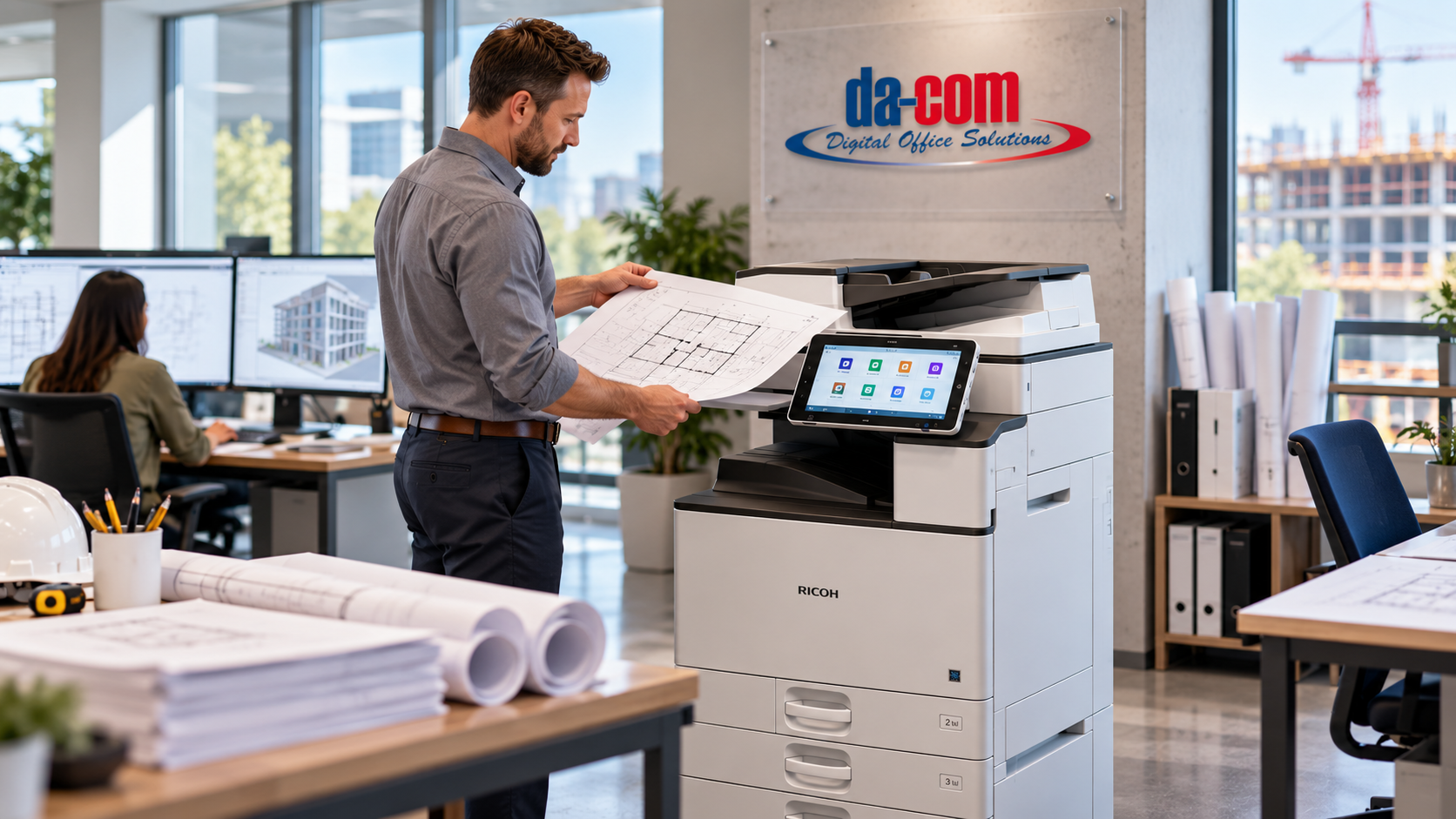
Best Copier for AEC Firms: Why the Ricoh IM C Series Fits
The best copier for AEC firms is not always the fastest machine in the room. For architecture, engineering, and construction offices, the right copier is the one that fits the way people actually work.
AEC firms handle a unique mix of documents every day. Contracts, specifications, RFIs, submittals, proposals, invoices, inspection records, meeting packets, field reports, change orders, closeout documents, and project correspondence may all move through the same office. In many firms, those everyday office documents also connect to wide-format drawings, plans, and technical files.
That combination creates a different kind of office technology environment. A copier in an AEC firm is not just a machine for routine copies. It may support project managers, accounting teams, administrators, engineers, marketing staff, field coordinators, HR, and leadership throughout the same day.
At Da-Com, we believe the copier conversation should start with the work, not the machine. Before comparing pages per minute, finishing options, or paper trays, it helps to understand how your team prints, scans, routes, stores, secures, and retrieves project information.
Da-Com provides office copiers and printers from trusted manufacturers, including Ricoh, Kyocera, and Toshiba. For AEC firms in St. Louis, St. Charles, Columbia, the Metro East, Belleville, Edwardsville, Collinsville, and Southern Illinois, Da-Com can help evaluate office equipment as part of the larger document workflow, not as a standalone purchase.
Quick Answer: What Is the Best Copier for AEC Firms?
The best copier for AEC firms is a multifunction printer that supports everyday office printing, reliable scanning, secure document handling, appropriate paper capacity, color output, user authentication, and service support. For many architecture, engineering, and construction offices, the Ricoh IM C Series is a strong fit because it offers multiple speed options, robust scanning, color output, security features, and the flexibility to right-size equipment by office, department, or workload.
AEC firms should look for a copier that supports:
- Contracts, specifications, proposals, RFIs, submittals, invoices, and project paperwork.
- Fast and reliable scanning for signed documents, field paperwork, and project records.
- Color printing for proposals, presentations, and client-facing documents.
- Security features for sensitive client, project, financial, and employee information.
- Paper capacity that matches daily workload.
- Service and support from a provider that understands office equipment and connected workflows.
- Compatibility with wide-format printing needs, document management, managed print, and IT support.
The best choice depends on the firm’s users, volume, scanning needs, paper sizes, color requirements, security standards, and whether the office also relies on dedicated wide-format equipment.
Choosing a Copier for an AEC Firm Starts With the Work
AEC offices ask a lot from one device. A project coordinator may need to scan signed field paperwork. A project manager may print specifications before a meeting. Accounting may scan invoices and backup documents. Marketing may print color proposals. HR may print confidential employee records. A construction administrator may need to capture closeout documentation before a deadline.
All of those workflows may touch the same multifunction copier.
That is why choosing a copier for architecture firm, engineering office, or construction company should start with a realistic look at the documents moving through the business.
Useful questions include:
- How many people use the copier every day?
- Which departments rely on it most?
- Are documents mostly black and white, color, or both?
- How often does the office scan project paperwork?
- Do employees scan to email, folders, document management, or cloud systems?
- Are proposals or client-facing documents printed in-house?
- Does the firm need finishing, stapling, hole punching, or booklet options?
- How often are trays being refilled now?
- Does the copier need to support secure printing or user authentication?
- Does the office also use wide-format printers for drawings and plans?
The goal is not to buy the biggest machine available. The goal is to put the right device in the right place so office work keeps moving.
Why the Ricoh IM C Series Fits Many AEC Offices
The Ricoh IM C Series gives architecture, engineering, and construction firms several options instead of forcing every office into the same model. The lineup includes models that range from the IM C2510 at 25 pages per minute through the IM C7010 at 70 pages per minute, with additional models in between at 30, 35, 45, and 60 pages per minute.
That range matters because AEC firms vary widely. A small architecture studio may not need the same machine as a larger engineering firm with dozens of users. A construction office may need different equipment at headquarters than it does in a project office or satellite location.
In general:
- The Ricoh IM C2510 may be a reasonable starting point for smaller offices or departments.
- The Ricoh IM C3010 and IM C3510 can support growing workgroups with moderate demand.
- The Ricoh IM C4510 may fit busier shared environments with heavier daily use.
- The Ricoh IM C6010 and IM C7010 move into higher-volume office environments.
Speed is important, but it should not be the only factor. The best copier for AEC firms should also be evaluated for scanning, paper handling, security, service, workflow fit, and how well it supports the people using it every day.
Ricoh IM C Series Model Comparison for AEC Firms
The right Ricoh IM C Series model depends on the size of the office, expected volume, number of users, and the type of work being produced.
| Ricoh IM C Series Model | Approximate Speed | Potential Fit for AEC Firms |
|---|---|---|
| Ricoh IM C2510 | 25 ppm | Smaller architecture offices, departments, or lower-volume project teams. |
| Ricoh IM C3010 | 30 ppm | Growing workgroups with everyday print, copy, and scan needs. |
| Ricoh IM C3510 | 35 ppm | Mid-size offices that need more speed without moving into high-volume territory. |
| Ricoh IM C4510 | 45 ppm | Busy shared environments with multiple users and steady office document demand. |
| Ricoh IM C6010 | 60 ppm | High-volume offices, larger workgroups, or firms with heavier daily document output. |
| Ricoh IM C7010 | 70 ppm | Large offices or demanding environments that need faster shared production. |
This comparison is a starting point, not a final recommendation. A smaller firm with heavy scanning needs may require a different configuration than a larger firm with lighter daily print volume. A construction company with multiple locations may need several different devices across offices.
Da-Com can help evaluate the real workload before recommending a model.
AEC Offices Ask a Lot From One Copier
A multifunction printer in an AEC office may support many different departments and document types. That makes workflow fit especially important.
AEC copier workflows may include:
- Printing specifications before project meetings.
- Scanning signed field documents.
- Copying closeout packets.
- Printing color proposals.
- Scanning invoices and backup documentation.
- Capturing inspection reports.
- Printing HR and employee documents.
- Scanning contracts and correspondence.
- Producing meeting packets.
- Routing documents to project folders or document management systems.
For AEC firms, the copier should not be evaluated as a simple output device. It should be viewed as part of the broader AEC document workflow.
If scanning is slow, documents pile up. If paper trays are not configured correctly, employees waste time changing stock. If color output is inconsistent, proposals may not look as professional as they should. If scan destinations break, project documents may end up in the wrong place.
The right copier should make office work easier, not add another obstacle to the day.
Scanning Can Matter as Much as Printing
For many AEC firms, scanning deserves just as much attention as print speed. Project documents often move between paper and digital formats. Field paperwork may return with signatures. Accounting documents may need to be captured and routed. Marked-up documents may need to be scanned back into a project folder.
The Ricoh IM C Series specifications referenced in the source material include scanning speeds of up to 150 images per minute for one-sided originals and 300 images per minute for two-sided originals through the Single Pass Document Feeder, depending on model and configuration.
Fast scanning can be valuable, but the larger workflow question is what happens after the scan.
For example, an employee may scan a signed document, email it to themselves, download it, rename it, save it in a folder, and then forward it to another person. The copier did its job, but the process still created extra steps and risk.
AEC firms should ask:
- Where should scanned documents go?
- Should scans be routed to project folders?
- Do documents need naming conventions?
- Should certain documents go into a document management system?
- Who needs access after scanning?
- How will employees find the document later?
- Can scanning workflows be simplified?
Da-Com’s Document Management solutions can help businesses improve how documents are captured, routed, approved, stored, and retrieved. For AEC firms, the question is not only how fast the copier scans. It is where the document should go next.
Office Copiers and Wide-Format Printers Have Different Jobs
AEC firms are different from many other businesses because drawings and plans are part of the normal workflow. That does not mean the office copier should try to do everything.
The Ricoh IM C Series is designed for everyday office work such as contracts, specifications, proposals, invoices, correspondence, project paperwork, meeting packets, and similar documents. Full-size architectural drawings, engineering plans, construction documents, and technical drawings usually belong on dedicated wide-format equipment.
Those devices are not competing with each other. They serve different purposes.
A well-planned AEC print environment may include:
- A Ricoh multifunction printer for daily office documents.
- A dedicated wide-format printer for drawings, plans, maps, and technical output.
- Wide-format scanning for legacy drawings, redlines, and archived plan sets.
- Document management for routing and retrieval.
- Managed print oversight for supplies, usage, service, and cost control.
Da-Com supports wide-format printing and scanning solutions for technical document environments. For AEC firms, this means the copier conversation can include the whole print environment, not just one machine.
Security Belongs in the Copier Conversation
A modern multifunction printer is connected to the network and handles business information every day. For an AEC firm, that information may include contracts, project pricing, proposals, employee records, client data, internal correspondence, financial documents, and proprietary project information.
That means copier security should be part of the buying decision.
Security considerations may include:
- User authentication.
- Secure print release.
- Administrative controls.
- Network configuration.
- Scan permissions.
- Address book access.
- Firmware updates.
- Data overwrite or storage settings.
- Encryption and secure communication settings.
- Access control for sensitive workflows.
The Ricoh IM Series security materials referenced in the source outline include technologies such as TPM 2.0, TLS 1.3, privileged-account controls, and Always Current Technology. These features can provide useful protections, but they still need to be configured and managed properly.
A copier should not sit outside the cybersecurity conversation simply because it produces paper.
Da-Com’s cybersecurity support can help businesses think about connected office technology as part of the larger security environment. In many offices, copier issues and IT issues overlap quickly. A scan problem may involve permissions. A print issue may involve a network change. Authentication may depend on user accounts.
You should not have to chase five vendors to solve one office problem.
Managed Print Can Help AEC Firms Reduce Friction
AEC teams already manage enough moving parts. Copier supplies, service calls, toner ordering, device downtime, print usage, and cost visibility should not create more work than necessary.
Managed print can help AEC firms understand and improve the office print environment by looking at:
- Device usage.
- Print volume.
- Color vs. black-and-white output.
- Supply needs.
- Service patterns.
- Device placement.
- Underused or overloaded equipment.
- Cost visibility.
- Workflow inefficiencies.
Da-Com offers Managed Print Services to help organizations gain better oversight of print environments, supplies, service, and usage. For AEC firms, this can be especially helpful when multiple offices, departments, or project teams rely on shared equipment.
Local Service Matters When Project Work Stops
A specification sheet can tell you how fast a machine is designed to print. It cannot answer the phone, reconnect a workstation, explain why a scan destination stopped working, train a new employee, or help troubleshoot a workflow issue.
People do those things.
That is why service matters so much in an AEC environment. Project deadlines do not stop because the copier is having a bad day. If project managers, coordinators, accounting teams, or administrators cannot print or scan, the delay can affect real work.
Da-Com provides office equipment, service, supplies, wide-format support, document management, managed print, and IT services across Missouri and Southern Illinois. That broader support matters because office technology is connected. A copier is not just a box in the corner. It is part of the firm’s workflow.
AEC firms should ask potential copier providers:
- Who supports the device after installation?
- How are service calls handled?
- Who helps with scanning workflows?
- Can the provider support both office copiers and wide-format equipment?
- Can they help with document management?
- Can they coordinate with IT or provide managed IT support?
- Will they recommend the right machine or simply the largest one?
A copier purchase may happen once every several years. The service relationship continues long after installation day.
How to Choose the Best Copier for Your AEC Firm
There is no single answer to the question of which Ricoh IM C Series model is best for an AEC firm. The answer depends on the firm.
Before choosing a copier, evaluate:
- Number of users.
- Monthly print volume.
- Peak workload.
- Color requirements.
- Scanning volume.
- Scan destinations and document routing.
- Paper sizes and paper types.
- Finishing needs.
- Security requirements.
- Office locations.
- Wide-format needs.
- Existing equipment.
- Managed print needs.
- Document management opportunities.
- Service expectations.
A construction firm with multiple project offices may need several different configurations. An architecture firm may need one central MFP plus dedicated wide-format equipment. An engineering office may care more about scanning and routing than finishing. A growing AEC firm may need a scalable print environment that can change as the business grows.
The right solution may involve one device, several devices, or a combination of office copiers, wide-format systems, document management, and managed print support.
That is why Da-Com starts with how people work.
AEC Copier Selection Checklist
Use this checklist when evaluating the best copier for AEC firms and project-based offices.
| Selection Area | Questions to Ask |
|---|---|
| Users | How many employees will use the copier daily, and which departments rely on it most? |
| Print volume | What is the average and peak monthly print volume? |
| Scanning | How often are project documents, invoices, signed forms, and field paperwork scanned? |
| Workflow | Where should scanned documents go after capture? |
| Color | Are proposals, presentations, or client-facing documents printed in color? |
| Paper handling | What paper sizes, stocks, and tray configurations are needed? |
| Security | Does the firm need user authentication, secure print, or scan permission controls? |
| Wide format | Does the office also need dedicated equipment for drawings and plans? |
| Service | Who will support the machine, supplies, scanning setup, and workflow issues? |
| Growth | Will the device still fit if the firm grows or adds locations? |
Common Copier Mistakes AEC Firms Should Avoid
Choosing Only by Speed
Pages per minute matters, but it is not the whole decision. A faster device is not helpful if scanning workflows are clunky, security is poorly configured, or paper handling does not match the work.
Ignoring Scanning Workflows
Many AEC firms scan constantly. If the copier is selected only for printing, the office may miss an opportunity to improve how documents are routed, stored, and found later.
Expecting the Office Copier to Replace Wide Format
An office MFP and a wide-format printer have different jobs. AEC firms usually need a thoughtful combination, not one device trying to do everything.
Leaving Security Until After Installation
Security settings should be part of planning, not an afterthought. Connected devices should be configured with the same care as other networked office technology.
Overlooking Service
The device matters, but so does the provider. Training, service response, supplies, scanning setup, and workflow support all affect the experience after installation.
Frequently Asked Questions About the Best Copier for AEC Firms
What is the best copier for an architecture, engineering, or construction firm?
There is no single model that fits every AEC firm. The best copier for an AEC firm depends on the number of users, print volume, scanning needs, color requirements, paper handling, finishing, security, workflow, and whether the firm also uses wide-format equipment.
Is the Ricoh IM C Series a good copier for AEC firms?
Yes. The Ricoh IM C Series can be a strong fit for many AEC firms because it offers multiple model speeds, multifunction printing and scanning, color output, security features, and flexible configurations that can be matched to different office sizes and workloads.
Can a Ricoh IM C Series copier scan project documents?
Yes. The Ricoh IM C Series is designed for multifunction use, including document scanning. AEC firms should also consider where scanned documents need to go after capture, such as project folders, email, cloud storage, or document management systems.
Can an office copier print architectural drawings?
An office copier can print documents within its supported paper sizes, but full-size architectural drawings, engineering plans, and construction documents usually require dedicated wide-format equipment.
Should copier security be part of cybersecurity planning?
Yes. A modern multifunction printer connects to the network and processes business information, so it should be included in cybersecurity planning, access control, scan permissions, firmware updates, and secure configuration review.
Which Ricoh IM C Series model should an AEC firm choose?
The right model depends on actual workload. The Ricoh IM C Series models discussed here range from 25 to 70 pages per minute. Smaller offices may need a lower-speed model, while larger or higher-volume offices may benefit from faster shared devices.
Do AEC firms need both an office copier and a wide-format printer?
Many AEC firms benefit from both. The office copier supports everyday documents such as contracts, proposals, invoices, and correspondence, while wide-format equipment supports plans, drawings, maps, and technical documents.
Can Da-Com help AEC firms choose office copiers and wide-format equipment?
Yes. Da-Com helps AEC firms in St. Louis, St. Charles, Columbia, the Metro East, and Southern Illinois evaluate office copiers, Ricoh IM C Series equipment, wide-format systems, scanning workflows, document management, managed print, and technology support.
Make the Office Side of the Project Easier
AEC teams already manage enough moving parts. The copier should not become one more thing someone has to chase.
The best copier for AEC firms should support the way architects, engineers, construction managers, project coordinators, accounting teams, and administrative staff actually work. It should make daily printing and scanning easier. It should support secure document handling. It should fit alongside wide-format systems instead of competing with them. And it should be backed by a service team that understands the full office technology environment.
For architecture, engineering, and construction firms in St. Louis, St. Charles, Columbia, the Metro East, Belleville, Edwardsville, Collinsville, Southern Illinois, and the surrounding Midwest, Da-Com can help evaluate the complete print environment. That may include Ricoh IM C Series equipment, wide-format systems, scanning workflows, document management, managed print, and technology support.
We start with how your people work. Then we help find technology that fits.
To learn more about choosing the best copier for your AEC firm, contact Da-Com today. Our team can help review your current office equipment, print volume, scanning needs, wide-format requirements, and document workflow so your copier supports the work instead of slowing it down.
Explore our Office Copiers and Printers, Wide Format Printing, Document Management, and Managed Print Services to see how Da-Com supports AEC firms with connected office technology.


Leave A Comment