
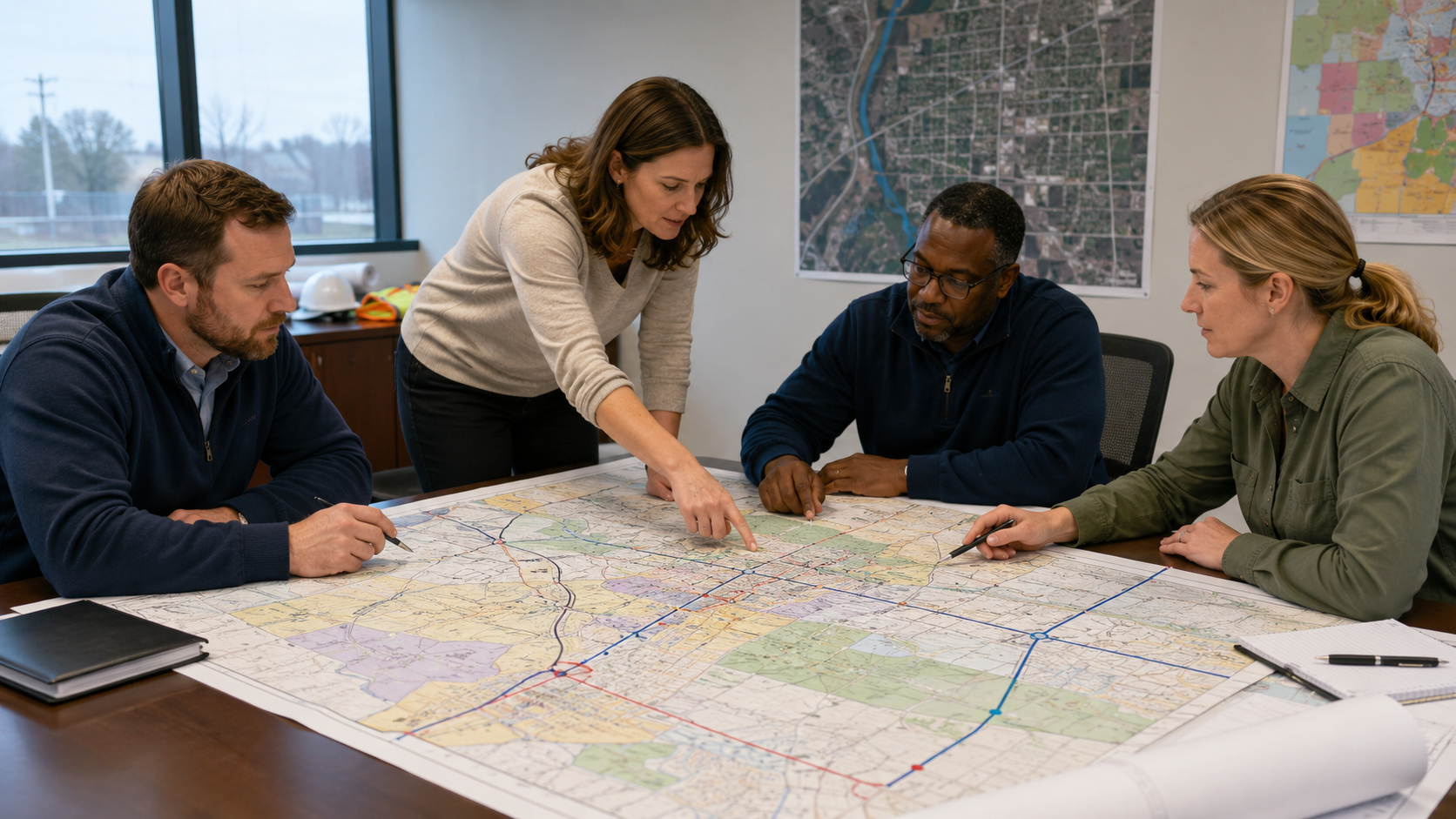
GIS Map Printing for Government Teams That Need Clarity
GIS map printing helps government teams turn complex data into clear, usable maps for meetings, field work, planning decisions, emergency response, public works projects, and public communication. Digital GIS tools are powerful, but there are still many moments when a large printed map is the easiest way to get everyone looking at the same information.
Government teams work with layers of data every day. Parcel lines, utility routes, road projects, zoning districts, flood zones, school zones, ward boundaries, trails, aerial images, emergency routes, facility layouts, and capital improvement plans all need to be understood by different audiences. Some users are GIS professionals. Others are field crews, department heads, elected officials, residents, contractors, inspectors, or emergency response teams.
That is why the final map matters. A GIS file may be accurate, current, and well-built, but if the printed version is blurry, crowded, too small, poorly labeled, or difficult to read, the value of the data can get lost. A public meeting can become confusing. A field crew can call back for clarification. A planning board can struggle to compare parcels. A council member can miss the project area. A resident can misunderstand which street will be affected.
The problem is not always the GIS data. Many times, the problem is how the data is presented.
This guide explains how government teams can use GIS map printing more effectively, what makes a printed map clear, where printed maps still matter, how to prepare files for wide format output, and how Da-Com helps public works, planning, utilities, emergency management, facilities, and municipal teams create maps that are ready for the room, the field, or the deadline.
Why GIS Map Printing Still Matters in a Digital Workplace
Digital mapping platforms, dashboards, tablets, and web maps are essential tools for modern government work. They allow teams to update data, turn layers on and off, search locations, share links, and collaborate across departments. Digital GIS is not going away, and it should not.
But printed maps still solve problems that screens do not always solve well.
A printed map does not need a login. It does not need a charged battery. It does not depend on cell service. It does not require every person in the room to use the same software. It can hang on a wall, sit on a conference table, travel with a crew, or be marked up during a meeting. It can also make a large project area easier to understand at a glance.
That matters for public works, planning, zoning, utilities, parks, emergency management, transportation, facilities, public safety, and municipal administration teams.
A large printed map creates one shared view. People can point to the same location, compare areas, circle changes, write notes, and talk through the project without passing around a laptop or trying to zoom in on a small screen.
Printed maps are especially useful when a project needs group discussion. A road closure plan, stormwater improvement, utility service area, zoning change, trail extension, facility campus, or emergency response area may be easier to explain when everyone can see the full context at once.
Da-Com’s wide format printer solutions support organizations that need dependable large-scale output for maps, plans, technical documents, signs, posters, and project materials.
GIS Map Printing Turns Data Into Clear Decisions
GIS data is only useful when people can understand it. A map can contain accurate information and still fail if the audience cannot quickly see what matters.
Government teams often use maps to support decisions. A planning team may need to show future land use. A public works department may need to explain a project boundary. A sewer or water department may need to see assets across a service area. A parks team may need to review trails and facilities. An emergency management team may need to see evacuation routes, shelters, or incident zones.
In each case, the map has a job.
Some maps help crews work. Some help leaders decide. Some help residents understand. Some help departments prepare for emergencies. Some help staff document what changed. The best printed map is not always the largest or most detailed map. It is the map that fits the job in front of the team.
A clear printed GIS map can help:
- Show project limits during a public meeting.
- Help field crews identify service areas, routes, or assets.
- Support planning and zoning decisions.
- Make public works projects easier to explain.
- Provide command center maps for emergency response.
- Create wall maps for department reference.
- Turn technical data into public-facing displays.
- Support council meetings, open houses, and hearings.
- Reduce confusion between departments and contractors.
- Give teams a reliable printed backup when digital access is not practical.
When a map is clear, the room feels calmer. People ask better questions. Staff spend less time explaining basic orientation. Leaders look more prepared. Residents can see what is changing. Crews can work from the right information.
Where Government Teams Use GIS Map Printing Most
Government map printing supports many departments and use cases. The right format depends on the audience, environment, and deadline.
Planning and Zoning Maps
Planning and zoning teams often need to show parcel data, zoning districts, land use categories, aerial imagery, overlays, development areas, annexation boundaries, or public hearing exhibits. These maps need to be clear from a few feet away and simple enough for non-technical audiences to understand.
A public hearing map should not include every possible GIS layer. It should show the information needed for that decision. Parcel lines, project boundaries, streets, zoning categories, and a clear legend may be enough. Too many layers can create confusion instead of clarity.
Public Works Maps
Public works teams may need road project maps, sidewalk plans, bridge project maps, drainage maps, detour routes, snow routes, resurfacing schedules, utility corridors, and capital improvement displays.
These maps often support fast decisions. Engineers, inspectors, crews, contractors, and elected officials may all need to understand the same project area. A clean printed map can help everyone work from the same view.
Water, Sewer, and Stormwater Maps
Utility teams may need pump station maps, service area maps, valve maps, hydrant maps, stormwater maps, drainage basin maps, and infrastructure reference maps.
For field use, readability matters more than visual polish. Crews need labels, streets, assets, and boundaries they can see quickly. Lamination, map books, or multiple smaller sheets may be more useful than one large display map, depending on how the team works.
Emergency Management Maps
Emergency management teams may need evacuation maps, shelter maps, incident area maps, wall maps, facility maps, staging maps, and command center boards. These maps need to be clear under pressure.
During a drill or response event, staff may not have time to search through layers on a screen. A large printed map can support quick orientation and shared decision-making.
Parks and Recreation Maps
Parks teams may need trail maps, park maps, event maps, wayfinding maps, seasonal displays, facility maps, and public-facing recreation maps. These maps often serve both staff and residents.
Good design matters here because the map may be used by the public. Labels, symbols, paths, parking areas, entrances, and landmarks should be easy to understand.
Facilities and Campus Maps
Facilities teams may need building layouts, campus maps, maintenance maps, floor plan references, older plan sheets, and large-format scans. These maps can help teams understand space, access, systems, and maintenance needs without digging through old tubes or flat files.
Da-Com’s advanced scanning solutions help organizations convert paper documents into indexed, retrievable digital files, which can support teams that need to preserve older maps, drawings, and facility records.
GIS Map Printing for Public Meetings and Hearings
Public meetings bring a different kind of pressure. Your internal team may understand the project well, but residents, board members, and elected officials may be seeing the information for the first time.
Residents want to know what will change. They want to know whether a road, property, neighborhood, park, school route, utility, or business area will be affected. They may not understand GIS layers, technical symbols, or engineering details. They need a visual that makes the project understandable.
Public meeting maps can support:
- Road closures and detours.
- Project limits and construction phases.
- Proposed zoning changes.
- Parcel comparisons.
- Stormwater improvements.
- Trail or park improvements.
- Utility service areas.
- Neighborhood plans.
- Before-and-after project exhibits.
A large printed GIS map can reduce basic confusion before it takes over the conversation. People can see the affected area, ask more specific questions, and better understand the project’s purpose.
That does not mean every public meeting becomes easy. Some projects are complex. Some topics are sensitive. Some residents may still have concerns. But clear maps give the meeting a better starting point.
Public meeting deadlines are also fixed. The agenda is set. The room is booked. The notice is posted. The council packet is moving. If the map file is revised late, the print process still needs to produce the right board, map, or handout before the doors open.
This is where deadline-ready print support matters. The file should be confirmed. The right version should be printed. The size should fit the room. Mounting, lamination, or display support should be handled early. The finished materials should be ready before the meeting begins.
Field-Ready Maps for Public Works and Inspectors
Field maps have a different job than meeting maps. They are not meant to impress a crowd. They are meant to help work get done.
A field map may be used in a truck, on a job site, during an inspection, in a utility area, near traffic, in bad weather, or during a maintenance call. It may need to be folded, rolled, laminated, marked up, or passed between crew members.
That means field-ready maps should be designed for real use.
Important field map considerations include:
- Readable street labels.
- Clear asset symbols.
- Appropriate scale.
- Enough context to orient crews.
- Not too many unnecessary layers.
- Durable finishing when needed.
- Version date and project information.
- Simple legends and notes.
- Map size that fits how the crew will carry or use it.
A map that looks fine on a screen may be too crowded when printed. A map that looks clean in a conference room may not hold up in the field. A map that is accurate but unreadable is not useful.
For public works, utilities, transportation, facilities, and inspection teams, field-ready GIS map printing can help reduce calls back to the office, improve coordination, and keep crews aligned with current information.
How Clear Maps Reduce Confusion Before It Starts
An unclear map can create a long chain of small problems.
The label is too small. The colors are too similar. The streets are hard to read. The legend is missing. The map is too crowded. The scale does not fit the room. Important layers are hidden beneath less important ones. The map looked good on screen but does not work in print.
Those small issues can create bigger problems:
- A resident misunderstands the project boundary.
- A council member cannot follow the proposed change.
- A field crew calls for clarification.
- A contractor compares the wrong version.
- A staff member spends extra time explaining what should have been visible.
- A public meeting becomes more tense than it needs to be.
Good GIS map printing supports clarity in practical ways.
Use the Right Size
The map should be large enough for the setting. A map used at a wall display may need to be much larger than a staff review map. A field map may need to fit in a truck or binder.
Choose Colors Carefully
Colors should help people distinguish zones, routes, phases, assets, and project areas. Avoid color combinations that are too similar, especially when the map will be viewed from a distance.
Make Labels Readable
Small labels can make a map unusable. Streets, parcel IDs, landmarks, phases, and key assets should be readable at the expected viewing distance.
Simplify the Legend
A legend should help users quickly understand the map. If it requires too much interpretation, the map may need to be simplified.
Do Not Print Every Layer
Just because a layer exists does not mean it belongs on the map. The best printed maps include what the audience needs and remove what gets in the way.
Check the File Before Printing
Before printing, confirm scale, layers, margins, export quality, dates, and version status. This reduces the risk of wrong versions, missing layers, or cut-off edges.
Preparing GIS Files for Wide Format Map Printing
A little preparation can make the print process much smoother. Before sending a GIS file or exported map to print, government teams should confirm the purpose, audience, format, and deadline.
Start by asking how the map will be used. Is it for a public meeting, field crew, wall display, council packet, emergency drill, internal review, or contractor coordination?
That answer affects nearly everything else.
Before printing, consider:
- Final map size.
- Orientation, such as portrait or landscape.
- Required scale.
- Audience and viewing distance.
- Layer selection.
- Color contrast.
- Label size.
- Legend clarity.
- North arrow and scale bar.
- Title, date, department, and project number.
- Export resolution.
- Bleed or margin requirements.
- Mounting, lamination, folding, or rolling needs.
- Delivery location and deadline.
- Security or sensitivity requirements.
A map that looks good at 11 by 17 may need layout changes before becoming a 36 by 48 wall map. A map that looks clear on a bright monitor may need stronger contrast for print. A public-facing map may need fewer technical layers than an internal utility map.
When a map is tied to a meeting, include the meeting date in the job request. When it is tied to a project, include the project number. When it contains sensitive information, mark it clearly and request controlled handling.
These steps help the job move with fewer questions and fewer last-minute surprises.
Secure File Handling for Sensitive Government Maps
Not every map should be treated the same. Some GIS maps include information that should be handled carefully, including utility routes, facility layouts, emergency plans, public safety maps, school maps, infrastructure details, or restricted operational information.
Secure file handling should be part of the print conversation before files are sent.
Government teams should know:
- How files will be uploaded or transferred.
- Who has access to the files.
- How long files are retained.
- How sensitive jobs are separated from public jobs.
- Who is authorized to approve changes.
- Who is authorized to pick up or receive the maps.
- How printed materials are packaged and delivered.
The goal is simple: the right people get the right maps, and sensitive files stay controlled.
This matters for public works, utilities, emergency management, police, fire, schools, facilities, courts, and infrastructure teams. A secure workflow should not make printing harder. It should make the process more predictable and easier to trust.
Da-Com’s document management solutions help organizations classify, store, route, and retrieve documents through more structured workflows. That same mindset is useful when teams think about sensitive maps, file organization, and long-term records.
Avoiding Version Mistakes in GIS Map Printing
Version mistakes are one of the most common risks in government map printing. A boundary changes. A parcel label is corrected. A road closure shifts. A layer is updated. A project phase changes. A meeting board needs one more revision.
Late changes are normal. The risk comes when the wrong version gets printed, delivered, or used.
A wrong map version can:
- Confuse residents at a public meeting.
- Send crews to the wrong location.
- Make a council packet inconsistent.
- Cause a contractor to question the project documents.
- Create extra work for staff under deadline pressure.
Version control does not need to be complicated. It needs to be consistent.
Helpful habits include:
- Use clear file names with project name, date, and version.
- Separate draft maps from final maps.
- Include revision notes when a map changes.
- Confirm the approved contact before printing.
- Add a date or version marker to the map layout when appropriate.
- Keep public-facing maps separate from internal working maps.
- Confirm delivery counts and recipients.
When your team knows which file was printed, when it was printed, and where it was delivered, there is less chasing. There are fewer last-minute questions. There is less room for confusion when deadlines are close.
Large Format GIS Maps and Open Data Resources
Many government GIS teams use a mix of local data, state data, federal resources, and public datasets. Printed maps often combine internal GIS layers with authoritative public data sources.
USGS provides access to a wide collection of geospatial datasets through The National Map GIS Data Download page. These resources can support researchers, planners, decision-makers, and public users who need authoritative geospatial information. You can explore the resource here: USGS GIS Data Download.
GeoPlatform.gov is a shared federal service that provides access to authoritative geospatial data, applications, and tools from federal agencies. Government teams can use it to discover geospatial resources across agencies. You can review it here: GeoPlatform.gov federal geospatial data portal.
Data.gov is another useful public resource for open datasets, including geospatial data published by government agencies. You can explore the resource here: Data.gov open data resources.
Good data matters, but presentation matters too. Even when the source data is authoritative, the printed map still needs to be designed for the audience and setting. A public meeting map should not look like a raw data export. A field map should not include unnecessary layers that hide the asset information crews need. A command center map should be large, clear, and easy to read quickly.
When Internal Plotters Are Not Enough
Many government teams have access to an internal plotter. That can be useful for daily work. But internal equipment is not always enough for deadline-heavy map printing.
An internal plotter may be tied up. It may be slow. It may need service. It may not support the size, color, mounting, lamination, scanning, or finishing needed for a specific job. Staff may not have time to babysit a large print run before a public meeting or field deadline.
That does not mean the internal plotter is a bad investment. It means government teams often need a backup plan.
Outside support can help with:
- Overflow work when internal equipment is backed up.
- Rush maps before public meetings.
- Large wall maps.
- Mounted boards for hearings or open houses.
- Laminated field maps.
- Map books for crews.
- Large-format scanning of older maps or drawings.
- Color-critical public-facing maps.
- Deadline support when staff capacity is limited.
Da-Com’s wide format scanning guide explains how large document scanning can help teams preserve old drawings, maps, plans, and records while improving digital access.
How Da-Com Helps Government Teams With GIS Map Printing
Da-Com helps government teams simplify wide format map output, scanning, and deadline-ready print support. The goal is to help your maps become clear, usable, and ready for the job they need to do.
That may mean helping with a public meeting board, laminated field map, wall display, utility map, planning exhibit, emergency management map, or scanned archive. It may also mean helping your team handle overflow when internal equipment is tied up or when a deadline is too close for staff to manage alone.
Da-Com can support:
- Wide format GIS map printing.
- Public meeting maps and mounted boards.
- Field-ready maps for crews and inspectors.
- Planning and zoning exhibits.
- Public works maps.
- Utility and infrastructure maps.
- Emergency management wall maps.
- Large-format scanning.
- Document workflow and organization.
- Deadline support for government teams.
- Purchase-order friendly processes.
Government teams often need clear pricing, purchase orders, project numbers, department codes, delivery information, and simple documentation. A print job should not create extra work for the administrative team after the maps are delivered.
The goal is not to replace the tools your team already uses. The goal is to give you reliable support before the next rush job, public meeting, planning review, emergency drill, or field need appears.
Questions to Ask Before Your Next GIS Map Printing Project
Before sending the next map to print, ask a few practical questions:
- Who is the audience for this map?
- Will it be used in a meeting, in the field, on a wall, or as a public display?
- What is the final size?
- How far away will people be when reading it?
- Which layers are truly needed?
- Are the labels large enough?
- Is the legend easy to understand?
- Does the map need a north arrow, scale bar, date, or project number?
- Does the map contain sensitive information?
- Is this the approved final version?
- Does it need lamination, mounting, folding, rolling, or delivery?
- What is the deadline?
- Who should approve the final print?
These questions help prevent the most common problems: wrong size, wrong version, too much data, unclear labels, missing context, and late delivery.
Make the Next Map Easier to Use
GIS map printing works best when it brings clarity to complex work. The map should help people see the issue, understand the area, and take the next step. It should not add more questions, make your staff chase details, or leave the public guessing.
A clear printed map can help your department look organized. It can help residents understand a project. It can help crews stay aligned. It can help leaders make better decisions. It can help emergency teams work from a shared view. It can help your team walk into the room with more confidence.
For government teams in St. Louis, Columbia and Southern Illinois, deadline-ready map support can reduce stress when the next public meeting, field project, planning review, emergency drill, or GIS update is approaching.
To learn more about GIS map printing, wide format maps, public meeting boards, field-ready maps, scanning, and deadline-ready print support for your government team, contact Da-Com today. Da-Com can help your team turn complex GIS data into clear maps that are easier to use, share, and trust.



Leave A Comment