
Public Meeting Boards That Help Residents Understand
Public meeting boards can make the difference between a calm meeting and a confused room. Government teams may understand the project. Engineers may understand the drawings. Contractors may understand the schedule. Planning staff may understand the zoning map. Public works teams may understand the phases, detours, and construction limits.
Residents need to understand it too.
That is not always easy. A road project, sewer upgrade, park plan, zoning change, sidewalk improvement, drainage project, facility renovation, trail extension, or public safety update can be difficult to explain with words alone. Residents want to know what is changing, when it will happen, and how it may affect their street, home, route, business, park, neighborhood, commute, or school.
When meeting boards are clear, people can see the project before they react to it. They can ask better questions. They can follow the timeline. They can understand the tradeoffs. Staff can point to a map instead of repeating the same answer again and again. The room feels more prepared.
When boards are rushed, crowded, blurry, too technical, or printed in the wrong size, the meeting can get harder fast. Confusion spreads. Residents ask broad questions because the basic information is hard to find. Staff spend valuable time explaining orientation instead of discussing the real issue.
This guide explains how government teams can use public meeting boards to make projects easier to understand, what makes boards resident-friendly, how maps and timelines should be prepared, why accessibility matters, and how Da-Com helps public works, planning, zoning, GIS, utilities, parks, facilities, and municipal teams create meeting-ready visuals before the deadline hits.
Why Public Meeting Boards Matter Before the First Question
A public meeting does not start when the first person steps up to the microphone. It starts when someone walks into the room and looks around.
They see the maps. They see the boards. They see the project name. They see the timeline. They see whether the team looks organized. That first moment matters.
Public meeting boards help set the tone. They show that the agency took time to explain the work in a way residents can understand. They give people something to review before the meeting begins. They help staff point to facts instead of repeating the same answer to every resident who walks in.
The EPA’s public participation guide is designed for government agencies that manage processes where public input matters to decision-making. The guide emphasizes planning, meaningful involvement, and fair treatment in public participation. Public meeting boards are not the entire public participation process, but they support it by helping complex information become visible, organized, and easier to discuss. You can review the guide here: EPA Public Participation Guide.
For a government team, this is about more than presentation. It is about trust.
Residents may not know engineering terms. They may not understand stormwater modeling, traffic control plans, zoning overlays, easements, right-of-way limits, or utility relocation schedules. But they can understand a clean map. They can understand a before-and-after image. They can understand a short list of benefits. They can understand a timeline that shows what happens first, next, and last.
That is where clear boards help. They do not remove every concern. They do not stop every hard question. But they can lower confusion before it spreads.
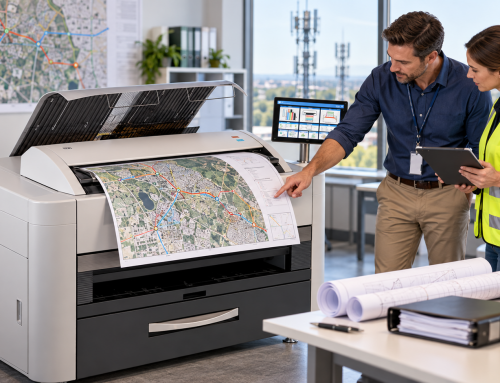
Da-Com’s wide format printer solutions support organizations that need dependable large-scale output for public meeting boards, maps, plans, technical documents, signs, posters, and project materials.
How Public Meeting Boards Reduce Confusion
Most residents do not come to a public meeting with a full project file in their hands. They come with questions.
Will my road be closed? Will I lose parking? Will construction affect my driveway? Will drainage change near my home? Will trees be removed? Will my water service be interrupted? Will the park stay open? Will this change traffic near my child’s school? Will taxes, fees, access, or property use change?
Those are real concerns. A clear display board can answer the first round of questions before staff has to explain every detail one by one.
For example:
- A public works meeting may need a large map that shows project limits.
- A transportation project may need a detour board.
- A planning meeting may need a zoning map with clear color labels.
- A parks project may need a simple rendering of the proposed layout.
- A sewer or stormwater meeting may need a board that explains why work is needed and where crews will be.
- A sidewalk project may need a phasing board that shows which areas will be affected first.
- A facility improvement project may need before-and-after visuals.
The goal is not to impress people with design. The goal is to help them understand.
The Federal Highway Administration includes visualization among virtual public involvement tools that help agencies share information and support transportation planning and project development. Visualization matters because many public projects are hard to explain without visuals. You can review FHWA’s resource here: FHWA Virtual Public Involvement Factsheet.
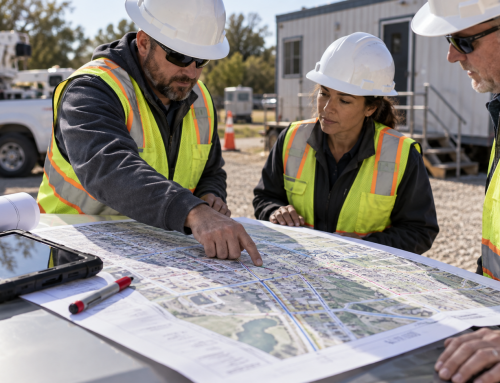
When residents can see the work, the meeting becomes less abstract. They can point to a board and ask about a specific street, parcel, trail, bridge, pipe, parking area, route, or phase. That is much better than asking from confusion.
What Makes a Public Meeting Board Easy to Understand
A good board does not try to say everything. It says the right thing clearly.
Each board should have one main job. If one board tries to answer five questions at once, it can become crowded. Residents may walk away with less clarity, not more.
A strong public meeting board often includes:
- A clear title.
- A simple map, image, or graphic.
- Short labels.
- Large type.
- Plain words.
- Project limits.
- Key dates.
- Contact details.
- A QR code for more information.
- One main message.
The best boards are easy to read from a few feet away. They do not depend on tiny notes. They do not bury residents in plan sheet language. They do not make people search for the main point.
A good public meeting board should help someone answer:
- Where is this project?
- Why is it happening?
- What will change?
- When will it happen?
- How will it affect me?
- Where can I ask a question?
Those questions sound simple, but they matter. When a board answers them well, staff spends less time untangling confusion and more time having useful conversations.
Use Plain Words on Government Meeting Boards
Public projects often come with technical language. That is normal. Engineers, planners, GIS teams, and public works staff need precise terms. The problem comes when the same terms are placed on a board meant for the public.
Residents may not understand words like easement, conveyance, right-of-way, impervious surface, subgrade, alignment, retention, watershed, utility relocation, or traffic control phase.
Some people will. Many will not.
A public-facing board should not make people feel like they need a translator. It should use plain words when possible.
Consider these examples:
- Instead of “proposed roadway alignment,” use “new road path.”
- Instead of “temporary traffic control,” use “temporary traffic changes.”
- Instead of “stormwater conveyance improvements,” use “stormwater drainage upgrades.”
- Instead of “anticipated construction duration,” use “how long work may take.”
- Instead of “right-of-way impacts,” use “areas where access or property use may change.”
There is still room for formal terms when they are needed. But the main message should be easy to follow.
Federal environmental review rules also point to the value of plain language in public-facing documents. EPA’s NEPA public participation rules state that EPA NEPA documents should use plain language to the extent possible. You can review the rule here: 40 CFR 6.203 Public Participation.
Plain words do not make the project less professional. They make it easier to understand. When residents understand faster, the meeting can feel calmer.
Good Boards Help Staff Stay Focused
Public meeting boards are not just for residents. They also help staff.
When staff has to explain the same point over and over, the meeting can drain time and energy. A clear board gives everyone a shared reference point.
Someone asks where construction begins. Staff points to the map. Someone asks when work starts. Staff points to the timeline. Someone asks what will change. Staff points to the before-and-after board. Someone asks how to leave a comment. Staff points to the contact board or QR code.
This makes the meeting easier to manage. It also helps prevent mixed messages. If every staff member is using the same set of boards, answers stay more consistent.
That matters when a project has pressure around it.
A road closure, sewer upgrade, zoning change, stormwater improvement, or park redesign can create strong reactions. Meeting boards help staff stay calm and grounded because the visual information is already prepared.
The right board can save time in the room. It can also help protect staff from preventable confusion caused by unclear visuals, missing maps, or rushed print work.
Match Public Meeting Boards to the Meeting Type
Not every meeting needs the same set of boards. A good display plan starts with the meeting format and audience.
Zoning and Planning Meetings
A zoning meeting may need parcel maps, land use graphics, proposed change summaries, current zoning, future land use context, and simple explanations of what is being requested.
Road and Transportation Projects
A road project may need project limits, detour routes, construction phasing, access impacts, traffic changes, parking impacts, and schedule boards.
Sewer, Water, and Stormwater Projects
A sewer or stormwater meeting may need maps showing affected streets, service areas, drainage routes, pump stations, pipe paths, or reasons the work is needed.
Parks and Recreation Projects
A park project may need concept images, trail layouts, playground locations, restroom locations, parking changes, amenity boards, and construction timelines.
Emergency Management and Public Safety Meetings
A public safety or emergency management meeting may need evacuation maps, shelter routes, facility layouts, command area maps, or public notice displays.
A board for a council chamber may need to look different from a board for an open house. A board for a hallway display may need to stand alone without a presenter. A board for a staffed station can be simpler because a staff member is there to explain it.
Before printing, think through the room. Will people walk around? Will they stand in small groups? Will the boards sit on easels? Will people need to read them from across the room? Will staff carry them to more than one meeting? Will the boards need to survive storage and reuse?
Those questions affect size, mounting, finish, layout, and timing.
Keep Maps Clean and Resident-Friendly
Maps are often the most important boards in the room. They can also be the easiest to overload.
GIS maps, plan sheets, parcel layers, zoning maps, floodplain maps, and utility maps can hold a lot of data. But not all of that data belongs on a public meeting board.
A resident-friendly map should make the main point easy to see. That may mean fewer layers, larger street names, stronger contrast, bolder colors, a clear project boundary, or a simple “You are here” marker. It may also mean removing technical details that are not needed for the meeting.
For public meetings, the map should help residents orient themselves quickly. They should be able to find their street, understand the project boundary, see the affected area, and know what the colors mean without asking.
A small legend helps. A north arrow helps. A simple title helps. A short note can help too. But too much information can make the map harder to read.
This is one place where planning, GIS, communications, and print support need to work together. The GIS team may create the data. The planning or public works team may choose the message. The print process should turn that file into a display that works in the room.
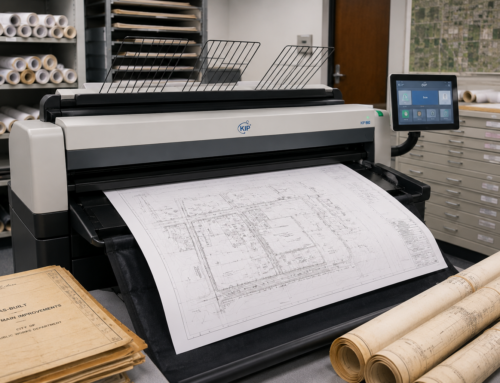
Da-Com’s wide format scanning guide explains how large documents, plans, and maps can be converted into digital files for archival and future use. This can be especially helpful when older maps, drawings, or public meeting materials need to be preserved and reused.
Make Accessibility Part of the Board Plan
Public meeting boards should be easy for as many people as possible to use.
That starts with basic design choices. Use large text. Use strong contrast. Avoid tiny labels. Do not rely on color alone. Leave space between sections. Keep the layout simple. Make QR codes large enough to scan. Place boards where people can reach and read them.
The ADA requires state and local governments to communicate effectively with people who have communication disabilities. ADA.gov explains that the goal is to ensure communication with people with disabilities is as effective as communication with people without disabilities. You can review ADA.gov’s guidance here: ADA.gov effective communication guidance.
A print board is only one part of communication. It does not replace other access needs. But it can help when designed with care.
For example:
- Strong contrast can help people with low vision.
- Larger type can help people read from a comfortable distance.
- Clear headings help people scan information.
- A QR code can lead to a web page with more details or screen-reader-friendly information.
- Multilingual boards may help when a community includes residents who prefer another language.
The best time to think about access is before the file is sent to print, not the morning of the meeting.
Avoid Last-Minute Board Problems
Public meeting boards often become urgent because project details change.
A map gets updated. A date shifts. A council packet changes. A project limit moves. A new rendering arrives. A comment deadline is extended. A board needs a QR code added. A typo is found late. These things happen in government work.
The goal is not to pretend every detail will be final early. The goal is to build a process that lowers risk when changes come in.
That means naming files clearly. It means marking final versions. It means confirming sizes. It means knowing how many boards are needed. It means checking whether boards need to be mounted, laminated, delivered, or packed for travel.
A strong board request should include:
- Final PDF files.
- Board size.
- Quantity.
- Mounting choice.
- Meeting date.
- Needed delivery date.
- Delivery location.
- Contact person.
- Project number or purchase order.
- Special handling notes.
No one wants to find out late in the day that the wrong version was printed. A simple workflow helps prevent that.
Public Meeting Boards Should Support the Whole Outreach Process
A public meeting board should not live alone. It should support the larger outreach plan.
The same core visuals may also appear in:
- Council packets.
- Project web pages.
- Social media posts.
- Public notices.
- Email updates.
- Press releases.
- Comment forms.
- Open house handouts.
- Construction updates.
This consistency helps because residents often need to see the same message more than once.
A QR code on a board can send residents to a project page. A project page can show the same map that appears on the easel. A handout can repeat the timeline. A comment form can connect directly to the board topic.
That kind of consistency helps the project feel organized. It also helps residents understand where to go next if they want more information.
Da-Com’s document management solutions can help organizations think about how project materials, files, maps, public records, and supporting documents are organized, routed, and retrieved beyond a single meeting.
How Da-Com Helps Make Public Meeting Boards Easier
Da-Com helps take the print pressure off government teams. That does not replace the work your engineers, planners, GIS staff, public works employees, or communications team already do. It supports that work by helping turn files into boards that are ready for the room.
Da-Com can help with:
- Wide format printing.
- Mounted foamcore boards.
- Project maps.
- Zoning maps.
- GIS maps.
- Public hearing displays.
- Timeline boards.
- Before-and-after boards.
- QR code boards.
- Directional signs.
- Meeting posters.
- Banners.
- Laminated maps.
- Overflow print support.
- Secure file handling.
- Pickup and delivery support.
- Project-number billing.
A public meeting already has enough moving parts. Your team should not have to chase boards, wonder if the right file printed, or lose time trying to make an internal printer do work it was not built to handle.
Da-Com helps keep the process simple: confirm the file, confirm the size, confirm the finish, confirm the deadline, and get the boards ready before the meeting.
Da-Com’s advanced scanning solutions can also help government teams convert paper records, project files, and public materials into indexed digital files for easier storage and retrieval.
A Simple Checklist Before You Print
Before the next public meeting, review each board with fresh eyes.
Ask:
- Can a resident understand the main point in 10 seconds?
- Is the title clear?
- Is the map easy to read?
- Are the labels large enough?
- Is there too much technical language?
- Does each board have one main job?
- Are dates and project limits current?
- Is the QR code working?
- Is the contact information correct?
- Is this the final version?
- Does the file name make that clear?
- Do we need mounting or lamination?
- Where will the boards be delivered?
- Who will receive them?
This short check can prevent a lot of stress. It can also protect staff from avoidable questions in the room.
Public meeting boards are not just paper, ink, and foamcore. They are part of how your agency explains the work. They help residents feel informed. They help staff stay aligned. They help leadership see that the project is organized.
When they are done well, they make the meeting easier.
Make the Next Public Meeting Easier
Public meetings can bring pressure. There is the project itself. There is the public notice. There is the room setup. There are staff schedules. There may be council members, board members, contractors, residents, business owners, reporters, or agency partners in the room.
The boards should not be one more thing your team has to chase.
Good public meeting boards help residents understand what is happening, why it matters, and what comes next. They help staff explain the project with less stress. They make the room feel more prepared before hard questions begin.
That is the goal: clear boards, right version, ready before the meeting, and no surprises.
To learn more about public meeting boards, project display boards, wide format maps, public outreach materials, scanning, and deadline-ready print support for government teams in St. Louis, Columbia, and Southern Illinois, contact Da-Com today. Da-Com can help your team prepare the maps, boards, timelines, and public-facing displays before the deadline hits.


Leave A Comment