

Wide Format Printers: 2026 Guide for Project Teams
Wide format printers help construction, architecture, engineering, design, manufacturing, facilities, education, government, and business teams produce large documents quickly and clearly. From construction drawings and site plans to posters, maps, signage, banners, training materials, and presentation boards, large-format output still plays an important role in how teams review, communicate, and complete work.
Even as more teams use digital files, tablets, cloud platforms, and project management software, printed large-format documents have not disappeared. In many workplaces, they have become more intentional. Teams no longer print everything by default, but they still rely on printed plans, visual layouts, and large reference materials when clarity, collaboration, field use, or client presentation matters.
For project-driven businesses, the question is no longer simply whether large-format printing is useful. The better question is whether the business should continue outsourcing large prints, invest in in-house equipment, improve its current print workflow, or combine digital review with selective printing. The right answer depends on volume, deadlines, file types, staff needs, budget, security expectations, and how often teams need same-day output.
This guide explains what wide format printers are, which businesses benefit from them, what questions to ask before choosing equipment, and how to think about print workflow in a more strategic way. The goal is to help your team make a practical decision that supports productivity without overspending on equipment you do not need.
What Are Wide Format Printers?
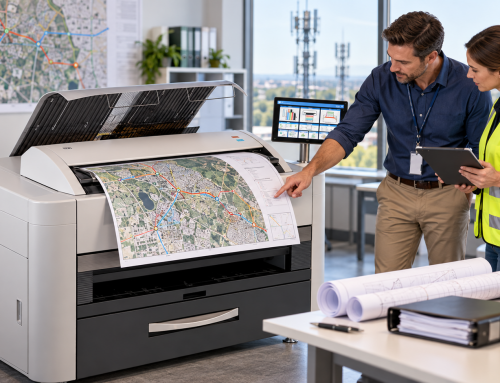
Wide format printers are printing systems designed to produce documents larger than standard office sizes. While standard office printers typically handle letter, legal, and tabloid paper, wide format equipment can produce larger sheets used for drawings, plans, posters, maps, banners, renderings, graphics, and technical documents.
Businesses often use wide format printing for:
- Architectural drawings
- Construction plans
- Engineering drawings
- Site plans and maps
- Blueprints and plan sets
- Posters and presentation boards
- Retail signage
- Training visuals
- Event graphics
- Wall graphics and displays
- Facilities layouts
- Manufacturing diagrams
- Municipal and utility maps
Some organizations need monochrome technical drawings. Others need high-quality color output for graphics, signage, proposals, or customer-facing materials. Some need scanning and copying for large documents. Others need fast print speeds for high-volume plan sets.
Because the use cases vary so widely, choosing the right equipment starts with understanding what the business actually prints. A construction company printing job site plans has different needs than a marketing department producing posters. An engineering firm printing technical drawings has different priorities than a school producing event signage.
Da-Com offers large-scale printing solutions for organizations that need dependable output for plans, graphics, technical documents, and visual communication.
Why Wide Format Printing Still Matters in a Digital Workplace
Digital tools are essential, but they do not replace every print need. In many cases, large printed documents support faster communication because they make complex information easier to see, review, and discuss.
For example, a construction team may review drawings digitally, but still need a printed current set in the trailer. An architect may use design software, but still present large visuals to a client. A facilities manager may keep a printed building layout for maintenance planning. A school may use digital design files, but still need posters, event signage, and campus materials. A manufacturing team may rely on printed diagrams for production areas.
Large documents are useful because they allow people to see scale, detail, and context. A full-size drawing can reveal information that is harder to review on a small screen. A printed plan can be marked up in a meeting. A poster can guide visitors without requiring a device. A large map can support planning conversations with several people at once.
This is especially relevant in construction and AEC environments. OSHA’s recommended practices for construction safety emphasize proactive planning, communication, and coordination across job sites. Drawings and modifications are part of the broader construction planning environment, which is one reason clear documentation matters. You can review OSHA’s construction safety program guidance here: OSHA recommended practices for construction safety and health programs.
The value of wide format printing is not about printing more than necessary. It is about printing the right materials at the right time, in the right size, and with enough clarity for the work being done.
Who Benefits Most From Wide Format Printers?
Wide format printers can support many types of organizations, but they are especially useful for teams that regularly need large documents, quick turnaround, or control over sensitive files.
Construction Companies
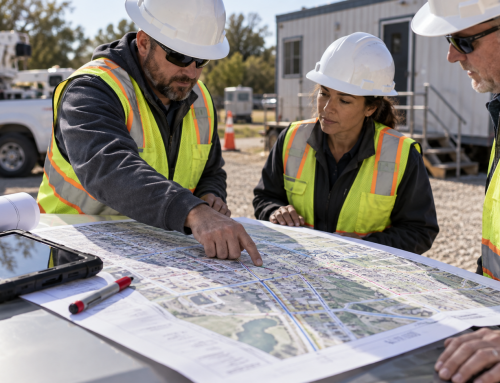
Construction companies often need plan sets, revised drawings, schedules, site logistics maps, safety signage, and project documentation. When plans change, speed matters. Waiting on an outside print provider can slow down job site communication, especially when revisions are needed quickly.
In-house large-format printing can help project teams produce current sets, replace outdated sheets, and keep field teams working from the right information.
Architecture and Engineering Firms
Architecture and engineering teams rely on precision. Drawings need to be readable, properly scaled, and produced consistently. Large-format output supports design review, redlining, permitting, client meetings, and internal collaboration.
For firms handling multiple projects, having the right system in-house can reduce delays and give teams more control over deadlines.
Municipalities and Public Agencies
Municipal departments may need zoning maps, infrastructure drawings, utility maps, public notices, planning documents, and facility layouts. Large-format printing and scanning can help agencies manage physical and digital records more effectively.
Schools and Universities
Education environments use large-format printing for campus maps, classroom visuals, event posters, athletic signage, safety notices, and administrative materials. A wide format device can support both communication and student-facing needs.
Manufacturing and Facilities Teams
Manufacturers and facilities teams may need floor plans, equipment layouts, safety diagrams, workflow visuals, maintenance maps, and process documentation. Large-format visuals can help teams understand space, movement, and operational planning.
Marketing and Creative Teams
Marketing teams may use large-format printing for posters, trade show materials, promotional displays, window graphics, and branded signage. In-house printing can be useful when teams need quick changes or short-run materials.
Wide Format Printers and Construction Plan Control
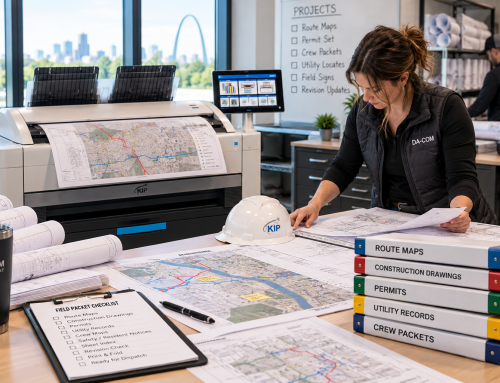
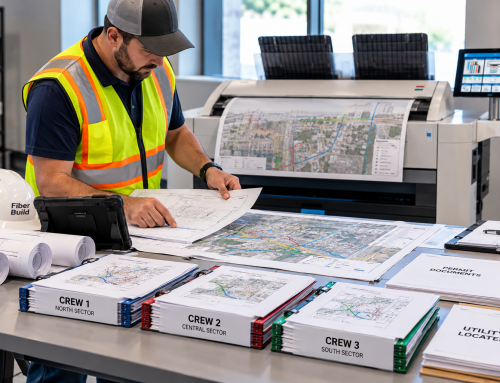
One of the strongest use cases for wide format printers is construction plan control. In construction, version confusion can create real risk. If one person works from an outdated sheet, the result may be rework, delays, material waste, or coordination problems.
Digital tools are important for managing revisions, but printed documents are still commonly used in trailers, meetings, inspections, and field coordination. The key is to make sure printed sets are controlled and current.
A strong plan printing workflow should answer these questions:
- Who is responsible for printing revised sheets?
- Where is the current set kept?
- How are outdated sheets removed or marked?
- How are printed revisions communicated to the field?
- How are digital and printed records aligned?
- Who can approve large-format print requests?
- How are files named and stored before printing?
Da-Com’s article on how large-format output can reduce AEC risk explains how current set management, revision control, and cleaner drawing distribution can support better project discipline.
This is where the conversation becomes bigger than the printer itself. The device matters, but the process matters just as much. A fast printer will not fix a messy file workflow. A good print workflow combines clear file organization, permission controls, print standards, and accountability.
In-House Printing vs Outsourced Printing
Many organizations start by outsourcing large-format work. That can make sense when volume is low, needs are occasional, or the business does not have space for equipment. However, outsourcing can become frustrating when print needs become frequent or time-sensitive.
In-house printing may be worth evaluating when your team regularly experiences:
- Delays waiting for plan sets or posters
- Rush charges for quick turnaround
- Frequent small print jobs that interrupt workflow
- Repeated revisions that require reprints
- Confidential files being sent outside the organization
- Staff time spent coordinating with print vendors
- Storage issues for printed materials
- Difficulty maintaining current sets across projects
Outsourcing still has a place. It may be useful for very large specialty jobs, unusual materials, low-frequency needs, or overflow work. The best approach is often a balanced one. Keep everyday large-format output in-house and outsource specialty jobs when needed.
Da-Com’s guide on wide format print topics includes additional resources for businesses comparing large-format print workflows, equipment, and use cases.
How to Evaluate Wide Format Printer Cost
Wide format printer cost should be evaluated beyond the purchase price. Businesses should consider the total cost of ownership, including equipment, supplies, service, maintenance, staff time, productivity, outsourcing expenses, and downtime risk.
Important cost factors include:
- Equipment purchase or lease cost
- Ink, toner, or print technology
- Paper and media types
- Service agreements
- Maintenance requirements
- Expected monthly print volume
- Color versus black-and-white output
- Scanning and copying needs
- Space and electrical requirements
- Training for users
- Software or print management tools
- Outsourcing costs the equipment may replace
For many businesses, the real question is not “How much does the printer cost?” The better question is “What is our current large-format workflow costing us?”
That includes vendor invoices, rush fees, employee time, delays, missed deadlines, and frustration caused by waiting for materials. If a team frequently needs same-day drawings or visual materials, the productivity value of in-house printing may be significant.
Da-Com’s St. Louis pricing guide for large-format equipment can help businesses understand what factors influence cost and how to think about investment planning.
Key Features to Compare Before Choosing Equipment
Not all wide format printers are designed for the same job. Before choosing a device, businesses should compare features based on real workflows.
Print Size
Start by identifying the largest and most common document sizes your team uses. Construction and engineering teams may need specific plan sizes, while marketing teams may need posters, banners, or display graphics.
Color or Black-and-White Output
Some teams only need black-and-white technical drawings. Others need color for markups, maps, renderings, presentations, graphics, or signage. Color capability can improve communication, but it may also affect cost and maintenance.
Print Speed
Speed matters when teams print full plan sets, deadline-driven materials, or multiple revisions. Slow output can create bottlenecks, especially if several departments share the same device.
Scan and Copy Capability
Some organizations need to scan old drawings, archive records, copy marked-up plans, or convert physical documents into digital files. If scanning is important, evaluate scan quality, file formats, workflow integration, and ease of use.
The National Archives emphasizes that digitization quality includes image quality, metadata quality, records management quality, and file format compliance. While most businesses are not federal archives, the principle still applies. Large-document scanning should be planned so files are usable, searchable, and organized. You can review NARA’s digitization quality guidance here: NARA Digitization Quality Management Guide.
Media Types
Different devices support different media. Some businesses need plain bond paper for plans. Others may need heavier stock, posters, durable materials, or graphics media. Matching the equipment to the media prevents disappointment later.
Software and Workflow Integration
Consider how users will submit files, manage queues, track jobs, and control permissions. A printer that works well with existing software can reduce friction.
Service and Support
Reliable support matters. If a device is central to project deadlines, downtime can be costly. Ask about service response, maintenance, supplies, training, and local support.
Da-Com’s large-format equipment buyer’s checklist can help teams compare needs before making a decision.
Security Considerations for Networked Print Devices
Modern wide format printers are often connected to the network. That means they should be treated as part of the business technology environment, not just as standalone equipment.
Networked print devices may store job history, user information, scanned files, addresses, configuration details, or documents waiting in a queue. If the device is not secured, it can create unnecessary risk.
Security best practices may include:
- Changing default administrator passwords
- Limiting administrator access
- Keeping firmware updated
- Using secure print release where appropriate
- Restricting who can scan, print, or access settings
- Segmenting devices on the network when needed
- Disabling unused services or ports
- Encrypting stored data where supported
- Securely wiping device storage before disposal or return
CISA explains that securing a network involves continuous monitoring and mitigation across many connected components, including physical assets used to access networks. You can review CISA’s network security overview here: CISA guidance on securing networks.
For industries handling confidential drawings, client information, government work, bid documents, or sensitive project data, printer security should not be ignored. Wide format devices should be included in the same technology planning conversations as computers, servers, cloud systems, and multifunction printers.
How Wide Format Printers Support Civil Engineering and AEC Teams
Architecture, engineering, and construction teams often use large-format documents differently than general office users. Plans, maps, utility drawings, surveys, and technical documentation need to be readable and accurate.
For civil engineering teams, large-format printing can support:
- Site plan review
- Stormwater and drainage plans
- Roadway and utility drawings
- Public works documentation
- Bid sets
- Field markups
- Client and municipal presentations
- Permit documentation
Da-Com’s article on large-format printing for civil engineering projects explains how print readability, field use, revisions, and communication all affect project workflows.
For AEC teams, the value of large-format printing is often tied to coordination. A printed plan can help multiple people stand around the same information, discuss details, and mark up changes. A large sheet can make it easier to see relationships between systems, spaces, and project phases.
Digital tools still matter. The strongest workflows often combine digital access with selective printing. Teams use cloud platforms and digital markups for speed, then print the materials that need to be reviewed, shared, posted, or carried into the field.
Common Mistakes Businesses Make With Large-Format Printing
Choosing equipment without understanding workflow can lead to frustration. Here are common mistakes to avoid.
Only Looking at Purchase Price
A low equipment price may not mean the lowest total cost. Supplies, service, downtime, media, and user productivity all matter.
Ignoring Print Volume
A device that works for occasional posters may not be suitable for high-volume plan sets. Match the equipment to real monthly usage.
Forgetting About Scanning
If your team has archived drawings, field markups, or physical records, scanning capability may be just as important as printing.
Choosing Color When Black-and-White Is Enough
Color is useful, but not every team needs it for every workflow. If most output is technical line drawings, evaluate whether monochrome equipment may be more efficient.
Choosing Black-and-White When Color Adds Clarity
On the other hand, color can improve communication for maps, markups, safety visuals, renderings, and presentations. Do not eliminate color without considering how teams use visuals.
Not Planning File Organization
A printer cannot fix poor file naming, outdated folders, or unclear approval processes. Large-format workflow should include document control.
Skipping User Training
Employees need to know how to submit jobs, choose settings, load media, handle errors, and follow print standards. Training reduces waste and support issues.
Questions to Ask Before Buying or Leasing
Before investing in wide format printers, gather input from the people who will actually use the equipment. Ask practical questions such as:
- What types of documents do we print most often?
- What sizes do we need?
- How many large-format pages do we print each month?
- How often do we need same-day output?
- Do we need color, black-and-white, or both?
- Do we need scanning and copying?
- What media types do we use?
- Which departments will use the device?
- Who will manage supplies?
- How important is print speed?
- What are we currently spending on outsourced printing?
- How much staff time goes into coordinating outsourced jobs?
- What happens if the device is down?
- What security controls are needed?
- Will the device connect to our network?
- What service plan is included?
- Can the solution scale as our print needs change?
These questions help the business choose based on workflow instead of features alone.
Building a Smarter Wide Format Print Workflow
A smart wide format print workflow combines equipment, process, security, and support. The goal is to make large-format output easy to request, easy to produce, and easy to manage.
A strong workflow may include:
- Defined print standards for common jobs
- Clear file naming conventions
- Approval rules for large or costly jobs
- Role-based user access
- Current set management for construction plans
- Scanning standards for archived documents
- Supply monitoring
- Scheduled maintenance
- Security settings for networked devices
- Training for frequent users
- Service support for downtime
When these pieces are in place, large-format printing becomes less reactive. Teams spend less time asking where files are, waiting on outside vendors, or troubleshooting equipment. They can focus more on the work the documents support.
When to Reevaluate Your Current Setup
Even if your current process works, it may be worth reevaluating if your business has changed. Growth, new projects, new locations, higher print volume, staffing changes, or increased security requirements can all affect what equipment makes sense.
Your organization may be ready to reevaluate if:
- Outsourced printing costs have increased.
- Project teams frequently need rush printing.
- Employees complain about delays or quality issues.
- Current equipment is slow or unreliable.
- Large files are difficult to print correctly.
- Scanning old drawings has become more important.
- Multiple departments need access to large-format output.
- Security requirements have changed.
- Your team is opening new locations or adding projects.
- You are trying to reduce workflow bottlenecks.
Reevaluation does not always mean buying new equipment. Sometimes it means adjusting service, improving print rules, organizing files, changing media, or training users. Other times, it means replacing outdated technology with a better-fit system.
Choose the Right Large-Format Strategy for Your Business
Wide format printers can help project teams produce clear plans, drawings, signage, and large documents without waiting on outside turnaround. They can support construction plan control, engineering review, facilities planning, marketing materials, education visuals, and internal communication.
The best decision starts with workflow. Before comparing models, understand what your team prints, how often it prints, who uses the documents, how fast output is needed, and what problems you are trying to solve. Then compare equipment, service, security, scanning, media, and cost based on those needs.
For many businesses, the right solution is not simply a printer. It is a more reliable large-format process that supports productivity, document control, and clearer communication.
To learn more about wide format printing solutions for your St. Louis, Columbia, or Southern Illinois business, contact Da-Com today. Da-Com can help you evaluate your current print workflow, compare equipment options, and choose a solution that fits how your team works.

Leave A Comment