

Best Wide Format Printer for GIS Maps: Telecom Guide
Best wide format printer for GIS maps is a high-impact decision for telecom companies, fiber contractors, engineering teams, utilities, and broadband deployment groups that depend on large, accurate, readable technical documents. GIS maps, fiber route plans, CAD drawings, construction documents, coverage maps, utility markups, permit sets, and as-built drawings all carry details that are difficult to review on standard office printers or small screens.
Telecom teams do not just need a printer that can make big pages. They need a system that can produce accurate linework, clear color layers, readable labels, reliable output, fast revisions, high-quality scans, and field-ready documents. A poor print can create confusion. A slow printer can delay crew packets. A weak scanner can make redlines harder to capture. A machine without reliable service can become a bottleneck during active deployment.
For telecom engineering, GIS, and construction teams in St. Louis, St. Charles, Columbia, the Metro East, Belleville, Edwardsville, Collinsville, and Southern Illinois, choosing the right wide format printer means looking beyond the equipment spec sheet. The best choice depends on your maps, drawings, field workflows, revision frequency, service needs, and total cost of ownership.
This guide explains what to look for in the best wide format printer for GIS maps, how telecom teams should compare plotters, which features matter most for fiber route maps and construction drawings, and how to decide whether a KIP wide format system, color plotter, black-and-white technical printer, scanner, or multifunction system is the right fit.
Quick Answer: What Is the Best Wide Format Printer for GIS Maps?
The best wide format printer for GIS maps is a large-format printing system that can produce accurate linework, clear color map layers, readable labels, fast technical drawings, and reliable output for engineering, construction, and field teams. For telecom use, the best printer should also support roll-fed media, scan and copy options, cost tracking, secure printing, easy media handling, local service support, and the ability to print fiber route maps, CAD drawings, permit sets, and as-built documentation.
Telecom buyers should look for a wide format printer that supports:
- Clear GIS map layers and color-coded routes.
- Accurate CAD linework and small labels.
- Fast print production for active projects.
- Roll-fed media for maps and long technical drawings.
- Black-and-white technical drawing output.
- Color output for coverage maps and route planning.
- Wide format scanning for redlines and as-builts.
- Copy capability for field packets and plan sets.
- Print management and cost tracking.
- Service response and supplies support.
- Reliable uptime for deadline-driven projects.
Da-Com provides wide format printer solutions for teams that need reliable large-format printing, scanning, folding, print management, and service support for technical documents, maps, and project plans.
Why GIS Map Printing Matters for Telecom Teams
GIS maps are central to telecom planning because networks are built around geography. Fiber routes, service areas, utility corridors, poles, handholes, cabinets, easements, municipal boundaries, underground infrastructure, aerial routes, and customer locations all depend on spatial information.
The U.S. Geological Survey describes GIS as a computer system that analyzes and displays geographically referenced information. That kind of location-based data is exactly why telecom teams rely on GIS tools to plan network expansion, review service areas, and coordinate field work. USGS GIS resource
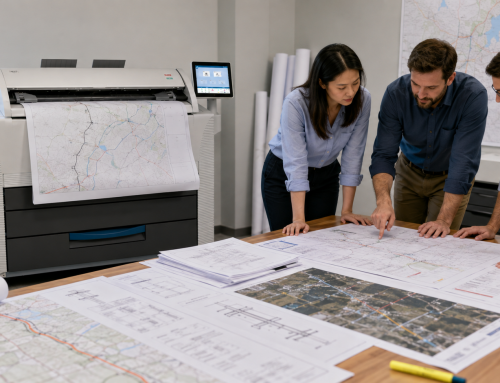
Digital GIS systems are essential, but large-format printed GIS maps still help teams work through complex information. Printed maps allow engineers, project managers, contractors, and field supervisors to see a full route at once, compare layers, circle issues, mark changes, and gather around one shared reference.
GIS map printing can support:
- Fiber route planning.
- Coverage map review.
- Utility coordination.
- Last-mile buildout planning.
- Network expansion meetings.
- Municipal and permitting discussions.
- Field crew preparation.
- As-built documentation.
- Emergency repair planning.
- Stakeholder presentations.
The best wide format printer for GIS maps should make those documents easier to read, easier to share, and easier to use in the field.
Best Wide Format Printer for GIS Maps: Key Features to Compare
When choosing the best wide format printer for GIS maps, telecom teams should compare features that affect real project work. A printer that looks good on paper may not be the best fit if it cannot handle frequent revisions, color layers, long drawings, field packets, scanning, or service needs.
| Feature | Why It Matters for Telecom GIS and Engineering |
|---|---|
| Line accuracy | Helps preserve detail in fiber routes, CAD drawings, utility plans, and construction documents. |
| Color map clarity | Makes GIS layers, route status, utilities, boundaries, and service areas easier to understand. |
| Fast output | Supports same-day revisions, permit updates, field packets, and construction meetings. |
| Roll-fed media | Allows teams to print large maps, long routes, and technical drawings efficiently. |
| Scan and copy capability | Helps teams digitize redlines, archived plans, and as-built drawings. |
| Print management | Supports usage tracking, cost centers, user controls, and project visibility. |
| Secure printing | Helps protect confidential network plans and infrastructure documents. |
| Service support | Keeps printing available when project deadlines depend on equipment uptime. |
| Total cost of ownership | Includes lease or purchase cost, supplies, service, media, energy, usage, and downtime. |
The right printer should fit how the team works, not just the maximum page size the device can produce.
Line Accuracy for Fiber Maps and CAD Drawings
Telecom engineering documents often include dense technical information. A fiber route map may show streets, parcels, utility paths, aerial routes, underground routes, splice points, handholes, cabinets, pole lines, easements, and construction notes. CAD drawings may include small labels, dimensions, line weights, symbols, and callouts.
If linework is fuzzy or small text is hard to read, the document becomes less useful. In telecom work, details matter because field teams may rely on printed drawings to identify exact locations, route decisions, and construction requirements.
A wide format printer for telecom engineering should produce:
- Crisp route lines.
- Readable labels.
- Clear symbols and callouts.
- Consistent line weights.
- Sharp black-and-white technical drawings.
- Accurate reproduction of CAD files.
- Reliable output across repeated plan sets.
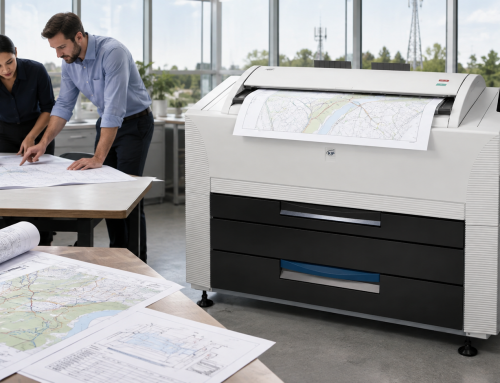
Da-Com’s Wide Format page notes that KIP color systems use Contact Control Technology for accuracy and precision quality in both color and black-and-white image production. This kind of quality matters when teams need readable engineering output and consistent plan production. Explore Da-Com Wide Format systems
Color Map Clarity for GIS Layers
Color clarity is one of the most important factors when choosing the best wide format printer for GIS maps. Telecom GIS maps often use color to separate information that would be difficult to interpret in black and white.
Color may be used to show:
- Proposed fiber routes.
- Existing network infrastructure.
- Underground vs. aerial routes.
- Utility types.
- Construction phases.
- Service boundaries.
- Coverage areas.
- Permit zones.
- Municipal boundaries.
- Priority build areas.
- Redline markups.
- Project status.
If colors are dull, inconsistent, or difficult to distinguish, teams may miss important details. The right wide format printer should produce color maps that are clear enough for planning meetings, field coordination, and stakeholder review.
The FCC’s National Broadband Map displays where internet services are available across the United States based on data reported by internet service providers through the FCC Broadband Data Collection. Broadband planning teams may use this type of map-based information as one input when evaluating availability, service gaps, and deployment opportunities. FCC National Broadband Map information
Because telecom planning often depends on map layers, clear color output can make printed GIS maps more useful during planning and deployment.
Best Plotter for Construction Drawings and Field Plans
The best plotter for construction drawings is not always the same as the best printer for marketing graphics or posters. Telecom teams need a device built for technical output, frequent revisions, construction plan sets, and field-ready documentation.
Construction and field plan printing may include:
- Telecom construction drawings.
- Permit sets.
- Right-of-way drawings.
- Utility markups.
- Site plans.
- Tower plans.
- Cabinet placement drawings.
- Splice diagrams.
- Traffic control references.
- Safety signage.
- Field crew maps.
- As-built drawings.
The best wide format printer for GIS maps should also handle these construction-related documents well because telecom projects rarely rely on maps alone. Fiber deployment requires a mix of GIS data, CAD drawings, permit documents, field notes, and construction plans.
Da-Com’s article on wide format printers for project teams explains how large-format output can support technical drawings, maps, signage, training materials, field use, and team collaboration.
Scan and Copy Capability for Redlines and As-Builts
Many telecom buyers focus on printing first, but scanning is just as important. Field crews often return with marked-up drawings, redlines, changed route notes, construction adjustments, and as-built information. Those documents need to be captured and returned to the project record.
A wide format scanner can help teams:
- Digitize redline markups.
- Capture as-built drawings.
- Archive old network plans.
- Share field revisions with engineering.
- Reduce paper storage.
- Support closeout documentation.
- Improve document retrieval.
- Preserve construction history.
For telecom work, a multifunction wide format system or paired scanner can help teams manage the full document lifecycle. Print the plan, send it to the field, mark up the changes, scan the redlines, revise the drawing, and print the updated version.
Da-Com’s Wide Format page includes KIP scanning systems designed for high-resolution image quality and production-speed scanning, which can support large technical drawings and archived documents. Review Da-Com Wide Format scanning options
Speed and Uptime During Active Telecom Projects
Telecom projects often move quickly. A route changes before a construction meeting. A permit set needs a correction before submission. A crew needs updated field maps before leaving for the jobsite. A project manager needs to print a revised plan set for a utility coordination meeting.
In those situations, speed matters. But speed is not only about pages per minute. It is also about how easily users can load media, switch rolls, select jobs, manage print queues, and get support when something goes wrong.
Look for wide format printer features that support uptime and productivity, such as:
- Fast print production.
- Easy roll changes.
- Auto roll switching.
- Reliable stacking.
- Touchscreen operation.
- Simple user workflows.
- Remote or centralized print management.
- Service and supplies support.
Da-Com’s Wide Format page highlights KIP features such as fast media installation, auto roll switching, touchscreen operation, print management tools, fast production, and consistent print quality. Those features can help active project teams reduce user intervention and keep documents moving. Learn more about KIP Wide Format options
Secure Printing for Network Plans and Infrastructure Documents
Telecom teams often work with sensitive documents. Fiber routes, tower locations, network diagrams, utility notes, customer coverage areas, and infrastructure plans may not be files that should be widely shared.
Security matters when choosing a wide format printer because networked printers and multifunction systems are part of the technology environment. Telecom buyers should ask how the device handles users, access, print queues, stored files, scanning destinations, and network settings.
Security-related questions may include:
- Can users authenticate before printing?
- Can print access be limited by role or department?
- Are print jobs stored or released securely?
- Can scanning destinations be controlled?
- Can usage be tracked by user or project?
- How are firmware updates handled?
- How is the device secured on the network?
- What happens to stored data when equipment is replaced?
The National Institute of Standards and Technology Cybersecurity Framework helps organizations understand and improve how they manage cybersecurity risk. While it is not specific to printers, it is useful for thinking about how connected devices, users, data, and workflows fit into a broader risk management approach. NIST Cybersecurity Framework
The best wide format printer for GIS maps should fit both the print workflow and the security expectations of the organization.
Total Cost of Ownership for Telecom Engineering Printers
Price matters, but telecom teams should not evaluate a wide format printer by equipment cost alone. The true cost includes supplies, media, service, maintenance, energy use, downtime, training, scanning needs, folding options, and the cost of outsourcing if the in-house system cannot keep up.
Total cost of ownership may include:
- Lease or purchase cost.
- Paper and specialty media.
- Toner or ink.
- Service agreement.
- Preventive maintenance.
- Replacement parts.
- Scanning and folding accessories.
- Energy usage.
- Training and onboarding.
- Internal labor.
- Downtime risk.
- Outsourced overflow printing.
ENERGY STAR notes that certified imaging equipment can help save energy and money compared with conventional models, and its imaging equipment category includes printers, copiers, scanners, multifunction devices, and similar office equipment. ENERGY STAR imaging equipment guidance
Da-Com’s guide to in-house wide format printing explains how bringing large-format output in-house can help teams reduce waiting time, respond faster to changes, and produce materials when deadlines demand it.
Wide Format Printer Comparison for Telecom Buyers
Telecom buyers often need to compare several types of wide format systems. The best fit depends on whether the team prints mostly black-and-white technical drawings, color GIS maps, mixed project documents, or high-volume plan sets.
| Printer Type | Best For | Telecom Considerations |
|---|---|---|
| Black-and-white technical wide format printer | Construction drawings, CAD plans, permit sets, plan packets | Strong fit for high-volume technical documents where color is not required. |
| Color wide format printer | GIS maps, route maps, coverage maps, stakeholder presentations | Useful when teams rely on color-coded layers, route status, and utility differentiation. |
| Multifunction wide format system | Printing, scanning, copying, redlines, as-builts | Strong fit for teams that manage both printed field documents and returned markups. |
| Wide format printer with folding | Plan sets, crew packets, permit packages, field documents | Helpful when teams distribute organized printed sets to crews, contractors, or reviewers. |
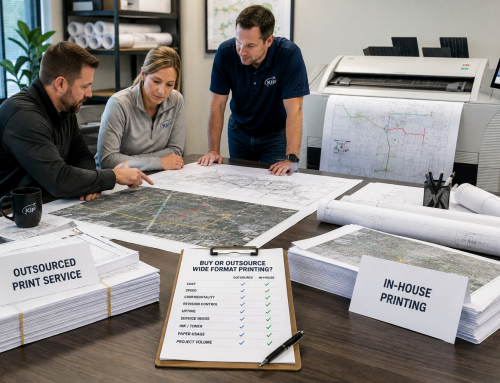
| Outsourced print model | Occasional low-volume prints | Can work when deadlines are flexible and revision frequency is low. |
Many telecom teams do not fit neatly into one category. A team may need black-and-white construction drawing speed, color GIS clarity, and scanning for as-builts. That is why a consultative equipment review is often better than a generic product list.
What Telecom Buyers Should Ask Before Choosing a Printer
Before choosing the best wide format printer for GIS maps, ask questions that connect equipment features to real project needs.
- How often do we print GIS maps, fiber maps, and construction drawings?
- Do we need color map clarity for GIS layers?
- Do we print mostly technical drawings, maps, or both?
- How quickly do field crews need updated plans?
- How often do revisions happen?
- Do we need to scan redlines and as-built drawings?
- Do we need copy capability for plan sets?
- Do we need folding for field packets?
- How many users or departments will print?
- Do we need secure printing or access controls?
- Do we need project-based cost tracking?
- What media sizes and roll types do we need?
- What service response do we need during active projects?
- Should we buy, lease, or continue outsourcing?
- Can the provider support St. Louis, Columbia, Missouri, Illinois, and Southern Illinois locations?
The best wide format printer is the one that matches the way your telecom team actually works.
Common Mistakes When Choosing a Wide Format Printer
Only Comparing Print Width
Print width matters, but it is not the whole decision. Telecom teams should also compare speed, color clarity, line accuracy, scanning, service, media handling, and total cost.
Ignoring Color Needs
Some teams try to save money with black-and-white output, then realize their GIS layers are harder to interpret without color. If color carries meaning in your maps, it should be part of the decision.
Forgetting About Redlines and As-Builts
Printing is only half of the workflow. Field markups need to come back into the record. Scanning should be considered early.
Choosing Equipment Without a Service Plan
A printer is only useful if it works when projects need it. Service response, supplies, and maintenance should be evaluated before purchase or lease.
Buying for Today’s Volume Only
Broadband projects can grow quickly. If your print volume is increasing, choose a system that can support future project needs.
How Da-Com Helps Telecom Teams Choose Wide Format Printers
Da-Com helps project teams evaluate wide format printer needs based on real workflows, not only equipment specifications. For telecom teams, that means understanding what documents need to be printed, how often revisions happen, whether color GIS layers matter, whether scanning is needed, and how field teams use printed plans.
Da-Com can help with:
- KIP wide format printer selection.
- Color and black-and-white wide format systems.
- Wide format scanning solutions.
- Folding options for plan sets and field packets.
- Print management tools.
- Cost center and usage tracking.
- Supplies and media planning.
- Service and support.
- Buy, lease, or outsource comparisons.
- Workflow planning for telecom maps and drawings.
For teams that need reliable wide format output in St. Louis, Columbia, Missouri, the Metro East, and Southern Illinois, Da-Com can help compare equipment options and build a solution around project needs.
Frequently Asked Questions About the Best Wide Format Printer for GIS Maps
What is the best wide format printer for GIS maps?
The best wide format printer for GIS maps is a system that produces clear color layers, accurate linework, readable labels, fast output, and reliable large-format documents for GIS planning, fiber route maps, construction drawings, and field plans.
What should telecom teams look for in a wide format printer?
Telecom teams should look for line accuracy, color map clarity, scan and copy capability, roll-fed media, fast output, print management, secure printing, service support, and total cost of ownership.
Is color printing important for GIS maps?
Yes. Color printing is often important for GIS maps because color can show routes, utilities, service areas, municipal boundaries, construction phases, coverage areas, and project status.
What is the best plotter for construction drawings?
The best plotter for construction drawings is one that produces accurate black-and-white linework, handles large plan sizes, prints quickly, supports roll-fed media, and is backed by reliable service and supplies.
Do telecom teams need wide format scanning?
Many telecom teams benefit from wide format scanning because redlines, field markups, archived plans, and as-built drawings need to be digitized and returned to the project record.
Should telecom teams lease or buy a wide format printer?
The best choice depends on print volume, cash flow, revision frequency, service needs, and long-term plans. Leasing can reduce upfront cost and support upgrades, while buying may fit teams with long-term heavy use.
Can one wide format system handle GIS maps and construction drawings?
Yes, some wide format systems can support both color GIS maps and technical construction drawings. The best fit depends on color needs, black-and-white volume, scanning requirements, and service expectations.
Does Da-Com help choose wide format printers for telecom teams?
Yes. Da-Com helps telecom teams, engineering firms, fiber contractors, and project groups evaluate wide format printers, KIP systems, scanning, folding, supplies, service, and workflow needs in St. Louis, Columbia, Missouri, the Metro East, and Southern Illinois.
The Bottom Line: Choose the Printer That Supports the Work
The best wide format printer for GIS maps is not simply the largest, fastest, or newest machine. It is the system that helps telecom teams produce accurate, readable, field-ready documents when they need them.
For telecom engineering, GIS, and construction teams, that means looking closely at line accuracy, color clarity, speed, media handling, scan and copy capability, secure printing, service response, print management, and total cost of ownership. Fiber maps, GIS layers, CAD drawings, construction plans, permit sets, and as-built drawings all play a role in keeping projects aligned.
The right wide format printer helps teams review details, prepare crews, manage revisions, protect documents, and keep deployment work moving.
To learn more about choosing the best wide format printer for GIS maps, telecom engineering plans, fiber route maps, CAD drawings, construction documents, and field plans for your St. Louis, St. Charles, Columbia, Metro East, Belleville, Edwardsville, Collinsville, or Southern Illinois team, contact Da-Com today. Da-Com can help your team compare KIP wide format printers, scanning systems, folding options, supplies, service, and workflow needs for telecom and engineering projects.



Leave A Comment