
SaaS Sprawl Security: The Hidden Cloud App Risk Inside Your Business
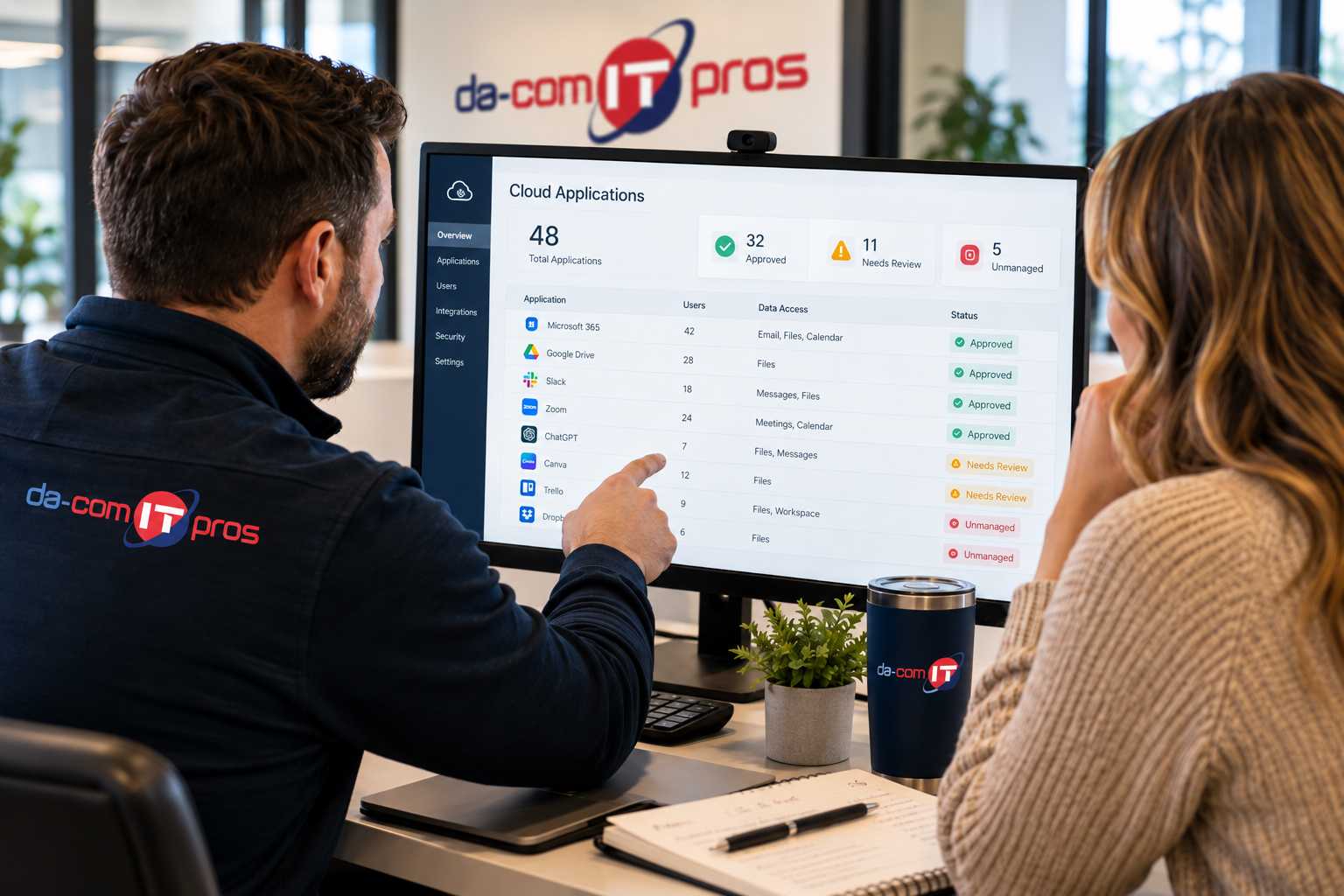
SaaS sprawl security has become one of the most overlooked technology risks inside small and mid-size businesses. SaaS sprawl happens when cloud-based software applications accumulate across a company without clear visibility, approval, access control, or ongoing management.
At first, the problem may not look like a problem. An employee signs up for a project management tool. A salesperson connects a scheduling app to email and calendar. A marketing team tests an AI writing tool. An operations manager starts using a document workflow app. A department pays for software on a company credit card because it solves an immediate need.
Each decision may be reasonable on its own.
Together, they can create a shadow technology environment that IT does not fully see, secure, monitor, or include in offboarding. That means business data may be flowing through tools that have never been reviewed, permissions may remain active longer than they should, and sensitive information may live in apps no one is managing.
Da-Com IT Pros helps businesses across St. Louis, St. Charles, the Metro East, and Southern Illinois get visibility into their technology environment, reduce cloud application risk, and build practical governance around SaaS tools, cybersecurity, access management, and employee offboarding.
Quick Answer: What Is SaaS Sprawl Security?
SaaS sprawl security is the process of identifying, managing, securing, and governing the cloud applications employees use across a business. It focuses on reducing risk from unmanaged SaaS tools, shadow IT, excessive permissions, orphaned accounts, sensitive data exposure, insecure integrations, and weak offboarding processes.
SaaS sprawl can create risk when:
- Employees use cloud apps IT does not know about.
- Business data is uploaded to unapproved tools.
- SaaS apps connect to email, calendars, files, or CRM systems.
- OAuth permissions are granted without review.
- Former employees keep access to apps outside the normal offboarding process.
- AI tools process sensitive information without clear rules.
- Cloud app usage is not included in cybersecurity monitoring.
- Leadership does not have a complete application inventory.
The goal is not to ban useful cloud tools. The goal is to create visibility, approval processes, access controls, and offboarding steps so employees can use the right software without creating unmanaged risk.
Da-Com IT Pros provides Managed IT Services for businesses that need proactive support, cybersecurity guidance, monitoring, backup planning, and strategic technology management.
What SaaS Sprawl Looks Like in a Small Business
SaaS sprawl often develops quietly. It does not usually happen because employees are careless or trying to bypass IT. It happens because cloud applications are easy to find, easy to start using, and often genuinely helpful.
A typical small business SaaS sprawl scenario may look like this:
- A marketing employee signs up for an AI writing assistant.
- A sales manager connects a scheduling tool to email and calendar.
- An operations leader starts using a project tracker with the whole team.
- A bookkeeper uploads invoices into a document processing tool.
- An HR manager uses a form builder for employee requests.
- A service department tests a work order app.
- A department creates its own file-sharing workspace.
None of those tools are automatically bad. Many may be useful. The risk comes from the lack of visibility and control.
If IT does not know the tools exist, IT cannot answer important questions:
- What data is being processed?
- Who has access?
- Does the app support multi-factor authentication?
- What permissions did the employee approve?
- Can the app read email, files, contacts, calendars, or customer records?
- What happens to the account when the employee leaves?
- How is the app backed up, monitored, or removed?
That uncertainty is the heart of SaaS sprawl security.
Why SaaS Sprawl Security Matters More Now
Small businesses have always used technology outside of formal IT processes. The difference now is scale. Cloud tools, AI productivity apps, browser extensions, integrations, and subscription software make it easier than ever for employees to connect outside platforms to real business systems.
SaaS sprawl is especially important now because many tools do not just store isolated information. They connect into the rest of the business.
Modern SaaS tools may request access to:
- Email inboxes.
- Calendars.
- Contacts.
- File storage.
- Chat platforms.
- CRM systems.
- Accounting tools.
- Customer support platforms.
- Marketing lists.
- AI workspaces.
CISA highlights Secure Cloud Business Applications resources that organizations can use to help assess and harden SaaS configurations, including best practices such as MFA, strong passwords, and audit logging. CISA small and medium-sized business resources
NIST also provides guidance on access control for cloud systems, including SaaS environments, which reinforces the importance of managing cloud application access and permissions as part of a broader security program. NIST cloud access control guidance
For small businesses, the practical takeaway is clear: cloud application security is not separate from cybersecurity. It is now part of everyday cybersecurity.
The Three Security Gaps SaaS Sprawl Creates
Most SaaS sprawl security problems fall into three main gaps: visibility, access control, and offboarding. These gaps often overlap, which is why the risk can grow quickly.
1. Visibility Gaps
You cannot secure what you cannot see.
When employees use cloud applications that IT does not know about, those applications sit outside normal security monitoring, vendor review, access management, and compliance processes. Business data may be uploaded, shared, or processed in tools that were never reviewed.
Visibility gaps can affect:
- Customer data.
- Employee records.
- Financial information.
- Contracts.
- Internal documents.
- Sales pipelines.
- Project files.
- Vendor information.
- AI prompts and uploaded files.
Without a clear inventory of cloud applications, business leaders may think they understand their technology environment when they are only seeing the official portion of it.
2. Access Control Gaps
Many SaaS applications request permissions during setup. Employees often approve those permissions because they want the tool to work. But those permissions may be broader than expected.
A tool may request permission to:
- Read email.
- Send email.
- Access attachments.
- View calendars.
- Read files.
- Edit documents.
- Access contacts.
- Connect to CRM records.
- Share files externally.
This is especially important for apps that connect through OAuth or API integrations. Those connections can remain active until someone reviews and revokes them.
FTC cybersecurity guidance for small businesses emphasizes the importance of making cybersecurity part of business operations, using multi-factor authentication, updating apps, and managing risk through policies and practices. FTC cybersecurity for small business
3. Offboarding Gaps
Offboarding is one of the most serious SaaS sprawl risks.
When an employee leaves, IT usually disables known accounts: email, Microsoft 365, Google Workspace, Active Directory, VPN, business systems, and managed software. But if the employee independently signed up for cloud tools, those accounts may not be included in the offboarding checklist.
That can create orphaned accounts.
An orphaned account is an account that remains active after it should have been removed. In a SaaS sprawl environment, orphaned accounts can still contain business data, connected permissions, documents, messages, customer information, or access to other tools.
Strong SaaS sprawl security requires offboarding that covers more than the systems IT already knows about. It needs a process to discover, review, and remove access from cloud applications across the full business environment.
Why AI Tools Are Accelerating SaaS Sprawl
AI tools are making SaaS sprawl more urgent because they are easy to adopt and often connect directly to daily work. Employees may use AI tools to draft content, summarize meetings, process documents, analyze spreadsheets, write code, clean up notes, respond to customers, or automate repetitive tasks.
Those use cases can be helpful, but they can also create new risk if AI tools are adopted without review.
AI-related SaaS sprawl may include:
- AI meeting note tools connected to calendars and calls.
- AI writing tools used for customer or internal communication.
- AI document tools that process contracts, invoices, or policies.
- AI browser extensions that read page content.
- AI email assistants with mailbox access.
- AI workflow tools connected to file storage or CRM systems.
- Chatbots where employees paste sensitive information.
Da-Com’s guide on AI automation tools and managed IT explains why AI adoption should be part of a managed technology strategy, not an informal collection of tools employees choose on their own.
The problem is not AI itself. The problem is unmanaged AI connected to real business data.
SaaS Sprawl Security and Shadow IT
Shadow IT refers to technology used inside a business without formal approval or IT oversight. SaaS sprawl is one of the most common forms of shadow IT because cloud apps are so easy to adopt.
Shadow SaaS becomes risky when:
- IT does not know which apps are in use.
- Apps are paid for outside normal purchasing.
- Employees use work email to create accounts.
- Business data is stored in personal or unmanaged workspaces.
- Apps are connected to core systems.
- Access permissions are never reviewed.
- Former employee accounts remain active.
- Vendor security has not been evaluated.
Small businesses often tolerate shadow IT because employees are trying to move quickly. But over time, informal tool adoption can create a messy and risky environment.
The better approach is not to punish employees for finding useful software. The better approach is to create a clear process for requesting, reviewing, approving, and managing new tools.
SaaS Sprawl and Compliance Risk
SaaS sprawl security also matters for compliance. Many businesses handle information that must be protected under legal, contractual, or industry-specific obligations. This can include healthcare data, financial information, employee records, student information, donor data, client files, and confidential business documents.
Compliance problems can occur when sensitive data is processed through tools that were never approved or reviewed.
For example:
- A healthcare office uploads patient-related information to an unapproved AI summarizer.
- An accounting firm stores client documents in an unmanaged file-sharing tool.
- A nonprofit keeps donor spreadsheets in a cloud app outside IT visibility.
- A school administrator uses an unapproved form tool to collect sensitive information.
- A sales team connects customer data to a tool without reviewing retention or sharing settings.
The issue is not only whether the tool is useful. The issue is whether the tool is appropriate for the type of data being processed.
Businesses with regulatory, contractual, or insurance requirements need cloud application visibility so they can demonstrate that data is being handled through approved systems with appropriate controls.
SaaS Sprawl and Cyber Insurance
Cyber insurance applications and renewals increasingly ask detailed questions about security controls. Businesses may be asked about MFA, backups, access management, security monitoring, employee training, incident response, vendor management, and cloud security practices.
If a business experiences a breach tied to an unmanaged SaaS application, the lack of visibility and control can complicate the response. The business may struggle to answer basic questions:
- Who owned the application?
- What data was stored there?
- Who had access?
- Was MFA enabled?
- Were logs available?
- When was access last reviewed?
- Was the vendor approved?
- Was the app included in offboarding?
Da-Com IT Pros helps businesses build better documentation and governance around technology environments, including cloud applications, managed IT processes, cybersecurity controls, and access management. That documentation can help business owners answer questions from insurers, auditors, vendors, and clients.
How Managed IT Helps Control SaaS Sprawl
Addressing SaaS sprawl security requires more than a one-time cleanup. Businesses need visibility, governance, technical controls, employee guidance, and recurring review.
A managed IT provider can help by creating a practical process for discovering and managing cloud applications.
SaaS Discovery and Inventory
The first step is understanding what exists. Businesses need to identify which cloud applications employees are using, which departments use them, what data they process, and whether they are approved.
A SaaS inventory should include:
- Application name.
- Business owner.
- Users.
- Department.
- Data type.
- Login method.
- MFA status.
- Connected systems.
- OAuth or API permissions.
- Renewal or billing owner.
- Approval status.
- Offboarding requirements.
Application Review and Approval
Not every unmanaged application needs to be banned. Some may be worth approving and standardizing. Others may need configuration changes. Some may be too risky for business use.
A review process helps answer:
- Does the app solve a real business need?
- Does it duplicate an existing tool?
- What data will it process?
- Does it support MFA?
- Does the vendor provide security documentation?
- Can access be managed centrally?
- Can permissions be limited?
- Can data be exported or deleted?
- Should this app be approved, restricted, or blocked?
Access and Permission Reviews
SaaS access should not be set once and forgotten. Businesses should regularly review who has access to which applications and whether those permissions still make sense.
This is especially important when employees change roles, departments adopt new tools, vendors change terms, or apps are no longer used.
Offboarding Improvements
A strong offboarding process should include known business systems and discovered SaaS applications. It should also include connected apps and permissions inside systems like Microsoft 365, Google Workspace, CRM tools, cloud storage, and AI platforms.
Da-Com’s cybersecurity support helps businesses strengthen practical controls around users, devices, cloud apps, email systems, backups, and daily operations.
SaaS Sprawl Security Checklist for Small Businesses
Use this checklist to start identifying and reducing SaaS sprawl risk.
- Create an inventory of cloud applications in use.
- Identify which apps are approved, restricted, or unknown.
- Review apps purchased by departments or employees.
- Look for tools connected to email, calendars, files, CRM, or accounting systems.
- Review OAuth and API permissions.
- Confirm whether MFA is enabled for approved apps.
- Document who owns each application internally.
- Define what data can and cannot be stored in each tool.
- Remove unused applications.
- Revoke unnecessary access.
- Add SaaS apps to employee offboarding procedures.
- Create a new software request process.
- Train employees on shadow IT and data exposure risks.
- Review app access on a recurring schedule.
- Work with managed IT to monitor cloud application usage.
Questions to Ask Your Managed IT Provider About SaaS Sprawl
Business owners do not need to know every cloud security detail, but they should ask practical questions that reveal whether SaaS sprawl is being managed.
Start with these questions:
- How many cloud applications are currently used across our business?
- Do we know which apps employees adopted independently?
- Which applications connect to our email, files, calendars, or CRM?
- How often do we review SaaS access permissions?
- How do we revoke OAuth permissions?
- Are AI tools included in our cloud app inventory?
- What happens to SaaS app access when an employee leaves?
- Do we have a software approval process?
- Do employees know which tools are approved?
- Are SaaS applications included in our cyber insurance documentation?
If your current process only covers systems IT already knows about, SaaS sprawl may still be creating risk.
How to Build a SaaS Governance Policy Employees Will Actually Follow
A SaaS governance policy should be practical. If it is too long, too technical, or too restrictive, employees may ignore it and continue using tools informally.
A useful policy should explain:
- Which tools are approved.
- Which categories of tools require review.
- How employees request a new tool.
- What data cannot be uploaded to unapproved apps.
- Who approves software purchases.
- How apps should be paid for.
- What integrations require IT review.
- How access is removed when employees leave.
- What employees should do if they are unsure.
The policy should not only say “do not use unapproved apps.” It should give employees a path to get useful tools reviewed and approved quickly.
That is how businesses reduce shadow IT without slowing down productivity.
Signs Your Business May Have a SaaS Sprawl Problem
Your business may have a SaaS sprawl security issue if any of these are true:
- No one has a complete list of cloud apps in use.
- Departments buy tools without IT review.
- Employees use work emails to sign up for free trials.
- AI tools are being used without clear rules.
- Former employees may still have access to outside platforms.
- OAuth permissions are never reviewed.
- There is no standard software approval process.
- Cloud tools are missing from offboarding checklists.
- Apps are connected to email or files without IT approval.
- Leadership cannot easily answer where sensitive data is stored.
These signs do not mean the business has done something wrong. They mean the technology environment has outgrown informal management.
Frequently Asked Questions About SaaS Sprawl Security
What is SaaS sprawl?
SaaS sprawl is the uncontrolled growth of cloud-based software applications across a business. It often happens when employees or departments adopt tools independently without IT approval, security review, access management, or offboarding planning.
Why is SaaS sprawl a security risk?
SaaS sprawl is a security risk because unmanaged apps can store sensitive data, connect to business systems, retain access after employees leave, lack MFA, and sit outside normal monitoring, compliance, and cybersecurity processes.
What is shadow SaaS?
Shadow SaaS is cloud software used inside a business without formal approval or IT visibility. It is a common form of shadow IT and often includes productivity tools, AI apps, file-sharing tools, project management apps, and browser-based services.
How does SaaS sprawl affect employee offboarding?
SaaS sprawl affects offboarding because IT may disable known systems but miss cloud apps employees adopted independently. Those missed tools can become orphaned accounts that retain business data or connected access after the employee leaves.
How can small businesses find unmanaged cloud apps?
Small businesses can find unmanaged cloud apps through SaaS discovery, network monitoring, identity provider reviews, expense reviews, browser extension checks, OAuth permission reviews, and conversations with department leaders about the tools they use.
What are OAuth permissions?
OAuth permissions allow an application to access another system, such as email, calendars, contacts, files, or CRM records, without sharing the user’s password. These permissions should be reviewed because some apps request more access than they need.
How often should SaaS access be reviewed?
SaaS access should be reviewed on a recurring schedule, especially when employees change roles, leave the company, new tools are adopted, or sensitive data is involved. Many businesses benefit from quarterly or semiannual access reviews.
Can Da-Com IT Pros help with SaaS sprawl security?
Yes. Da-Com IT Pros helps businesses in St. Louis, St. Charles, the Metro East, and Southern Illinois identify unmanaged cloud apps, review access permissions, strengthen offboarding, improve SaaS governance, and reduce cloud application security risk.
Get Visibility Into Your Cloud Environment With Da-Com IT Pros
SaaS sprawl security starts with visibility. Businesses cannot manage cloud apps they do not know exist, revoke access they cannot see, or protect data moving through tools outside their security program.
Small businesses do not need to stop using cloud applications. They need a better way to approve, manage, monitor, and remove them. The right managed IT partner can help bring order to the tools employees already use and create a clear path for adopting new software safely.
Da-Com IT Pros helps businesses across St. Louis, St. Charles, the Metro East, and Southern Illinois assess cloud application usage, identify SaaS security gaps, review permissions, improve offboarding, and build governance programs that keep technology under control.
To learn more about managing SaaS sprawl and cloud security for your St. Louis, St. Charles, Metro East, or Southern Illinois business, contact Da-Com IT Pros today. We can help assess your current cloud application environment, identify security gaps, and build a practical governance plan that gives your business more control.
Explore our Managed IT Services and Cybersecurity Support to see how Da-Com IT Pros helps businesses strengthen visibility, security, and technology management.





Leave A Comment