
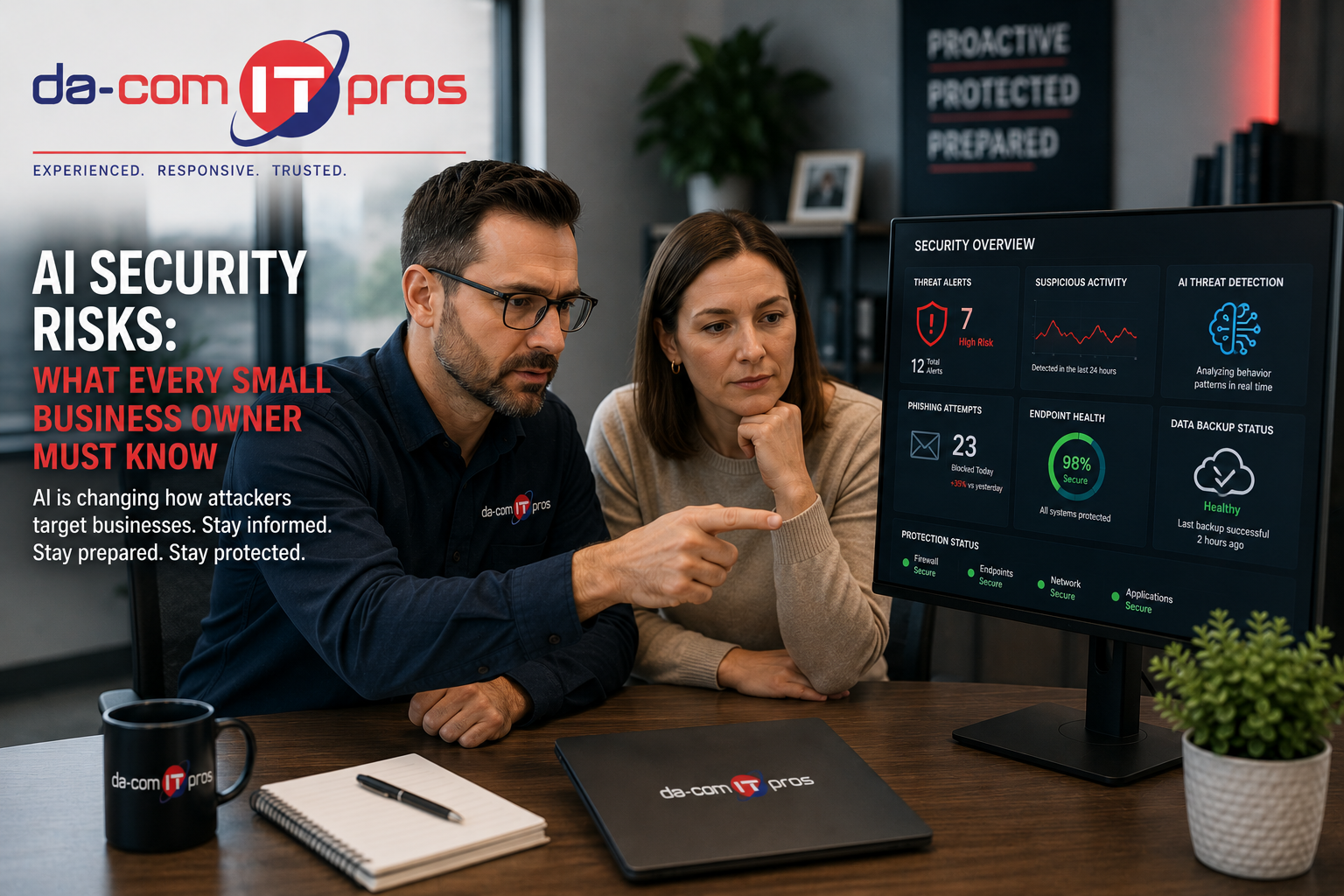
AI Security Risks: What Every Small Business Owner Must Know
AI security risks are no longer a concern reserved for large enterprises, government agencies, or global technology companies. Small and mid-size businesses are now facing AI-powered threats that are more convincing, more scalable, and harder to detect than the cyberattacks many employees were trained to recognize just a few years ago.
The same artificial intelligence tools that help businesses write faster, summarize information, automate tasks, and improve productivity are also being used by cybercriminals. Attackers are using AI to write better phishing emails, personalize scams, clone voices, automate vulnerability discovery, improve social engineering, and create more believable impersonation attempts.
For small businesses, the practical message is simple: the threat environment has changed.
A security program built around last year’s threats may not be strong enough for today’s AI-enhanced attacks. Employees can no longer rely only on poor grammar, strange wording, or obvious red flags to spot phishing. Business owners can no longer assume their company is too small to be targeted with sophisticated attacks. IT leaders can no longer ignore employee use of unapproved AI tools.
Da-Com IT Pros helps businesses across St. Louis, St. Charles, the Metro East, and Southern Illinois understand and defend against the AI security risks actively targeting small businesses. This guide explains the most important AI-driven threats, how they affect SMBs, and what practical defenses can help reduce risk.
Quick Answer: What Are the Biggest AI Security Risks for Small Businesses?
The biggest AI security risks for small businesses include AI-powered phishing, deepfake and voice-cloning scams, shadow AI, sensitive data entered into unapproved AI tools, risky AI integrations, AI-assisted vulnerability scanning, AI-generated malware, and employees who have not been trained for AI-enhanced social engineering. Small businesses can reduce risk with managed IT support, cybersecurity tools, multi-factor authentication, employee training, AI acceptable use policies, secure backups, patch management, and verification procedures for financial or sensitive requests.
Small businesses should pay close attention to these AI security risks:
- AI-generated phishing emails that sound polished and realistic.
- Voice cloning used to impersonate executives, owners, vendors, or customers.
- Deepfake-assisted fraud and social engineering.
- Employees entering sensitive data into consumer AI tools.
- Unapproved AI tools connected to email, files, calendars, or CRM systems.
- Faster vulnerability scanning and exploitation by attackers.
- AI-assisted malware that may evade older security tools.
- Security training that has not been updated for AI-era threats.
The goal is not to panic. The goal is to update your cybersecurity strategy so your defenses match the threats your business is actually facing.
Da-Com IT Pros provides cybersecurity support for businesses that need practical protection across users, devices, email, cloud applications, backups, and daily operations.
Why AI Security Risks Matter for Small Businesses
Small businesses are often attractive targets because they may have valuable data, trusted customer relationships, vendor payment processes, and limited internal IT resources. AI makes it easier for attackers to scale sophisticated attacks against more organizations at once.
In the past, highly customized attacks required time and research. An attacker had to study the target, write a believable message, understand the business, and personalize the request. AI tools now make parts of that process faster and cheaper.
That means small businesses may receive phishing emails, payment requests, vendor impersonation attempts, or social engineering messages that feel unusually specific. They may reference real employees, real services, real vendors, current events, public LinkedIn information, website content, or previous breach data.
AI has changed the economics of cybercrime. Attackers can now create messages that are personalized enough to feel legitimate, but scalable enough to target thousands of small businesses.
Verizon’s Data Breach Investigations Report continues to track social engineering, credential abuse, vulnerability exploitation, and other common breach patterns across organizations of all sizes. For SMBs, the lesson is clear: cybersecurity risk is not limited to large companies. Verizon Data Breach Investigations Report
AI-Powered Phishing: The End of Easy Detection
AI-powered phishing is one of the most immediate AI security risks facing small businesses.
For years, employees were trained to spot phishing emails by looking for poor grammar, misspellings, generic greetings, strange formatting, and obviously suspicious language. Those signs still matter, but they are no longer enough.
AI can help attackers write phishing emails that are:
- Grammatically correct.
- Professionally formatted.
- Personalized to the business.
- Matched to a specific industry.
- Written in the tone of a vendor, manager, or customer.
- Localized to a region or market.
- Based on public information about employees or leadership.
- Scaled across many targets at once.
A phishing email targeting a local accounting firm may reference tax deadlines, a known software vendor, and a real client relationship. A message sent to a manufacturer may mention shipping schedules or purchase orders. A message to a school or nonprofit may reference events, board meetings, donations, or staff names.
These messages can look legitimate because AI makes them sound legitimate.
How Small Businesses Should Respond to AI-Powered Phishing
AI-powered phishing requires a shift from judging writing quality to verifying behavior.
Employees should be trained to ask:
- Is this request expected?
- Is the sender asking for money, credentials, sensitive data, or urgent action?
- Does the request bypass normal procedures?
- Is there pressure to act quickly?
- Is the request coming through an unusual channel?
- Should this be verified through a separate known contact method?
Security awareness training should teach employees to verify requests, not just inspect wording.
Da-Com’s guide to AI cybersecurity threats explains how AI-enhanced phishing, social engineering, and impersonation are changing the way SMBs need to train employees and secure systems.
Deepfakes and AI-Enhanced Social Engineering
Deepfakes and voice cloning create another category of AI security risks for small businesses. Attackers can use AI to imitate voices, generate realistic audio, create fake videos, or impersonate trusted people in ways that make social engineering more convincing.
For small businesses, the most practical deepfake risk is usually voice-based fraud.
Imagine an employee in accounting receives a phone call that sounds like the owner, executive director, pastor, principal, controller, or department leader. The caller says a payment is urgent, a vendor account needs to be changed, or access needs to be granted immediately. The voice sounds familiar, the request feels time-sensitive, and the employee wants to be helpful.
That is exactly the pressure attackers try to create.
The FTC has warned about AI-enabled voice cloning and impersonation risks, including the way voice cloning can be misused for fraud and scams. FTC guidance on AI-enabled voice cloning
The Best Defense Against Voice Cloning Fraud
The best defense against voice cloning fraud is a verification process that employees are expected and empowered to follow.
Any request involving money, banking changes, sensitive data, password resets, access changes, or unusual urgency should be verified through a separate, pre-established channel.
That means:
- Do not rely only on the incoming phone call.
- Do not call back the number provided in the suspicious message.
- Use a known phone number from internal records.
- Confirm payment changes through a second person when possible.
- Require written approval for high-risk transactions.
- Make it normal for employees to pause and verify.
The process may feel awkward at first. But a strong verification culture is one of the most effective defenses against deepfake-assisted fraud.
AI Security Risks From Your Own AI Tool Adoption
Not all AI security risks come from outside attackers. Some come from the AI tools employees adopt for productivity.
Many employees want to use AI responsibly. They may use AI to draft emails, summarize notes, brainstorm ideas, analyze data, write job descriptions, or speed up repetitive tasks. But if those tools are not reviewed by IT or leadership, they can create serious security and privacy risks.
This is often called shadow AI.
Shadow AI happens when employees use AI tools that have not been approved, secured, or monitored by the business.
Data Exposure Through AI Tools
One of the biggest risks is sensitive data being entered into AI platforms without understanding how the data is handled.
Employees should avoid entering sensitive information into unapproved AI tools, including:
- Customer information.
- Employee records.
- Financial data.
- Contracts.
- Proposals.
- Business plans.
- Proprietary processes.
- Passwords or credentials.
- Healthcare, legal, accounting, education, or financial records.
- Confidential vendor or client information.
Once information is submitted to an AI platform, the business may lose control over where that data is processed, stored, retained, or used. This can create security, privacy, contractual, compliance, and reputational risk.
The NIST AI Risk Management Framework is designed to help organizations think through AI risk, trustworthiness, security, privacy, and governance. For small businesses, the practical takeaway is that AI tools should be evaluated like any other technology that processes sensitive business information.
AI Integration Risks
AI tools become more powerful when they connect to email, file storage, calendars, chat platforms, CRM systems, accounting tools, or customer support platforms. But those connections can create new access paths.
An AI email assistant may request permission to read messages, send messages, access attachments, view calendars, or connect to contact lists. An AI summarization tool may request file storage access. An AI customer service tool may connect to a CRM or ticketing system.
Before approving AI integrations, small businesses should ask:
- What systems does this AI tool connect to?
- What permissions does it request?
- Does it need all of those permissions?
- Can access be limited?
- Does the tool support multi-factor authentication?
- What happens if the tool account is compromised?
- Who reviews and removes unused integrations?
- How is customer or employee data protected?
Da-Com’s AI automation and IT strategy guide explains why AI adoption should include approved tools, data rules, secure integrations, and managed IT oversight.
AI-Assisted Attacks and Faster Vulnerability Exploitation
AI security risks are not limited to phishing and social engineering. Attackers can also use AI to speed up technical attacks against systems, networks, and applications.
AI-assisted tools can help attackers:
- Scan for vulnerable systems faster.
- Identify misconfigured software.
- Research targets more efficiently.
- Generate more convincing attack scripts.
- Automate parts of exploitation.
- Create malware variants more quickly.
- Test attacks against common defenses.
For small businesses, this matters because the time between a vulnerability being disclosed and attackers attempting to exploit it can be short. Businesses that rely only on periodic manual patching may have longer windows of exposure.
Strong defenses include:
- Automated patch management.
- Endpoint detection and response.
- Continuous monitoring.
- Vulnerability management.
- Multi-factor authentication.
- Secure backup and recovery planning.
- Firewall and network monitoring.
- Regular security review.
Da-Com IT Pros provides Managed IT Services that help businesses maintain systems, monitor environments, apply updates, support users, and reduce technology risk.
AI Security Risks Small Businesses Should Prioritize
Small businesses do not need to solve every AI security problem at once. They need to prioritize the risks most likely to affect their daily operations.
| AI Security Risk | How It Affects Small Businesses | Practical Defense |
|---|---|---|
| AI-powered phishing | Employees receive realistic emails that sound legitimate and personalized. | Train employees to verify requests through known channels. |
| Voice cloning and deepfakes | Attackers impersonate owners, executives, vendors, or trusted contacts. | Require secondary verification for payments, banking changes, and access requests. |
| Shadow AI | Employees use unapproved AI tools without IT visibility. | Create an AI acceptable use policy and approved tool list. |
| Data exposure | Sensitive business information is entered into consumer AI tools. | Define what data can and cannot be used with AI. |
| Risky integrations | AI tools connect to email, files, CRM, or cloud systems with broad permissions. | Review permissions and apply least-privilege access. |
| AI-assisted vulnerability exploitation | Attackers find and exploit unpatched systems faster. | Use automated patching, continuous monitoring, and vulnerability management. |
| Outdated training | Employees rely on old phishing red flags that AI can avoid. | Update training for AI-generated phishing and verification habits. |
Building Defenses That Match AI Security Risks
Defending against AI-powered threats requires a security program built for today’s threat environment. Traditional tools and annual training may not be enough if they have not been updated for AI-enhanced attacks.
Small businesses should focus on layered defenses that combine technology, process, and employee awareness.
AI-Aware Email Security
Email remains one of the most common entry points for attacks. AI-aware email security should look beyond obvious spelling mistakes and suspicious formatting. It should help analyze sender behavior, link risk, attachment behavior, impersonation attempts, and unusual patterns.
Endpoint Detection and Response
Endpoint detection and response can help identify unusual activity on laptops, desktops, and servers. This matters when attackers use more advanced or novel techniques that may not match older signature-based detection.
Automated Patch Management
AI-assisted attackers move quickly. Businesses need patching processes that reduce delay between vulnerability discovery and remediation. Automated patch management helps close known security gaps more consistently.
Multi-Factor Authentication
Multi-factor authentication remains one of the most important protections for business systems, cloud accounts, email, remote access, and approved AI tools. It helps reduce the damage caused by stolen passwords.
Secure Backup and Recovery
Backups are critical when malware, ransomware, or system compromise occurs. Backups should be monitored, tested, and protected from unauthorized access.
AI Acceptable Use Policy
Employees need clear rules for AI tools. A practical policy should explain which tools are approved, what data is prohibited, how outputs should be reviewed, and who to contact with questions.
CISA’s joint guidance on secure AI system development emphasizes the need to consider security throughout AI system design, deployment, and operation. Even small businesses that are not building AI tools can apply the same practical principle: AI systems should be reviewed, secured, and governed before they become part of daily operations. CISA secure AI guidance
Building a Security-Aware Culture for the AI Era
Technology defenses are essential, but employees are still a critical part of cybersecurity. AI-era security culture requires more than annual training that only covers generic phishing and password hygiene.
Effective AI-era security training should help employees understand:
- Why polished emails can still be phishing.
- How AI can personalize scams.
- What voice cloning can do.
- Why payment requests should be verified.
- What data should never be entered into AI tools.
- How to report suspicious requests.
- Why urgency is often part of social engineering.
- How to pause and verify without fear of being criticized.
Employees need permission to slow down. Many successful scams work because they create urgency, authority, and pressure. A healthy security culture makes verification normal.
That means employees should feel comfortable saying:
- “I need to verify this request before I act.”
- “I am going to call the known number on file.”
- “I need approval from a second person before changing payment information.”
- “I am not sure this AI tool is approved.”
- “I need IT to review this before connecting it to company files.”
Da-Com IT Pros helps businesses build security awareness programs that reflect current AI security risks, not just older cyber threats.
Signs Your Business May Be Exposed to AI Security Risks
Your business may need stronger AI-era defenses if any of the following are true:
- Employees use AI tools without an approved list.
- No one knows which AI platforms are being used.
- There is no AI acceptable use policy.
- Employees have not been trained on AI-powered phishing.
- Payment changes can be approved by email alone.
- Staff do not verify urgent financial requests through a separate channel.
- AI tools are connected to email, files, or CRM without IT review.
- Multi-factor authentication is not enforced everywhere possible.
- Patch management is manual or inconsistent.
- Backups are not regularly monitored or tested.
- Your cybersecurity training still focuses only on old phishing red flags.
If several of these sound familiar, your business may not be prepared for the current AI threat environment.
AI Security Risk Checklist for Small Businesses
Use this checklist to start strengthening your defenses.
- Inventory AI tools currently used by employees.
- Create an approved AI tool list.
- Block or discourage high-risk unapproved tools.
- Define sensitive data that cannot be entered into AI tools.
- Review AI integrations with email, files, CRM, and cloud systems.
- Require multi-factor authentication for business systems.
- Require secondary verification for payment and banking changes.
- Update security training for AI-generated phishing.
- Train employees on voice cloning and deepfake risks.
- Automate patch management where possible.
- Use endpoint detection and response.
- Monitor backups and test recovery processes.
- Review email security settings.
- Work with managed IT to monitor threats and risky behavior.
- Revisit AI policies as tools and risks change.
How Da-Com IT Pros Helps Businesses Defend Against AI Security Risks
Da-Com IT Pros helps small and mid-size businesses understand, prioritize, and defend against AI security risks through managed IT, cybersecurity, monitoring, training, and strategic technology guidance.
We help businesses with:
- Cybersecurity assessments.
- Managed IT support.
- Endpoint protection.
- Email security.
- Security awareness training.
- AI acceptable use guidance.
- AI tool risk review.
- Multi-factor authentication planning.
- Patch management.
- Backup monitoring.
- Business continuity planning.
- Proactive IT monitoring.
- Plain-language security communication.
Da-Com’s guide to proactive IT monitoring explains why continuous visibility matters for businesses that want to identify risks sooner, reduce downtime, and improve day-to-day technology reliability.
For AI-era security, the goal is not just to add another tool. The goal is to build a practical, layered defense strategy that fits how your business actually works.
Frequently Asked Questions About AI Security Risks
What are AI security risks?
AI security risks are cybersecurity, privacy, fraud, and operational risks created or amplified by artificial intelligence. They include AI-powered phishing, deepfakes, voice cloning, shadow AI, sensitive data exposure, risky AI integrations, and AI-assisted cyberattacks.
How are cybercriminals using AI against small businesses?
Cybercriminals use AI to write more convincing phishing emails, personalize scams, clone voices, impersonate trusted contacts, automate target research, speed up vulnerability discovery, and create more believable social engineering attacks.
Why is AI-powered phishing harder to detect?
AI-powered phishing is harder to detect because messages can be well-written, personalized, industry-specific, and free of the obvious grammar or formatting mistakes employees were previously trained to spot.
What is shadow AI?
Shadow AI is the use of AI tools that have not been approved, reviewed, or monitored by leadership or IT. It can create security and privacy risks because employees may enter sensitive data or connect tools to business systems without oversight.
How can small businesses defend against voice cloning scams?
Small businesses can defend against voice cloning scams by requiring verification through a separate, known channel for payments, banking changes, sensitive access requests, and urgent financial instructions.
Should employees be allowed to use AI tools at work?
Employees can use AI tools safely when the business has approved tools, clear data rules, employee training, security review, and managed IT oversight. Unapproved AI tools should be treated carefully because they may create data exposure or integration risks.
What defenses help reduce AI security risks?
Helpful defenses include employee training, AI acceptable use policies, multi-factor authentication, email security, endpoint detection and response, automated patch management, secure backups, AI tool review, and managed IT monitoring.
Can Da-Com IT Pros help businesses defend against AI security risks?
Yes. Da-Com IT Pros helps businesses in St. Louis, St. Charles, the Metro East, and Southern Illinois assess AI security risks, improve cybersecurity defenses, update employee training, review AI tool usage, and strengthen managed IT support.
Defend Against AI Threats With Da-Com IT Pros
AI security risks are growing because attackers are using AI to make phishing, impersonation, fraud, and vulnerability exploitation faster and more convincing. Small businesses cannot rely on outdated assumptions, old training, or reactive security alone.
The businesses that are best prepared will be the ones that update their defenses, train employees for AI-era threats, manage AI tool usage, verify high-risk requests, and work with a technology partner that understands how the threat landscape is changing.
To learn more about defending your St. Louis, St. Charles, Metro East, or Southern Illinois business against AI-powered security threats, contact Da-Com IT Pros today. We can assess your current security posture against the specific AI threats being deployed now and help build the defenses your business needs to stay protected.
Explore our Cybersecurity Support and Managed IT Services to see how Da-Com IT Pros protects small businesses from today’s most sophisticated threats.




Leave A Comment