
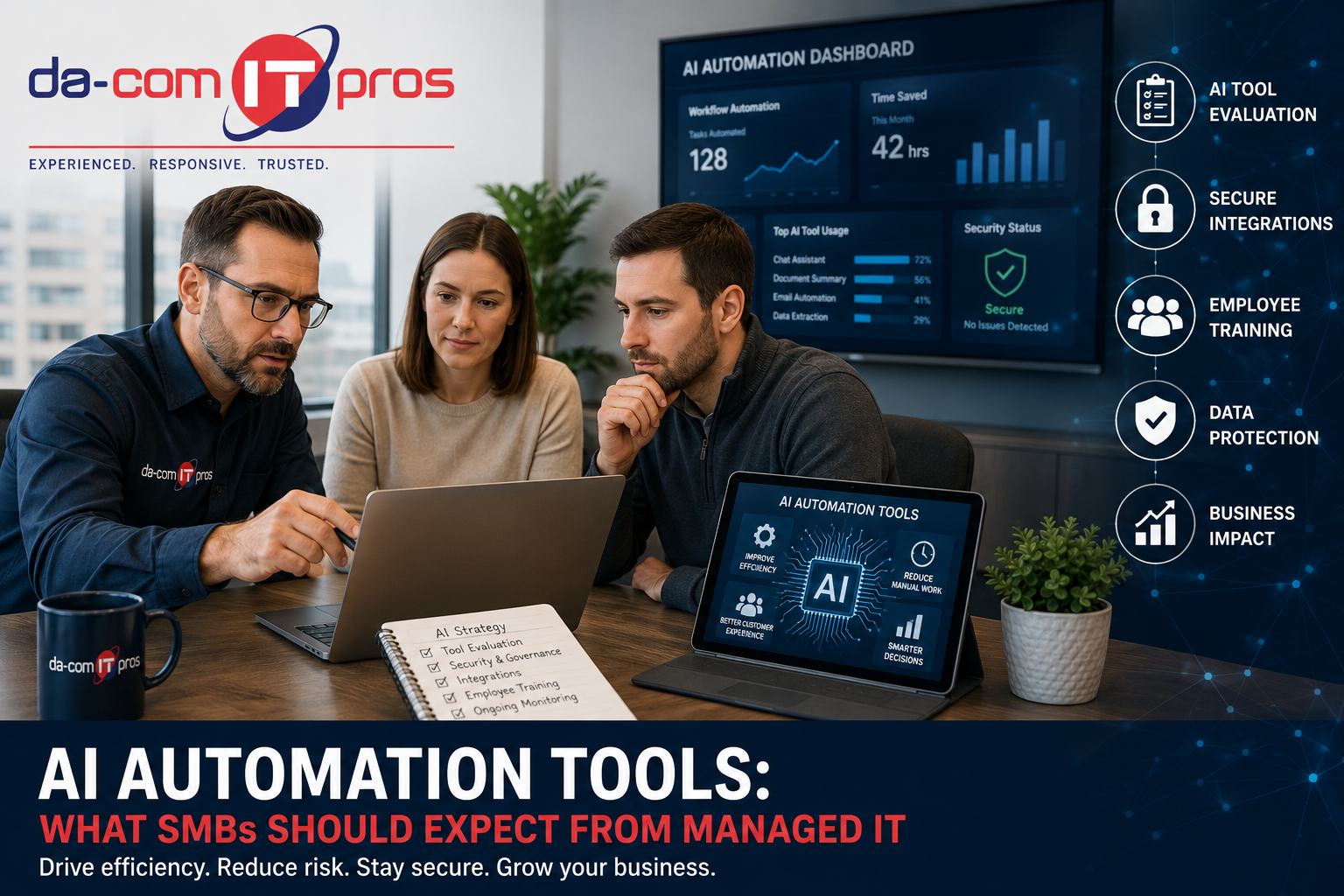
AI Automation Tools: What SMBs Should Expect From Managed IT
AI automation tools are changing what small and mid-size businesses can accomplish with the people, systems, and budgets they already have. Tasks that once required significant manual effort can now be completed faster with AI-powered support, including drafting communications, summarizing reports, routing customer inquiries, managing schedules, processing invoices, organizing documents, and monitoring system activity.
For SMBs operating with lean teams, that kind of efficiency is not just convenient. It can become a competitive advantage.
But AI automation tools do not operate separately from the rest of your technology environment. They may connect to your email, file storage, customer relationship management platform, accounting system, communication tools, calendars, cloud applications, or operational software. Those connections create new data flows, new access points, and new security risks that your managed IT provider needs to understand.
That is why AI adoption should not be treated as a side project or a casual software trial. It should be part of your managed IT, cybersecurity, data protection, and business technology strategy.
Da-Com IT Pros helps businesses across St. Louis, St. Charles, the Metro East, and Southern Illinois navigate the intersection of AI adoption and managed IT. This guide explains what AI automation tools are delivering for SMBs, what your managed IT provider should be doing to support safe adoption, and what signs may show that your current IT partner is not keeping pace with the AI landscape.
Quick Answer: What Should Managed IT Do About AI Automation Tools?
Your managed IT provider should help your business evaluate AI automation tools before employees adopt them, monitor for shadow AI, review integrations, create AI acceptable use policies, secure user access, train employees, and update cybersecurity defenses for AI-related threats. AI tools can improve productivity, but they also create risks around data privacy, access permissions, phishing, compliance, and unapproved software use.
A strong managed IT partner should help SMBs with:
- AI tool discovery and inventory.
- Evaluation of new AI automation tools before deployment.
- Monitoring for shadow AI and unapproved platforms.
- Review of AI integrations with email, files, CRM, and cloud apps.
- AI acceptable use policies.
- Employee training on safe AI use.
- Cybersecurity updates for AI-enhanced threats.
- Multi-factor authentication and access controls.
- Data privacy and retention review.
- Ongoing governance as AI tools change.
The goal is not to block useful AI automation. The goal is to make sure AI tools improve productivity without creating unmanaged security, privacy, or operational risk.
Da-Com’s AI automation IT strategy guide explains why AI should be managed with clear boundaries, approved tools, data controls, employee guidance, and secure integrations.
What AI Automation Tools Are Delivering for SMBs Right Now
AI automation tools have moved beyond the experimental phase for many small and mid-size businesses. Practical, accessible tools are already creating value across communication, administration, customer service, operations, marketing, finance, and IT.
The key is understanding where AI automation is genuinely useful and where it introduces risk that should be managed before adoption.
Communications and Content
AI tools can help businesses draft professional emails, proposals, reports, meeting summaries, marketing copy, job descriptions, internal announcements, and customer communications. For small businesses without a large marketing or administrative staff, AI writing assistance can increase output without immediately adding headcount.
Examples include:
- Drafting a first version of customer emails.
- Summarizing meeting notes.
- Outlining sales proposals.
- Creating internal process documents.
- Generating first drafts of blog or newsletter ideas.
- Rewriting technical information for a non-technical audience.
The important rule is that AI-generated content should be reviewed by a person before it reaches customers, employees, vendors, or the public. AI can help create a draft, but it should not be treated as an automatically correct final answer.
Operations and Administration
AI automation tools can also reduce administrative burden by helping with document routing, appointment scheduling, invoice processing, data entry, file organization, workflow reminders, and task prioritization.
For SMBs, this can be especially useful because employees often handle multiple roles. A tool that saves time on repetitive tasks can free staff to focus on customers, revenue, service quality, or higher-value work.
Operational use cases may include:
- Routing forms to the right department.
- Extracting information from invoices.
- Creating task lists from meeting notes.
- Summarizing long reports.
- Organizing customer requests.
- Flagging repetitive workflow issues.
However, operations-focused AI tools often need access to business systems. That means your managed IT provider should evaluate how the tool connects, what data it processes, and what permissions it requests.
Customer Service
AI-powered chatbots, virtual assistants, and routing tools can help businesses respond faster to common customer questions, capture after-hours inquiries, route issues to the right team member, and organize service requests.
For SMBs that cannot staff a 24-hour service desk or customer support team, AI automation can help improve responsiveness. But customer service AI tools may process customer names, contact information, support issues, purchase history, or account details, so data handling and retention need to be reviewed.
IT and Security Operations
AI automation is also affecting managed IT and cybersecurity. AI can help identify unusual behavior, summarize alerts, prioritize risks, streamline ticket routing, and support faster response to recurring issues.
Da-Com’s guide on AI in managed IT services explains how AI and automation can support monitoring, support, patch management, threat detection, and IT service delivery when used as part of a managed strategy.
What Your Managed IT Provider Should Be Doing About AI
As AI automation tools become part of the small business technology environment, managed IT providers need to evolve their service model. A provider that only reacts to tickets but never discusses AI usage may be leaving a growing risk unmanaged.
If your managed IT provider is keeping pace with AI, they should be actively helping your business evaluate tools, secure integrations, monitor usage, and train employees.
Conducting AI Tool Evaluations
When an employee or department wants to adopt a new AI tool, your managed IT provider should have a process for evaluating it before deployment.
An AI tool evaluation should review:
- What the tool does.
- What business problem it solves.
- What data employees will enter.
- Where that data is stored.
- Whether submitted data is used for model training.
- How long data is retained.
- What security controls the vendor provides.
- Whether the tool supports multi-factor authentication.
- What systems it integrates with.
- What permissions it requests.
- Whether it meets the organization’s compliance needs.
This process protects the business from tools that look helpful but create data exposure, security vulnerabilities, or compliance concerns.
Monitoring for Shadow AI Adoption
Shadow AI happens when employees use AI tools that IT and leadership have not approved or reviewed. This is one of the biggest AI automation risks for SMBs because it creates blind spots.
Shadow AI may include:
- Employees using free AI chatbots for business writing.
- Uploading company documents to AI summarization tools.
- Using AI meeting note apps without approval.
- Connecting AI browser extensions to work accounts.
- Using AI tools with work email addresses but no IT visibility.
- Entering customer, employee, or financial data into unapproved systems.
A managed IT provider with appropriate monitoring and governance processes can help identify AI tool usage, separate approved from unapproved tools, and create safer standards for employees.
Managing AI Tool Integrations
AI automation tools become more powerful when they integrate with email, file storage, CRM systems, calendars, ticketing systems, accounting software, and communication platforms. But those integrations also create access risk.
Your managed IT provider should review:
- Which tools are connected to Microsoft 365 or Google Workspace.
- Which tools have access to email, files, calendars, or contacts.
- Which apps have OAuth or API permissions.
- Whether permissions can be reduced.
- Whether unused AI integrations should be revoked.
- Whether connected accounts require multi-factor authentication.
- Whether the tool follows least-privilege access.
Principle of least privilege applies to AI tool integrations just like it applies to employee access. A tool should not have access to more data than it needs to do its job.
Developing AI Acceptable Use Policies
Employees need clear guidance on how AI automation tools can be used. Without a policy, employees may make their own decisions about which tools are safe and what information can be entered.
An AI acceptable use policy should explain:
- Which AI tools are approved.
- Which AI tools are prohibited.
- What data employees can enter.
- What data should never be entered.
- How AI-generated output should be reviewed.
- When manager or IT approval is required.
- How to request approval for a new AI tool.
- How integrations should be reviewed.
- Who employees should contact with questions.
Da-Com IT Pros helps businesses create practical AI governance policies that fit their operations, risk level, and employee workflows.
Staying Current on AI Security Threats
Attackers are using AI to make phishing, social engineering, fraud, and impersonation more convincing. That means security awareness training and technical defenses need to keep up.
A managed IT provider should update training and security controls for risks such as:
- AI-generated phishing emails.
- More convincing business email compromise attempts.
- Deepfake-assisted fraud.
- Fake vendor or executive messages.
- Credential theft through AI-related tools.
- Malicious browser extensions.
- Unsafe integrations.
- Data leakage through unapproved platforms.
Da-Com’s guide to AI cybersecurity threats explains how SMBs can prepare for AI-enhanced attacks with practical, layered defenses.
Evaluating AI Automation Tools for Your Business
Not all AI automation tools are created equal. A new tool should not be approved just because it has useful features or an impressive demo. Businesses should evaluate both operational value and security risk.
The NIST AI Risk Management Framework is designed to help organizations think about AI risk and trustworthiness. For SMBs, that means asking practical questions before adopting a tool.
| Evaluation Area | Questions to Ask |
|---|---|
| Business value | What problem does this tool solve, and how much time will it save? |
| Data handling | What data will users enter, where is it stored, and is it used for model training? |
| Security posture | Does the platform support MFA, encryption, logging, and enterprise controls? |
| Compliance needs | Does the tool create concerns for regulated data, contracts, or client requirements? |
| Integration scope | What systems does it connect to, and what permissions does it request? |
| Vendor stability | Is the vendor established, supported, documented, and transparent? |
| Total cost | What is the subscription cost, implementation effort, training need, and support burden? |
| Governance fit | Can the tool fit within your AI policy, security controls, and user access model? |
A structured evaluation process helps SMBs make informed decisions instead of signing up for tools reactively.
AI Automation Tools and Cybersecurity: The Connection SMBs Often Miss
One of the most overlooked parts of AI automation adoption is cybersecurity. AI tools are not just productivity software. They are connected systems that may handle business data, integrate with core platforms, and create new attack surfaces.
Credential Risks
Many employees create AI tool accounts using their work email address without IT awareness. If that AI platform is breached, or if an employee’s AI account credentials are compromised through phishing or credential stuffing, attackers may gain access to the tool and potentially any connected systems.
Businesses should require strong authentication for approved AI tools, especially if the tool connects to email, files, customer records, or business applications.
AI-Enhanced Phishing
AI is also changing phishing. Attackers can now generate convincing emails, messages, and scripts that sound more polished and personalized than older phishing attempts.
Employees can no longer rely on poor grammar or strange wording as the main warning sign. Security awareness training should teach employees to verify requests, inspect links, confirm payment changes, and report suspicious messages even when the writing looks professional.
Integration and Permission Risks
AI tools that connect to business systems may request broad permissions. A tool that only needs to summarize meeting notes should not necessarily have access to every file, inbox, or customer record.
CISA and the UK NCSC released joint guidance on secure AI system development, reinforcing the need to treat AI systems with security in mind throughout design, deployment, and operation. CISA secure AI guidance
For SMBs, the takeaway is simple: AI automation tools should be reviewed as part of the broader cybersecurity program, not adopted casually by individual employees without oversight.
What Managed IT Should Own in Your AI Strategy
AI adoption involves leadership, operations, employees, HR, legal, and department managers. But managed IT should own or support the technical side of safe adoption.
Your managed IT provider should help with:
- Discovering which AI tools are being used.
- Reviewing vendor security and privacy settings.
- Approving or blocking AI platforms.
- Managing user access.
- Securing accounts with MFA.
- Auditing integrations and permissions.
- Monitoring for risky usage.
- Protecting endpoints and cloud accounts.
- Updating cybersecurity awareness training.
- Documenting approved workflows.
- Supporting backup and recovery planning.
- Advising leadership through strategic IT planning.
Da-Com IT Pros supports businesses through managed IT, cybersecurity, vCIO guidance, monitoring, support, backup planning, and technology strategy. You can learn more about this strategic role in Da-Com’s guide on what a vCIO does for growing businesses.
Signs Your Managed IT Provider Is Not Keeping Up With AI
As AI automation tools become more common, the gap between managed IT providers who are keeping pace and those who are not is becoming more visible.
Your provider may not be keeping up with AI if:
- They have never asked which AI tools your employees use.
- They do not monitor for shadow AI adoption.
- They have no process for evaluating new AI tools.
- They do not review AI integrations with email, files, or cloud apps.
- They have not helped create an AI acceptable use policy.
- They have not updated security training for AI-generated phishing.
- They do not discuss AI governance during strategy meetings.
- They cannot explain how AI tools affect your security posture.
- They treat AI as unrelated to managed IT.
These are not theoretical gaps. They are practical signs that your business may be adopting AI without the oversight needed to manage risk.
Signs Your Managed IT Provider Is AI-Ready
An AI-ready managed IT provider should bring structure, clarity, and practical guidance to a fast-moving landscape.
Your provider is more likely to be keeping pace if they:
- Ask about AI tool usage proactively.
- Help inventory approved and unapproved AI tools.
- Evaluate AI platforms before deployment.
- Review data handling, privacy, and retention terms.
- Audit integrations and permissions.
- Recommend approved AI workflows.
- Help create AI acceptable use policies.
- Train employees on AI-specific risks.
- Update cybersecurity strategy for AI-enhanced threats.
- Provide ongoing guidance as AI tools change.
Da-Com IT Pros actively engages with clients on AI governance as part of our managed IT approach. We help businesses ask better questions, evaluate tools before adoption, monitor for shadow AI, and update security training as the threat environment changes.
AI Automation Tool Readiness Checklist for SMBs
Use this checklist before your business approves or expands AI automation tools.
- Identify current AI tools already being used by employees.
- List the departments using AI most often.
- Define what business problems AI should solve.
- Review what data each tool will process.
- Confirm whether submitted data is stored or used for training.
- Review vendor security controls.
- Check whether MFA is supported.
- Review integrations and permissions.
- Confirm whether the tool meets compliance needs.
- Create or update an AI acceptable use policy.
- Train employees on safe AI use.
- Require human review for AI-generated output.
- Monitor for shadow AI.
- Review the tool after deployment.
- Work with managed IT before adding more automation.
AI Automation Tools: Managed vs. Unmanaged Adoption
The difference between managed and unmanaged AI adoption can determine whether AI becomes a productivity advantage or a security problem.
| Area | Unmanaged AI Adoption | Managed AI Adoption |
|---|---|---|
| Tool selection | Employees choose tools independently. | Tools are evaluated before approval. |
| Data protection | Sensitive data may be entered without guidance. | Data rules define what can and cannot be used. |
| Integrations | Apps may connect to email, files, or CRM without review. | Permissions and access are reviewed by IT. |
| Training | Employees rely on guesswork. | Employees receive AI-specific guidance. |
| Cybersecurity | AI risks are not part of the threat model. | AI risks are included in security planning. |
| Governance | No clear owner or policy exists. | Policies, monitoring, and support are in place. |
| Business value | Results vary by employee and tool. | Use cases are aligned with business goals. |
Managed AI adoption does not need to slow the business down. Done well, it gives employees safer tools, clearer rules, and better support.
Getting the Most From Your Managed IT Partner as AI Evolves
The AI landscape is changing quickly. New tools appear constantly, existing tools add new features, and risk profiles shift as vendors change data handling, security settings, pricing, and integrations.
That means AI governance cannot be a one-time project. It should be part of ongoing technology strategy.
Your managed IT partner should help your business:
- Review AI tools on a recurring basis.
- Update policies as tools change.
- Revisit security training as threats evolve.
- Evaluate new automation opportunities.
- Retire tools that are no longer used.
- Review access permissions regularly.
- Align AI use with business goals.
- Keep leadership informed about risks and opportunities.
The most valuable thing a managed IT provider can do for an SMB navigating AI is bring clarity and structure to a landscape that often feels overwhelming.
Frequently Asked Questions About AI Automation Tools and Managed IT
What are AI automation tools?
AI automation tools are software platforms that use artificial intelligence to help complete or streamline tasks such as writing, summarizing, scheduling, routing requests, processing documents, analyzing data, supporting customers, or monitoring systems.
How can AI automation tools help small businesses?
AI automation tools can help small businesses reduce manual work, speed up communications, improve customer response, organize information, support administrative workflows, and help lean teams accomplish more with existing resources.
What are the risks of AI automation tools?
AI automation tools can create risks around data privacy, shadow AI, insecure integrations, credential exposure, inaccurate output, compliance concerns, and unmanaged access to business systems.
What should managed IT providers do about AI tools?
Managed IT providers should help evaluate AI tools, monitor for shadow AI, review integrations, manage permissions, create AI acceptable use policies, update security training, and protect business systems from AI-related risks.
What is shadow AI?
Shadow AI is the use of AI tools that have not been approved, reviewed, or monitored by leadership or IT. It can create security and privacy risks because the business may not know what tools are being used or what data is being entered.
Should AI tools be connected to business systems?
AI tools should only be connected to business systems after a security review. Integrations with email, files, CRM systems, calendars, and cloud apps should be evaluated for permissions, data access, MFA, and least-privilege controls.
Does my business need an AI acceptable use policy?
Yes. An AI acceptable use policy helps employees understand which tools are approved, what data can be used, how AI-generated output should be reviewed, and when IT or leadership approval is required.
Can Da-Com IT Pros help SMBs adopt AI automation tools safely?
Yes. Da-Com IT Pros helps businesses in St. Louis, St. Charles, the Metro East, and Southern Illinois evaluate AI automation tools, identify governance gaps, strengthen cybersecurity, and build practical strategies for safe AI adoption.
Get AI-Ready With Confidence
AI automation tools can help SMBs work faster, improve workflows, and reduce repetitive manual tasks. But they also need to be evaluated, secured, governed, and monitored like any other part of the technology environment.
The right managed IT provider should help your business understand which tools are being used, what risks they create, how they connect to your systems, and how to adopt AI in a way that supports productivity without exposing sensitive data or increasing cybersecurity risk.
Da-Com IT Pros helps businesses across St. Louis, St. Charles, the Metro East, and Southern Illinois evaluate AI tool usage, identify governance gaps, build practical AI policies, secure integrations, and create a managed strategy for adopting AI automation safely and effectively.
To learn more about AI automation tools and managed IT for your St. Louis, St. Charles, Metro East, or Southern Illinois business, contact Da-Com IT Pros today. We can help you evaluate your current AI tool usage, identify your governance gaps, and build a practical strategy for adopting AI automation tools safely.
Explore our Managed IT Services and Cybersecurity Support to see how Da-Com IT Pros helps small businesses stay ahead of the technology curve.





Leave A Comment