
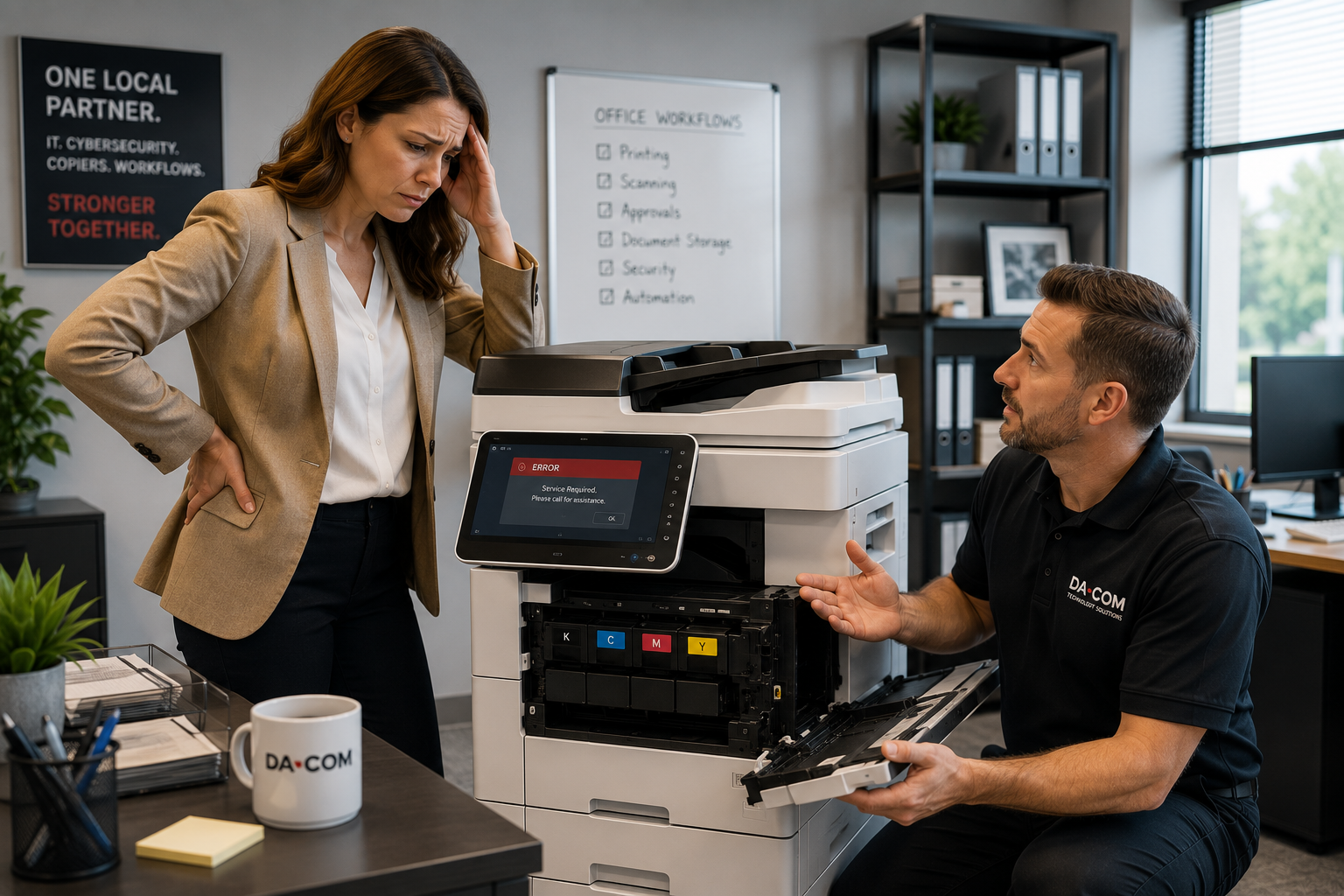
Copier Keeps Breaking Down? Repair or Replace Guide
Copier keeps breaking down is one of the most frustrating problems an office can face because it rarely affects only the machine. A copier that jams every day, stops scanning, creates poor print quality, shows recurring error codes, or needs constant service can slow down invoices, customer paperwork, HR forms, school packets, legal documents, medical records, and daily office communication.
At first, the issue may seem small. Someone clears a paper jam. Someone restarts the machine. Someone calls for service. Someone sends the print job to another device. But when those workarounds become part of the routine, the copier is no longer helping the office run smoothly. It is becoming another interruption employees have to manage.
When your copier keeps breaking down, the first step is to determine whether the problem is a simple repair issue, a maintenance issue, a usage issue, or a sign that the machine has reached the end of its useful life. Repeated breakdowns can cost businesses more than they realize in lost productivity, employee frustration, emergency repairs, downtime, and missed deadlines.
For businesses in St. Louis, St. Charles, Chesterfield, Clayton, Columbia, the Metro East, Belleville, Edwardsville, Collinsville, O’Fallon, and Southern Illinois, the right local copier company can help evaluate the machine, explain the options, and recommend a practical path forward.
Quick Answer: What Should You Do If Your Copier Keeps Breaking Down?
If your copier keeps breaking down, start by documenting the pattern. Track how often the machine fails, what types of issues happen, how long service takes, which departments are affected, and whether the same problems keep returning. Then ask a trusted copier repair service or local copier company to evaluate whether repair, maintenance, replacement, or a different copier solution is the best long-term option.
You may need copier replacement instead of another repair if:
- The same problem keeps coming back.
- Service calls are becoming more frequent.
- Parts are difficult or expensive to find.
- The copier no longer supports your print or scan volume.
- Employees avoid using the machine because they expect problems.
- Downtime is affecting customers, staff, or workflows.
- The machine lacks modern scanning, cloud, mobile, or security features.
- Repair costs are starting to compete with replacement costs.
Da-Com provides office equipment solutions for businesses that need reliable copiers, printers, multifunction devices, and support that keeps daily work moving.
When a Copier Problem Becomes an Office Problem
A copier issue is rarely just a copier issue. It becomes an office problem when employees depend on the machine to keep work moving.
When a copier fails, the impact may spread to:
- Accounting teams that need to print or scan invoices.
- Human resources teams that need onboarding documents.
- Reception teams that need customer paperwork.
- Medical offices that need patient forms and scanning workflows.
- Schools that need classroom or administrative materials.
- Legal teams that need contracts, packets, and signed documents.
- Manufacturers that need shipping paperwork, purchase orders, and work orders.
- Nonprofits that need donor forms, event materials, and reports.
The problem often lands on the person responsible for keeping the office organized. That may be an office manager, operations leader, IT manager, controller, administrator, or business owner. They may not be responsible for repairing the machine, but they become responsible for finding a workaround.
That is why repeated copier breakdowns should be treated as an operational issue, not just a service ticket.
Why Your Copier Keeps Breaking Down
There are several reasons a copier may start failing more often. Some are simple. Others point to a bigger problem with the equipment, maintenance plan, usage, or provider support.
1. The Copier Is Getting Older
Like any piece of office equipment, copiers wear down over time. Rollers, feed mechanisms, trays, belts, drums, and other internal parts are used constantly. Even well-maintained devices eventually reach a point where repairs become more frequent.
Older machines may also become harder to support because:
- Parts become more expensive.
- Replacement components may be harder to find.
- Firmware and software support may be limited.
- Security features may be outdated.
- Compatibility with modern systems may decline.
2. Your Business Has Outgrown the Machine
A copier that worked well five years ago may not be the right fit today. A machine selected for a small office may now be supporting more users, more departments, higher monthly print volume, heavier scanning, or more complex workflows.
Signs the copier may be undersized include:
- Long wait times during busy periods.
- Frequent paper jams.
- Slow scanning.
- Multiple departments competing for the same device.
- Employees sending jobs to other printers.
- High monthly volume compared with the machine’s intended use.
When a copier consistently operates beyond its recommended workload, breakdowns often become more common.
3. Maintenance Has Been Delayed
Small maintenance issues can become bigger repair problems if they are not addressed early. Dust, paper debris, worn rollers, old supplies, and internal wear can all affect performance.
Deferred maintenance can lead to:
- More paper jams.
- Print quality problems.
- Scanning issues.
- Repeated error codes.
- Slower performance.
- More emergency service calls.
Da-Com’s Service & Supplies page explains how businesses can place service calls, order toner and supplies, access remote support, and keep office technology working at peak performance.
4. The Technology Is Outdated
Sometimes the copier is not only mechanically worn. It may also be technologically outdated. Older copiers may struggle with modern office needs, especially as businesses rely more on cloud storage, scan-to-email, mobile printing, user authentication, document workflows, and cybersecurity controls.
Outdated copier technology may create issues such as:
- Driver compatibility problems.
- Network connectivity issues.
- Limited scan-to-email reliability.
- Weak security features.
- Poor mobile printing support.
- Limited cloud workflow options.
- Slow processing for modern workloads.
At some point, repairs may fix individual failures, but they cannot make an outdated machine fit modern workflows.
The Hidden Cost When a Copier Keeps Breaking Down
Many businesses focus only on repair costs. That makes sense because service invoices are visible. But the hidden cost of copier downtime is often larger than the repair itself.
| Visible Cost | Hidden Cost |
|---|---|
| Service call fees | Lost employee productivity |
| Replacement parts | Delayed invoices or paperwork |
| Emergency repairs | Frustrated staff |
| Maintenance expenses | Interrupted customer service |
| Supplies waste | Workarounds that slow departments down |
| Temporary fixes | Lower confidence in office systems |
A copier that breaks down repeatedly creates a cycle of interruptions. Employees stop trusting it. Managers stop relying on it. Departments begin building workarounds. Instead of supporting productivity, the machine becomes an obstacle.
This is when the repair vs. replace conversation becomes important.
Copier Repair vs. Copier Replacement: How to Decide
If your copier keeps breaking down, you do not always need to replace it immediately. Sometimes a targeted repair, maintenance visit, firmware update, or settings adjustment can solve the problem. Other times, continuing to repair the machine may cost more than replacing it.
Use these questions to guide the decision.
How Often Are You Calling for Service?
One service call does not mean the machine needs to be replaced. But repeated calls for the same device, especially for similar problems, may point to a deeper issue.
If technicians are visiting frequently, ask whether the machine has a recurring mechanical failure, an environmental issue, a usage issue, or an age-related problem.
Are Parts Still Available?
Manufacturers eventually discontinue parts and support for older models. When parts become scarce, repairs may take longer and cost more. If replacement parts are becoming difficult to find, replacement may be the more practical option.
Does the Copier Still Fit Your Workflows?
A copier should support the way your team works today. If your office needs faster scanning, better security, cloud integration, mobile printing, finishing options, or higher output, an older machine may be holding you back.
Are Employees Avoiding the Machine?
This is one of the clearest signs that something needs to change. If employees avoid a copier because they expect it to jam, fail, or slow them down, productivity is already being affected.
Are Repairs Becoming a Budget Surprise?
If copier repair costs are increasing, compare the cost of continued repairs with a new lease, replacement device, or managed print program. Sometimes the lower-risk option is a more reliable machine with a clearer service plan.
The U.S. Small Business Administration provides guidance on buying or leasing business assets and equipment, including the idea that businesses should consider cost, cash flow, and long-term needs when choosing whether to buy or lease equipment. You can review the SBA resource here: SBA Buy Assets and Equipment.
Why Choosing the Best Copier Company Matters
When a copier keeps breaking down, many businesses focus only on the machine. They compare speeds, trays, features, brands, and monthly payments. Those details matter, but the provider matters just as much.
A great copier with poor service can become a frustrating experience. A right-sized copier backed by responsive support can become a dependable business tool.
The best copier company should help your business:
- Understand why the current copier keeps breaking down.
- Decide whether repair or replacement makes sense.
- Select equipment that fits actual workflows.
- Avoid overspending on unnecessary features.
- Improve scanning, printing, and document processes.
- Train employees after installation.
- Respond quickly when service is needed.
- Provide long-term support after the lease is signed.
The right copier solution provider should not simply sell the biggest machine. They should help make the office easier to run.
What Makes the Best Copier Solution Provider Different?
The best copier solution provider focuses on outcomes, not only equipment. They ask questions before making recommendations.
A consultative provider should ask:
- How many people use the copier?
- Which departments rely on it most?
- What documents do you print most often?
- How often do employees scan?
- Do you need scan-to-email, cloud workflows, or secure print?
- What frustrations are employees experiencing today?
- How many service calls have you had recently?
- What is your monthly print volume?
- Do you need color, finishing, stapling, or booklet features?
- Do you need help with managed print services?
- Do you have multiple locations or departments?
These questions help uncover the real problem. Sometimes the answer is copier repair. Sometimes it is copier replacement. Sometimes it is a managed print services program. Sometimes it is better training or workflow improvement.
Why Local Copier Service Still Matters
Businesses searching online for copier help may find national providers with large marketing budgets. But when a copier breaks, marketing does not solve the problem. Response time, communication, accountability, and local service matter.
A local copier company can offer advantages such as:
- Faster communication.
- Local technicians.
- Better familiarity with your office environment.
- More personalized recommendations.
- Clearer accountability.
- Long-term relationships.
- Support for local and regional business needs.
Da-Com’s article on how to navigate a copier lease agreement explains that copier leases often include maintenance and service agreements, and that working with a local provider can be helpful for service, support, and end-of-term logistics.
When your staff is waiting and work is piling up, having a local team nearby can make a real difference.
How Managed Print Services Can Prevent Recurring Copier Problems
Some copier issues are not isolated to one machine. They are symptoms of a larger print environment problem. A business may have too many devices, too few devices, aging printers, inconsistent supplies, unclear service ownership, or no visibility into usage.
Managed Print Services can help by monitoring and optimizing the full print environment.
A managed print program may include:
- Printer and copier fleet monitoring.
- Automatic toner replenishment.
- Preventive maintenance.
- Usage reporting.
- Service and repair support.
- Device optimization.
- Cost visibility.
- Security recommendations.
- Long-term replacement planning.
Da-Com’s Managed Print Services help businesses gain visibility and control over printing processes, identify inefficiencies, improve current print environments, and reduce print-related costs.
If your copier keeps breaking down because the machine is overworked, poorly placed, unsupported, or part of a messy fleet, managed print may be a better long-term solution than repeated one-off repairs.
Copier Security Matters During Repair and Replacement Decisions
Copiers and multifunction printers are connected office devices. They may process sensitive documents, store address books, support scan-to-email, connect to networks, and require user authentication. When a copier is outdated, security may become part of the replacement conversation.
The National Institute of Standards and Technology Cybersecurity Framework helps organizations understand and improve how they manage cybersecurity risk. You can review the framework here: NIST Cybersecurity Framework.
When evaluating copier replacement, ask about:
- User authentication.
- Secure print release.
- Data overwrite or storage options.
- Firmware updates.
- Network configuration.
- Scan-to-email security.
- Hard drive removal or return procedures.
- Access controls.
- Cloud and mobile printing settings.
The best copier company should be able to talk about both productivity and security.
Signs It Is Time to Replace Instead of Repair
If your copier keeps breaking down, look for these signs that replacement may be the smarter option.
- Service calls are becoming more frequent.
- The same issue keeps returning.
- The machine is older and parts are harder to find.
- Repair costs are rising.
- Employees are losing confidence in the copier.
- The machine no longer supports your print or scan volume.
- Security features are outdated.
- Scanning and workflow features do not match current needs.
- The copier slows down key departments.
- Downtime is affecting customers or deadlines.
- Your business has grown or changed since the copier was installed.
Replacement is not always about getting something newer. It is about finding equipment and support that better fit the way the office operates now.
What to Ask Before Replacing a Copier
Before choosing a replacement copier, ask questions that connect the machine to the work it needs to support.
- What is our current monthly print volume?
- How much scanning do we do?
- Which departments use the copier most?
- What problems are we trying to solve?
- Do we need color, black-and-white, or both?
- Do we need stapling, booklet making, or finishing?
- Do we need secure print release?
- Do employees need mobile or cloud printing?
- What service response should we expect?
- What is included in the lease or service agreement?
- How are supplies handled?
- Will employees receive training?
- Can the provider support multiple locations?
- Can managed print services improve the full print environment?
A strong provider should help you compare options in plain language. The goal should be a better fit, not a more confusing decision.
Common Mistakes Businesses Make When Their Copier Keeps Breaking Down
Waiting Too Long to Address the Pattern
One breakdown may be routine. Repeated breakdowns are a pattern. The longer a business waits, the more employees normalize workarounds and frustration.
Only Looking at Repair Cost
Repair cost is only one part of the decision. Lost time, delayed work, employee frustration, and customer impact should also matter.
Replacing the Machine Without Reviewing Workflow
If the copier keeps breaking down because it is overloaded or poorly matched to the workflow, simply replacing it with a similar machine may not solve the problem.
Choosing the Lowest Monthly Payment
A low payment may look good at first, but service quality, supplies, response time, training, and support can matter more over a multi-year lease.
Ignoring Managed Print Services
If printer and copier issues are happening across multiple devices, the problem may be the full print environment, not just one machine.
Frequently Asked Questions About a Copier That Keeps Breaking Down
Why does my copier keep breaking down?
A copier may keep breaking down because of age, heavy print volume, deferred maintenance, worn parts, outdated technology, poor placement, network issues, or a machine that no longer fits the business’s current needs.
Should I repair or replace my copier?
Repair may make sense for a newer machine with an isolated issue. Replacement may make more sense when service calls are frequent, parts are difficult to find, repair costs are rising, employees avoid the machine, or downtime affects productivity.
How do I know if my copier is too old?
Your copier may be too old if parts are hard to find, repairs are frequent, security features are outdated, scanning workflows are unreliable, or the device no longer supports the volume and features your team needs.
Is copier leasing a good option?
Copier leasing can be a good option for businesses that want predictable monthly costs, access to newer technology, service agreement options, and a clearer upgrade path. The right choice depends on budget, usage, and long-term plans.
What should I look for in the best copier company?
Look for responsive service, local technicians, clear communication, strong customer support, consultative recommendations, training, managed print options, and a provider that focuses on solving workflow problems, not just selling equipment.
Can managed print services reduce copier problems?
Yes. Managed Print Services can help monitor devices, automate toner, review usage, identify recurring issues, optimize the fleet, and create a more proactive approach to copier and printer support.
Why choose a local copier company?
A local copier company can often provide faster response, stronger accountability, familiar technicians, personalized service, and better understanding of regional businesses than a distant or highly centralized provider.
Does Da-Com provide copier service outside St. Louis?
Yes. Da-Com supports businesses throughout St. Louis, St. Charles County, Columbia, the Metro East, Belleville, Edwardsville, Collinsville, O’Fallon, and Southern Illinois with copier solutions, service, managed print, and office technology support.
The Bottom Line: A Copier That Keeps Breaking Is a Business Problem
If your copier keeps breaking down, the issue may be bigger than the machine itself. Repeated service calls, frustrated employees, workflow interruptions, delayed paperwork, and rising repair costs are often signs that the business needs a different approach.
Sometimes the right answer is repair. Sometimes it is better maintenance. Sometimes it is copier replacement. Sometimes it is managed print services. The best copier solution provider will help you understand the difference and recommend the option that fits your business, workflow, budget, and service needs.
Your office technology should reduce stress, not create more of it. When employees trust the copier, scanning works, supplies are available, and support is responsive, the office runs more smoothly.
To learn more about what to do when your copier keeps breaking down, or to evaluate copier repair, copier replacement, copier leasing, Managed Print Services, or office copier solutions for your St. Louis, St. Charles, Chesterfield, Clayton, Columbia, Metro East, Belleville, Edwardsville, Collinsville, O’Fallon, or Southern Illinois business, contact Da-Com today. Da-Com can help you find a copier partner you can count on and a solution that makes your office easier to run.


Leave A Comment