
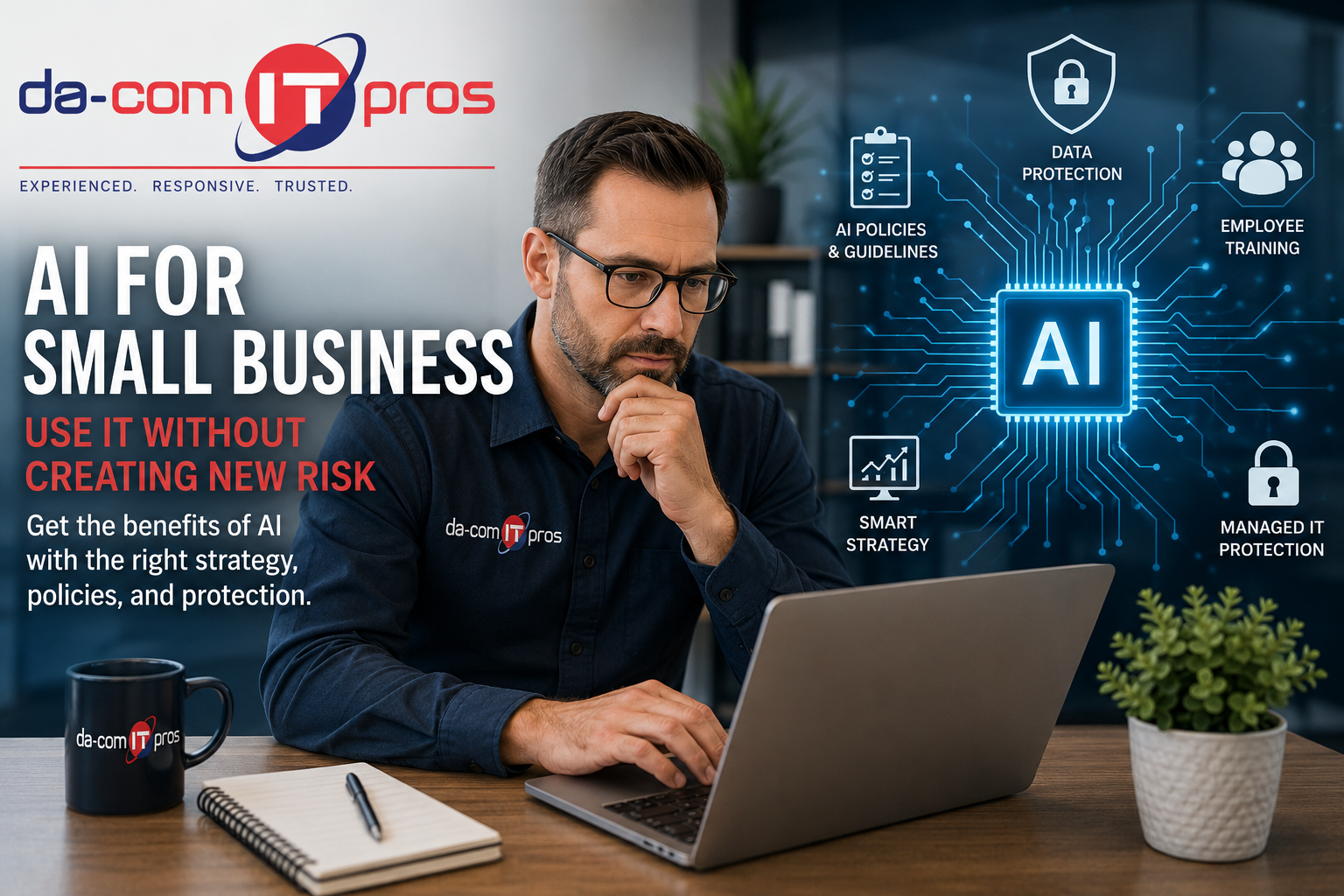
AI for Small Business: Use It Without Creating New Risk
AI for small business is no longer a future concept. It is already changing how small and mid-size companies write emails, summarize documents, analyze data, automate repetitive tasks, create content, support customers, and move work forward faster.
The opportunity is real. AI tools can help small businesses save time, improve productivity, reduce manual work, and compete with larger organizations that have more people and bigger budgets.
But the risk is real too.
Employees may be using AI tools before leadership knows about it. Sensitive information may be getting pasted into free platforms. AI-generated content may be used without review. AI apps may be connected to email, file storage, calendars, CRM systems, or other business tools without anyone evaluating the security impact.
That gap between fast AI adoption and responsible AI governance is where many small businesses are most exposed.
Da-Com IT Pros helps small and mid-size businesses across St. Louis, St. Charles, the Metro East, and Southern Illinois use technology more safely and strategically. For AI, that means helping businesses understand what tools are being used, where data is going, what risks exist, and what policies or technical controls are needed before AI becomes another unmanaged security problem.
Quick Answer: How Can Small Businesses Use AI Safely?
Small businesses can use AI safely by choosing approved tools, creating an AI acceptable use policy, training employees, limiting what data can be entered into AI platforms, reviewing AI-generated outputs before use, monitoring for shadow AI, securing integrations, and working with a managed IT provider to reduce security, privacy, and operational risk.
A safe AI for small business strategy should include:
- Visibility into which AI tools employees are already using.
- Approved and blocked AI tool lists.
- Clear rules for what data can and cannot be entered into AI platforms.
- Human review for AI-generated content before it is used.
- Security review before connecting AI tools to business systems.
- Employee training on AI risks and responsible use.
- Monitoring for data exposure, shadow AI, and unsafe integrations.
- Ongoing updates as AI tools, threats, and business needs change.
The goal is not to ban AI. The goal is to use AI in a way that improves productivity without creating new security, privacy, compliance, or reputation risks.
Da-Com IT Pros provides Managed IT Services for businesses that need proactive technology support, cybersecurity guidance, monitoring, backup planning, and strategic IT leadership.
Why AI for Small Business Is Both an Opportunity and a Risk
The promise of AI for small businesses is substantial. AI tools can reduce time spent on repetitive tasks, help employees draft routine communications, summarize long documents, organize ideas, identify trends, and support faster decision-making.
For a small business with limited staff, those gains can matter. A sales manager may use AI to outline a proposal. A marketing coordinator may use it to create a first draft. An operations leader may summarize reports. A customer service team may use AI to organize common questions. An owner may use it to brainstorm processes or improve internal communication.
Used thoughtfully, AI can help small businesses work faster and focus more time on high-value tasks.
The problem is that AI is often adopted informally. Employees find a tool, test it, and start using it without asking IT or leadership. That may feel harmless, especially when the tool is free and easy to use. But every AI tool has data practices, access permissions, retention rules, security settings, and potential risks that should be evaluated before business information is entered.
The National Institute of Standards and Technology created the AI Risk Management Framework to help organizations think about AI risk and trustworthiness. For small businesses, that same principle applies in a practical way: AI should be useful, but it should also be governed, reviewed, and managed.
The Biggest AI Risk for Small Businesses: Unmanaged Use
The biggest risk with AI for small business is not always the technology itself. It is unmanaged use.
Unmanaged AI use happens when employees use AI tools without clear company rules, IT review, security oversight, or leadership visibility. This is often called shadow AI.
Shadow AI can create problems because the business may not know:
- Which AI tools employees are using.
- What business data is being entered.
- Whether those tools store submitted information.
- Whether prompts or uploaded files are used for model training.
- What accounts are connected to the tool.
- Whether integrations have broad access to business systems.
- Whether outputs are being reviewed before use.
- Whether customer, employee, financial, or proprietary data is exposed.
The absence of an AI policy does not stop employees from using AI. It only means they are using it without guidance.
For small businesses, this is especially important because a single employee may wear many hats. Someone may handle marketing, customer communication, HR documents, finance reports, vendor records, and internal planning. Without clear rules, that person may not know which information is safe to enter into an AI tool and which information should never leave the business environment.
Where Small Businesses Are Most Vulnerable With AI
Understanding where AI creates risk helps business owners, managers, and IT leaders decide what to fix first. Most small businesses do not need a complicated AI program on day one. They need practical controls around the highest-risk behaviors.
Shadow AI Adoption
Shadow AI happens when employees use AI tools that have not been approved or evaluated by the business. The tool may be useful, but leadership may not know how it handles data, whether it is secure, or whether it connects to sensitive systems.
Examples of shadow AI include:
- Using a free AI writing tool for customer emails.
- Uploading internal documents to an AI summarizer.
- Connecting an AI assistant to email or calendar data.
- Using AI meeting notes without approval.
- Entering client information into an AI chatbot.
- Using AI browser extensions that collect page content.
Small businesses should start by identifying which AI tools are already being used. You cannot manage what you cannot see.
Sensitive Data Entered Into AI Tools
Data input is one of the most serious AI risks. Employees may paste information into a tool without understanding what happens after they submit it.
Sensitive data may include:
- Customer information.
- Employee records.
- Financial data.
- Proposals and contracts.
- Internal processes.
- Login information.
- Client project details.
- Healthcare, legal, education, or financial records.
- Confidential business plans.
Small businesses should create clear data categories. Employees should know what information is approved for AI use, what requires caution, and what should never be entered into an AI platform.
AI-Generated Content Used Without Review
AI tools can produce confident, polished content that sounds correct even when it is incomplete, outdated, inaccurate, or inappropriate for the situation.
That matters when employees use AI to create:
- Customer-facing emails.
- Legal language.
- Financial explanations.
- Technical instructions.
- Policy documents.
- Marketing claims.
- HR communications.
- Vendor responses.
AI output should be treated as a draft, not a final answer. A human should verify factual claims, tone, accuracy, compliance, and business fit before anything is sent, published, or relied on.
The Federal Trade Commission has published business guidance reminding companies to be careful with AI-related claims and avoid unsupported claims about what AI can do. Businesses using AI for marketing, sales, or customer communication should make sure content is accurate and reviewable before it is used. FTC guidance on AI claims
Credential and Integration Risks
AI tools become more powerful when they connect to business systems, but that also makes them riskier. An AI app connected to email, file storage, calendar tools, chat platforms, or CRM systems may have access to more data than employees realize.
Before approving AI integrations, businesses should ask:
- What systems does the AI tool connect to?
- What permissions does it request?
- Can permissions be limited?
- Does the tool access files, emails, or customer records?
- How is the account secured?
- Is multi-factor authentication required?
- What happens if the AI account is compromised?
- Can access be removed quickly?
CISA and international partners have released guidance on secure AI system development and deployment that emphasizes informed decisions around design, operation, and security. For small businesses, the practical takeaway is simple: do not connect AI tools to core business systems without security review. CISA secure AI guidance
No AI Policy or Employee Training
Many employees want to use AI responsibly. The problem is that they often have no guidance.
Without training, employees may not know:
- Which tools are approved.
- Which tools are prohibited.
- What information can be entered.
- What information should never be entered.
- How to verify AI output.
- How to disclose AI-assisted work internally.
- Who to ask when they are unsure.
AI training does not need to be overwhelming. It should be practical, role-specific, and easy to understand. Employees should leave knowing how to use AI productively without putting business data at risk.
AI for Small Business: What a Safe Strategy Should Include
A responsible AI for small business strategy does not need to be complicated. It should answer the questions employees and leaders face every day.
At a minimum, a safe AI strategy should include five elements:
| AI Strategy Element | Why It Matters |
|---|---|
| Tool inventory | Shows which AI platforms are already being used across the business. |
| Approved tool list | Gives employees clear options instead of leaving them to choose tools on their own. |
| Data rules | Defines what information can and cannot be entered into AI platforms. |
| Human review process | Reduces risk from inaccurate, incomplete, biased, or inappropriate AI output. |
| Security controls | Helps monitor access, integrations, data movement, and risky usage. |
This approach gives employees room to use AI without leaving the business exposed.
Start With an AI Acceptable Use Policy
An AI acceptable use policy is one of the most important first steps for small businesses. It does not need to be a long legal document. It needs to be clear, practical, and useful.
A good AI acceptable use policy should explain:
- Which AI tools are approved.
- Which AI tools are not allowed.
- What data can be entered into approved tools.
- What data is prohibited.
- How employees should review AI-generated work.
- When managers or IT should be involved.
- How AI-generated content should be labeled or disclosed internally.
- How employees can request approval for a new AI tool.
- What happens if a tool changes its terms or capabilities.
The purpose of the policy is not to scare people away from AI. It is to give employees confidence. When people know the boundaries, they can use tools more productively and responsibly.
Use Technical Controls to Support the Policy
A policy is important, but policy alone is not enough. Small businesses also need practical technical controls that help enforce safe AI use.
Managed IT and cybersecurity support can help with:
- Monitoring access to AI platforms.
- Blocking high-risk or unapproved tools.
- Reviewing AI vendor security settings.
- Managing user permissions.
- Enforcing multi-factor authentication.
- Reviewing AI integrations before approval.
- Monitoring for unusual data movement.
- Protecting endpoints and cloud accounts.
- Strengthening email and identity security.
- Supporting backup and recovery planning.
Da-Com IT Pros provides cybersecurity support for businesses that need practical protection across users, devices, cloud applications, email systems, backups, and daily operations.
Train Employees on AI Risks and Real Use Cases
Employee training is the third essential part of safe AI adoption. Training should explain not only what the rules are, but why those rules exist.
Effective AI training should cover:
- What AI tools are approved.
- What shadow AI means.
- Why sensitive data should not be pasted into unapproved tools.
- How AI output can be inaccurate.
- How to review AI-generated content.
- What to do before connecting AI to business systems.
- Who to contact with questions.
- Examples of safe and unsafe AI use.
Training should also be specific to how employees actually work. A sales team, accounting team, HR team, customer service team, and operations team may all use AI differently.
For example, a safe AI use case may be asking an approved tool to outline a general internal meeting agenda. A risky use case may be uploading a customer contract, financial spreadsheet, or employee record into an unapproved AI tool.
How Managed IT Helps Small Businesses Use AI Safely
For most small businesses, AI governance is hard to manage alone. The tools change quickly, the security questions are technical, and the risks often cross multiple areas of the business.
A managed IT provider can help turn AI from an uncontrolled experiment into a managed capability.
Da-Com IT Pros can help businesses with:
- AI tool discovery and inventory.
- Approved AI tool evaluation.
- AI acceptable use policy development.
- Cybersecurity controls for AI-related risks.
- Identity and access management.
- Employee training and awareness.
- Data protection planning.
- Vendor and tool review.
- Integration risk assessment.
- Ongoing monitoring and support.
- AI readiness assessments.
- Strategic IT planning for safe AI adoption.
Da-Com’s guide on AI automation and IT strategy explains how clear boundaries, approved tools, data controls, employee guidance, and secure integrations can help businesses use AI more effectively.
AI Adoption Checklist for Small Businesses
Use this checklist before allowing employees to use AI tools for business work.
- Inventory which AI tools are already being used.
- Identify which departments are using AI most often.
- Review what data employees are entering into AI tools.
- Create an approved AI tool list.
- Block or discourage high-risk tools.
- Create an AI acceptable use policy.
- Define sensitive data categories.
- Train employees on safe AI use.
- Require human review of AI-generated content.
- Review AI integrations before approval.
- Apply multi-factor authentication where possible.
- Monitor for risky or unapproved AI usage.
- Update the policy as tools and risks change.
- Work with managed IT before expanding AI use.
Safe vs. Risky AI Use in Small Businesses
Not every AI use case carries the same risk. Small businesses should start with low-risk, high-value use cases before expanding into sensitive workflows.
| Lower-Risk AI Use Cases | Higher-Risk AI Use Cases |
|---|---|
| Drafting a general internal meeting agenda. | Uploading confidential customer contracts. |
| Summarizing public information. | Pasting employee records into a free AI tool. |
| Brainstorming blog ideas or social media outlines. | Generating legal language without review. |
| Creating a first draft of non-sensitive internal content. | Connecting AI to email, file storage, or CRM without approval. |
| Organizing notes that do not include confidential data. | Using AI-generated financial projections without verification. |
| Creating a checklist for a general process. | Using AI output in customer communication without human review. |
Starting with lower-risk use cases allows a business to build familiarity with AI while reducing the chance of serious data exposure or operational mistakes.
How to Know If Your AI Adoption Is on the Right Track
Small business owners do not need to run a full compliance audit to understand whether AI adoption is getting safer. A few practical indicators can show whether the business has basic governance in place.
Your AI adoption is on the right track if:
- Leadership knows which AI tools are being used.
- Employees know which tools are approved.
- There are clear rules for sensitive data.
- AI-generated work is reviewed before use.
- AI integrations are approved by IT.
- Employees have received AI-specific training.
- New AI tools are reviewed before adoption.
- The business monitors for unapproved AI usage.
- The policy is updated as tools change.
Your AI adoption may need attention if:
- Employees are using tools leadership does not know about.
- There is no AI acceptable use policy.
- Employees are unsure what data can be entered.
- AI tools are connected to business systems without review.
- AI-generated content is being sent to customers without verification.
- No one owns AI governance.
- Security settings for AI tools have not been evaluated.
Common Mistakes Small Businesses Make With AI
Letting Employees Figure It Out Alone
Employees may be eager to use AI, but they should not be expected to evaluate legal, security, privacy, and data risks on their own. Leadership and IT need to provide clear guidance.
Assuming Free Tools Are Safe Enough
Free AI tools can be useful, but they may not be designed for confidential business use. Always review data handling practices, account settings, and terms before approving a tool for company work.
Ignoring Integrations
An AI tool that connects to email, files, calendars, or CRM data can create more risk than a standalone tool. Integrations should be reviewed before approval.
Skipping Human Review
AI-generated output should not be treated as automatically accurate. Human review is essential for customer communication, factual claims, financial information, policies, and anything sensitive.
Waiting Until Something Goes Wrong
AI risk is easier to manage before sensitive data is exposed, a bad output is sent to a customer, or a tool creates access problems. A proactive strategy is safer than a reactive cleanup.
Frequently Asked Questions About AI for Small Business
What is AI for small business?
AI for small business refers to artificial intelligence tools that help small and mid-size companies automate tasks, draft content, summarize information, analyze data, support customers, improve workflows, and make better use of limited staff time.
Is AI safe for small businesses to use?
AI can be safe for small businesses when it is used with approved tools, clear policies, employee training, data protection rules, human review, cybersecurity controls, and managed IT oversight. The risk increases when employees use unapproved tools without guidance.
What is shadow AI?
Shadow AI is the use of AI tools that have not been approved, reviewed, or monitored by leadership or IT. It can create security and privacy risks because the business may not know what tools are being used or what data is being entered.
What should employees avoid putting into AI tools?
Employees should avoid entering confidential customer data, employee records, financial information, passwords, contracts, proprietary processes, regulated data, and sensitive business information into unapproved AI tools.
Does a small business need an AI policy?
Yes. A practical AI acceptable use policy helps employees understand which tools are approved, what data can be used, how AI output should be reviewed, and who to contact with questions.
How can managed IT help with AI?
Managed IT can help small businesses inventory AI tools, evaluate security risks, create acceptable use policies, monitor usage, secure integrations, train employees, strengthen cybersecurity controls, and build a safer AI adoption strategy.
What is the first step for adopting AI safely?
The first step is to identify which AI tools are already being used across the business. From there, leadership and IT can create approved tool lists, data rules, training, and controls based on real usage.
Can Da-Com IT Pros help with AI governance?
Yes. Da-Com IT Pros helps businesses in St. Louis, St. Charles, the Metro East, and Southern Illinois evaluate AI exposure, develop practical governance policies, strengthen cybersecurity controls, and use AI more safely.
Adopt AI Confidently With Da-Com IT Pros
AI for small business can create real value, but only when adoption is managed. The businesses that benefit most from AI are not necessarily the ones using the most tools. They are the ones using the right tools with the right policies, training, security controls, and oversight.
AI should help your business move faster, not create uncertainty about data privacy, cybersecurity, customer trust, or compliance. With the right managed IT strategy, small businesses can capture the productivity benefits of AI while reducing the risks that come from unmanaged adoption.
To learn more about building a safe AI strategy for your St. Louis, St. Charles, Metro East, or Southern Illinois business, contact Da-Com IT Pros today. We can help you evaluate your current AI exposure, develop practical governance policies, strengthen cybersecurity controls, and build the technical foundation your business needs to use AI productively and safely.
Explore our Managed IT Services and Cybersecurity Support to learn how Da-Com IT Pros helps businesses adopt technology safely and strategically.





Leave A Comment